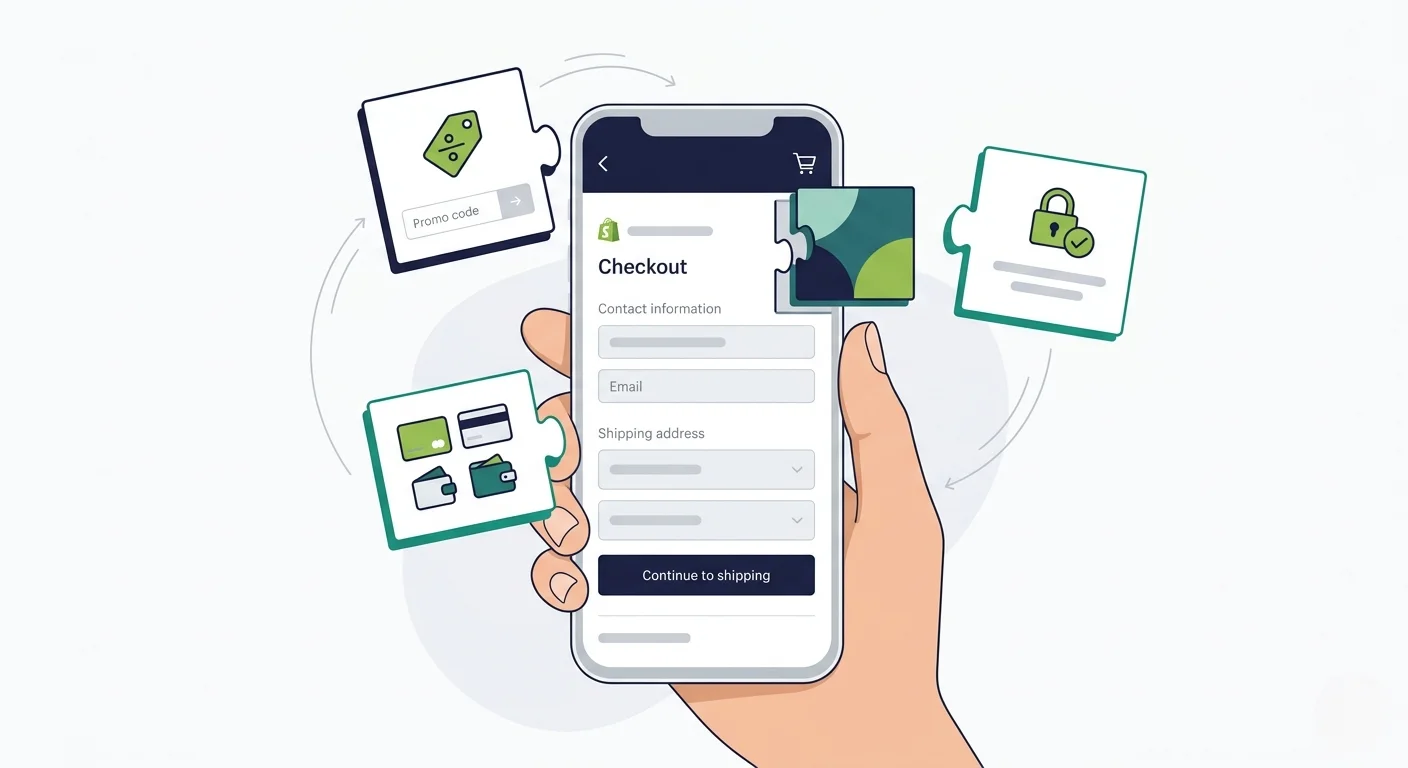
Will My Shopify Upsell and Cross-Sell Apps Work in a Mobile App?

Whether your Shopify upsell and cross-sell apps carry over to a mobile app depends entirely on how that app is built. Most app builders rebuild your store from an API and lose your third-party app integrations. MobiLoud keeps everything working because your app runs your actual website.
Whether your Shopify upsell and cross-sell apps carry over to a mobile app depends entirely on how that app is built. Most app builders rebuild your store from an API and lose your third-party app integrations. MobiLoud keeps everything working because your app runs your actual website.
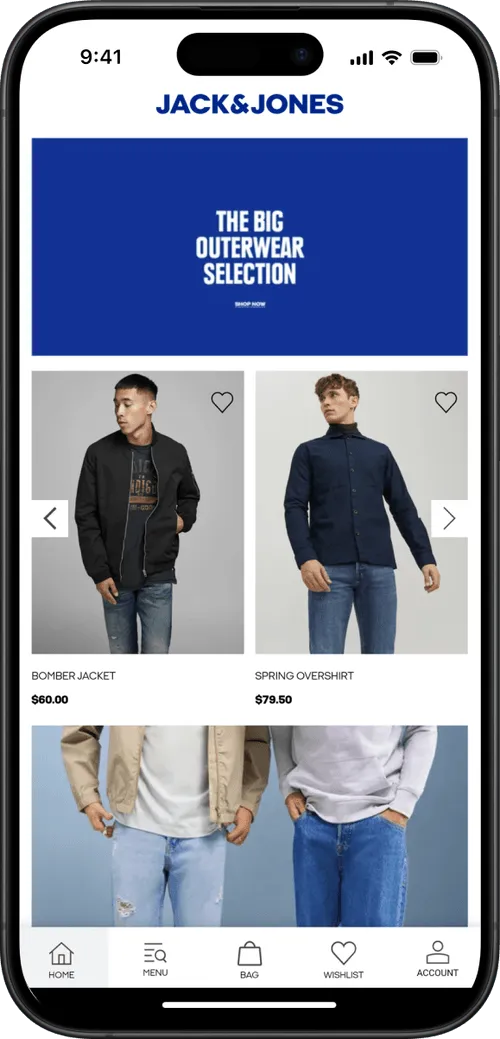
Let’s set the stage.
You've spent months setting up your upsell and cross-sell flows. ReConvert for your post-purchase page. Rebuy for your in-cart recommendations. Maybe you're using Bold Upsell for pre-checkout offers or Candy Rack for one-click pop-ups.
Now you’re ready to launch a mobile app, and you’re thinking… are all my upsell and cross-sell apps going to carry over?
In this article we’ll answer that question, along with everything else you need to know to launch a mobile app that’s just as powerful as your website.
The Short Answer: It Depends on How Your App Is Built
With many Shopify app solutions, there’s no guarantee that all your third-party apps carry over.
API-based, DIY app builders come with support for just a select few integrations - and, often, a limit on the number of integrations you can bring into your app.
If you’re building a custom mobile app, you can integrate anything you like into your app. But the more custom your setup, the more complicated (and costly) it will be.
MobiLoud is the only way to ensure that everything carries over. MobiLoud converts your entire site, all integrations and third-party tools and custom features included, into a full-featured mobile app.
No limits, no unsupported integrations. Everything works out of the box.
Keep reading and we’ll dive deeper into how this works, plus why the alternatives struggle to fully integrate every app from your store.
How Shopify Upsell and Cross-Sell Apps Actually Work
To get a clear idea of how your upsell and cross-sell features carry over to your mobile app, we first need to understand how these work on your site.
Most Shopify upsell and cross-sell tools work in one of three ways:
Theme-Level Integrations
Apps like Candy Rack, Frequently Bought Together, and Also Bought inject UI elements directly into your Shopify theme.
They add product recommendation widgets, pop-up offers, and "customers also bought" carousels by inserting code into your theme's Liquid templates or using Shopify's app blocks.
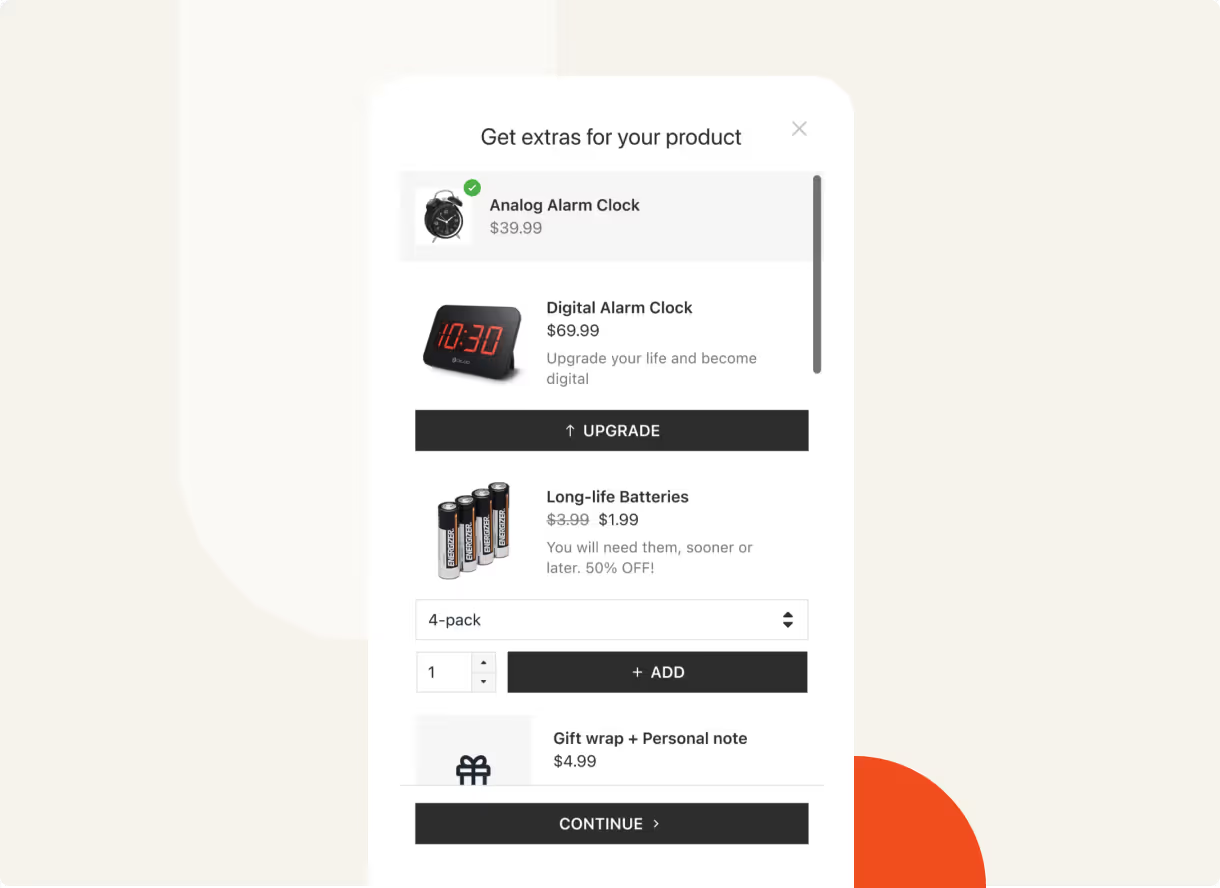
These integrations are tied to your storefront. They render as part of your web pages.
Checkout and Post-Purchase Extensions
Apps like ReConvert, AfterSell, and Zipify OCU use Shopify's Checkout Extensibility framework to display upsell offers during or after checkout.
Post-purchase upsells appear between the payment confirmation and the Thank You page, letting customers accept additional offers with one click (no re-entering payment details).
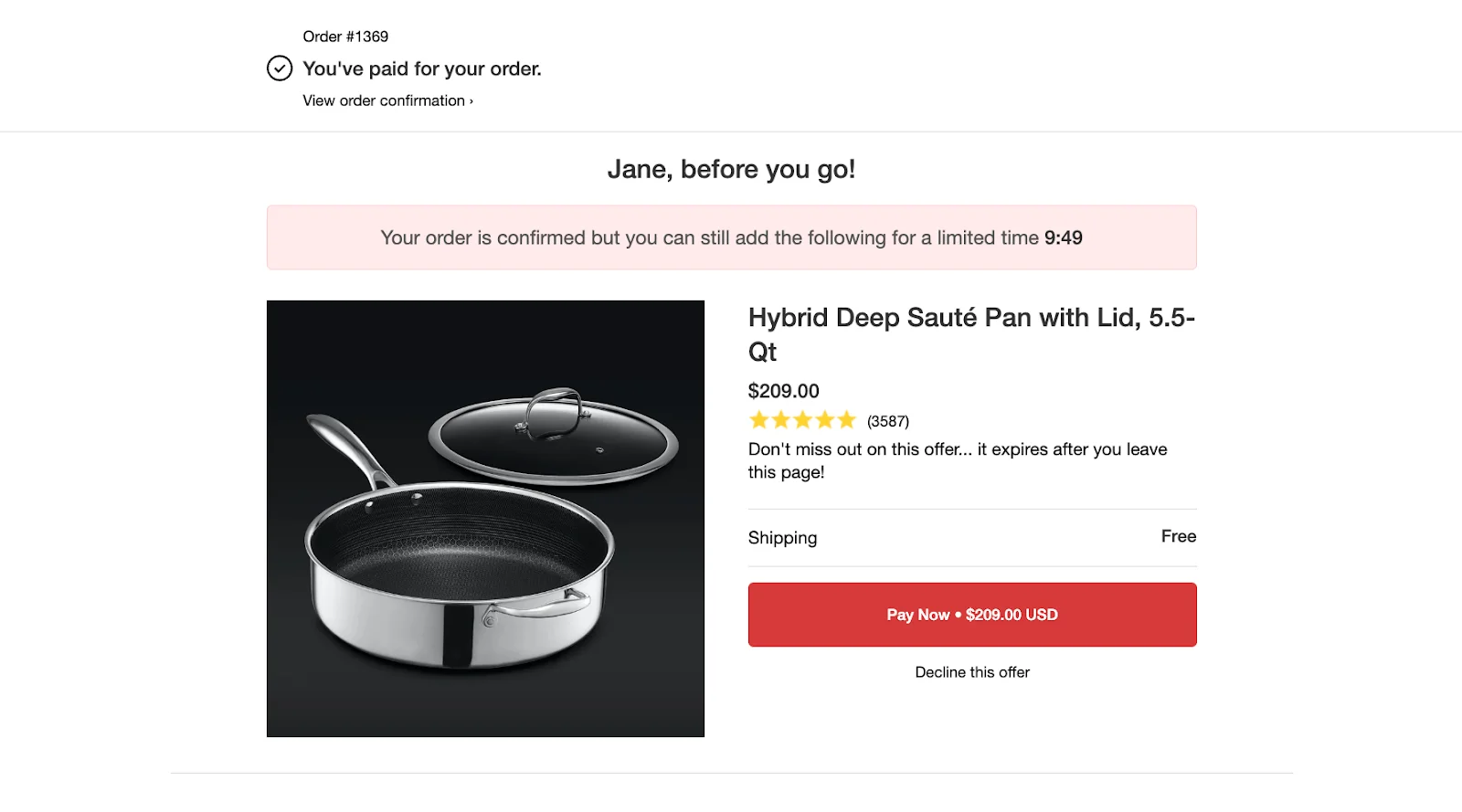
These extensions run within Shopify's checkout infrastructure, using Checkout UI Extensions and Post-Purchase Extensions.
Cart-Level and AI-Powered Recommendations
Tools like Rebuy, Bold Upsell, and Nosto use a combination of JavaScript widgets, API calls, and machine learning to power recommendations throughout the shopping experience: product pages, cart drawers, slide-out panels, and dedicated recommendation sections.
.webp)
Some of these tools also use Shopify's Script Editor or Shopify Functions for backend discount logic that triggers based on cart contents, customer tags, or order value.
Why This Matters
The technical implementation matters because it determines whether the integration survives the transition to a mobile app.
If you build your app with an app builder that doesn't render your Shopify theme, theme-level integrations disappear.
If it rebuilds the checkout from an API, your checkout and post-purchase extensions may not render.
And if the recommendation engine relies on JavaScript running on your storefront pages, an API-based app won't execute that code.
What Happens with API-Based App Builders
Most popular Shopify mobile app builders use the Storefront API to construct a native app. This is how virtually any tool you install from the Shopify App Store works.
The storefront API provides certain functionality for your app:
- Product catalog (titles, descriptions, images, variants, pricing)
- Collections and navigation
- Cart functionality (add to cart, update quantities, apply discount codes)
- Customer accounts (login, order history, addresses)
- Basic checkout (through Shopify's web checkout or a custom checkout flow)
Here's what it doesn't provide:
- Your Shopify theme and its customizations
- Third-party app front-end integrations
- Theme-injected widgets, pop-ups, and recommendation carousels
- Custom JavaScript running on your storefront pages
What This Means for Your Upsell and Cross-Sell Apps
When an API-based builder reconstructs your store, your upsell and cross-sell apps don't come along for the ride.
The app builder isn't loading your website; it's building a new front end that reads product data from Shopify's API. In essence, everything you’ve built on your website is stripped away.
Theme-level integrations (Candy Rack pop-ups, Also Bought carousels, Frequently Bought Together widgets) won't render. They don't exist in the API-based app because the theme code that triggers them isn't running.
Cart-level recommendations (Rebuy's smart cart, Bold Upsell's cart offers) may or may not work.
Some app builders offer their own built-in recommendation features or direct integrations with specific tools. But the experience typically won't match what you've set up on your website. You'll need to configure it separately within the app builder's dashboard.
Checkout and post-purchase extensions depend on whether the app builder uses Shopify's native web checkout or a custom one.
If the builder redirects to Shopify's web checkout for the actual payment flow, your Checkout Extensibility customizations (including post-purchase upsells) should render. If the builder uses its own checkout flow, they likely won't.
Mobile App Integrations for Upsell and Cross-Sell Apps
These app builders all provide purpose-built integrations with various Shopify apps.
This will include some popular upsell and cross-sell apps. The more popular, the more likely it’s supported.
But it’s not always the perfect solution.
- Your full upsell stack may not be supported
- The tool may have a limit on how many integrations you can bring; you could be forced to make a tough choice on leaving some integrations behind
- The integrations may not include the upsell app’s complete functionality. It may not work the same in your app as it does on your site.
- The integration has to be managed separately in your app vs on your website. If you change your setup on the web, you need to remember to make the same changes in your app’s upsell/cross-sell flow.
- Each integration provides a potential point of failure. Maybe the Shopify app makes an update, it breaks the integration, and you’re waiting for it to be fixed.
The more powerful and customized your setup, the more you’ll notice the difference between what it does on the web, and what the integration in your mobile app allows.
What Happens with Custom App Development
Custom development is the most flexible option for building a mobile app - but also by far the most complicated (and expensive).
And it’s not so simple when it comes to integrating all the features from your website in your app.
Your development team will have to build a custom integration for the Shopify apps on your site, which is more complicated and expensive than you think.
The Integration Problem
Each upsell and cross-sell app you use has its own API (or doesn't have one at all). To replicate your web experience in a custom app, a development team needs to:
- Understand how each tool works on your website (where it triggers, what data it uses, how it displays)
- Check if the tool offers a mobile SDK or API that can be used in a native app context
- Build the front-end UI for each upsell and cross-sell interaction (pop-ups, product carousels, one-click offers, cart recommendations)
- Connect the backend logic (discount rules, recommendation algorithms, customer segmentation)
- Test the entire flow across iOS and Android
Some tools, like Rebuy, offer APIs that a development team can work with. Others, like Candy Rack or Frequently Bought Together, are designed to work within Shopify themes and don't have standalone APIs for native apps.
If that’s the case, you probably won’t be able to use these features in your mobile app.
Cost Scales with Complexity
The more upsell and cross-sell tools you use, the more expensive your custom app becomes. Each integration is a separate development effort.
A basic Shopify app with no third-party integrations might cost $50,000-$100,000 to build. Add in custom upsell flows, AI-powered recommendations, post-purchase offers, and dynamic cart features, and you're looking at significantly more, both upfront and in ongoing maintenance.
And every time you change your upsell setup on the web (swap out ReConvert for AfterSell, update your Rebuy rules, add a new cross-sell widget), the app needs a separate update. That's a development ticket, a code review, a QA cycle, and an app store submission. Every time.
The Maintenance Trap
This is the part that catches most brands off guard. Building the initial integration is a one-time cost. Maintaining it is ongoing, for situations when:
- Shopify updates its APIs
- Upsell apps release new versions
- Your marketing team wants to test a new offer format
Each change requires developer time in the app, even if it takes five minutes to update on your website.
Worst case (and actually very common) is you forget to update the app on your website (or put it off), and you end up with a growing feature gap between website and app.
"There were a lot of frustrating things where customers would be experiencing one thing on the website and then a different thing on the app."
- Patrick Levesque, Co-Founder at MASC
How MobiLoud Keeps Your Upsell and Cross-Sell Apps Working in Your Mobile App
MobiLoud takes a fundamentally different approach to other Shopify mobile app builders.
Instead of rebuilding your storefront or asking a development team to replicate each integration, MobiLoud extends your existing Shopify website into a native iOS and Android app.
Your website powers the app experience. That means every Shopify app, every third-party integration, every custom code snippet that runs on your storefront also runs in the app.
Here's what this means for your upsell and cross-sell setup:
- Theme-level integrations (Candy Rack, Frequently Bought Together, Also Bought) display in the app exactly as they do on your website. The same widgets, the same placement, the same triggers.
- Cart-level recommendations (Rebuy smart cart, Bold Upsell offers, Nosto widgets) work because the app is rendering your actual cart page and cart drawer, including all the JavaScript those tools use.
- Checkout and post-purchase extensions (ReConvert, AfterSell, Zipify OCU) render within Shopify's checkout flow, which the app uses directly. Your post-purchase upsells, one-click offers, and Thank You page customizations all carry over.
- Shopify Functions (discount rules, payment customizations, cart validation) execute identically because the checkout is the same checkout your web customers use.
- Custom scripts and pixels that you've added through Shopify's admin continue to fire in the app.
There's no rebuilding. No separate configuration. No limited integration list to check against.
"MobiLoud made a lot of sense because it literally uses Shopify. When Shopify updates...the app is updated."
- Eric Lowe, Director of Ecommerce at XCVI
Updates Happen Automatically
This is where the approach pays off long-term. When you update your upsell flows on your website, those changes appear in the app immediately. No app store update required. No development ticket. No QA cycle.
Swap ReConvert for AfterSell? It works in the app the moment it works on your website.
Update your Rebuy recommendation rules? The app reflects the new rules instantly.
Add a new cross-sell widget to your product pages? It shows up in the app with zero additional effort.
"You don't need to maintain two systems - you update the website, and it shows up in the app. That saves us so much time."
- Eric, Web Developer at Kiokii
This is the same principle that makes MobiLoud work for all your Shopify apps, not just upsell and cross-sell tools. Your reviews app, your loyalty program, your size chart tool, your live chat widget: if it works on your website, it works in the app.
Your Upsell Flows Already Work. Your App Should Too.
You've invested in your upsell and cross-sell setup because it drives real revenue. Higher AOV, better post-purchase engagement, more repeat purchases. That setup should carry over to your mobile app without compromise.
MobiLoud is the only way to reliably do this, without custom development or sacrificing functionality.
Here's how MobiLoud helps you go from website to app in three steps:
- Book your strategy call. We'll walk through your current Shopify setup, your upsell and cross-sell tools, and how they'll work in your app, including a live demo of your app to see it for yourself.
- We build and test your app. MobiLoud’s team handles everything for the build, from configuration through to testing and deployment. There’s virtually no lift for your team.
- Launch in 30 days. We handle App Store submission, Google Play submission, and ongoing support. In just 30 days, you can be live and getting your first users.
We've built and launched over 2,000 apps, including numerous high-revenue, complex, custom ecommerce stores.
When you launch a mobile app, you should be comfortable with knowing it’s at least going to be as good as your website. MobiLoud is the only way to ensure that happens.
Ready to see what’s possible? Get a free preview of your app and we’ll show you.
FAQs

Convert your website into a mobile app