Will My Shopify Page Builder Pages Work in a Mobile App?

With a lot of Shopify app builders, your custom pages won’t appear the same in your mobile app. The app builder may have an integration that enables this, but most often, you need to rebuild your whole UI from scratch. MobiLoud, however, displays every page you've built with GemPages, PageFly, Shogun, or any other page builder, because the app is powered by your actual storefront.
With a lot of Shopify app builders, your custom pages won’t appear the same in your mobile app. The app builder may have an integration that enables this, but most often, you need to rebuild your whole UI from scratch. MobiLoud, however, displays every page you've built with GemPages, PageFly, Shogun, or any other page builder, because the app is powered by your actual storefront.
You've spent hours building custom landing pages, product pages, and promotional pages with a Shopify page builder. Maybe it's GemPages powering your seasonal campaigns, PageFly running your product storytelling layouts, or Shogun handling your A/B tested landing pages.
These pages convert. They're tuned to your brand, optimized for your audience, and you've iterated on them for months. Now you want a mobile app, and the question is straightforward: do all those custom pages come with it?
The answer depends on how the app is built. This article covers which approaches preserve your page builder investment and which force you to start over.
Why Your Custom Pages Are Worth Protecting
Page builders exist because Shopify's default theme editor can only take you so far. Brands use tools like GemPages, PageFly, and Shogun to build pages that their theme can't produce:
- Custom landing pages for paid campaigns, seasonal promotions, and product launches
- Enhanced product pages with comparison charts, ingredient breakdowns, size guides, and video sections
- Collection pages with curated layouts and storytelling elements
- About and brand story pages with custom section designs
- Sales funnel pages built with Zipify Pages or similar funnel-focused tools
These pages are the core of your brand experience - and likely built and endlessly tweaked to maximize conversions.
Some pages aren’t important when it comes time to launch your app. A landing page or a funnel built for first-time visitors, for example, doesn’t need to carry over to the app (because people who land on these pages do so via the web).
However, you likely have also used your page builder to create highly optimized PDPs and collection pages, or other pages that you would ideally like to carry over to the channel that serves your highest-value customers.
How Shopify Page Builders Work Under the Hood
The mobile app compatibility question comes down to a technical detail about how page builders generate content.
Shopify page builders create HTML, CSS, and JavaScript that renders inside your theme. The delivery mechanism depends on the builder and your Shopify version:
- Shopify 2.0 Sections and App Blocks: Modern builders like GemPages, PageFly, and Shogun generate custom Sections that integrate with Shopify's theme architecture. You can place them alongside your theme's native sections in the theme editor.
- Custom Liquid templates: Some builders generate entire page templates with their own Liquid code, HTML structures, and CSS.
- JavaScript-rendered components: Interactive elements (countdown timers, tabs, accordions, sliders) use JavaScript that executes in the browser.
The common thread: all of this renders in a web browser. When a customer visits your page builder page, their browser receives HTML, CSS, and JavaScript, then displays the page. The page builder app generates the content; the browser displays it.
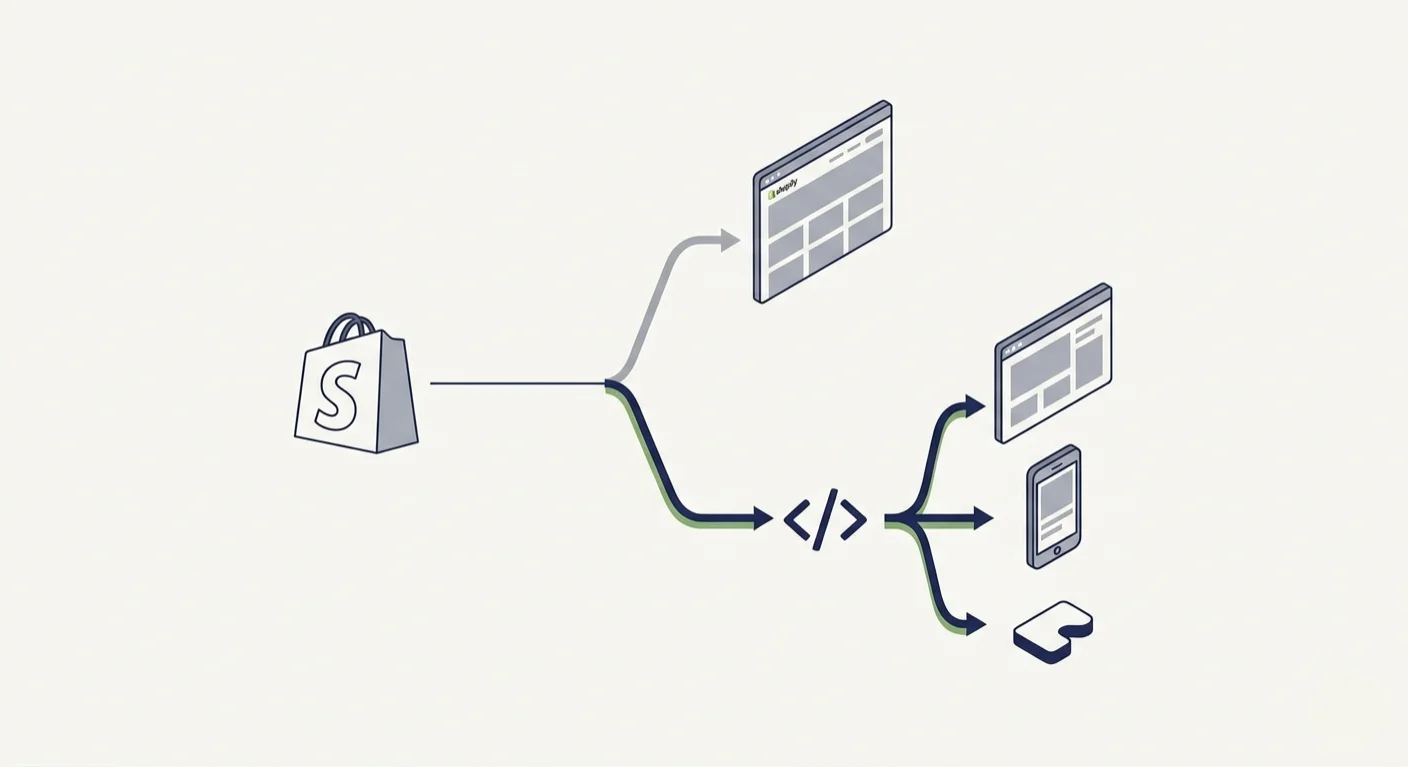
This is why the mobile app approach matters. If the app includes a browser engine that renders your Shopify pages, your page builder content displays. If the app builds its own native interface from Shopify's data APIs, your page builder content doesn't exist in that context.
What Happens To Your Custom Pages in a Mobile App?
Here’s what happens when you build a mobile app - specifically, what happens to the custom pages you’ve spent years perfecting and optimizing.
MobiLoud: Every Page Carries Over
MobiLoud’s approach to building mobile apps for Shopify stores is the only way to ensure all your custom pages carry over to your app, 100% intact.
MobiLoud renders your full Shopify storefront inside a native app. Every page your customers can visit on your mobile website appears the same in the app (with native improvements layered on top).
No matter which page builder you use; GemPages, PageFly, Replo, Shogun, or even custom-built pages; they all work in your mobile app.
The custom CSS, the interactive JavaScript elements, the responsive layouts: everything renders because the app runs your actual site.
This also means page builder updates carry over automatically. When you make an update to a page on your site, the change appears in your app immediately. There’s no duplicate work required.
That’s a big difference. It means you can continue to optimize and improve your site, and if you come upon a small but notable tweak that improves AOV or conversion rate, your improvements go live in your app with no extra work.
"We don't want to have to manage two different UX, UIs."
-- Jamie, CEO at Sleefs (3x revenue per user, 30% higher AOV in app)
DIY App Builders
The most common alternative to MobiLoud’s approach are the dozens of Shopify mobile app builders in the Shopify App Store.
These tools build custom native interfaces for your mobile app. The app is essentially a separate surface to your website, with its own product pages, collections, layouts, homepage, etc.
The backend integrates with Shopify to pull and share product data, but the frontend is unique.
So, essentially, this means that your page builder apps don’t work with your mobile app, unless the app builder has a specially-built integration for your page builder app.
You can build custom pages with the app builder (this is one of the benefits, in theory, of a DIY app builder). But they’re unlikely to be as detailed and powerful as what you can build with a dedicated page builder tool.
Custom Native Apps
Alternatively, if you’re building a custom native app, it’s a different story again.
If you’re building a fully native app with React Native, Flutter, or native Swift/Kotlin, you’re probably doing it for the full benefits of native UI.
You could certainly build webviews into your app, and display certain pages or content from your website inside of the app.
However, there are a couple of issues:
- It adds even more to the cost and complexity of your project (though you’re already spending a lot if you’re building a custom app).
- You’re basically now just doing what MobiLoud does, except for 10-100x the cost.
Integrating your custom pages is basically a non-factor if you’re building native. It’s unlikely to be a deal-breaker (and the benefits of a fully custom app vs the cost means most Shopify brands aren’t going down this route to begin with).
Page Builders & Mobile Apps: The Full App Builder Experience (Without the Downsides)
Here’s where choosing the right mobile app solution can actually make your page builder app do 10x more.
With a page builder, you can build fully custom, fully optimized page layouts, fast and responsive for mobile, with A/B testing, personalized sections, dynamic elements… everything you need.
And with MobiLoud, you can effectively design your mobile app’s screens with your page builder too.
You get the benefits of MobiLoud’s fully synced website-to-app approach, with the benefits of a drag-and-drop app builder as well (via your page builder app).
You can build pages for app-exclusive promotions, app-exclusive homepages or PDPs, run A/B tests, create rich product pages, and a lot more.
This means you can create an app experience that's as polished and customized as anything you’d get with a DIY app builder, or realistically, even a custom native build.
The difference is you're using a tool you already know, building on work you've already done, and maintaining one set of pages instead of two.
You get the customization of a DIY app builder with the full feature parity and native capabilities (push notifications, app store presence, native navigation) that MobiLoud provides.
The Difference vs a DIY App Builder
The alternative: with most mobile app builders, you’re managing two sets of designs.
Your mobile app pages are separate from the pages on your website. They run on a different system.
If you’re constantly making changes, optimizing and improving your storefront, it becomes a full-time job just keeping your site and app consistent.
And sometimes, the functionality offered by your mobile app lags behind what you can do on your website. Meaning it’s a worse experience, for your best customers (your app users).
That’s backwards.
“The app needs to be at least as functional as the website. It doesn’t need to be better than the website, but the user experience can’t be worse.”
-- David Cost, VP of Ecommerce at Rainbow Shops
With MobiLoud, it’s all synced. You manage everything from one place. Even if you want to build app-exclusive pages and layouts, you still do this from one place, with one tool (MobiLoud’s team helps you define what shows on your app and what shows on your site).
The AI Commerce Era
The next step in page builders’ evolution is upon us now as well - personalized AI layouts.
Many tools are now building out AI personalization features that dynamically show content and layouts personalized to each shopper.
Shopify’s building its own AI commerce features. Some mobile app builders are now branding themselves as AI-first, promoting AI mobile apps that adapt to every shopper.
But with the MobiLoud approach, you can build all of the AI-native, personalized experiences you want on your site, and have this carry over to your mobile app as well.
You build and maintain it in one place, and as you iterate and improve, your changes go live in both places at once.
AI commerce experiences work best when your store is one big system, all data funneling to the same place - not fragmented experiences run by separate tools.
MobiLoud + AI-native page builders is most efficient way to do that.
Final Thoughts
Your page builder pages represent real conversion optimization work: custom layouts, promotional content, and brand storytelling tuned to your audience.
That work should carry over to your mobile app, not be abandoned.
MobiLoud extends your Shopify store into native iOS and Android apps with every page builder page displaying exactly as it does on your website. GemPages campaigns, PageFly product layouts, Shogun landing pages, dynamic AI personalization, and any other builder content all work because the app renders your actual storefront.
Book a free strategy call to see your Shopify store, custom pages and all, as a native mobile app.
FAQs

Convert your website into a mobile app