Shopify Checkout Extensibility: All You Need to Know

Checkout Extensibility is Shopify's new framework for customizing checkout. It replaces the old checkout.liquid with a safer, faster, upgrade-compatible system built on UI Extensions, Shopify Functions, and the Branding API. It offers powerful flexibility for the most important part of your store - and MobiLoud preserves all of that in your mobile app, by default.
Checkout Extensibility is Shopify's new framework for customizing checkout. It replaces the old checkout.liquid with a safer, faster, upgrade-compatible system built on UI Extensions, Shopify Functions, and the Branding API. It offers powerful flexibility for the most important part of your store - and MobiLoud preserves all of that in your mobile app, by default.
If you run a Shopify store, your checkout is the most important page on your site. It's where literally revenue happens. Customizing this is one of the highest-leverage improvements you can make.
In 2024, Shopify deprecated checkout.liquid, the template file that gave merchants full HTML, CSS, and JavaScript control over their checkout pages. In its place: Checkout Extensibility, a structured framework that lets you customize checkout through approved extension points, APIs, and server-side logic.
This wasn’t a minor update. It affects how you add trust badges, run discount logic, track conversions, display post-purchase upsells, and brand your checkout. Every Shopify merchant needs to understand what changed, what you can do now, and what this means if you're planning to launch a mobile app.
This article covers all of it: the components, the capabilities, the limitations, and why checkout extensibility makes your choice of mobile app solution more important than ever.
What Is Shopify Checkout Extensibility?
For years, Shopify Plus merchants could edit checkout.liquid directly, injecting custom HTML, CSS, and JavaScript into the checkout flow. It was powerful, but it created real problems.
Merchants could (and did) break their own checkouts with bad code. Shopify couldn't guarantee page load performance or security when arbitrary scripts were running.
Every time Shopify updated the checkout infrastructure, custom code could break. And there was no way for Shopify to roll out platform-wide improvements without risking conflicts with thousands of custom implementations.
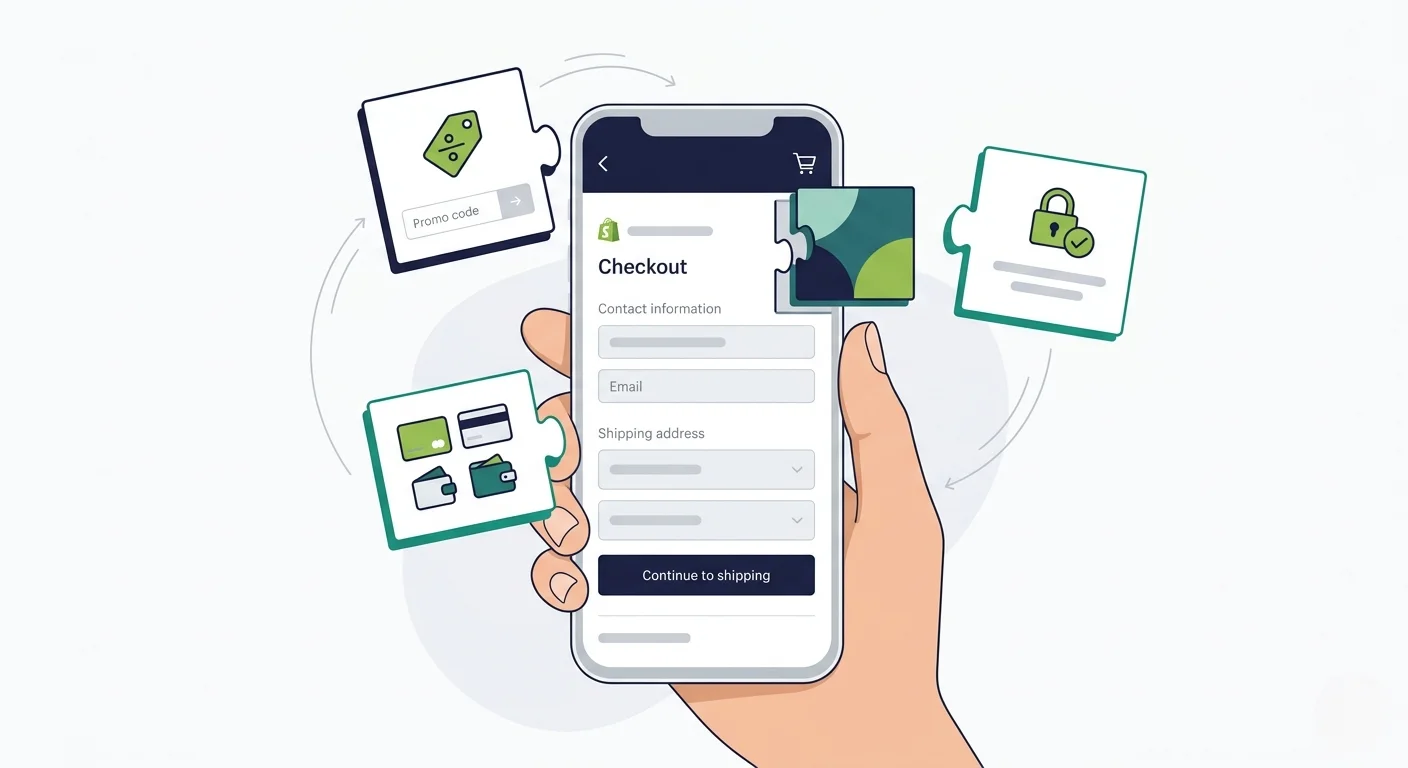
Checkout Extensibility is Shopify's solution. Instead of giving merchants raw access to the checkout template, Shopify now provides a set of structured extension points, APIs, and tools that let you customize checkout without touching the underlying code.
The principle is straightforward: Shopify controls the checkout infrastructure (performance, security, accessibility, payment processing), and merchants customize through sanctioned extension points that can't break the core experience.
The Migration Timeline
The transition happened in stages:
- August 13, 2024: checkout.liquid stopped working for the main checkout pages (Information, Shipping, Payment) on Shopify Plus stores
- January 2025: Shopify began auto-upgrading stores that hadn't migrated their checkout pages
- August 28, 2025: Thank You and Order Status pages stop rendering legacy customizations for Plus stores; Additional Scripts stop working
- August 26, 2026: Non-Plus stores must complete the migration for Thank You and Order Status pages
If you're on Shopify Plus, the main checkout migration is already done. The Thank You and Order Status page deadline is August 2025. If you're on a standard Shopify plan, you have until August 2026 for those pages.
The Five Pillars of Checkout Extensibility
Checkout Extensibility isn't a single feature. It's a framework made up of five distinct components, each handling a different aspect of checkout customization.
Checkout UI Extensions
These are custom UI components that render at specific points in the checkout flow. Think trust badges below the payment form, gift message fields in the shipping step, delivery date pickers, loyalty point displays, or upsell offers before the purchase button.
UI Extensions run in Shopify's secure sandbox. You build them using Shopify's component library (not arbitrary HTML), which means they're consistent with the rest of the checkout experience and can't break the page. Extensions on the Information, Shipping, and Payment steps require a Shopify Plus plan.
You can also add custom banners, customize headers with branded imagery, update footers with store policies, add address autocomplete providers, and build client-side validation that controls whether a customer can proceed to the next step.
Checkout Branding API
The Branding API gives you control over the visual identity of your checkout: colors, typography, logos, button styles, form field appearance, corner radius, and spacing. You can access it through the GraphQL Admin API or through the visual checkout editor in your Shopify admin.
The goal is to make your checkout look like your storefront, not like a generic Shopify page. You can match your brand colors, use your custom fonts, and create a checkout that feels like a seamless extension of your shopping experience.
Shopify Functions
This is where the server-side logic lives. Shopify Functions replace the old Shopify Scripts (which were limited to Plus merchants) with a more powerful, more flexible system.
Functions run on Shopify's infrastructure and handle backend checkout logic:
- Discount Functions - order discounts (e.g., $10 off the entire cart), product discounts (e.g., 15% off specific items), and shipping discounts (e.g., free shipping over $100)
- Payment Customization - reorder, rename, or hide payment methods based on cart contents, customer tags, or order value
- Cart and Checkout Validation - enforce minimum order quantities, validate product combinations, verify address formats
- Delivery Customization - modify shipping rate names, descriptions, and sort order
- Cart Transform - create bundles by merging line items, override prices, titles, or product images
- Order Routing - control which fulfillment location handles each line item based on custom logic
Functions are compiled to WebAssembly and execute in microseconds on Shopify's edge infrastructure. They're fast, and they scale without any performance cost to the merchant.
Web Pixels
Web Pixels are Shopify's replacement for the old Additional Scripts approach to conversion tracking. They let you subscribe to checkout events (like checkout_completed, payment_info_submitted, checkout_address_info_submitted) and run tracking code for GA4, Meta Pixel, TikTok, Microsoft Ads, and other platforms.
The key difference from the old system: Pixels run in a sandboxed environment. They can fire tracking events, but they can't manipulate the checkout DOM or read page content.
This is a deliberate trade-off: merchants get reliable, privacy-compliant tracking without the risk of scripts interfering with the checkout experience.
Post-Purchase Extensions
These let you add upsell and cross-sell offers to the page between checkout completion and the Thank You page. The customer has already entered their payment information, so accepting an additional offer is a one-click action with no re-entry of payment details.
Post-purchase extensions are built using Shopify's UI components and can display product recommendations, bundle offers, or limited-time discounts based on what the customer just purchased.
What Can You Actually Customize?
Here's what a fully customized Shopify checkout looks like with Extensibility:
- Visual branding. Your checkout matches your storefront, with your colors, fonts, logo, button styles, and form field appearance. A customer shouldn't feel like they've left your store when they hit checkout.
- Trust and conversion elements. Trust badges, security seals, satisfaction guarantees, countdown timers, and free shipping thresholds displayed at strategic points in the checkout flow.
- Custom input fields. Delivery instructions, gift messages, gift wrapping options, company purchase order numbers, or any other information you need to collect during checkout.
- Dynamic discounts and pricing. BOGO deals, tiered pricing (spend $200, get 20% off), automatic bundle discounts, and conditional free shipping, all powered by Shopify Functions and applied automatically at checkout.
- Payment method logic. Hide COD for orders over a certain value, show installment options only for high-value carts, rename payment methods for clarity, or reorder them based on customer location.
- Custom validation. Enforce minimum order values, restrict certain product combinations, validate addresses against a shipping provider's database, or block checkout for out-of-service-area addresses.
- Post-purchase upsells. One-click upsell offers after payment, personalized to the order the customer just placed.
- Conversion tracking. GA4, Meta, TikTok, Pinterest, and other pixels firing reliably in Shopify's sandboxed environment, without conflicts or script errors.
What You Can't Do Anymore
Checkout Extensibility is more structured than checkout.liquid, and that means some things are no longer possible:
- No arbitrary JavaScript. You can't inject custom scripts that manipulate the checkout DOM. If checkout.liquid let you rewrite how the payment form looked or behaved, that's gone. Customizations now go through Shopify's approved extension points.
- No moving core elements. You can't reposition the payment form, rearrange the checkout steps, or restructure the page layout. Shopify controls the placement of core checkout components.
- Limited to designated extension points. You can add UI elements at specific locations (before/after the order summary, in the shipping step, etc.), but you can't add them anywhere you want on the page.
- Tracking is sandboxed. Your pixels can fire events, but they can't read the DOM, access cookies directly, or run code that interacts with the checkout page itself.
These restrictions exist for good reasons. Shopify's checkout processes billions of dollars in transactions. Letting merchants inject arbitrary code into that flow created security vulnerabilities, performance issues, and broken checkouts that cost merchants revenue.
The new system is more constrained, but the checkout it produces is faster, more secure, and more reliable.
For most merchants, Checkout Extensibility provides enough flexibility to build the checkout experience they need. The merchants who feel the limitation most are those with highly custom loyalty integrations or complex multi-step flows that went beyond what a standard checkout should do.
Your Web Checkout is Sorted… How About Your App?
Here's where checkout extensibility gets directly relevant to your mobile strategy.
If you've invested time and money customizing your Shopify checkout (branding, UI extensions, discount functions, post-purchase upsells, conversion tracking), you need that to carry over when you launch a mobile app.
But unfortunately it’s not always the case.
The Rebuild Problem
Many Shopify mobile app builders construct a separate storefront using Shopify's Storefront API. The product catalog and cart sync over, but the checkout experience is rebuilt from the API up.
That means your Checkout UI Extensions, your Branding API customizations, your Shopify Functions logic, and your post-purchase extensions may not render the same way in the app, or at all.
You end up with two checkouts: the one on your website (with all your customizations) and the one in your app (with whatever the app builder could replicate). That's two experiences to test, two flows to maintain, and a gap between what your web customers see and what your app customers see.
For brands that have invested heavily in checkout optimization, that gap is a real problem.
How MobiLoud Handles Your Checkout Optimizations
MobiLoud takes a different approach. Instead of rebuilding your storefront from an API, MobiLoud extends your existing Shopify store into a native iOS and Android app.
Your website powers the app experience, which means your checkout, with every customization you've made through Checkout Extensibility, works exactly as it does on the web.
Your Checkout UI Extensions render. Your Branding API styles apply. Your Shopify Functions run. Your post-purchase upsells display. Your Web Pixels fire. There's nothing to rebuild, nothing to re-test, and no gap between your web and app checkout.
When Shopify updates the Extensibility framework or you add new checkout customizations, those changes appear in your app automatically. No app update required, no coordination with a development team.
"MobiLoud made a lot of sense because it literally uses Shopify. When Shopify updates...the app is updated."
- Eric Lowe, Director of Ecommerce at XCVI
This is particularly important for brands running sophisticated checkout setups: custom discount logic, conditional payment methods, address validation, branded visual identity. The more you've customized your checkout, the more you stand to lose when an app builder can't replicate it.
What This Means in Practice
When you launch a mobile app with MobiLoud, your checkout is the same checkout your web customers use. Specifically:
- Checkout UI Extensions (trust badges, custom fields, upsell blocks) display in the app exactly as they do on web
- Checkout Branding (colors, fonts, button styles) carries over with no additional configuration
- Shopify Functions (discounts, payment rules, cart validation) execute identically because the checkout is the same
- Web Pixels (GA4, Meta, TikTok) fire the same events, in the same sandbox, with the same data
- Post-Purchase Extensions display between checkout and the Thank You page, just like on web
There's no second checkout to build. No feature parity to chase. No testing two separate flows every time you make a change.
Your Checkout Is Already Built. Your App Should Use It.
You've already done the work. You've migrated from checkout.liquid. You've set up your UI Extensions, configured your branding, written your discount functions, and connected your tracking pixels. Your checkout converts.
Your mobile app should reflect all of that, not start over.
Here's how to get started with MobiLoud:
- Book your strategy call. We'll walk through your current Shopify setup, your checkout customizations, and how they'll work in your app. No commitment. Book a free 30-minute strategy call.
- Get your custom app preview. We'll build a personalized preview of your native app so you can see your store, your checkout, and your brand experience on a real device.
- Launch in 30 days. We handle everything: App Store submission, Google Play submission, configuration, and QA. Your checkout customizations carry over from day one.
We've built 2,000+ apps for brands like yours. From first call to App Store in weeks, not months. Predictable pricing, no revenue share.
If you've invested in making your Shopify checkout great, why would your app offer anything less?
Get a free app preview and see what your app could look like.
FAQs

Convert your website into a mobile app





.webp)