No-Code WordPress Mobile App Builder

Turn your WordPress site into a mobile app

MobiLoud's WordPress mobile app builder helps you convert your WordPress website into custom mobile apps with all your plugins, design, and integrations working automatically. No coding required.
  • No rebuild: your site becomes the app
  • Push notifications, native UX, full feature parity
  • Fully managed: we handle setup, launch & updates
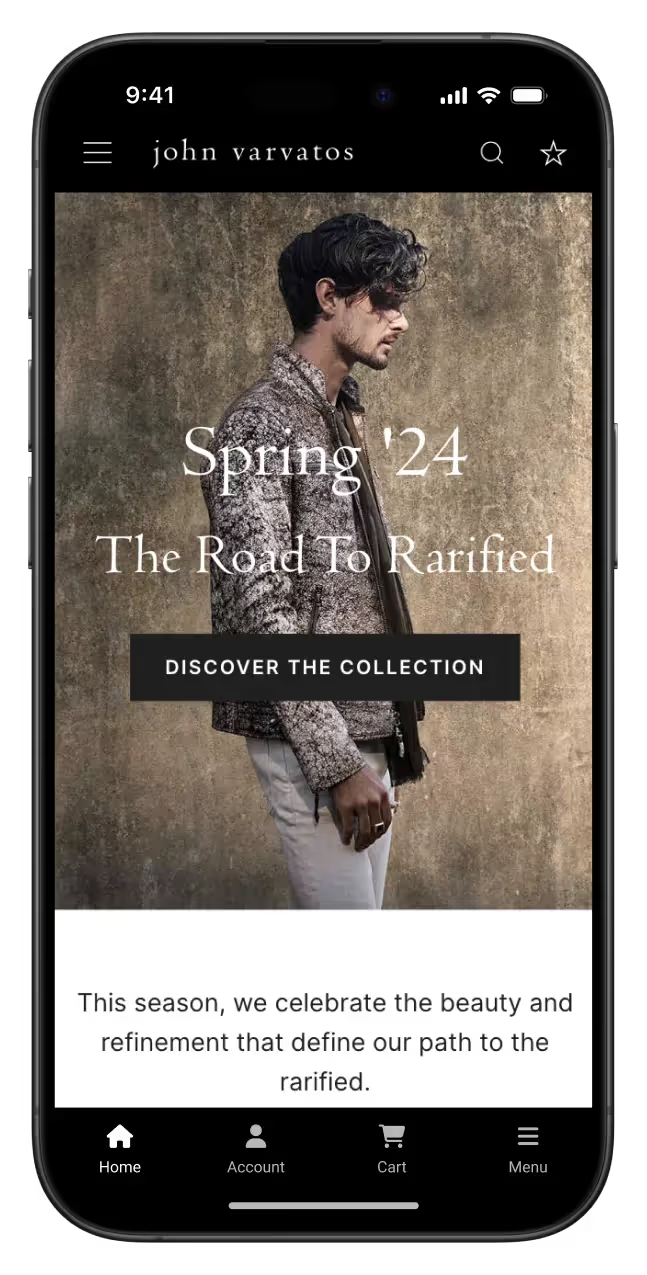
John Varvatos desktop website and iOS mobile app side-by-side

Here's why turning your WordPress website into a mobile app makes sense

We are WordPress experts. Our developers will customize and maintain your apps while our Wordpress plugin keeps everything seamlessly integrated with your site.
Have full design control
Anything you design for your WordPress site can also be brought into your app.
Sit back and relax
Our team becomes your app team, handling everything app related so you can focus on your business.
Use all your plugins
Any plugins or third party tools you have on your site will work automatically in your app.
Monetize your site
It's easy to start your own WooCommerce store and start selling through your app.
Switch platforms anytime
If you want to switch from WordPress, your app will continue working without needing to rebuild.  
Get guaranteed approval
Our app store approval guarantee means you get your money back if your apps don't get approved.

The Best Wordpress Mobile App Builder

We take ownership of your app experience, helping you build a channel that delights your users and requires almost no work from your team to maintain.

Your WordPress site is your app

By turning your WordPres site into an app, you get an app experience that’s always on brand and updates automatically. It’s also easy to manage everything from the WP backend.

Improve your mobile user experience

Give your users a streamlined mobile experience with a WordPress app that's a direct line to your content. Fast-loading, easy navigation, and a familiar interface mean they spend less time searching and more time enjoying what you offer.

Send unlimited push notifications

Re-engage your audience with push notifications tailored to their interests. Each notification is a nudge for them to check out your latest content, offers, or updates, keeping your brand at the forefront without being intrusive.

Stand out from the competition

Amplify your brand’s voice and find a new audience with a WordPress app made to help you stand out from the pack. By offering an engaging app experience, you’ll make your competitors’ web-only presence feel outdated.
John Varvatos App Store & Google Play Store listings
WooCommerce logo.

Have a WooCommerce store?

We’re the perfect option to launch a WooCommerce mobile app for your store. Let’s chat about turning browsers into buyers with a mobile shopping experience made to convert.
Talk to an Expert
We guarantee your app's success
Our team doesn't just build your app - we partner with you to make it successful, from launch through ongoing optimization and growth.
"We couldn’t find another company that could offer the same features at the same price point, same time to market, and make it as easy as MobiLoud could."
Portrait of Svend Hansen, Product Owner at Bestseller.
Svend Hansen
Product Owner
Bestseller's logo.
"We wanted to give our loyal customers a convenient way to keep coming back and reach them directly with push notifications. Our app now drive 10% of our total revenue with minimal effort from our team."
Damien Smith
eCommerce CTO & COO
BoozeBud logo
"Your level of service is unmatched. You are always there when we need you, and go above and beyond to make sure everything runs smoothly for us.”
Kenneth Chan
Founder & CEO

Our customer case studies.

View All
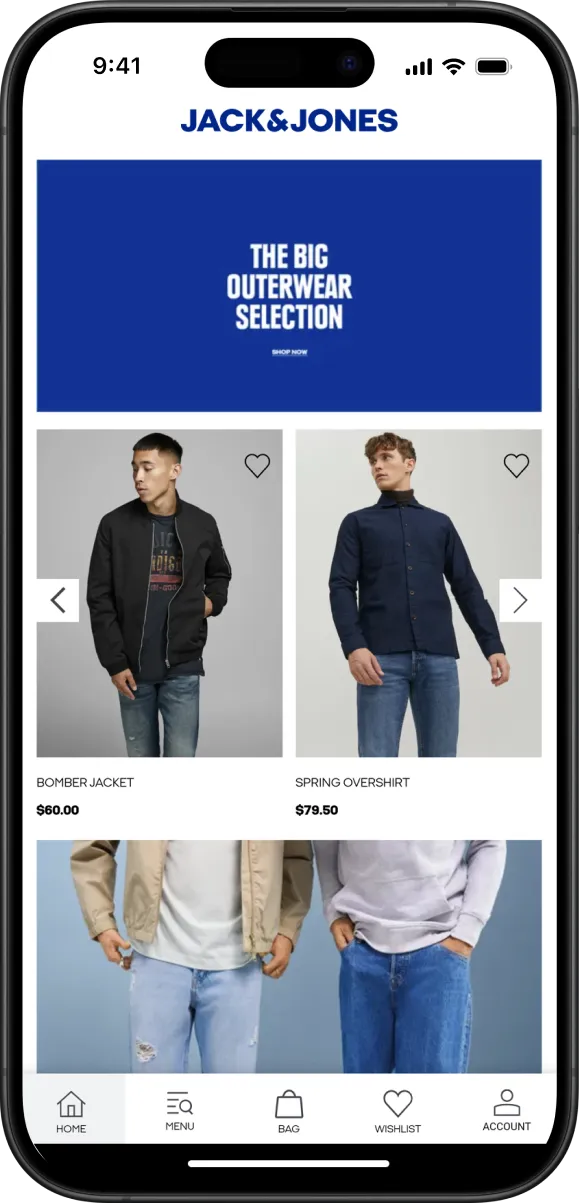
International Fashion Brand Jack & Jones Used MobiLoud to Build High-End Shopping Apps
eCommerce
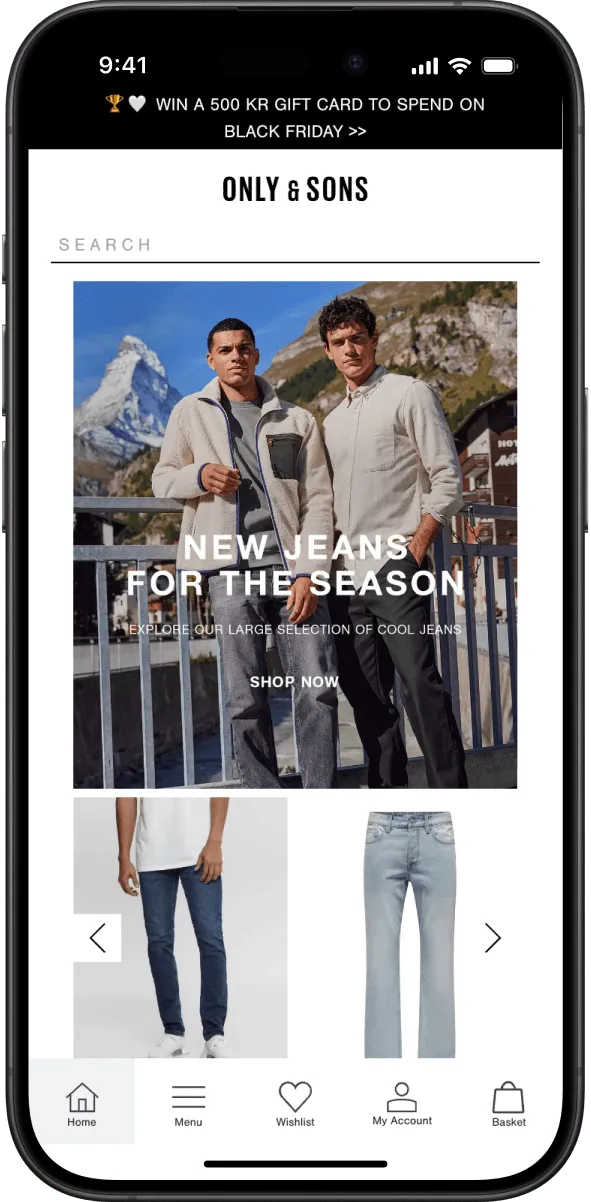
Bestseller Builds High-Quality Apps for Brands Such as ONLY, Jack & Jones and Vero Moda
eCommerce
John Varvatos: Building a Luxury App Experience with a Lean Team
10x Revenue Per User
eCommerce
View All

Your questions, answered.

Everything you need to know about our product and billing. Can’t find what you’re looking for? Visit our help center or contact us and we’ll be in touch.
Thank you! Your submission has been received!
Oops! Something went wrong while submitting the form.

Will I have to update a dashboard whenever there’s new content?

FAQ open/close button.

No – the apps will update automatically whenever you publish anything new! There is little to add to your existing workflow, just keep doing what you're doing, easy like that!

Can I automate push notifications for new content?

FAQ open/close button.

Yes, you can configure the notifications to go out automatically as a response to specific events, including new content getting published. You can also send notifications manually whenever you wish.

Our WordPress plugins and Shopify apps provide this functionality for you, so there's nothing for your team to build.

If your site doesn't run on WordPress or Shopify, but rather uses any popular web stack, you'll be able to easily connect to Onesignal's REST API to trigger notifications for any event.

How much work will it take to keep the app updated?

FAQ open/close button.

It will take very little work to keep your app running.

The app is designed to sync automatically with your website, meaning any updates or changes you make to your site (whether it's new content, design updates, or adding new features) are instantly reflected in the app.

This eliminates the need to manage the app separately. Essentially, by maintaining your website, you're also maintaining your app at the same time.

In addition to this automatic syncing, we provide ongoing support to ensure everything runs smoothly. If any issues arise, or if you need help with updates or adjustments, our team is always available to assist.

You also have access to a dashboard where you can control app-specific features (like push notifications or app settings) without needing technical knowledge. If you're not comfortable managing these aspects, our team is always available to handle it for you.

Overall, the app requires minimal effort to keep running, allowing you to focus on your website while enjoying the benefits of both a fully functional mobile app, always up to date.

This will be a native app, right?

FAQ open/close button.

The MobiLoud platform itself is fully native and built from scratch in Swift, Java and Kotlin for the best user experience and performance. MobiLoud apps are not strictly native, but rather your existing site or web app running inside a native container that runs in every way like a native app, adds native navigation and features like push notifications. This allows you to recreate your web experience exactly, while adding the key features you need to improve user experience on mobile devices.  

Ultimately, you could build a native app from scratch (very very expensive, complex – only for well funded companies where the app is a key part of the value prop), or use a template based solution (could be good but by definition it will be limiting), or use our approach, which gives you the benefits of a native app with the flexibility of the web.  

A hybrid approach lets you have a mobile app with all the features of your website, in a very short time and very affordably, with the added benefit of not having to worry about constantly catching up with your site's development to add new features (i.e. if you add or change anything on the site, it changes in the app). You'll maintain a single code-base, your website's, for both site and app.  

It's a huge saving in both time and money terms, and it gives you incredible flexibility compared to a situation where you have a web app or website and a native app alongside it.

Is there a limit on the number of push notifications we send?

FAQ open/close button.

No, you can send as many as you like! You can integrate notifications with your website (we do that for you with our plugin if you're on WordPress or Shopify) to send them automatically or send them manually. We rely on Onesignal to send notifications and you'll have full control of your own Onesignal account. They have excellent documentation if you want to integrate their API in your web application.

What happens to my users if I switch to MobiLoud from another platform?

FAQ open/close button.

Switching to MobiLoud from another platform is easy, and your users won’t experience any disruption. Your app will be published as an update on the App Store and Google Play Store, so your existing users will automatically receive the new version on their devices without needing to re-download or take any action.

MobiLoud gives you full control and ownership of your app and user base. You’ll use your own App Store and Google Play developer accounts, ensuring you stay independent. If you ever decide to move away from MobiLoud, you can take your app and users with you, keeping everything under your control.

What's your process like?

FAQ open/close button.

Our process starts with a consultation to understand your vision and app requirements. After sign-up, we schedule an onboarding call to discuss customization options and guide you through completing the necessary forms.

Once your preferences are clear, we develop your app, prepare custom graphics, and share a preview for your feedback. Together, we test the app, making sure everything works as expected.

After testing, we submit your app to the Apple and Google stores, monitor the approval process, and keep you updated until the app is live. Once your app is launched, we provide marketing advice and ready-to-use assets to help you promote it effectively. We also conduct strategy sessions around push notifications to ensure you're leveraging this powerful channel to maximize user engagement.

Throughout the entire process, we ensure you have support and input at every key step, from development to post-launch growth.

Will all my site features work in the app?

FAQ open/close button.

Yes, all the features and functionality your web app or website currently has can be recreated within your iOS and Android apps using MobiLoud.

Our platform takes everything from your web app (whether it's content, functionality, or design) and translates it seamlessly into a mobile app experience.

This includes all custom features, web-based plugins, vendors, and integrations (whether you're using platforms like WordPress, Shopify, or something custom-built).

You don’t have to rebuild anything from scratch. We bring everything over into your app, allowing you to maintain a single code base and website while expanding your reach to mobile app users.

Any updates or changes you make to your site are automatically reflected in the app, ensuring that the app stays in sync with your web platform.

Will I be able to configure the app on my own?

FAQ open/close button.

We offer a complete no-code configuration dashboard that gives you full control of your app once it’s live. However, to ensure the app is built optimally and approved quickly by Apple and Google, our team handles the initial configuration. With our experience, we can set up your app in the most efficient and effective way possible.

After the app is live, you or your technical team can access the dashboard to manage the app's configuration, including pages, menus, and push notifications. If you prefer, our team is always available to make any adjustments on your behalf, especially if you’re not technical. We can handle everything for you as needed.

Do you build the app for us, or do we need to do it ourselves?

FAQ open/close button.

We build, launch, and manage everything for you. Unlike DIY app builders that give you a tool and leave you to figure things out, MobiLoud acts as your remote app development team, handling the entire process from start to finish.

Over the years, we’ve learned that businesses don’t just need a tool to build an app. They need a team that ensures their app is successful. A DIY solution leaves you responsible for setup, troubleshooting, and ongoing maintenance. If something breaks due to a website update or app store changes, you’re on your own.

With MobiLoud, we take full responsibility for your app. We make sure it always works as intended, no matter what changes on your site or in your business. Our team is always there to assist, ensuring the app runs smoothly with a great user experience.

But success doesn’t stop at launching the app. We help you promote it, drive downloads, and make full use of push notifications to keep users engaged and increase revenue. Most businesses don’t have time to figure out app marketing or how to maximize retention through push notifications, so we guide you through the process and ensure you get real value from your app.

We’ve been doing this for over 10 years, have published 2,000+ apps, and know what it takes to build and maintain successful mobile apps. We don’t just get your app live—we stay with you to make sure it drives real results for your business.

What kind of support does MobiLoud offer for promoting the mobile app?

FAQ open/close button.

Launching your app is just the first step. We help you promote it to ensure strong adoption and engagement.

We provide smart app banners and QR codes to drive app downloads directly from your website. These ensure your website visitors know your app is available and can download it with a single tap.

For eCommerce brands, we help set up push notification automations, including cart abandonment and promo campaigns, to drive repeat sales.

With our done-for-you push notification service, we don’t just set up the channel, we run it for you. We help draft and schedule push messages based on your marketing calendar, promotions, and product launches.

We also provide guidance on app store optimization, marketing best practices, and retargeting strategies to maximize installs. If needed, we can work with your team to integrate the app into your broader marketing efforts.

What are the main differences between MobiLoud and other website-to-app solutions?

FAQ open/close button.

MobiLoud is a full-service, done-for-you solution, meaning we take full responsibility for your app. We don’t just provide a tool. We work like your app team, handling everything from setup to publishing and ongoing maintenance, so you don’t have to worry about the technical side.

  • Hands-on support and management – We take care of setup, customization, app store submissions, and ongoing updates to keep your app running smoothly.
  • Single codebase, no duplication – Your app stays in sync with your website automatically, eliminating the complexity of maintaining separate native apps.
  • More control and customization – You can make app-specific adjustments using our JavaScript library, custom CSS, and the NativeFunctions bridge to interact with native features.
  • Deep ecommerce expertise – We support integrations with Klaviyo for push notifications, Yotpo for reviews, and other key tools used by ecommerce brands.
  • No design or functionality restrictions – Your app can be as powerful as your website, supporting any plugins, custom scripts, or third-party tools you already use.
  • Expert guidance on app growth and retention – Our team works closely with you to drive installs and engagement. With experience managing hundreds of successful apps, we help you get the most from your app through app store strategy, push notification campaigns, and best practices for driving retention and conversions.

Unlike DIY builders or template-based solutions, MobiLoud ensures you have a fully branded, high-performance app without the headaches of traditional native development.

Can I customize my app’s design and features with MobiLoud?

FAQ open/close button.

Yes, you can customize your app’s design and features while keeping your existing website as the foundation. If you can build it on the web, it can be in your app.

With MobiLoud, you have the ability to create a completely different app experience if you'd like, though most customers only apply small enhancements to their site, which are typically already mobile optimized.

On the native side, you can modify the app's navigation, add a native tab bar, customize splash screens, and adjust branding elements like icons and colors. Our team can take care of all of this for you, or you can control the app from the MobiLoud Configuration Dashboard. If you need app-specific design changes, you can apply them using custom CSS or detect when the app is being used and adjust content dynamically on your website.

This can be done using code, and our team can assist with these changes, or your team can handle it with instructions from our documentation. We provide a handy JavaScript library that makes these changes straightforward using just HTML and CSS. It will make it trivial to identify when the site is loaded in the app or in the browser, so you can hide/show site elements as needed, or customize the display of certain elements when they're loaded in the app.

For deeper customizations, we support native modules and third-party integrations. Our NativeFunctions bridge allows you to control native features like opening the camera, triggering native modals, or handling push notifications—directly from your web code, giving you more flexibility to control the app experience.

View All

Convert your website into a mobile app

Launch custom mobile apps for iOS and Android that update automatically from your site and support all your features. No extra workflows and no technical work.
Jack & Jones logo.Bestseller's logo.John Varvatos logo.