
The hardest part of launching a mobile app for an enterprise or legacy ecommerce site has nothing to do with UX, push strategy, or getting installs. The ecommerce mobile app challenges that block these projects are structural, and they live in your stack.
If you're not running a six-month-old DTC site on Shopify with a stock theme, if your site has custom features, niche integrations, or a complex tech stack, your path to a mobile app can look cloudy at best.
At MobiLoud, we’ve spent over 10 years working with online brands, including brands with sites built on Salesforce Commerce Cloud, Adobe Commerce, BigCommerce Enterprise, Shopware, or custom stacks.
In that time, we’ve talked to thousands of people, hearing countless challenges and reasons why the standard mobile app solutions didn’t work for them.
Below, we break down everything we’ve learned, and what you can do to get past these challenges and launch the perfect mobile app.
Challenge One: Custom-Built Storefront Logic
Some of the hardest features to translate to a mobile app are the ones the customer doesn't even think of as "features." They're how the website works and runs under the hood.
Custom JavaScript, custom code on top of a platform, third-party widgets stitched together over years of releases. This kind of thing powers your website, but when you build a mobile app, you’re often working with a brand new codebase where all of this logic needs to be rebuilt from scratch.
Here are a few examples:
Custom and Heavily Modified Checkouts
Most enterprise or legacy sites have custom checkouts that do a lot of heavy lifting.
- Custom fields capture B2B PO numbers.
- Regional payment routing decides between Stripe, Adyen, and Mercado Pago based on country.
- Fraud rules built on top of Signifyd or Sift tag risky orders before they hit fulfillment.
There's usually an A/B test that ran for six months and kept the variant. Sometimes a discount engine fires conditionally based on cart composition.
Checkout is possibly the most important part of your site. It’s where you get paid. If you’ve spent years perfecting this, you don’t want to have to swap it out in your app for a plain vanilla checkout.
Custom Product Configurators and Specialty Flows
Selling simple, standard products is easy. But what about if each product requires specific inputs from the customer?
- Eyewear sites collect prescription data.
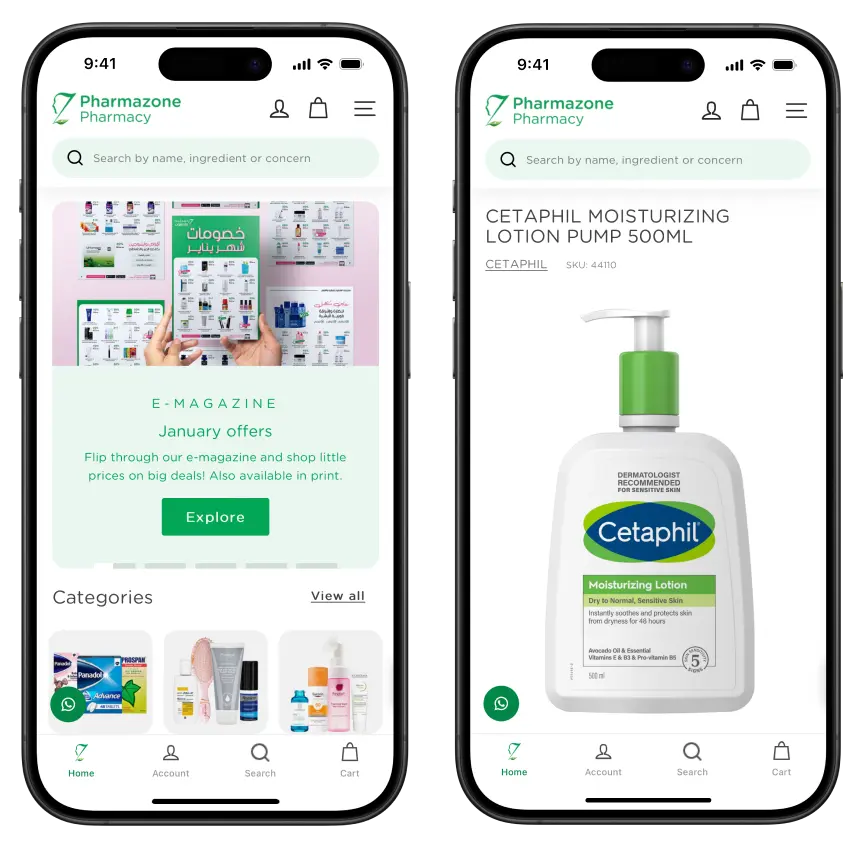
- Pharmacies handle prescription upload and pharmacist verification.
- Jewelry sites configure ring size, gem type, and engraving in a single flow.
- Subscription boxes start with a quiz and end with a curated bundle.
- Made-to-order furniture brands collect dimensions and finishes that tie into a manufacturing system.
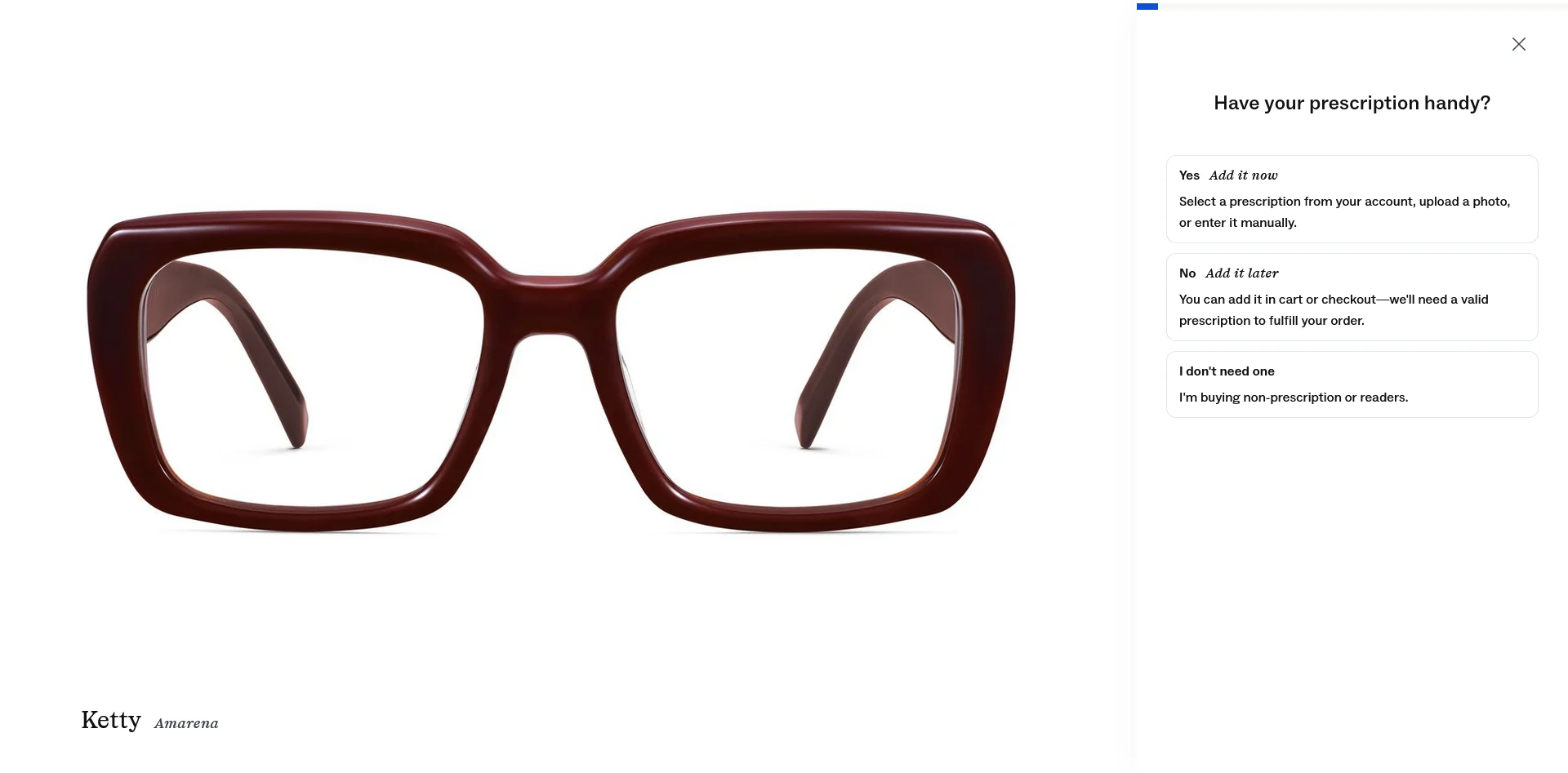
Each one is built either as a custom platform extension or as homegrown JavaScript on top of your storefront. You’ve built it to work well on the web, but getting these custom features to carry over to a mobile app often means building a new feature from scratch.
Custom Loyalty, Tiers, and Gift-with-Purchase Rules
Everyone has a loyalty program. And simple loyalty programs are easy to carry over to an app.
But what if your loyalty program isn’t the same as everyone else’s? Just a few niche, brand-specific rules can cause problems.
- "Spend $150, get a free travel-size from the new collection."
- "Gold tier customers see exclusive products for 24 hours before launch."
- "Earn double points on app purchases this month."
You’ve likely built customizations into your program via the web, whether it’s with an app like Yotpo or LoyaltyLion, or a custom-built feature.
But extending this further, to a new environment (an app) adds a whole new layer of complexity.
Challenge Two: Multi-Stack, Multi-Region, Multi-Customer Setups
The bigger and more established your brand, the less likely your storefront looks like a simple, “out of the box” Shopify store.
Maybe you're selling in five different countries. Maybe you have B2B and B2C on the same site, with different storefronts and customer accounts. Maybe you're running multiple brands under one parent company and want one app to serve each store. Each one of these adds layers that off-the-shelf app builders weren't designed for.
Here are some of the multi-storefront setups we typically see:
Multiple Regional Storefronts (Often on Different Platforms)
A brand sells in five countries. The US storefront runs on Shopify Plus. The Latin America storefronts run on VTEX. The European storefronts run on Magento or Adobe Commerce or PrestaShop.
Yet the customer experience needs to feel unified: one app, the user picks a country on first launch and gets the right storefront.
Most app builders force you to build one app per storefront. Five regions means five App Store listings, five Play Store listings, five review processes, five sets of marketing pushes. The cost of running all those apps gets huge fast.
B2B and B2C on the Same Brand
Selling B2B and B2C tends to be very different.
With B2B ecommerce, you have things like:
- Customer-specific pricing
- Net 30 terms
- PO number fields at checkout
- Tax-exempt certificates on file
- Sales reps placing orders on behalf of accounts
If you’re a brand with both B2B and B2C operations, it’s not uncommon to have completely different backends powering each one. Yet you may want all of this to fit into one, unified app (with perhaps a switcher that allows the user to choose which store to shop from).
Same thing goes for retail/wholesale, stores with new products and trade-ins, or any kind of business with multiple buying paths. This becomes very complicated to transfer into an app.
Multi-Brand Retail Groups
Your company might operate multiple brands, with their own sites under separate URLs - yet you want a customer to be able to download one app, and shop from all your brands, without having to download 10 different apps.
Most of the time, building one app that includes several different branded sites will be a nightmare. Standard mobile app builders almost certainly won’t be able to handle this kind of complexity.
Challenge Three: Complex Backend Systems
Your site’s UI is just the tip of the iceberg. What really runs your ecommerce operation is the 95% below the surface.
It's your tech stack that includes ERPs, order management systems, product information management platforms, custom inventory feeds.
This is what powers your website. Getting it to do the same for a mobile app is a major challenge.
ERP, OMS, and PIM Tie-Ins
For enterprise and legacy brands, the catalog, real pricing, and authoritative inventory live platforms like SAP, Oracle, NetSuite, Microsoft Dynamics, or a custom OMS. Your storefront pulls from those systems through middleware that took years to stabilize.
Making this work with a mobile app means a lot of custom development. Off-the-shelf app builders are built to work with public APIs from Shopify, WooCommerce etc. They aren’t built for legacy systems like these.
Real-Time Inventory, BOPIS, and Omnichannel
For simple ecommerce stores, where the customer enters their address, pays, and you deliver the item, building an ordering flow is simple, no matter the surface.
When you have non-standard purchasing options, it gets a lot more difficult.
Perhaps you have physical stores, and you want to allow “Buy online, pickup in store” (BOPIS), or you need to sync inventory between online and physical. Perhaps you want to show which stores are in stock of a certain item.
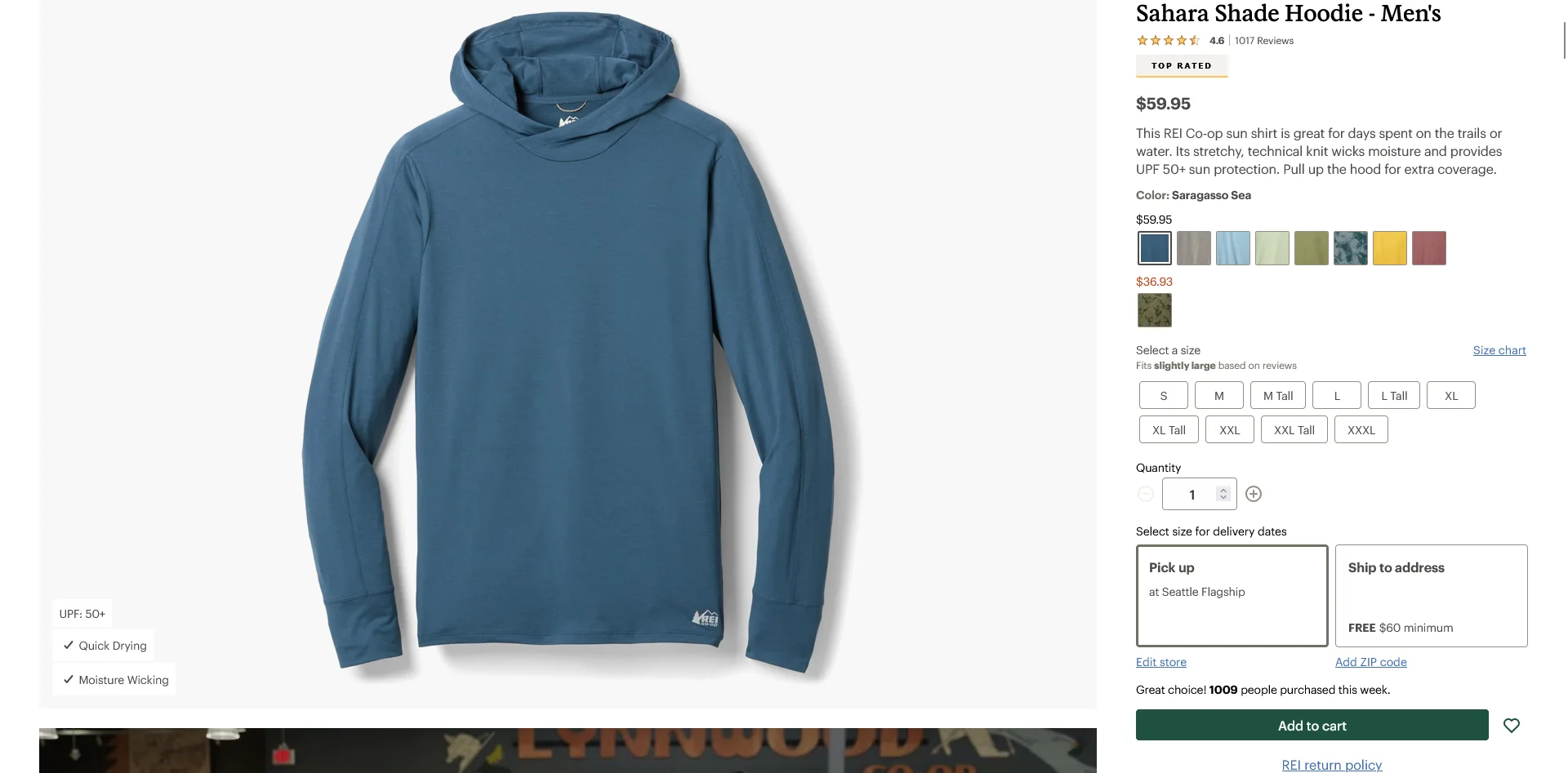
You’ve built the systems to accommodate this on your site - but with an app, you’re often forced to build and integrate this all over again.
Headless and Composable Architectures
The common conception about headless and composable stacks (Hydrogen, Next.js, a custom front end) is that it makes it easier to ship a mobile app.
In a way, it is. It’s easier than integrating a custom React Native app with a stock Shopify or WooCommerce store. But it’s still a whole rebuild of your frontend, and basically a new storefront you need to manage.
All this when your mobile website almost certainly offers a great user experience already. Yet you’re building a whole new React Native or Flutter app, and juggling 20 APIs, just to rebuild what already works.
Challenge Four: Regulated and Specialty Industries
Some industries come with rules. Age verification at the start of a session, ID checks at delivery, prescription handling, App Store policy restrictions on what you can sell or how you can describe it.
Each one adds a layer that off-the-shelf app builders weren't designed for, and a new thing that has to be built into custom mobile apps.
Age Verification and ID Checks
If you sell alcohol, cannabis, vape, tobacco, or adult products, your site already has age gates and often ID verification at delivery.
Sometimes the rules go further:
- State-by-state ship-to restrictions
- Signature on file at delivery
- Federally controlled-substance tracking
- Hard caps on quantity per customer
It’s a massive can of worms. Compliance is the entire game, and an inflexible app builder may just not be able to keep up with what you need in order to operate.
Pharmacy, Prescriptions, and HIPAA
Pharmacy brands handle prescription uploads, pharmacist verification, controlled-substance flows, HIPAA in the US, and sometimes telehealth before purchase.
These features are far from standard - and they’re also non-negotiables. You can’t cut corners and ship an app in a new system that doesn’t support the regulatory red tape your business is governed by.
Challenge Five: Content, Community, and Discovery Layers
Modern ecommerce isn't just product listings and a checkout. It's quiz funnels, AR try-on, editorial content, UGC feeds, live chat, and reviews loaded with photos and videos.
The more layers your site has, the more chance that something breaks or goes missing in your app.
Quiz-Based Product Discovery
Branded quizzes (Octane AI, Shop Quiz, custom flows) are often your brand's highest-converting funnel.
Yet it’s a non-standard feature. You can build these kind of unique quiz experiences when you’re working with the flexibility of the web, but a template-based app is not set up for this kind of thing.
AR Try-On and 3D Viewers
Eyewear, jewelry, cosmetics, furniture. Modiface, Zakeke 3D, Threekit. AR try-on and 3D product viewing have become standard in several categories.
These vendors' web embeds usually break in builder containers. A custom native build means integrating each AR vendor's separate SDK, which is a meaningful engineering project on its own and another integration to maintain forever.
Custom UGC Feeds, Shoppable Video, and AI Personalization
Every site has simple UGC, reviews, other widgets (Yotpo reviews, Gorgias chat, Okendo Q&A) that are easy to transfer over to a mobile app.
How about when you go a step further, to create a truly unique shopping journey for your customers?
- A custom UGC or social feed your team built into the site (community galleries, photo-tag-and-shop, member content streams)
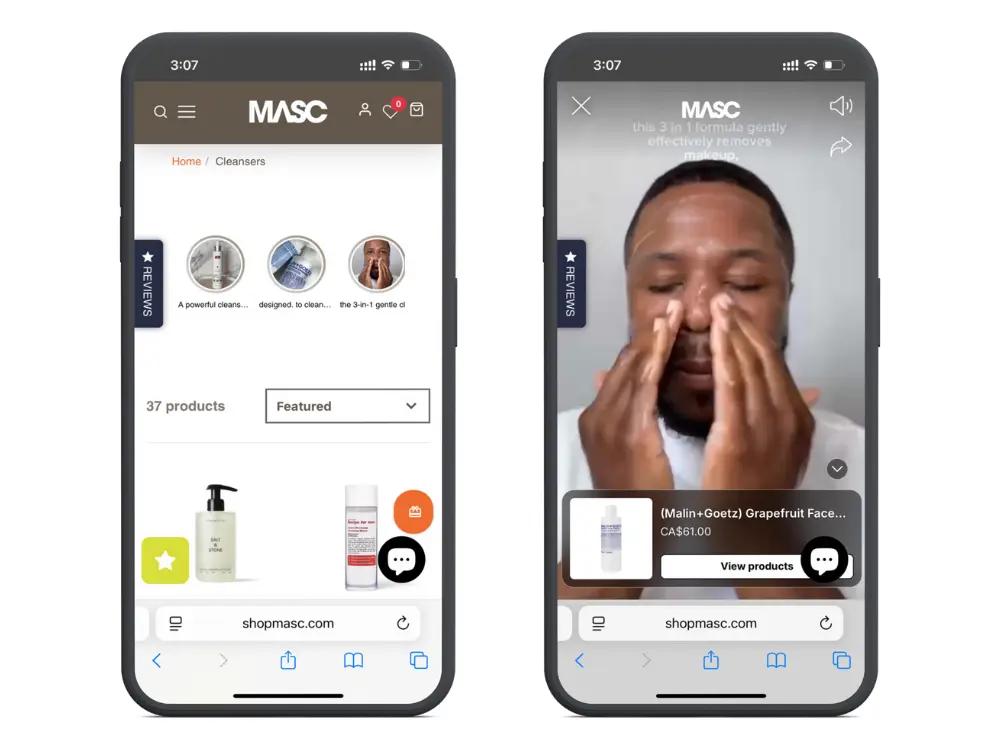
- Shoppable video, live shopping
- AI-driven personalization
- Interactive communities, forums, or multimedia experiences built directly into the storefront
These are all non-standard features that likely aren’t supported by a standard app builder, and bring a lot of work to integrate with a custom app build.
The alternative is settling for a vanilla customer experience in your app… which is far from ideal if you’re trying to convince people to make this their go-to buying channel.
Challenge Six: Marketplaces and Multi-Vendor Sites
If your site is a marketplace, with multiple sellers each running their own catalog, shipping, and policies, the complexity multiplies for any mobile app project.
Multi-Vendor Catalogs and Per-Vendor Rules
Each vendor on a marketplace runs their own catalog, ratings, shipping, return policies, and sometimes their own pricing rules. Your app has to surface all of this consistently across vendors, while making it clear to customers who they're buying from.
App builders are designed for single-storefront brands. Multi-vendor logic typically isn't supported, or only works through awkward workarounds.
Split Shipping and Per-Vendor Logistics
A single cart with items from three vendors becomes three packages, three shipping methods, three tracking numbers.
Most app builders treat the cart as one shipment. Customers see one tracking link, then packages arrive at random times from different vendors, and your support inbox blows up.
Vendor-Specific Policies
Different vendors have different return windows, restock fees, and final-sale flags. Your app has to communicate these accurately at checkout, or you end up creating disputes that drain your CX team.
A custom native build can handle marketplace logic, but it's a major engineering project on top of the marketplace platform itself (Mirakl, Sharetribe, custom). You're effectively building a second marketplace front end, just for the app.
Why These Edge Cases Cause Problems When You Want to Launch a Mobile App
There are many great ways to build a mobile app for sites with straightforward product catalogs and basic backends.
In fact, mobile apps have never been more accessible - just pay ~$100/mo for a no-code tool and ship something in a few days.
The trouble comes when you try to ship a mobile app for a serious brand with a deep tech stack, custom web features, or any of the niche cases outlined above.
That’s when things break (or the cost gets prohibitive).
No-Code Tools Aren’t Built for Custom Stores
By nature, all the no-code app builders made for ecommerce have limited flexibility.
They’re built for clean, standard setups. A simple Shopify or WooCommerce store. The moment you have custom logic, you usually fall outside what they support.
- Custom checkouts get replaced with a vanilla checkout.
- Product configurators don’t work.
- Multi-storefront sites aren’t compatible
- Custom backend logic doesn't work with the app
There’s nothing wrong with these tools. They’re great at what they do.
But the nature of a SaaS tool is that it’s never going to have the flexibility to work with highly customized sites or those that fall outside of the norm. They’re built for the 80% - not the 20%.
Custom App Development is Expensive (and Scales with Complexity)
Building custom apps from scratch means you can build basically anything. But the problem is, you’re rebuilding everything from the ground up.
Even a straightforward ecommerce app is going to take six figures plus, and at least six months to go live.
And every edge case, custom feature, backend quirk adds to the difficulty, which adds to the time it takes, which adds to the cost.
Building from scratch also adds a massive amount of ongoing complexity, because now you’re managing two distinct systems.
Your web team ships a feature; now your app team has to ship it too. Forever. The result is two codebases that drift apart, with the app falling behind the website over time.
We’ve seen this pattern hundreds of times before. A brand builds a custom native app, because the off-the-shelf choices don’t work for them. But before long, it just becomes too much work to maintain, and the app gets forgotten, and stops being maintained.
How to Build a Mobile App That Works in Sync With Your Custom Website
You’ve built a powerful ecommerce engine on the web. You want an app. But you don’t want to have to rebuild from scratch.
You should be able to extend that into a mobile app, while using the same tech stack and workflows you’ve committed to for the web.
MobiLoud is a better way to build a custom mobile app.
You get an app that integrates perfectly with all your web features, backend logic, and any other niche cases that ruled out mass-market app builders.
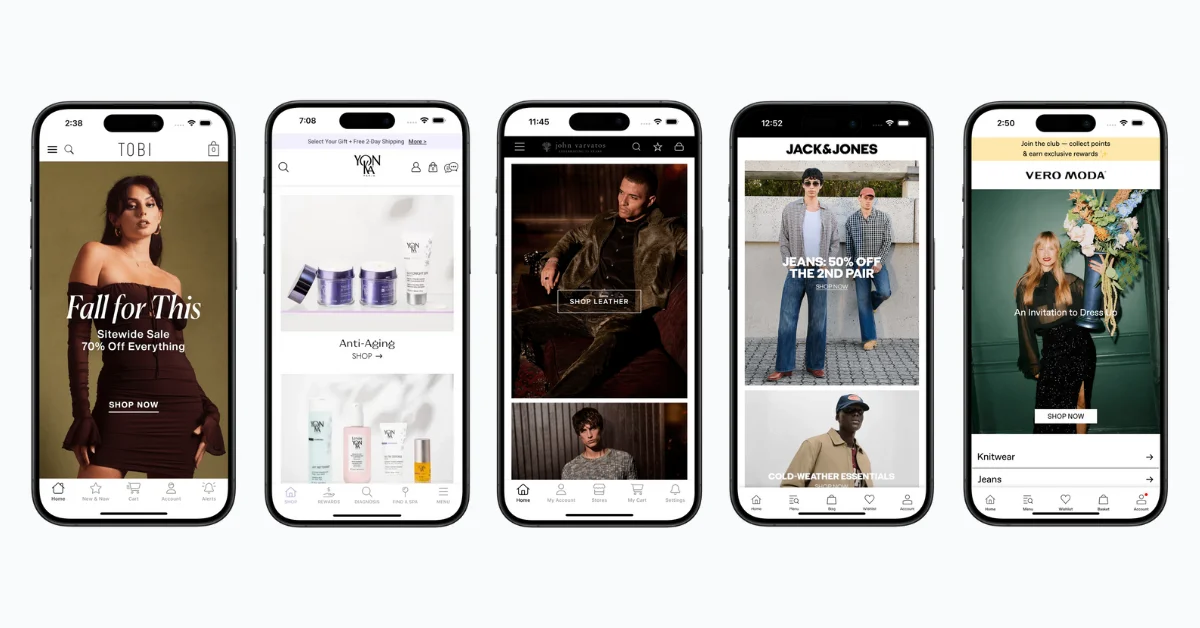
The app runs on top of your existing codebase. You still get all the native features you expect in an app (push notifications, native UI, splash screens, deep linking…), but you manage everything from your website - not two different platforms.
You can customize the app as much as you need to; building app-exclusive experiences, a different homepage for the app, custom pricing or promotions in the app.
MobiLoud’s team does everything for you on the app side, and works with you to set up the necessary customizations you need, allowing you to build and manage custom features through your website, and have these work in the app.
It’s just an easier way to build a custom app. It’s how global brands like Bestseller (Jack & Jones, Vero Moda, Only & Sons), John Varvatos, and many others were able to launch mobile apps risk-free, without moving away from their custom web platforms.
Match the App to Your Stack, Not the Other Way Around
For enterprise and legacy brands, the ecommerce mobile app challenges that block a launch are structural.
Custom checkout, multi-region, B2B, ERP, loyalty, omnichannel: the things that power your business are also the things that block off-the-shelf app builders and inflate the cost and difficulty of building an app from scratch.
MobiLoud lets you launch a mobile app while keeping all the complexity of your website intact, without rebuilding everything from the ground up.
Book a demo to see more about how it works, and chat with our app experts about how turn your site into the full-featured mobile app your brand deserves.