
Headless Commerce Mobile Apps: How to Get a Native App Without Rebuilding Your Stack

Headless commerce gives you a flexible, API-first backend and full control over your web storefront. What it doesn't give you is a native mobile app. Most headless brands either skip mobile apps entirely, settle for a PWA, or spend $250K+ on custom development. There's a faster path: extend the web storefront you've already built into a native iOS and Android app, with MobiLoud.
Headless commerce gives you a flexible, API-first backend and full control over your web storefront. What it doesn't give you is a native mobile app. Most headless brands either skip mobile apps entirely, settle for a PWA, or spend $250K+ on custom development. There's a faster path: extend the web storefront you've already built into a native iOS and Android app, with MobiLoud.
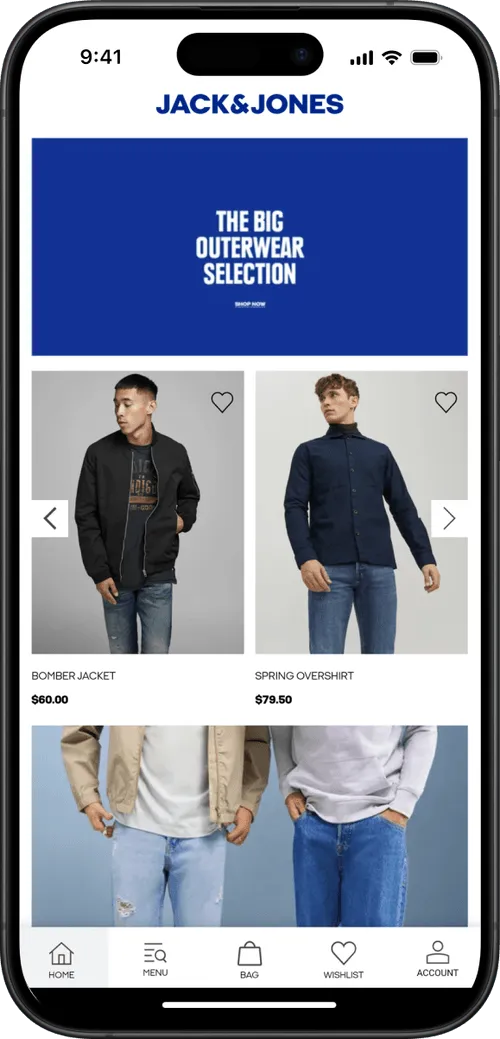
Headless commerce is supposed to be the ultimate flexibility architecture. Decouple your frontend from your backend, build whatever experience you want, deliver it across every channel.
In practice, most brands are focused on one channel: the web.
Only about one in five ecommerce brands with $5M+ in monthly revenue have a mobile app. Among brands running headless architectures, the number isn't dramatically different.
The reason is straightforward: launching mobile apps for headless stores is easier in theory than reality.
Your headless backend exposes APIs. Your custom web frontend consumes those APIs. But a native iOS or Android app requires a separate build, a separate team, a separate budget. That’s why most brands’ mobile apps keep getting pushed to "next quarter."
This article covers why that gap matters, your options for closing it, and the approach that lets you turn your headless investment into a native app without starting from scratch.
Why Headless Brands Need Native Mobile Apps
If you've invested in a headless ecommerce architecture, you already understand the value of meeting customers where they are. You've built a flexible backend precisely so you can deliver the right experience on every channel.
But without a native app, you're missing the channel that drives the most valuable customer behavior.
App Users Are Your Highest-Value Customers
The data on native app performance isn't subtle. App users convert at 3-4x the rate of mobile web visitors, generate higher average order values, and return more frequently.
They're a self-selected, high-intent audience: they downloaded your app, they kept it on their home screen, and they engage with it regularly.
For brands already optimizing their headless web frontend for conversion, leaving this segment on mobile web is leaving significant revenue unrealized.
Push Notifications Change the Retention Game
Native app push notifications reach your highest-value customers with nearly 100% visibility rates.
That's the core advantage: not raw reach, but the quality of the audience receiving the message and the environment they land in.
When a push notification opens your native app, the customer is immediately in a fast, full-screen shopping experience with native navigation, saved login state, and the entire purchasing flow at their fingertips. That's a fundamentally different conversion environment than an email click or an SMS link that opens mobile Safari.
For headless brands investing in personalization and CX on the web side, push notifications extend that investment to the most engaged slice of your audience.
Closer Customer Touchpoints
Attention is gold. Direct access to your customers is gold.
All this is getting more difficult in today’s ecommerce. Whether it’s iOS tracking changes, declining email visibility, SMS regulatory concerns or the rise of agentic shopping, showing up constantly is a struggle.
Mobile apps change that. Your brand shows up on the customer’s home screen. On their lock screen. You own valuable real estate on the device that modern shoppers are linked to and look at hundreds of times per day.
How to Launch Mobile Apps for Headless Commerce Brands
If you've built a headless architecture, your first instinct is probably to build a custom native app the same way you built your web frontend: connect iOS and Android apps to your backend APIs, build a dedicated mobile UI, hire mobile developers or an agency, and manage the app alongside your website.
That instinct makes architectural sense. It’s efficient in comparison to building custom mobile apps for websites without the API-first headless architecture you have.
But the reality is that it’s a huge, unnecessary expense - just to rebuild something that already works.
“If we had unlimited time and money, we would probably go for a custom native app, but that is half a million to a million a year to maintain.”
-- David Cost, VP of Ecommerce at Rainbow Shops
The Custom App Trap
Building a custom native app for a headless ecommerce store means building a second frontend from scratch.
It’s a completely separate codebase that happens to talk to the same backend.
The build itself is a major project. A custom mobile app that matches your web experience (same product catalog, same search, same personalization, same checkout, same loyalty program) typically costs $250,000+, and a project that could drag out for 6-12 months.
That's not a worst-case scenario; it's what agencies and in-house teams actually quote for ecommerce apps with real complexity.
Then the maintenance starts. Once the app ships, you're running two separate frontends: your web storefront and your mobile app.
Every new feature, every design change, every integration has to be built and deployed in both.
- Your checkout flow changed? Two codebases to update.
- You added Afterpay? Two integrations to build.
- You redesigned the product page?
Two implementations, two QA cycles, two deployment pipelines.
Over time, one frontend starts lagging behind the other. Usually it's the app. Web gets the updates first because the web team is already working on it. The app team catches up later, or doesn't.
Feature parity becomes a constant source of friction, and your customers notice the inconsistency.
Do You Really Need Something Different?
Here's the question that rarely gets asked early enough: what is the app actually doing that the website doesn't?
For the vast majority of ecommerce brands, the honest answer is: not much.
The mobile app should deliver largely the same shopping experience as the website. Same products, same prices, same checkout, same integrations.
The app adds native capabilities on top (push notifications, deep linking, App Store presence), but the core commerce experience is identical.
If the app does the same thing as the website, building a second frontend from scratch is solving a problem that doesn't exist.
Why PWAs Don't Close the Gap Either
Some headless brands try to sidestep the native app question with a Progressive Web App. It's tempting: your existing frontend already IS a PWA with a few configuration changes. No App Store, no separate build.
But PWAs aren't native apps. They don't show up in the App Store or Google Play, where customers actually look for apps. iOS support for PWA features remains limited: push notifications only arrived in iOS 16.4 and are significantly more restricted than native push. There's no badge support, no rich notification features, and no guarantee Apple won't further restrict PWA capabilities (they've already tried).
A PWA is a reasonable stopgap. It’s a great way to improve your mobile browser experience. But it's not a full mobile strategy.
The Better Path: Extend What You've Already Built
You've already invested heavily in your headless web frontend. Custom product pages, integrated search, personalization, checkout customization, loyalty, reviews. All of that work lives in your web codebase and it works.
Instead of rebuilding all of it as a separate native app, you can take that web frontend and deliver it inside a native iOS and Android app. Not as a PWA in a browser. As an actual native app, listed on the App Store and Google Play, with native push notifications, deep linking, native navigation, and the distribution and performance characteristics that customers expect from a native app.
This is what MobiLoud does. MobiLoud takes your existing headless web storefront (the Next.js, Nuxt, Hydrogen, or whatever framework your team built) and delivers it inside native apps with native capabilities layered on top.
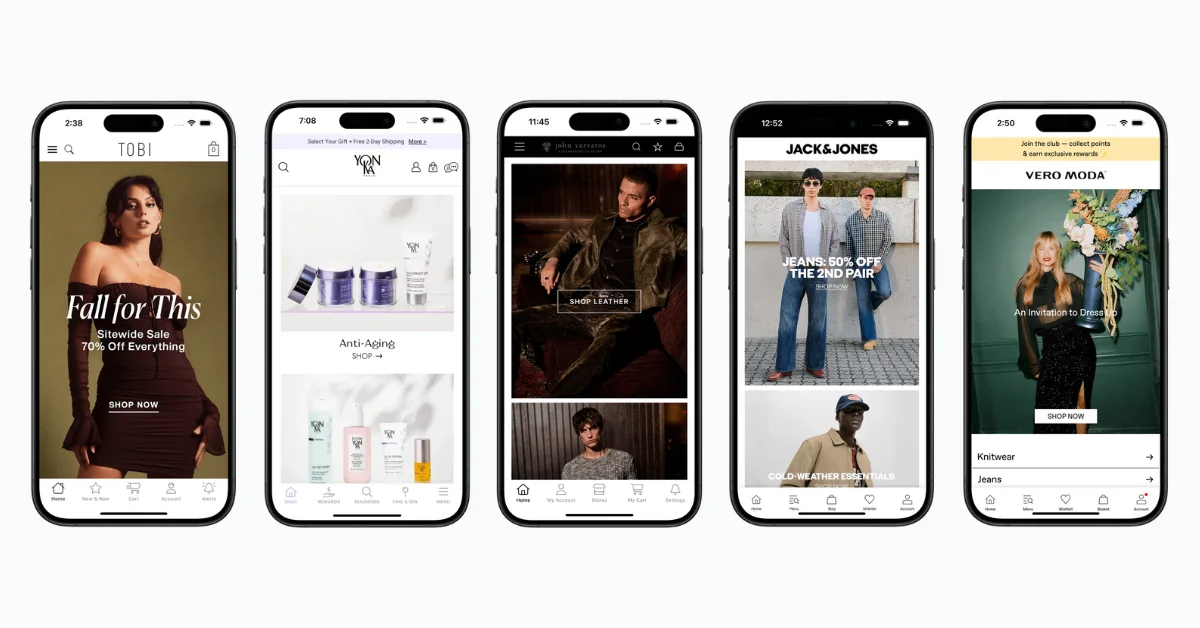
The critical difference from the custom build path: there's no second codebase. Your web frontend is the app frontend. When you update your website, the app reflects it automatically.
When you add a new integration to your store, it works in the app immediately. There's no feature parity problem because it's the same code delivering both experiences.
And there's no second team. You don't need mobile developers building and maintaining a parallel frontend. Your existing web team keeps doing what they're doing, and the app benefits from every improvement they ship.
When Custom Development Actually Does Make Sense
There are legitimate cases where a custom native app is the right call.
If your mobile app needs to do something fundamentally different from your website (a unique mobile-only UX, heavy reliance on device hardware like AR, camera, or GPS, or offline-first functionality that goes beyond caching), then a custom build gives you capabilities that an extended web frontend can't match.
But those requirements are the exception in ecommerce, not the rule. Most brands need their app to deliver the same shopping experience as their website, plus push notifications and App Store presence.
Spending $250K+ and a year of development time on a custom build to achieve that is solving the problem the hard way.
How MobiLoud Works with Headless Architecture
The relationship between MobiLoud and your headless stack is simpler than you might expect.
MobiLoud doesn't interact with your headless backend directly. It doesn't need to know whether you're running Commercetools, Shopify Plus, Salesforce Commerce Cloud, or a custom backend, and it doesn’t need to communicate with these APIs.
What MobiLoud works with is your web frontend: the custom storefront your team built on top of those APIs.
Here's how it works:
- Your headless backend serves data through APIs (products, inventory, pricing, orders). This doesn't change.
- Your custom web frontend (built in Next.js, Nuxt, Gatsby, or whatever framework you chose) consumes those APIs and renders the shopping experience. This doesn't change either.
- MobiLoud takes that web frontend and delivers it inside a native iOS and Android app.
MobiLoud adds a native layer on top of your site: push notifications, deep linking so URLs open in the app, native navigation, and the architecture that lets it run as a real app on the customer’s device.
The result: you have one storefront, powered by your headless backend, delivered on web and as native mobile apps.
When you update a product, change a price, add a new feature to your website, or redesign a page, the app reflects it automatically. There's no second deployment.
What This Means for Your Team
- Backend team: No changes. Your APIs serve the web frontend the same way they always have.
- Frontend team: No changes. Your web codebase is the app codebase.
- Marketing team: You get push notifications, deep linking, and a powerful owned channel without waiting for a mobile dev team.
- Finance: A predictable monthly cost instead of a $250K+ custom build plus ongoing maintenance.
Platform-Specific Considerations
Headless implementations vary by platform. In case you’re wondering how the mobile app equation works for your specific headless platform, here’s how it plays out for a few of the most popular backends:
Shopify Plus (Hydrogen/Oxygen)
If you've gone headless on Shopify using Hydrogen, you've built a custom React storefront on Shopify's Oxygen hosting.
MobiLoud works with this frontend the same way it works with any web storefront. Your Hydrogen app becomes the native app. All your Shopify integrations (Klaviyo, Yotpo, Recharge, etc.) carry over because they're part of the web experience.
Commercetools
Commercetools is headless-first, meaning there's no built-in frontend at all. Your team has built a completely custom web storefront, and MobiLoud extends that storefront into native apps.
The composable nature of Commercetools means you might be running a more complex stack (separate CMS, separate search, separate personalization), but since MobiLoud works at the frontend layer, the backend complexity is irrelevant.
Adobe Commerce (Magento)
Adobe's headless offering uses its PWA Studio or a custom frontend connected via GraphQL APIs. If you've built a headless Magento frontend, MobiLoud can turn it into a native app.
This is particularly relevant for enterprise Magento brands that have complex, highly customized storefronts: the custom work you've done on the web carries directly into the app.
Salesforce Commerce Cloud
SFCC brands running headless (via the B2C Commerce API and a custom frontend) face the same mobile gap. But MobiLoud works with the custom frontend layer, regardless of what's behind it.
For SFCC brands specifically, the alternative (building a custom app on top of SFCC APIs) typically requires specialized Salesforce developers and a significant budget.
The Economics of Headless + Mobile App
Here’s a cost comparison, for headless brands evaluating mobile app delivery::
For a headless brand that has already invested six figures in a custom web frontend, the extend-your-site approach is the most capital-efficient way to get a native app. You're not paying to rebuild what you've already built. You're paying to deliver it through a new channel.
Extend Your Headless Commerce Site to a Mobile App
If you're running a headless architecture and want to explore native mobile apps, MobiLoud is the most cost-efficient way to do it.
Here’s what the process looks like:
- Fill out the form at mobiloud.com/demo with your website URL. Our team will get on a call with you to discuss the project and make sure your site is a good fit for a mobile app.
- MobiLoud builds a custom preview of your native app so you can see exactly how your headless storefront looks and feels as a native mobile experience. No commitment required.
- MobiLoud handles the build, the store submissions, the approval process, and ongoing updates. Most brands go from first conversation to live app in about a month.
The question isn't whether your headless backend can support a native app (it can, that's the whole point of APIs).
The question is how much time and money you want to spend getting there.
If you've already invested in a strong web frontend, extending it into native apps is the fastest way to close the mobile channel gap, and the best way to virtually guarantee a positive ROI.
Book a free strategy call to see your headless storefront come to life as a native app.
FAQs

Convert your website into a mobile app




