The Best Shopify Inventory Management Apps in 2026 (Free & Paid)

Finding the best Shopify inventory management apps matters now, more than ever before.
Your customers refuse to wait. In fact, 91% of shoppers will switch brands if what they want is unavailable, instead of waiting for a restock.
And inventory management in 2026 is no longer just about tracking stock levels.
Choosing the right Shopify inventory management app makes the difference between smooth growth and daily operational stress.
This guide explains when you need one and highlights the best Shopify inventory management apps worth your attention this year.
What Is a Shopify Inventory Management App?
A Shopify inventory management app is a third-party tool integrated through the Shopify App Store to help you track, control, and optimize stock across products, locations, and sales channels in real-time.
These apps automate and scale inventory processes for ecommerce merchants, preventing issues such as overselling or stockouts that plague poor management.
Compared to Shopify's native dashboard, these apps go beyond it by adding features such as automated low-stock alerts, bulk CSV imports/exports, and barcode scanning for warehouse efficiency.
Shopify built-in inventory vs inventory management apps
Shopify’s built-in core stock tracking lives inside your Shopify admin. It provides a great solution for small stores with simple needs. It allows you to track stock by product and location, adjust quantities, and receive low stock alerts.
However, Shopify’s built-in inventory is limited when your business scales. It does not support advanced forecasting, multichannel management, manufacturing workflows, or deep reporting.
Inventory management apps extend Shopify by adding automation, analytics, and control that growing sellers need. They extends Shopify with advanced capabilities like forecasting, automated purchase orders, multi-warehouse and multichannel orchestration, deeper analytics, and more complex workflows.
5 Best Shopify Inventory Management Apps In 2026
After reviewing features, pricing, use cases, and real seller needs, we put together the 5 best Shopify inventory management apps in 2026.
This list is designed to help you quickly find the right solution to manage inventory more efficiently and scale your Shopify business with confidence. Let’s dive into it!
LitCommerce
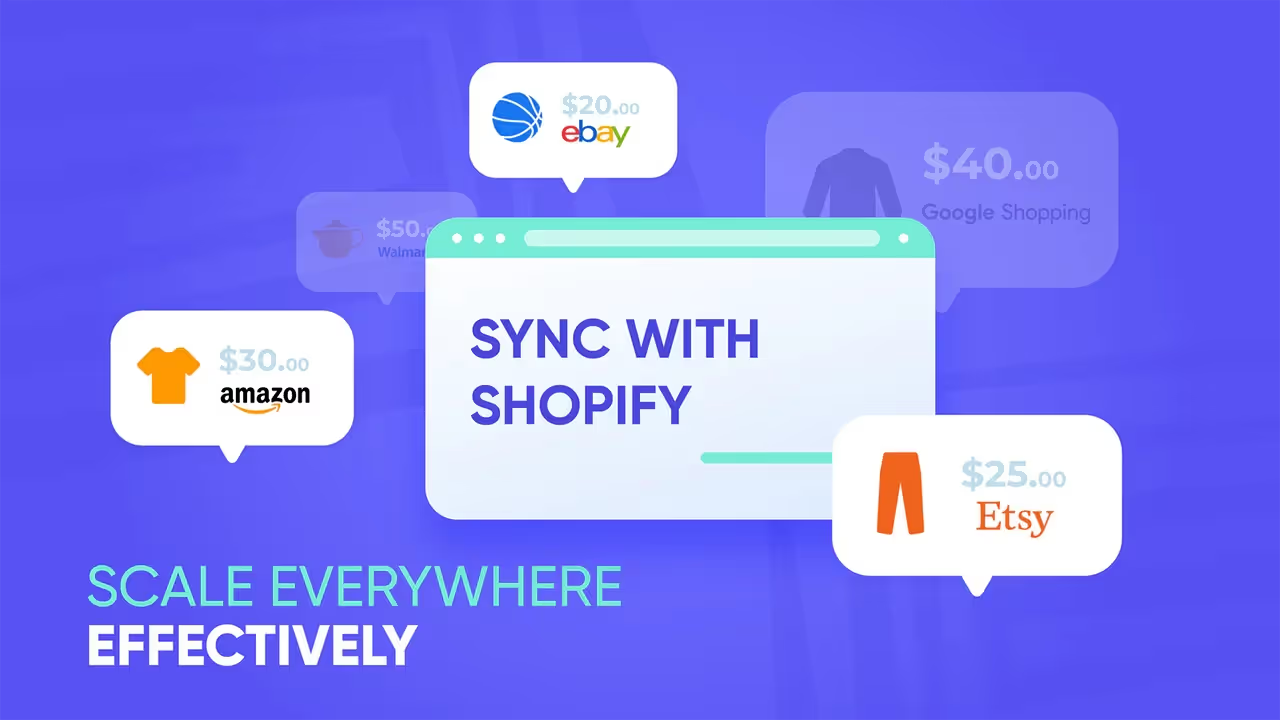
LitCommerce is one of the best Shopify inventory management apps for sellers who operate across multiple sales channels. It works as both a multichannel selling tool and an inventory management solution, allowing Shopify sellers to control listings, orders, and stock levels from one central dashboard.
With real-time inventory sync, bulk editing, and automated updates, LitCommerce helps reduce overselling, save time, and keep inventory accurate as your business scales. You will get prompt notifications when inventory levels approach predefined thresholds.
Additionally, instead of manually adjusting price and product quantity on each listing, you can create rules to display the desired information across Shopify and sales platforms automatically and quickly.
Pricing
7-day free trials | Pay-as-you-go paid plans from $29 scale (up to 3 channels) (4.8 stars from 702 reviews)
Key features
- Real-time inventory sync across Shopify and multiple marketplaces
- Centralized dashboard for managing products and stock
- Bulk listing and bulk inventory updates using smart templates and recipes
- Automatic stock adjustment after each sale
- Easy integration with major marketplaces
- Price and order sync help centralized order management
Pros
- Near real-time inventory and price sync.
- Strong bulk listing tools, templates, and QuickGrid-style editing.
- Easy for beginners with simple onboarding
- Flexible pricing with a free trial, pay-as-you-go style plans.
- Excellent customer support.
Cons
- Advanced analytics features are limited
- Bulk edits can be slower with large catalogs.
Best for:
Small to medium Shopify brands selling on Etsy, eBay, Amazon, Walmart, and TikTok Shop who need simple, accurate inventory sync and easier listing management.
Stocky Shopify
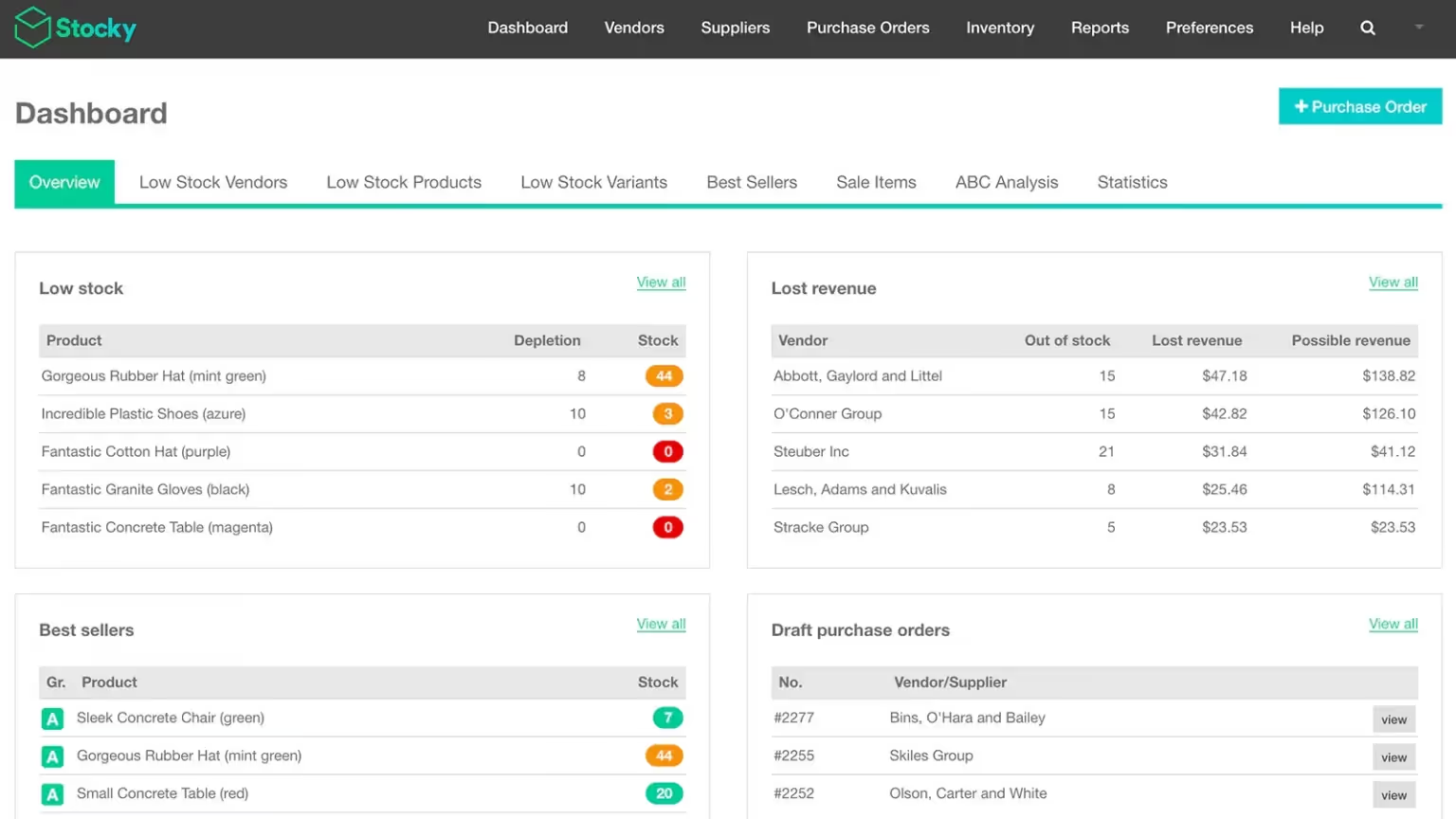
Stocky is a Shopify owned inventory planning app designed for merchants who use Shopify POS Pro. The app focuses on demand forecasting and purchase order management for retail businesses.
Stocky uses historical sales data to suggest what to reorder and when. This helps physical and hybrid stores avoid stockouts and overstocking.
Pricing
Free with Shopify POS Pro subscription (2.7 stars from 209 reviews)
Key features
- Inventory tracking across multiple locations
- Stocktakes (cycle counts) and stock transfers between locations to rebalance inventory based on demand.
- Create and manage purchase orders in one place
- Forecast‑based reorder suggestions using sales history
- Product recommendations for replenishment
Pros
- Deep integration with Shopify POS
- Accurate sales-based forecasting
- No extra app cost with POS Pro
Cons
- Only available for POS Pro users
- Not suitable for multi-channel selling
Best for:
Brick and mortar or hybrid retailers using Shopify POS Pro
If you also sell on marketplaces, this guide to Shopify marketplace apps can help you expand without losing control.
Prediko
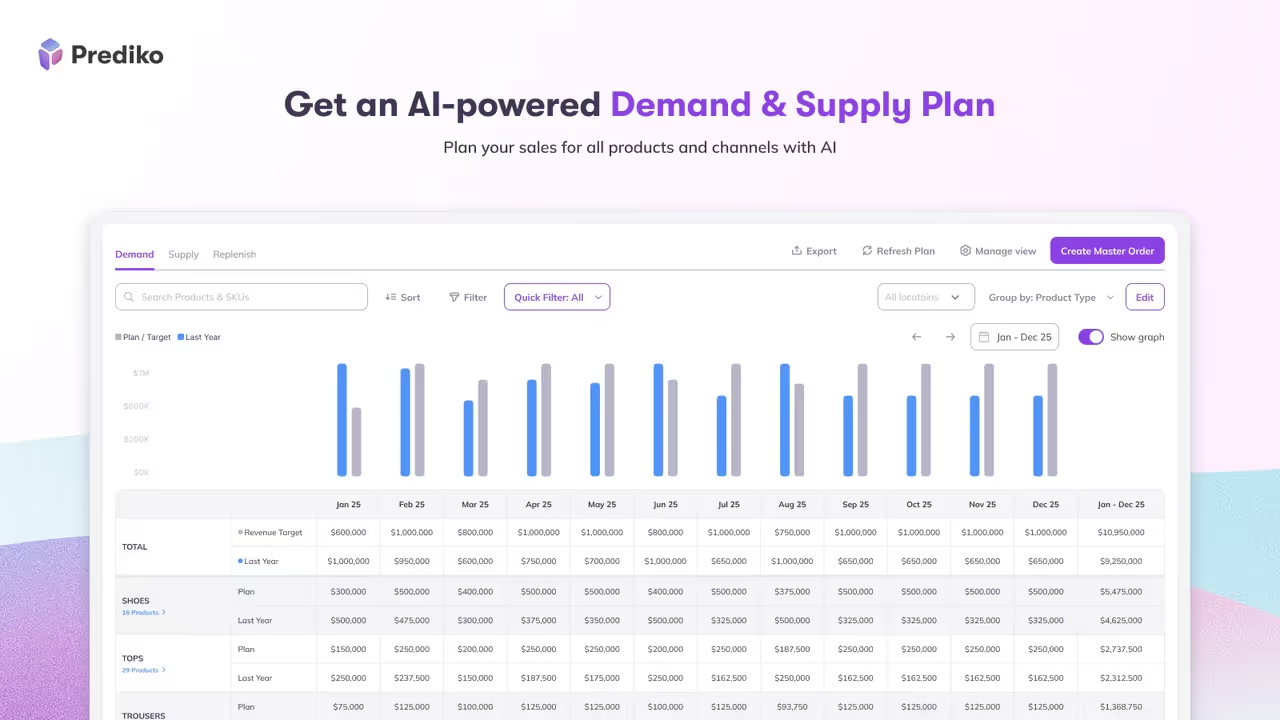
Prediko is an AI-powered inventory forecasting and planning app built for data-driven Shopify brands. The app focuses on helping you understand future demand and plan inventory accordingly.
Prediko analyzes sales velocity, seasonality, and trends to generate smart restock recommendations. This app on the list of best Shopify inventory management apps is a top choice for D2C brands that rely on accurate forecasting and want a smarter, less manual replenishment process.
Pricing
Free to install | Paid plan from $49 – $199/month (4.9 stars from 175 reviews)
Key features
- AI-powered demand forecasting and supply planning
- Smart replenishment alerts and health bars
- Purchase order management to create, track, and bulk-edit POs
- Real-time inventory tracking with restock alerts, low-stock notifications, and out-of-stock prevention tools.
- Raw materials management with bills of materials (BOMs)
Pros
- Strong AI analytics and forecasting
- Clean and modern interface
- Useful for scaling brands
Cons
- Advanced features require paid plans
- Not an all-in-one inventory system (forecasting only)
Best for:
Shopify stores with fast-moving products, multi-location stock, or teams that want AI-driven forecasting and inventory planning.
Syncio
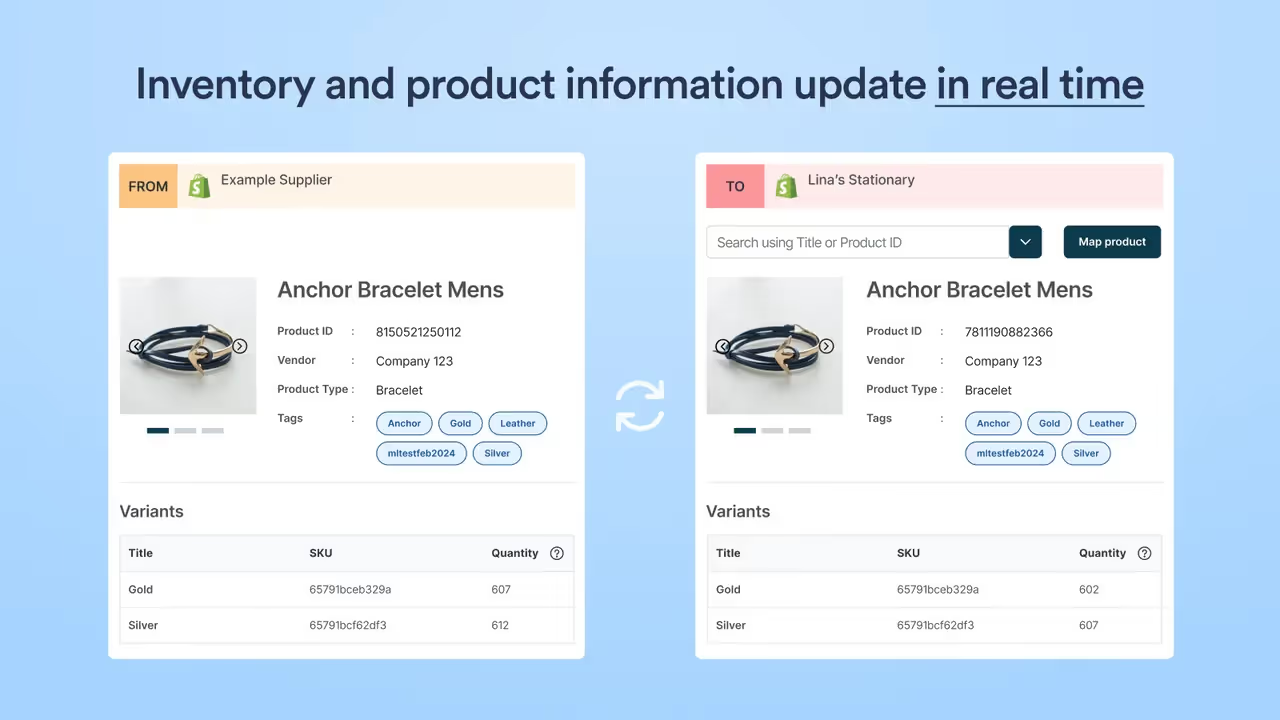
Syncio is a Shopify app that connects multiple stores so inventory, products, and orders stay in sync in real time, helping prevent overselling and cutting out manual updates across shops.
Syncio lets one store act as the source with master inventory and product data, while other “destination” stores automatically mirror stock levels and selected product details from it.
It is designed for brands with multiple Shopify stores, supplier–retailer networks, dropshippers, and marketplaces that need centralized control but separate storefronts.
Pricing
Free | Paid plan from $19 - $39 monthly (4.9 stars from 151 reviews)
Key features
- Inventory sync & real-time stock adjustment using SKU or barcode
- Import and sync product fields
- Sync order information
- Find and connect with new suppliers or retailers
Pros
- Reliable real-time inventory sync between multiple Shopify stores
- Strong support for multi-store and supplier–retailer workflows
- Handles large SKU volumes
Cons
- Can be complex for unique, multi-location, or large-scale needs
- Sync speed can slow down on very large catalogs
Best for:
Brands managing multiple Shopify stores or wholesale relationships.
Katana Cloud Inventory
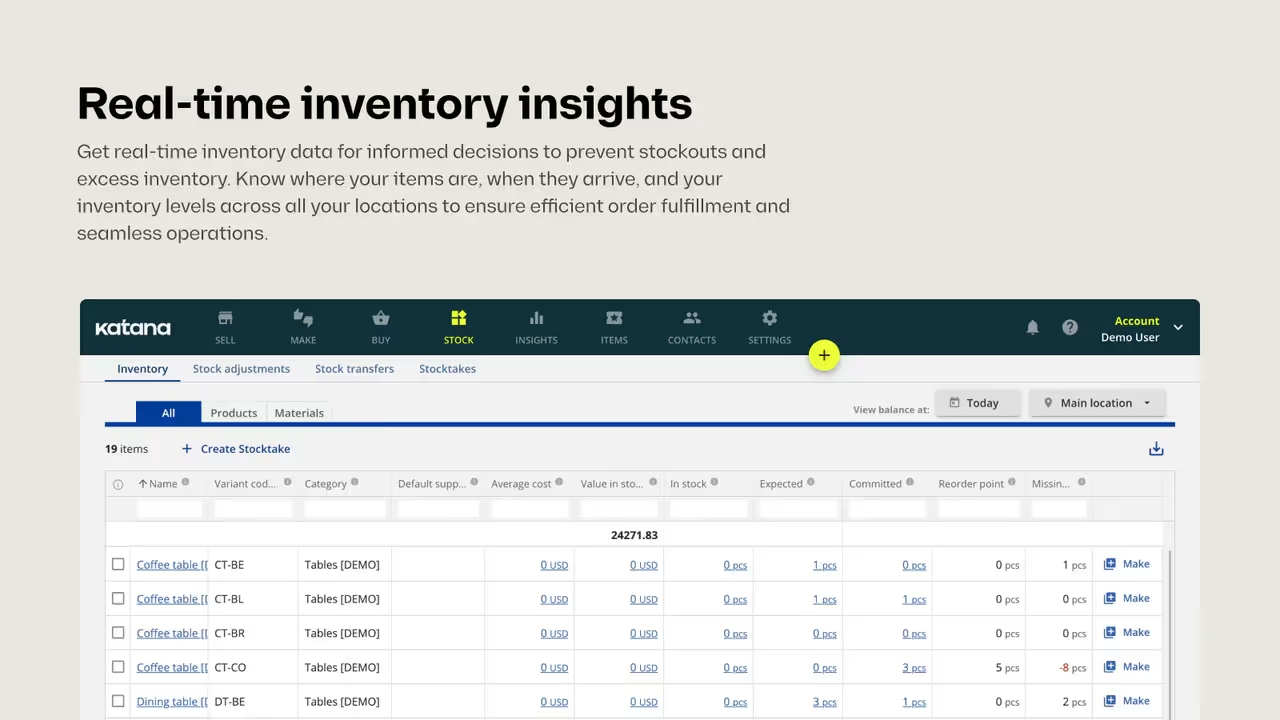
Katana is a cloud inventory and light-ERP platform for Shopify sellers that centralizes stock, production, and order management. It syncs inventory in real time, automates material planning and purchase orders, and connects multiple Shopify stores to prevent stockouts and keep fulfillment accurate and efficient.
This best Shopify inventory management gives you visibility into what is in stock, what is being produced, and what materials are required to fulfill orders.
Pricing
Free | Paid plans from $399 to 1.999 monthly (4.6 stars from 134 reviews)
Key features
- Multilocation inventory management
- Production planning and scheduling
- Smart purchase orders based on material requirements
- Centralize fulfillments across multiple locations and sales channels
Pros
- Excellent for manufacturing and raw material tracking
- Strong automation and centralized workflows
- Very high customer satisfaction
- Easy to use, with a modern, visual interface and clear workflows
Cons
- High monthly pricing for full features
- Not so friendly with the mobile app.
- Less optimal for larger, highly complex operations that need extensive customization
Best for:
Product-based businesses that need to manage both inventory and production, manufacturers, and D2C brands selling via Shopify and other channels.
When Do You Need a Shopify Inventory Management App?
A Shopify inventory management app becomes necessary when your store operations outgrow manual tracking or basic Shopify inventory features.
As order volume increases, inventory mistakes can quickly lead to lost sales and unhappy customers.
Here are the traits that you need in a Shopify inventory management app:
- You sell on multiple channels, such as Amazon, Etsy, eBay, …, and need real-time inventory syncing to avoid overselling.
- You manage multiple locations or warehouses and lack clear stock visibility.
- You frequently experience stockouts or overstocking due to poor forecasting.
- You handle bundles, kits, or wholesale orders that Shopify cannot track accurately.
- You manufacture products and need to manage raw materials and finished goods.
- You spend too much time updating inventory manually instead of growing the business.
If one or more of these situations apply, Shopify built in inventory is no longer enough.
How to Choose the Best Shopify Inventory Management Apps
Not all apps solve the same problems, even with the best Shopify inventory management app. The best option depends on how and where you sell. Here’s the list of the criteria below, and reference real app examples to choose the best apps for your Shopify store:
You can start by identifying your sales channels.
- Choose LitCommerce if you sell on multiple marketplaces and need real-time inventory sync across channels
- Choose Syncio if you manage multiple Shopify stores or wholesale and retail stores together
Next, consider how complex your inventory operations are.
- Basic stock tracking works with Shopify's built-in inventory or light tools
- Advanced planning apps like Prediko are better for forecasting and replenishment decisions
Then, define your business model to make the right choice.
- Retail and POS focused stores benefit from Stocky Shopify, which supports demand forecasting and purchase orders
- DTC brands benefit from Prediko, which focuses on sales trends and cash flow planning.
- Manufacturing businesses should choose Katana Cloud Inventory for production and material tracking.
Make sure the app can grow with your business by considering pricing and scalability.
- Apps like LitCommerce offer free plans for small sellers and scalable pricing for growth
- Forecasting and manufacturing tools like Prediko and Katana usually follow premium pricing models
Finally, look at how easy the app is to adopt and maintain.
- Apps such as LitCommerce and Syncio are known for simple setup and user-friendly dashboards
- More advanced systems like Katana require onboarding time but offer deeper operational control.
The best inventory management apps for Shopify are the one that meets your needs today while supporting where you want your business to go next.
Best Shopify Inventory Management Apps: FAQs
What is the best inventory app for Shopify?
The best Shopify inventory management app depends on your business needs, with top contenders including LitCommerce, Stocky, Prediko, Syncio, and Katana Cloud. For basic needs, Shopify's built-in tools are sufficient, but growing businesses require apps for forecasting, multi-channel synchronization, and complex stock tracking.
Does Shopify have an inventory management system?
Yes, Shopify has built-in inventory management tools that allow you to track stock levels, manage quantities, create purchase orders, handle transfers, and view basic reports, syncing across online sales and Shopify POS for unified stock control.
For more advanced features, like low-stock alerts or deeper analytics, you can use apps, such as LitCommerce, Prediko, and more!
Which app is best for inventory management?
The best inventory management apps depend on your business needs. LitCommerce is best for multichannel inventory syncing. Stocky works best for Shopify POS retailers. Prediko is ideal for forecasting and planning. Katana is best for manufacturing. Choose the app that matches how you sell and scale.
Wrapping Up!
Choosing the right inventory tool can shape how smoothly your Shopify store grows in 2026.
From multichannel syncing with LitCommerce to forecasting with Prediko and production control with Katana, each solution serves a different selling model and a specific growth stage.
The best Shopify inventory management apps are those that reduce errors, save time, and support smarter decisions, so you can focus on scaling with confidence.
FAQs

Convert your website into a mobile app