How to Build an Ecommerce Mobile App in 2026: The Complete Guide

Mobile apps are the most powerful retention tool for ecommerce brands. They convert at nearly double the rate of mobile websites, and app users spend significantly more per order. The challenge is building your ecommerce app the right way, to maximize ROI and minimize overhead. This guide walks you through everything, and shares the two best ways to create a mobile app for ecommerce brands.
Mobile apps are the most powerful retention tool for ecommerce brands. They convert at nearly double the rate of mobile websites, and app users spend significantly more per order. The challenge is building your ecommerce app the right way, to maximize ROI and minimize overhead. This guide walks you through everything, and shares the two best ways to create a mobile app for ecommerce brands.
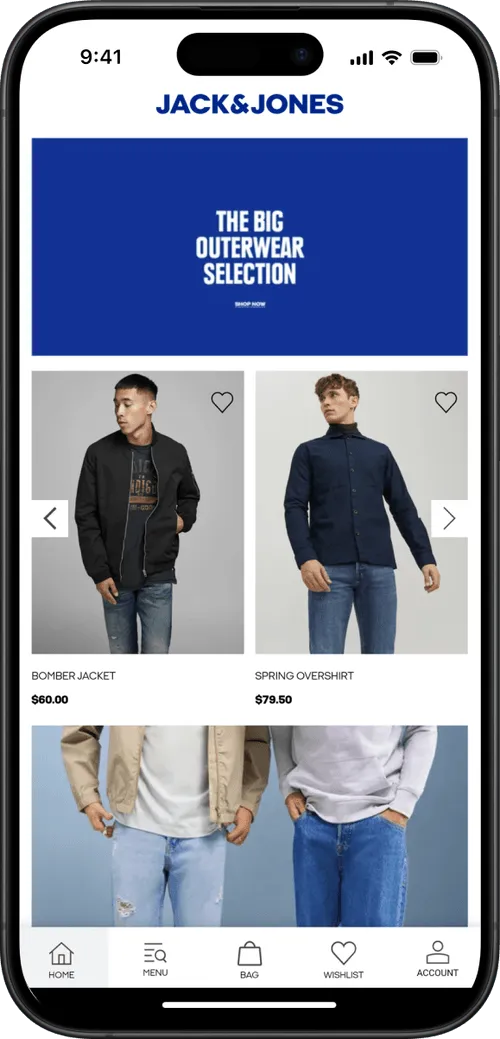
Mobile commerce needs to be your #1 priority. In 2026, over 70% of ecommerce traffic comes on mobile devices. The market is projected to reach $2.4 trillion in 2026 and continue growing at 9.5% annually through 2034.
And the more of that traffic flows through your mobile app, the better.
Mobile apps provide a better customer experience, combined with advance engagement tools (like push notifications), leading to more conversions, better customer loyalty, and more revenue.
But for most ecommerce brands, building a mobile app still feels like a massive undertaking. The options are confusing. The costs seem steep. And the risks (will anyone actually use it?) take over your mind.
That’s why we created this guide: to demystify the ecommerce app development process and give you a clear, modern roadmap into how to create a mobile app for your brand.
Why Ecommerce Brands Are Investing in Mobile Apps
A responsive website gets you in front of mobile shoppers. An app turns the best of those shoppers into repeat customers. The data on this is consistent across industries:
- Higher conversion rates. Apps regularly convert at 1.5 to 2.5x the rate of mobile websites. Brand-level data from 2024 shows even wider gaps: Naked Harvest reported a 142% higher conversion rate on their app versus mobile web.
- Larger orders. App users tend to spend more per transaction. Across MobiLoud's customer base, app users show a 30% higher average order value compared to mobile web shoppers.
- More repeat purchases. 60% of first-time app buyers come back for another purchase. App shoppers spend 201 minutes per month in shopping apps, compared to just 11 minutes on mobile shopping sites.
- Lower cart abandonment. Mobile web cart abandonment runs around 80%. Apps reduce friction through saved payment methods, one-tap checkout, and persistent sessions.
- A direct channel you own. Unlike email, social, or paid ads, a home screen icon gives you a direct line to your most engaged customers. Push notifications land on their lock screen, not in a spam folder or an algorithmic feed.
These aren't theoretical benefits. Rainbow Shops saw 7x mobile customer lifetime value from their app. Kiokii, a two-person ecommerce team, generates 35% of their online revenue through their app from just 10% of their user base.
"The app's been invaluable to us. The cost we're paying versus what we're getting back is tenfold."
-- Nick Barbarise, Director of IT, John Varvatos
Global retail app downloads hit 6.6 billion in 2024, marking the fourth consecutive year of growth. And 76% of U.S. smartphone users now regularly use shopping apps. For ecommerce brands with repeat purchase potential, the business case is hard to argue against.

Types of Ecommerce Apps
Before building, it helps to understand what kind of ecommerce app you're building. The business model shapes the feature set, the user experience, and the technical requirements.
B2C (Business-to-Consumer)
The most common model. A brand sells products directly to individual shoppers. Think product catalogs, shopping carts, checkout flows, and post-purchase engagement. Fashion, beauty, food, and lifestyle brands typically fall here.
D2C (Direct-to-Consumer)
A subset of B2C where the brand controls the entire experience, cutting out retail intermediaries. D2C apps emphasize brand storytelling, subscription options, loyalty programs, and first-party data collection.
B2B (Business-to-Business)
Wholesale, trade, and procurement apps. These require features like volume pricing, quick reorder workflows, account-based catalogs, and integration with ERP and inventory management systems.
Marketplace
Multi-vendor platforms where multiple sellers list products and the platform facilitates transactions, taking a commission on each sale. Marketplace apps need vendor onboarding, commission management, dispute resolution, and review systems. Amazon and Etsy are the obvious examples.
C2C (Consumer-to-Consumer)
Peer-to-peer selling platforms. Think Poshmark or eBay-style apps where individual users list, buy, and sell from each other.
Subscription Commerce
Apps built around recurring deliveries or memberships. Subscription boxes, replenishment services, and membership-based access models. These emphasize subscription management, flexible billing, and retention-focused features.
---
Most ecommerce brands will fall into the B2C or D2C model. The rest of this guide focuses primarily on that use case - though much of the advice applies across models.
Essential Ecommerce Mobile App Features
The features you need depend on your business model and complexity, but most ecommerce apps share a common core. Here's a practical breakdown.
Core Commerce Features
These are the core features of any ecommerce mobile app:
- Product catalog and search. Browsable categories, product detail pages with multiple images, zoom, and variants. Search with filters (price, category, size, color, availability) so shoppers can find what they need fast.
- Shopping cart. Add, remove, and adjust quantities. Apply coupon or promo codes. Persistent across sessions so items aren't lost.
- Checkout flow. Streamlined, ideally single-page. Guest checkout option. Saved shipping addresses and payment methods for returning customers. One-click checkout for repeat purchases.
- Payment processing. Integration with gateways like Stripe, PayPal, Apple Pay, Google Pay, and Buy Now Pay Later providers (Klarna, Afterpay, Affirm). Multiple payment options reduce checkout friction.
- Order management and tracking. Order confirmation, real-time shipment tracking, delivery notifications. Returns and refund management.
- User accounts. Registration via email, phone, or social login (Google, Apple, Facebook). Profile management, saved addresses, order history, wishlists.
- Website sync. If you sell on the web as well (you almost certainly do), your products, inventory, orders, accounts and all other data needs to sync with your website backend. Otherwise you’re going to have a nightmare trying to manage this in parallel.
Engagement and Retention Features
These separate a good app from one that gets downloaded and forgotten:
- Push notifications. Abandoned cart recovery, flash sale alerts, back-in-stock notifications, order updates, and personalized recommendations. This is the single biggest advantage of an app over a mobile website. Read our complete guide to ecommerce push notifications.
- Deep linking. Links from emails, SMS, social, or ads that open directly to the right product or page inside the app, not the mobile web.
- Loyalty and rewards programs. Points systems, tiered memberships, referral incentives. In-app loyalty keeps high-value customers coming back.
- Wishlists and favorites. Save products for later, trigger back-in-stock alerts, and use wishlists for personalized recommendations.
- Product reviews and ratings. User-generated content builds trust and helps shoppers make decisions.
- Customer support. In-app live chat, chatbot, or links to your support team. FAQ or help center access without leaving the app.
Advanced Features
Worth considering for brands with more complex needs:
- AI-powered recommendations. Personalized "you may also like" suggestions based on browsing history, purchase patterns, and similar shoppers.
- Augmented reality (AR). Virtual try-on for fashion and beauty, or "place in your room" visualization for furniture and decor.
- Visual and voice search. Image-based product discovery (snap a photo, find similar items) and voice-activated search.
- Multi-language and multi-currency support. Essential for brands selling internationally.
- Barcode/QR scanning. Useful for in-store shoppers who want to look up products in the app.
Not every app needs every feature on day one. A common approach is to launch with a strong MVP, the core commerce features plus push notifications and deep linking, then expand based on user behavior and feedback.
How to Build an Ecommerce App: Step by Step
If you already have a successful, mobile-friendly website you’re selling on, you probably don’t need all this. You’re better off converting your website into an app (which we’ll expand on in more detail later.
However, if you want the full breakdown of how to build and launch an ecommerce mobile app from scratch - here’s the process in its entirety:
Step 1: Define Your Goals and Business Model
Start with what you're trying to achieve. Are you building an app to improve retention among existing customers? To create a new acquisition channel? To support a loyalty program? Your goals shape every decision that follows.
Define your target audience. Are they mobile-first shoppers? Repeat buyers? B2B clients placing bulk orders? Understanding your user informs feature priorities, design decisions, and the development approach you choose.
Step 2: Research the Market and Competitors
Download and use competitor apps. Look at their navigation patterns, checkout flows, feature sets, and how they use push notifications. Check their app store ratings and read reviews. Pay attention to what users praise and what they complain about.
Use tools like Sensor Tower for competitive intelligence on downloads and engagement. Look at category benchmarks for your industry. Identify gaps your app can fill.
Step 3: Choose Your Development Approach
This is the most consequential decision you'll make. The four main approaches (custom development, cross-platform frameworks, no-code builders, and web-to-app conversion) differ dramatically in cost, timeline, and ongoing maintenance. We cover these in detail in the next section.
Step 4: Plan Your Feature Set and MVP
Based on your goals and research, define your launch feature set. Resist the temptation to build everything at once. A strong MVP for most ecommerce apps includes:
- Product catalog with search and filtering
- Shopping cart and checkout
- User accounts with saved payment/shipping
- Push notifications (abandoned cart, promotions, order updates)
- Deep linking
- Analytics integration
Advanced features like AR, AI recommendations, and loyalty programs can come in version 2, once you have user data telling you what to prioritize.
Step 5: Design the User Experience
If you're building custom, this means wireframing, prototyping, and high-fidelity design work in tools like Figma. Follow Apple's Human Interface Guidelines for iOS and Material Design guidelines for Android.
Key design principles for ecommerce apps:
- Speed over flash. Users care more about fast load times and smooth scrolling than elaborate animations.
- Thumb-friendly navigation. Bottom tab bars, large tap targets, and reachable CTAs.
- Minimal checkout friction. Every extra step in checkout costs conversions. Saved addresses, stored payment methods, and guest checkout reduce drop-off.
- Clear product presentation. Multiple images, zoom capability, size guides, and prominent pricing.
If you're using a no-code builder or web-to-app approach, much of the UX design is inherited from the builder's templates or your existing website. Focus on configuring navigation, splash screens, and app-specific elements.
Step 6: Develop and Test
For custom and cross-platform builds, this is where the bulk of time and budget goes. Most teams follow an Agile methodology, working in 2-4 week sprints with regular reviews and course corrections. Development typically includes:
- Frontend/mobile development (the app interface users see)
- Backend/API development (server logic, database, integrations)
- Third-party integrations (payment gateways, shipping, analytics, CRM)
- Testing across multiple dimensions: functional testing (do features work?), performance testing (does it handle load?), usability testing (can users complete key tasks?), security testing (are transactions and data protected?), and compatibility testing (does it work across devices and OS versions?)
Beta testing through Apple's TestFlight and Google Play's beta program lets real users validate the experience before public launch.
Step 7: Submit to App Stores
Both Apple's App Store and Google Play have review processes. Apple's review typically takes 1-3 business days but can be unpredictable. Google Play reviews are usually faster but can flag policy issues.
Common rejection reasons include:
- Incomplete functionality or placeholder content
- Violating platform design guidelines
- Privacy policy missing or inadequate
- Excessive use of web content without native elements (Apple specifically scrutinizes this)
- Misleading metadata or screenshots
You’ll also have to pay for developer accounts on each platform: $99/year for Apple, $25 one-time for Google.
Step 8: Launch, Promote, and Optimize
Getting the app into the stores is the starting line, not the finish. Your launch and ongoing promotion strategy determines whether the app actually gets used.
App Store Optimization (ASO):
- Keyword-rich app title and subtitle
- Compelling screenshots and preview video
- Clear, benefit-focused description
- Encourage ratings and reviews from satisfied customers
On-site and in-store promotion:
- Smart banners on your mobile website prompting app downloads
- QR codes on packaging, receipts, and in-store signage
- Dedicated landing page for the app on your website
Campaigns:
- Email and SMS campaigns to your existing customer base highlighting app-exclusive benefits
- Welcome incentive for first app purchase (discount code, free shipping)
- App-exclusive flash sales or early access to new products
Retention:
- Push notification campaigns: abandoned cart recovery, personalized recommendations, back-in-stock alerts, loyalty rewards
- Regular app updates with new features and content
- Monitor analytics (session duration, conversion funnels, retention curves) and iterate
Building Your Ecommerce App: Options and Tech
Once you know what it needs to do, the next step is figuring out how to build your shopping app.
There are three common paths ecommerce brands take - each with its own trade-offs in speed, cost, flexibility, and complexity.
1. Custom Development: Full control, high cost
Custom apps are built from the ground up by an in-house team or agency, using frameworks like React Native, Flutter, or native iOS/Android code.
This route gives you maximum control over features, UI, and integrations, but it comes with a steep price.
Pros:
- Fully custom UX and branding
- No limits on features or integrations
- Full ownership of code
Cons:
- App development process is long and drawn-out (typically 6–12 months)
- $50K-$200K+ in upfront costs
- Requires ongoing maintenance by developers
- Risk of overbuilding or underutilization
Custom apps make sense for enterprise brands or retailers with complex workflows and large budgets. But for most ecommerce businesses, they’re overkill (and risky).
"At first, we explored the viability of building our own native apps from the ground up. And while that was achievable, managing them effectively moving forward would not have been feasible due to the disconnected nature of such an approach."
-- David Chamberlin, Lead Developer, Tadashi Shoji
2. DIY Ecommerce Mobile App Builders: Fast but limited
DIY, no-code app builders let you create an app using drag-and-drop editors and pre-built blocks.
These tools sync with platforms like Shopify and WooCommerce and offer quick setup for stores with standard needs.
Pros:
- Launch in weeks, not months
- Affordable monthly pricing (~$200-$1000/month)
- Built-in push notifications, loyalty, reviews, etc.
- Good UX with minimal effort
Cons:
- Limited customization and design flexibility
- Vendor lock-in (you don’t own the code)
- Feature gaps for non-standard stores
- Performance varies across platforms
If you want speed and simplicity (and your store doesn't have any advanced features or niche integrations to carry over to the app), a DIY ecommerce app builder can work.
But the end product (and work required to manage) is not ideal.
Read more: the best Ecommerce Mobile App Builders to consider for your online store app
3. Web-to-App Conversion: The sweet spot
MobiLoud is a premium web to app service that converts any ecommerce website into a mobile app.
MobiLoud has helped over 2,000 brands launch their own mobile apps, including major global brands like Estee Lauder, Jack & Jones and Vero Moda.
With MobiLoud's approach to ecommerce app development, you can go live with your own app simply by converting what you've already built for the web.
You keep everything that works on your site - design, features, integrations - and get a native app presence, push notifications, and App Store listings.
All this in a fully managed service, yet a fraction of the cost and timeline of custom app development.
Why MobiLoud is ideal:
- Fast time to market (~4 weeks)
- Minimal disruption - no need to rebuild anything
- Real-time sync with your site, features, product catalog, payment gateways (no duplication of work)
- None of the limitations of template-based ecommerce mobile app builders
- All the standard features of a native app - push notifications, native nav, App Store presence
- Fully managed service (no developers needed, no lift from your team)
MobiLoud is ideal for brands that already have a great mobile website and want to scale fast without rebuilding or taking on technical risk.
You get to launch a powerful, scalable online shopping app, and at the same time keep your existing workflow. Your team focuses on growth, not managing a new platform.
Want to see what's possible? Book a free demo and we'll walk you through the process, and show you what your site could look like as a mobile app.
Post-Launch (Maintaining Your Mobile App)
Whichever method you choose - native app development, an app builder, or a web to app service - launching an app is just the beginning.
What happens next (how you support it, update it, and keep users engaged) is where the real ROI comes from.
Managing updates, changes, and bug fixes
The technical work to build an ecommerce app doesn't end once it’s live.
You still need to keep it running smoothly, secure, and compatible with constant changes to iOS, Android, and your ecommerce platform.
Mobile operating systems are updated frequently, sometimes with major UI changes or technical requirements. Even small updates from Apple or Google can break key functionality or trigger app store rejections if your app doesn’t comply.
On top of that, your own store will evolve: new features, third-party tools, promotions, or backend updates all need to be reflected in the app.
What’s the real cost of ownership?
When evaluating how to build your app, it’s important to look beyond the upfront launch costs and consider the total cost of ownership - including hosting, updates, maintenance, developer time, and support over time.
Your choice of development approach makes a big difference in the long-term, recurring cost of your app.
Custom App Development
Expect to invest anywhere from $50,000 to $200,000+ just to get your app built.
And that’s only the beginning. You’ll need to retain developers or an agency to handle updates, platform changes, and bug fixes.
Ongoing costs often run $2,000 to $10,000 per month, depending on complexity. If your app breaks after an iOS update, or needs new features, you need to pay the development team to handle it.
“When you develop an app you can't just have one person. When we built the app, the maintenance became very heavy. To keep a platform like this in-house I feel like you’d probably need around six people.”
- Kenneth Chan, Founder & CEO, Tobi
No-Code App Builders
These platforms are more affordable to start, often with little or no setup fee, and monthly subscriptions ranging from $200 to over $1,000 depending on your plan and feature set.
While you don't need to hire developers handle updates and platform maintenance, you're limited to what the platform allows.
It can be time-consuming or complicated to fix issues, and adding new features can require jumping to higher tiers or waiting on their roadmap.
MobiLoud (Web-to-App Service)
MobiLoud provides a fully-managed service with setup fees between $850-$1500 and monthly pricing from $399 to $799, depending on your needs.
There’s no revenue share, and no hidden charges for features like push notifications. And most importantly, all app maintenance, updates, store compliance, and technical support are included.
MobiLoud handles everything post-launch. You don't need developers, or any kind of time commitment at all to manage your app.
Learn more about MobiLoud's pricing here
Promoting Your App & Driving User Engagement
A beautiful, fast, feature-rich app that no one knows about is essentially worthless - while a "good enough" e-commerce app that's well promoted and marketed at least has some chance of adding value to your business.
Along with technical concerns (keeping your app fast and bug-free), you also need a plan for how to get users - and how to keep them using the app.
What does a typical launch process look like?
Every launch is different depending on how you build your app, but a standard process includes:
- Branding & account setup (developer accounts, assets, permissions)
- Initial configuration (navigation, app layout, splash screen, push setup)
- Internal testing on real devices
- App Store submission and approval (Apple review can take 5-10 business days)
- Go-live and promotion (email, banners, QR codes, etc.)
With custom development or no-code platforms, much of this is your responsibility. With MobiLoud, it’s all handled for you; turnkey, guided by a dedicated team.
Promoting your app post-launch
Even loyal customers won’t download your app unless you give them a reason (and make it easy).
Here’s what works:
- Smart banners on your mobile site prompting visitors to download the app
- Email and SMS campaigns with clear benefits (“Early access,” “App-only discounts”)
- QR codes on packaging, receipts, and in-store signage
- Exclusive content or flash sales available only in the app
- Welcome incentives like 10% off for first-time app orders
This turns the app into a natural part of your brand journey; not a separate channel, but a better one.
Driving retention and revenue with push notifications
Push notifications are where ecommerce apps shine. Unlike email or SMS, they’re direct, immediate, and free to send.
They appear on the home screen, bypass inbox clutter, and don’t rely on algorithms or paid ads to reach your audience.
When used correctly, push drives serious engagement in your app, with campaigns like:
- Abandoned cart recovery with targeted, timely nudges
- Flash sales to convert interest into action
- Back-in-stock alerts and personalized recommendations
- VIP and loyalty engagement with special offers
Even if your push notifications don't drive a huge amount of revenue, they serve a crucial role for your mobile app - they keep your app (and brand) top of mind, so the app doesn't get forgotten, and your customer comes straight to the app whenever they're ready to shop.
MobiLoud provides launch materials and guidance to help you generate installs and activate early users. Want us to walk it through with you? Book a free consultation now.
Final Thoughts: How to Create an Ecommerce App that Delivers Results
Mobile apps are one of the most powerful tools in the modern ecommerce playbook.
If you’re a growing ecommerce brand looking to boost retention, increase repeat purchases, and gain more control over your customer experience, a mobile app isn’t just a nice-to-have - it’s a core strategic move.
And thanks to solutions like MobiLoud, building one no longer requires rebuilding your entire business, hiring a dev team, or taking on a huge project.
You can launch fast. You can launch smart. And you can launch with confidence, with almost guaranteed ROI.
Whether you’re still in the planning phase or ready to bring your app to life, this guide should give you the clarity and direction to move forward.
If you’re curious what your store could look like as a mobile app, the best next step is to see it for yourself.
Get a free consultation - no commitment required, and we'll show you a preview of your site as an app, plus examples of brands like yours, and the results they've had from launching their own mobile apps.
FAQs

Convert your website into a mobile app