Table of contents
Building a mobile app for a headless Shopify store is not as straightforward as you’d like it to be.
With a standard Shopify app builder, you can pull your products and collections into the app, but most app builders can’t reproduce the custom frontend you built with Hydrogen or another headless framework. The result is often a simplified app that looks and works very differently from your website.
On the other hand, building a fully custom, native frontend is a lot more work than you might think, and creates a real overhead burden.
To create an app that matches your existing storefront, you need an approach designed for headless Shopify. That’s what we’re going to explore in this article.
Bottom Line Summary
- Shopify mobile app builders can connect to your Shopify backend, but they can’t replicate the custom frontend you built with Hydrogen or another headless framework.
- As a result, the app may use a separate set of templates and components, creating a simplified experience that differs significantly from your website.
- Building a fully custom mobile app gives you greater control, but requires you to create and maintain another frontend alongside your headless storefront.
- The best alternative is to use MobiLoud to use your existing headless site as the foundation of your app. You get full parity with your website by default, the ability to build custom app experiences through your existing workflows, and a mobile app that extends (not lags behind) your web store.
What Is a Headless Shopify Store?
A standard Shopify store uses Shopify for both the backend and the customer-facing storefront.
Shopify manages the products, inventory, customer data, cart and checkout, while a Shopify theme controls how the store looks and works on the frontend.
A headless Shopify store separates these two layers.
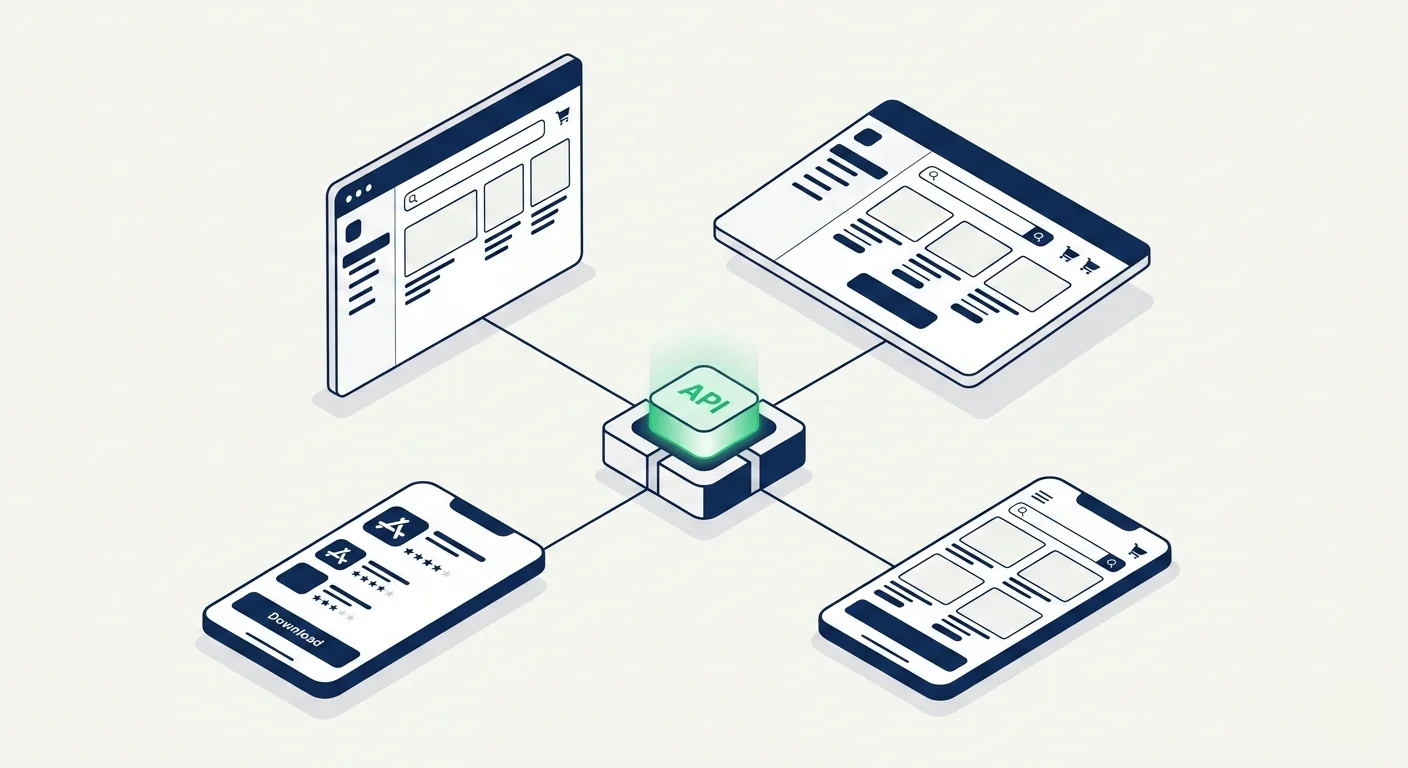
Shopify still handles the commerce backend, but the frontend is built separately using Hydrogen, Next.js or another framework. The storefront then connects to Shopify through APIs to retrieve product data, create carts and send customers through checkout.
This gives brands much more control over the customer experience. You can build custom layouts, navigation, product pages, content experiences and integrations without being limited by a conventional Shopify theme.
The trade-off is that your frontend no longer lives inside Shopify.
That matters when you want to build a mobile app, because connecting an app builder to your Shopify backend only gives it access to part of your store. It can usually access your products, collections and commerce data, but not necessarily the custom frontend experience you built around them.
Your Shopify Backend Is Not Your Complete Storefront
For a headless store, Shopify is only one part of the overall experience.
Your live storefront may also depend on:
- A custom frontend built with Hydrogen or another framework
- A headless CMS (Contentful, Sanity, etc)
- A third-party search and filtering platform
- Custom product or bundle logic
- Loyalty, subscription and membership integrations
- Personalization tools
- Custom APIs or middleware
- Market, currency and localization logic
These systems work together to create the storefront your customers see.
A mobile app builder that only connects to Shopify may be able to retrieve your catalog, but it will not automatically inherit everything else.
That is the main challenge of building a mobile app for a headless Shopify store: the products may be easy to import, but the complete customer experience is not.
Why Standard Shopify App Builders Struggle With Headless Stores
Most Shopify mobile app builders are designed for stores using Shopify’s standard frontend.
They connect to your Shopify backend, pull in your products and collections, and rebuild the shopping experience using their own templates and components.
That works well when your website also follows a standard Shopify setup. But with a headless store, the experience your customers see lives outside Shopify.
Your Hydrogen or custom frontend may include:
- Custom page layouts
- Unique navigation and filtering
- CMS-driven content
- Advanced search
- Personalization
- Subscription or loyalty features
- Custom product logic
- Third-party integrations
A standard app builder usually can’t reproduce all of this automatically.
Instead, it creates a separate version of your storefront using the tools available inside its platform. You may be able to customize the design and add supported integrations, but the app is still being built independently from your website.
You End Up Managing Two Frontends
This creates a second frontend that needs to be maintained alongside your headless storefront.
When you update the website, the same change may need to be recreated in the app. New content, features and integrations may also require separate setup or custom development.
Over time, the two experiences can drift apart.
Your website continues to evolve through your existing development workflows, while the app becomes a simplified or outdated version of the store.
This is the limitation of using a conventional Shopify app builder for a headless site. It can connect with Shopify, it can ship you an app with all your products. But all the work you’ve done to build a custom, on-brand, powerful shopping experience disappears.
Your Options for Building a Headless Shopify Mobile App
Once you understand the relationship between your site and app, and where app builders sit in the middle of that, you can start to assess the options.
There are three ways to go, really.
You can accept a simplified app built with standard templates, build a completely custom mobile frontend, or use your existing headless storefront as the foundation of the app.
Let’s break down how each one works now.
Option 1: Use a Standard Shopify App Builder
The simplest option: use a conventional Shopify mobile app builder and accept that the app will be different from your website.
The builder connects to Shopify, imports your products and collections, and lets you assemble the app using its own templates and components.
This can work well for stores with relatively simple requirements. You can launch quickly, avoid a large development project and get the core ecommerce functionality you need.
But for a headless store, you’re effectively starting again on the frontend.
You’ll need to recreate the app’s navigation, homepage, collection pages, product pages and promotional content inside the builder. Any custom functionality will depend on whether the platform supports it, offers an integration or is willing to build it for you.
The result may be a perfectly functional ecommerce app. It just will not be the same experience as your website.
This option makes the most sense when:
- Your catalog and buying journey are relatively straightforward
- You do not need to preserve every web feature
- You are comfortable managing the app separately
- Launch speed matters more than full parity
The main drawback (outside of possibly losing functionality from your website) is that you now have two storefronts moving in different directions.
Every time you improve your website, launch a new feature or change the customer journey, you need to decide whether and how to recreate that work in the app.
That creates a lag between your website and your app, plus the operational burden of effectively having two different CMSes to manage.
Option 2: Build a Fully Custom Mobile App
The second option is to build a custom mobile app from scratch.
Instead of relying on an app builder’s templates, your development team creates a dedicated mobile frontend and connects it to Shopify with the Storefront API, Customer Account API, Checkout Kit and any other services your site depends on.
This gives you a lot more control.
You can design the app around your brand, recreate the features from your website and build app-specific experiences that wouldn’t be possible with a template-based builder.
But you’re also taking on a significant development project.
Like with an app builder, your team needs to rebuild the shopping experience for iOS and Android, including:
- Navigation and page layouts
- Product and collection pages
- Search and filtering
- Customer accounts
- Cart and checkout flows
- Loyalty, subscriptions and reviews
- CMS content
- Analytics and attribution
- Every custom integration your storefront relies on
Only now you’re doing it in native code, instead of a template. Fewer limitations - but a lot more work.
And the work doesn’t stop when you launch the app.
Again, like with an app builder, you’re maintaining another frontend. New features, design changes, integrations and bug fixes may need to be implemented separately across the web, iOS and Android.
You’re managing two channels in parallel, with two different codebases and development frameworks.
Multiple operators we’ve talked to say this is a huge project, which can take multiple people and up to a million dollars per year to run.
“When you develop an app you can't just have one person. When we built the app in 2014, the maintenance became very heavy. To keep a platform like this in-house I feel like you’d probably need around six people.”
- Kenneth Chan, Founder & CEO, TOBI
“If we had unlimited time and money, we would probably go for a custom native app, but that is half a million to a million a year to maintain.”
- David Cost, VP of Ecommerce at Rainbow Shops
A custom app gives you the most freedom, but it also creates the most overhead.
You may preserve the quality of your headless storefront, but only by rebuilding much of it and committing to the task of keeping both experiences in sync.
Option 3: Use Your Existing Headless Storefront as the Foundation of the App
The third option is to build the app around the storefront you already have.
This is what makes MobiLoud the best way for headless Shopify brands to launch a mobile app.
With MobiLoud’s unique approach, instead of recreating your site inside an app builder or developing a separate mobile frontend from scratch, you use your existing headless Shopify site as the foundation of the app.
That means the design, content, navigation, integrations and custom functionality you’ve already built for the web can carry over into the mobile app.
You’re not starting again. You’re extending the storefront you already have.
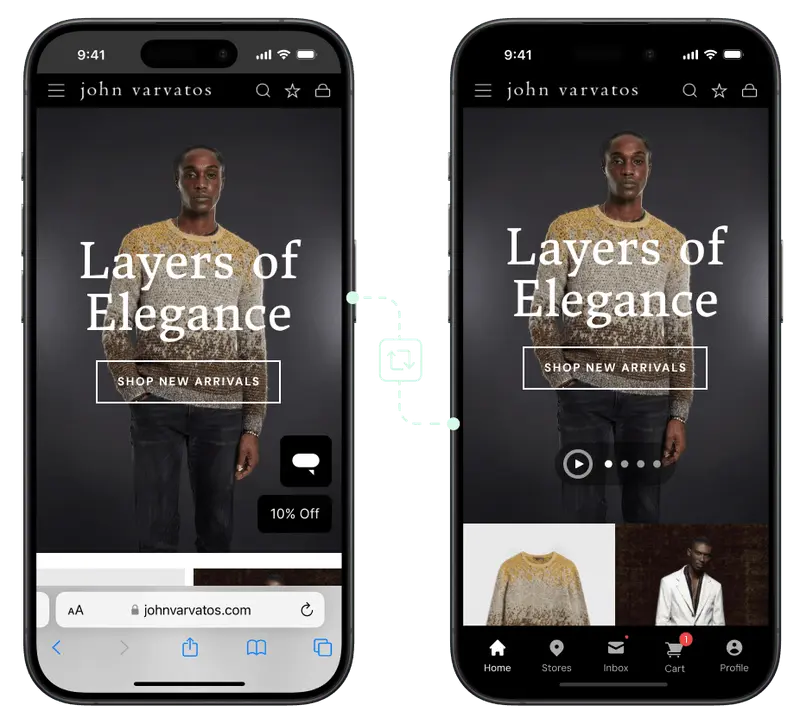
With MobiLoud, your existing site powers the app, while a native app layer adds features such as:
- Push notifications
- Deep linking
- Native navigation
- Persistent login
- App-specific menus and experiences
- Native handling for links, files and device features
- Distribution through the App Store and Google Play
And it gives you one massive advantage: parity.
Your app doesn’t need to be rebuilt from a separate set of templates, and your team doesn’t need to manage another frontend or CMS.
When you update your website, launch a new page, add an integration or change the shopping experience, those changes flow into the app through the same workflows you already use.
And everything you’ve already built for your site, everything you’ve worked so hard to perfect, carries over directly to your app.
MobiLoud’s approach preserves all the functionality and investment of your custom headless storefront, and lets you ship a custom mobile app without managing a separate channel, and without the cost of hiring a custom app team.
For headless Shopify brands, this offers the best balance between flexibility, speed, parity, affordability and ongoing maintenance load.
Don't settle for a sub-par mobile app
Your headless storefront wasn't built from a template. It was built to deliver a unique, on-brand customer experience.
MobiLoud lets you keep that experience, and extend it to a mobile app that lives on your customer's phone, without the tax of custom development or the limitations of no-code app builders.
Get a Free App PreviewComparing the Three Approaches
There’s no single “right” way to build a mobile app for a headless Shopify store - but MobiLoud stands out in the majority of cases.
Here’s how they compare:
| Standard App Builder | Fully Custom App | MobiLoud | |
|---|---|---|---|
| Website parity | Low to moderate | Potentially high | High by default |
| Upfront effort | Low | Very high | Moderate |
| Ongoing maintenance | Moderate | Very high | Low |
| Flexibility | Limited by platform | Highest | High |
A standard app builder is the quickest option, but only if you accept a more templated experience and a separate system to manage.
A fully custom app gives you maximum control, but you’re effectively building and maintaining another storefront. It’s realistically too much to spend, and too much work, just to rebuild what your website already does.
MobiLoud, using your existing storefront as the foundation for your app, gives you complete parity without the same rebuild.
Your app stays connected to the systems, workflows and integrations you already use, while still giving you room to add app-specific features, and customize what app users see.
The key question is whether you want to recreate your storefront in a template, rebuild it from scratch, or extend the one you already have.
The most effective option is door number three.
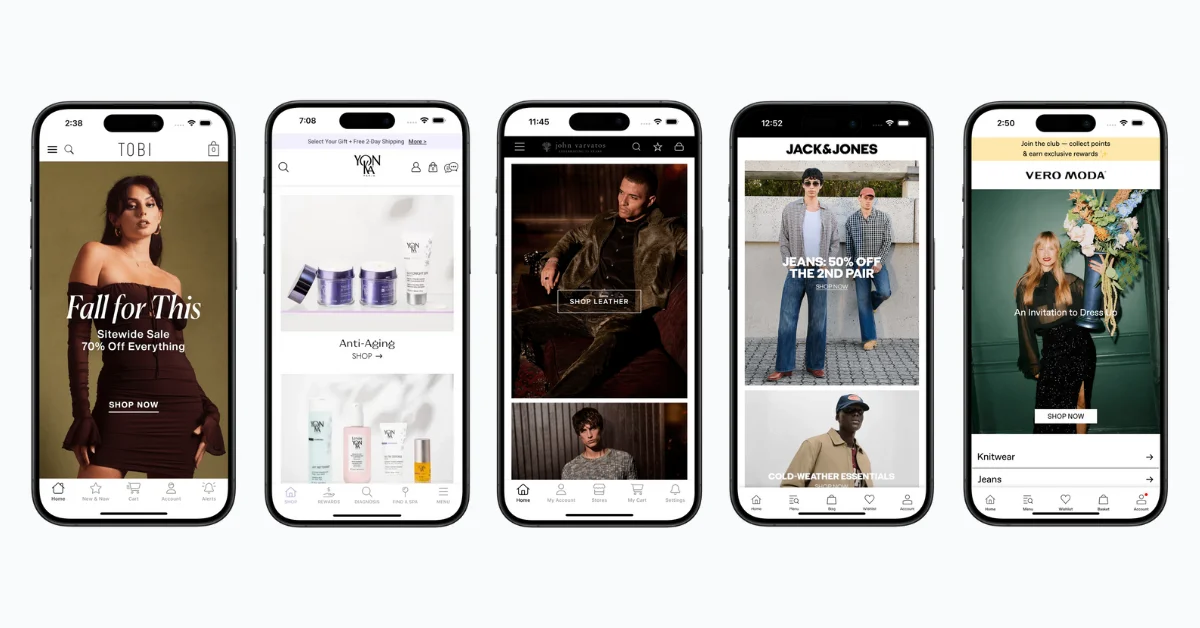
How to Turn Your Headless Shopify Storefront Into a Mobile App
If you’re ready to extend your headless Shopify site into a mobile app, here’s what the process looks like.
Most of the work is done by the MobiLoud team, who handles all the app-specific work. They’ll also help you with any code or tweaks needed to customize how your store shows up in the app - such as removing certain elements from your site (like footers, web-only banners), setting up app-specific pages, or even creating new, custom features for your app.
On your side, you just make sure the foundation is set, to ensure a smooth website to app conversion.
Here’s the five-step process.
1. Audit the Mobile Storefront
Your site is the foundation for your app, so the stronger your mobile UX, the better the starting point for your app.
A lot of people make the mistake of launching an app to make up for a poor mobile web experience. This is backwards.
You’ll still, in all likelihood, get more traffic through your website. The smart approach is to make sure this is as good as possible, then move onto your app, extending and tweaking what you’ve already built into something that looks and feels truly native.
Review the key parts of your customer journeys mobile, including:
- Navigation
- Page speed
- Product discovery
- Search and filtering
- Product pages
- Cart and checkout
- Customer accounts
- Pop-ups and modals
- Third-party integrations
If there are any major issues on your site, fix these first. It’ll deliver a bigger lift to overall mobile conversions, and will make everything work better downstream as well.
2. Identify What Needs Native Handling (Done For You)
Most of what you’ve built on the web can power your mobile app. But your app shouldn’t be just a website in a box. It should look and feel like something built for the user’s device.
The MobiLoud team will take care of all this; working with you to decide on anything where there’s a choice between native vs web handling.
This may include:
- Push notification permissions
- Deep links
- External links
- File uploads and downloads
- Camera or location access
- Login persistence
- Payment redirects
- Phone, email and map links
All of it runs through the app - there’s no external browser loaded up or clunky workarounds. You and the team will work together to ship an experience that actually looks, feels and works like an app should.
3. Add App-Specific Features (Done For You)
Once the foundation is there, you can add features that aren’t available through the mobile web experience alone.
The most important is push notifications.
Push gives you a direct channel for reaching app users with campaigns such as:
- Product launches
- Promotions
- Back-in-stock alerts
- Abandoned cart reminders
- Price-drop alerts
- Transactional updates
MobiLoud builds this into your app, with integrations via Klaviyo or OneSignal to handle this (or potentially a custom integration with another provider, if needed).
This includes a new, native onboarding workflow for the app, with a custom optin screen for push notifications.
You can also add app-specific navigation, menus, landing pages, promotions, and even app-only pages, all built and managed through your existing site.
4. Test the Full Buying Journey
Once the app is put together, you and the MobiLoud team will work together to test it and make sure it works to your expectations.
We’ll test every important customer flow across different devices, including:
- Search and filtering
- Product variants
- Bundles
- Discounts
- Loyalty and subscriptions
- Customer login
- Cart persistence
- Checkout
- Payment methods
- Order confirmation
- Links to external services
Headless storefronts often rely on several connected systems, so each part of the journey needs to work smoothly inside the app environment. We’ll make sure of this before it hits the customer’s phone.
5. Prepare for App Store Submission (Done For You)
The final step is preparing the iOS and Android apps for submission.
This includes:
- App icons
- Screenshots
- Store listing copy
- Privacy information
- Permission descriptions
- App Store and Google Play requirements
- Review and approval
MobiLoud’s team will help you put everything together you need for the listing, and handle the full submission process, plus any reviews or tweaks required.
Once your app is live, you’ll be able to manage the user experience through the same workflows you already use.
MobiLoud handles any app-specific maintenance for you, and works with you on growth and strategy, to help you turn the app into a real, powerful revenue channel.
Your headless storefront, as a mobile app.
Get in touch for a free preview, plus our honest assessment on the right move for your store.
Build a Powerful Mobile App From Your Existing Headless Storefront
You went headless to create a better shopping experience than a standard Shopify setup could provide.
Your mobile app shouldn’t force you to give that up.
A conventional app builder may get your products into an app quickly, but it can leave you with a simplified experience and another system to manage. A fully custom app gives you more control, but it also means building and maintaining another frontend.
The better option for most headless Shopify brands is to extend the storefront you already have.
With MobiLoud, your existing headless site becomes the foundation of your iOS and Android apps. You keep the design, functionality and integrations you’ve already built, while adding native features like push notifications and app-store distribution.
The result is an app that stays aligned with your website instead of falling behind it.
Get a free consultation to see how MobiLoud can turn your headless Shopify storefront into a mobile app, without the limits of traditional app builders.

Andrew Buck
Head of Content
Andrew is a content marketer with close to 10 years' experience creating digitally-native content. He has written extensively on topics related to Shopify, Amazon, ecommerce and digital marketing, drawing on previous experience in high-traffic retail and customer service. He started his marketing career with LandingCube, a SaaS tool for Amazon sellers, and has since progressed to work with numerous successful startups, creating helpful and engaging content, which has been referenced in thousands of publications, including Forbes, the New York Times, and many more leading websites. Now, Andrew runs all content operations for MobiLoud.