
How to Bring Your Custom Shopify Checkout Into a Mobile App

Most Shopify mobile app builders won’t carry your full checkout experience into your mobile app. They ship a generic checkout, which works and converts fine, but doesn’t carry over any customizations, like custom backend logic, and checkout-related apps. If you want your full checkout experience to work in your app, just as it does on your site, building your app with MobiLoud is the best way to do it.
Most Shopify mobile app builders won’t carry your full checkout experience into your mobile app. They ship a generic checkout, which works and converts fine, but doesn’t carry over any customizations, like custom backend logic, and checkout-related apps. If you want your full checkout experience to work in your app, just as it does on your site, building your app with MobiLoud is the best way to do it.
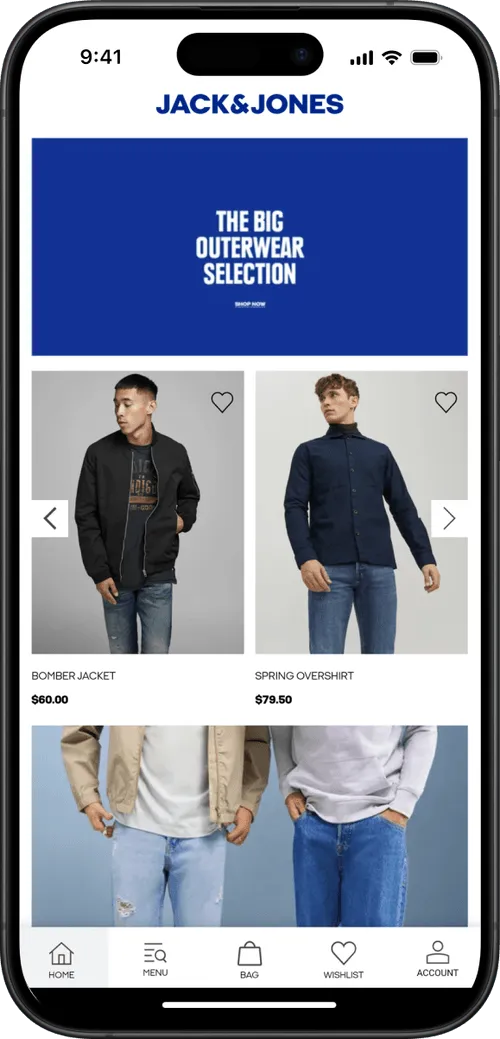
Your Shopify store’s checkout is where the magic happens.
It’s where everything comes together, the culmination of your customer experience, where you get paid and your customer gets excited about their new item that’s now en route.
And if you’re a mature brand, your checkout might have a lot of custom tweaks, features and improvements built to maximize revenue and conversions.
Yet when you build a mobile app, a lot of tools are going to end up stripping this away and leaving you with a basic, vanilla checkout.
This shouldn’t happen. Your app - up to and including your checkout - should be able to deliver an experience at least as good as your website. That means all the custom features, backend logic, design, upsell apps, and everything else that you’ve built for a good reason.
We’re going to explain how to make that happen.
What Your Custom Checkout Looks Like
A basic Shopify checkout handles the essentials: customer details, delivery information, payment and order confirmation.
But for established Shopify brands, the checkout may have gone through years of tweaks and improvements to elevate performance above the standard checkout functionality.
It may include:
- Cart and checkout upsells
- Product bundles
- Gifts with purchase
- Automatic discounts
- Free-shipping progress bars
- Subscription purchase options
- Shipping protection
- Gift wrapping
- Custom delivery dates
- Local delivery or store pickup
- Post-purchase offers
- Order editing
- Custom fields and validation rules
- Customer-specific pricing or purchasing logic
Some of these features may appear directly on Shopify’s hosted checkout pages. Others operate in the cart, immediately before checkout or after the order has been placed.
Together, they form the purchase journey customers associate with your brand.
Your checkout might use certain Shopify apps; an upsell app to show product recommendations, or something like Order Editing to let customers add to their order after buying.

You might have functionality developed specifically for your business, like custom delivery rules, product configuration tools or unique discount logic.
Shipping a mobile app without all these features is not an option.
How Most Mobile App Builders Handle Your Checkout
Most Shopify mobile app builders don’t replicate the live checkout from your website.
Instead, what you get is a native, pre-built checkout, integrated with your store via Shopify’s API. The API retrieves information such as products, collections, customer accounts and cart data, and the frontend is all uniquely built for the app.
This might sound great - a “native” checkout, built specifically for your app. But the reality is, it means stripping away any unique features in your app.
Any checkout or post-purchase upsell apps won’t work (unless the app builder has a specially built integration for it).
Any custom code, Checkout Extensibility tweaks, third-party tools integrated in your checkout won’t work.
It may be possible to integrate these features with additional custom development - but that introduces extra cost and complexity, more things that can break, and more work each time you make a change, to keep your app and web experiences in sync.
What Happens When Your Custom Checkout Doesn’t Work in Your App
Checkout customizations not working in your app might not be the end of the world.
Your mobile app may still be functional - customers still able to buy and pay through the app.
But if you have any of these custom checkout features, you’ll be leaving money on the table by not carrying these into your app.
You’re missing the upsell revenue from your checkout apps, you might be missing custom payment options or custom fields that improve the customer experience.
And in some cases, missing customizations may actually break your app.
Imagine you have custom promotional offers, free gifts, custom bundle discounts. Special delivery or pickup options. Custom fields, purchasing rules, specific B2B pricing.
These are important. Missing them can mean a broken checkout experience.
And that’s the easiest way to ensure your app fails - if it requires customers to go somewhere else to complete their purchase.
How MobiLoud Carries Your Full Checkout Experience Into Your Mobile App
MobiLoud is a different kind of Shopify mobile app builder.
Instead of recreating your store using pre-built templates, MobiLoud builds on top of your existing site.
That means that all your site’s features, including all your checkout customizations and integrations, fully carry over to your mobile app.
There are no missing or broken parts, because the checkout is literally your web checkout. Every feature, every backend interaction, works the same way, because it’s using your live checkout, not a rebuilt version of your checkout.
You can make additional customizations on top of what your web checkout does. For example, custom pricing through the app, or hiding/revealing certain features for app shoppers.
But the baseline is the same as what you’ve already built on the web. You’re not forced to try and rebuild everything that you’ve already put years of work into getting right.
Custom Shopify Checkout With MobiLoud vs Other App Builders
Here’s a breakdown of how your checkout carries over with a typical Shopify mobile app builder, vs how it works with MobiLoud.
For straightforward stores with few or no checkout customizations, a traditional app builder will work fine (for checkout, at least. You may have trouble with other features or integrations carrying over).
But for a site with any kind of custom checkout experience, you’re faced with the choice of losing a lot of these features when you launch your app - or going with a mobile app builder like MobiLoud, that guarantees everything from your site will carry over, no problem.
Final Thoughts
Your custom Shopify checkout is the product of years of decisions, testing and optimization.
It may include upsells that increase order value, subscription tools that improve retention, delivery options that make purchasing more convenient and custom functionality built around the needs of your customers.
When you launch a mobile app, these features should not be treated as an afterthought.
Most Shopify mobile app builders won’t be able to replicate your full, custom Shopify checkout. They’ll ship a clean, solid, native checkout - but not your checkout.
If you want your full checkout experience to carry over to your mobile app, MobiLoud is the only way to guarantee this happens.
FAQs

Convert your website into a mobile app





.webp)

