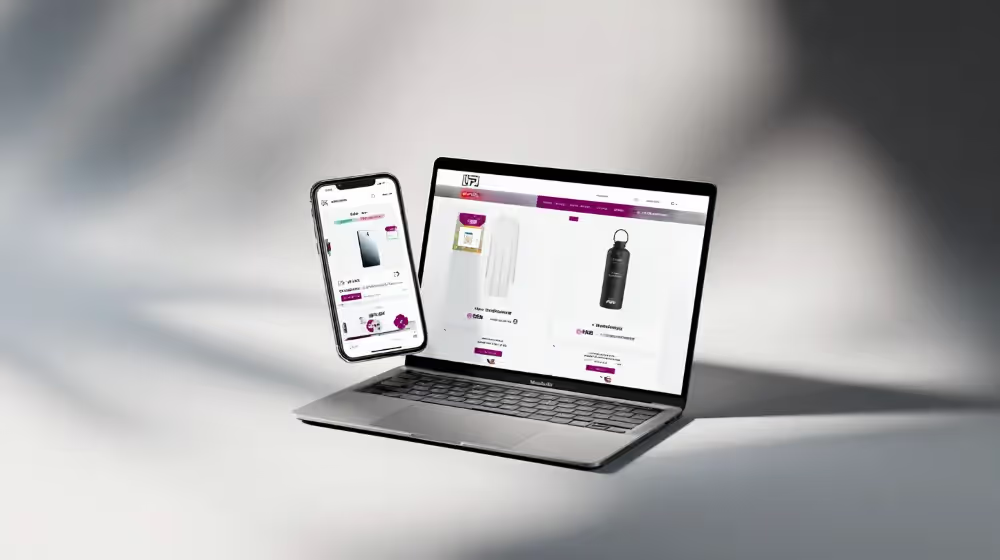
How to Turn Your WooCommerce Store into a Mobile App (The Complete Guide)

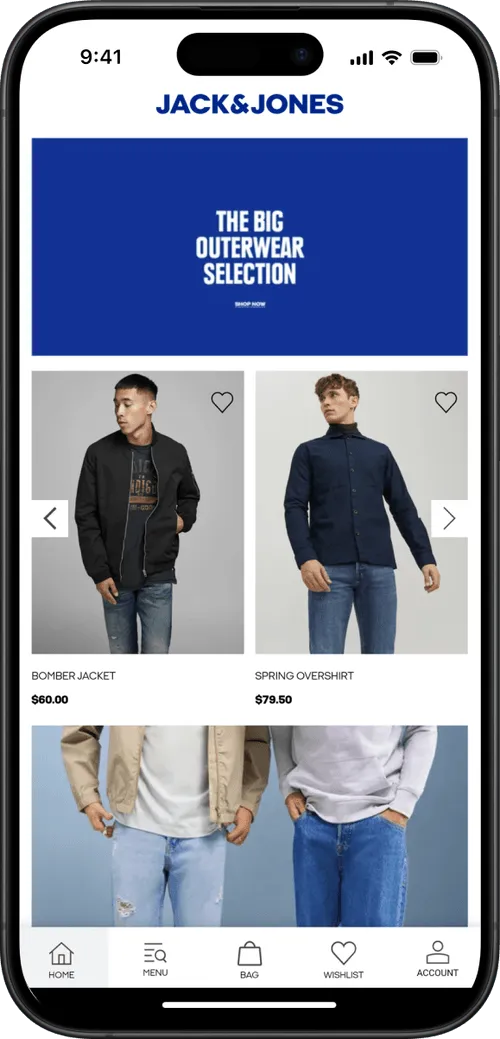
Your best customers are shopping on their phones. They’re logging on and shopping on the go, from their sofa, on their lunch break.
Modern WooCommerce brands need a channel that builds a closer connection with your regular, mobile-first buyers.
That’s what a mobile app gives you. It puts your brand on the customer’s home screen, with a customer experience tailored to the medium.
The problem for many brands is that they’re not sure where to start with mobile app development. It’s a very different kind of project to building and managing a WooCommerce store, and most teams don’t have the talent in-house ready to take a project like this on.
But that shouldn’t stop you from launching a mobile app for your WooCommerce store. Luckily, there are ways to launch an app without needing an app dev team, or paying for a complicated custom build.
Keep reading and we’ll explain it all, and give you the complete blueprint to launching your own WooCommerce-powered mobile app.
Why Build a Mobile App for Your WooCommerce Store?
First, it’s worth getting clear on why you’re building an app (and if you really need to build an app in the first place).
The elevator pitch for building a mobile app for your WooCommerce store is to get a closer connection with your best customers, through an app that lives on their home screen, and push notifications, which are like a free, less intrusive alternative to SMS.
If your business relies on retention and repeat purchases, it’s not a major stretch to say that having a mobile app, today, is essential. It’s such a powerful asset to have, and a no-brainer way to get more high-margin retention revenue - especially considering how easy it is to launch an app today (which you’ll learn more about shortly).
When You Shouldn’t Build an App
An app is not the right choice in some situations.
- If you’re selling primarily single-purchase products; durable, one-time purchases where there’s little case for repeat sales
- If your customers are mostly desktop-only (and unlikely to use a mobile app)
- If you’re still an early-stage brand, with a small customer base (and few repeat customers)
In the last situation, an app may not be the right move yet. We typically advise brands to focus on growth via acquisition up to around $500K-$1M in annual sales, at which point it starts to make sense to divert more of your attention to keeping and selling to your best customers, as much as finding new customers to buy from you.
Learn more: Our Ecommerce Mobile App Benchmark Report lays out the case, in data, for launching a mobile app.
How to Build a WooCommerce Mobile App
Now we get to the important part. You’ve decided you need an app. How are you going to build it?
It used to be (and is still the impression many people have) that you need to hire a development team or pay an agency hundreds of thousands of dollars to code a custom app from the ground up.
Not today. It’s an option - but not the only option. There are plugins and managed services that make it a lot easier, and more affordable, to have your own app.
Let’s run through what it takes to build a mobile app for your WooCommerce store, and what the best approach is for your brand.
Native WooCommerce Mobile App Tools
WooCommerce doesn’t have a built-in feature that lets you build a mobile app for your store. But it does have the wiring under the hood to help you build an app that connects with your web store.
- The WooCommerce REST API gives full programmatic access to your products, orders, customers, and coupons. It's how external systems, including mobile apps, read and write store data.
- The Store API, the newer customer-facing API from the WooCommerce developer platform, handles catalog browsing, carts, and checkout. It's what WooCommerce's own block checkout runs on, and it's another tool that acts as the foundation for building a separate shopping app.
WooCommerce is one of the most customizable and developer-friendly ecommerce platforms, so it makes sense that the platform would have a solid API foundation below-deck.
But this is just a small part of building a mobile app. There’s a lot more that goes into it, as we’ll see in a moment.
Also - just to avoid confusion: the official WooCommerce app (iOS and Android) is a store management tool, not something for your customers. It lets merchants manage orders, edit products, take POS payments, and watch stats. Useful, but something different to what we’re talking about.
Custom Development on WooCommerce's APIs
As we talked about, WooCommerce gives you the APIs you need to build a custom app as an extension of your store
You’ll need developers with knowledge of app development frameworks (ie React Native, Flutter, Swift, Kotlin), who can build a custom app UI and connect it on the backend to the APIs mentioned above.
That paragraph might make it sound easy. But in reality, it’s not. A custom mobile app is a long, detailed project, even if you’re just replicating your existing WooCommerce store’s design.
Expect it to cost somewhere in the region of $100K+ (more or less, depending on the complexity of your store), with a timeline of six months or more to launch.
And that’s not the end of the cost. Apps require regular maintenance and updates, which you’ll need developers on staff to handle. The recurring cost of a custom-built mobile app can easily be six figures annually - just to keep it running.
In a nutshell: custom development for a WooCommerce mobile app is doable, and it may even be viable for tech-forward brands with app developers in house.
But for the majority of WooCommerce stores, it’s not ideal. There are more affordable and easier options, which can get you to the same place with a much better ROI.
WooCommerce Mobile App Builders
Mobile app builders for WooCommerce are, in most cases, a much better way to turn your WooCommerce store into a mobile app.
These are no-code tools or services that let you create a native app without coding, and without hiring developers.
In doing so, you can get a real, functional mobile app for your store, for a very manageable cost.
Not all mobile app builders work the same way, though. There are a few different types (which fit different types of store better or worse):
- App templates: these are extensions you can find on marketplaces like CodeCanyon, which are essentially boilerplate code for a mobile app. They’re often a one-time purchase, but simple and come with minimal support attached.
- Low-cost plugins: companies like AppMySite and AppPresser. These are plugins you install, letting you create a simple webview app for your store, for a low monthly cost.
- DIY drag-and-drop app builders: a step up from the webview/plugin route; you create an app using a visual builder, which connects to your store on the backend (though the app’s content and design is managed separately from your store).
- Managed app builders: a step up further. An app builder like MobiLoud lets you create a custom mobile app, powered by your existing WooCommerce website. It’s more expensive than a simpler plugin-based app builder, but you get a much more unique, feature-rich result, and have a team supporting you all the way.
For 99% of WooCommerce stores, one of these approaches will be the best way to build an app.
The AppPresser/AppMySite route are built primarily for content-based WordPress sites, but can also work for straightforward WooCommerce stores. Drag-and-drop app builders give a little more customization, typically at a higher cost (and with more effort involved).
For any high-revenue, high-traffic WooCommerce store, MobiLoud is the best way to build a mobile app. With MobiLoud, you can get an app that replicates everything that already works on your store, no matter how custom or complex your site is.
It’s reliable, full-featured, and gives you an app that looks and feels like a custom native app. It’s the best option if you expect the app to be a serious sales channel for your brand.
Turning Your Site into a PWA
Finally, an alternative to building a full mobile app is to turn your site into a progressive web app (or PWA).
This isn’t a “real” mobile app in the same sense as the other options. A progressive web app (PWA) upgrades your existing website so customers can add it to their home screen, get an app-like fullscreen experience, and (with limits) receive web push notifications. WordPress plugins like SuperPWA set this up for free or close to it (if you have web developers, they can handle this easily too).
It’s a halfway step towards launching a full-featured mobile app. It’s best if you want to offer an improved mobile experience, without investing in a proper mobile app yet.
The Best WooCommerce Mobile App Development Approach
Weigh up the pros and cons, and check out different app vendors yourself - but for a quick recommendation, here’s how to think of it.
- If you’re a small business, with a simple catalog: try an app builder plugin.
- If you want an app eventually, but don’t have the revenue to justify it yet: build a PWA.
- If you want to experiment with a custom app UI (and manage your app essentially through a separate CMS): try a drag-and-drop app builder
- If your brand is doing real revenue (from $2M+ annually; but especially when you get to the $5M+ range): see what MobiLoud can do for you.
WooCommerce Mobile App Features
Once you’re aligned on how you’re going to build your app, you can start thinking about what to build.
Here’s a breakdown of the features that you should look to build as part of your app.
Core Mobile App Features: Push, Navigation, Checkout, Accounts
Four things make an app feel like an app and drive its economics. Build these before anything else:
- Push notifications with automation. Broadcast pushes for sales and drops, plus automated flows, with abandoned cart recovery as the non-negotiable first one.
- Native navigation. Tab bars, smooth transitions, and gestures that make your app feel like an app.
- A checkout that works. Payment methods, shipping rules, tax setup - everything that a customer needs to be able to send money and pay for your products.
- Cart, accounts and loyalty features. The basics: the shopping cart, the customer’s account page, and their loyalty account. But more than just existing, they need to be in sync with what the customer sees on the web. Add a product to their cart on your website, make an order, it should all show up in the app as well.
Your Web Features (Plugins, Customizations)
Here’s an important step. Your app should, ideally, have all the same features your website does.
If it doesn’t - if there are features on your website that aren’t in the app - it’s hard to make the argument to the customer that it’s worthwhile to use your app.
As a rule of thumb, your app should never have a worse or lesser user experience compared to your website.
“Our apps never had any functionality or usability beyond the web experience. The reason to have an app is not to have something that isn’t on the website, but for people who prefer that way to access Rainbow content.
The app needs to be at least as functional as the website. It doesn’t need to be better than the website, but the user experience can’t be worse.”
- David Cost, VP of Ecommerce at Rainbow Shops
Why Most of Your WooCommerce App’s Features Are Already Done
Think about all the core features your app needs to have. Checkout, product pages, collection pages, customer accounts. All of this is already on your site.
This is the part too many brands get wrong when they think about launching a mobile app. They figure you need to build it all from the ground up. When, realistically, your site is already 90% of the way to being an app.
It’s fast, it’s mobile-friendly. Instead of thinking about building a new channel from scratch, think about extending what you’ve already built.
That’s the approach MobiLoud takes. It builds on top of your existing site, carrying over every feature from your site to the app.
You get the benefit of everything that works well on your site, plus the exclusive features an app delivers, without having to redo everything you’ve already worked to build.
App-Exclusive Features
That doesn’t mean your app needs to be identical to your website. You can still have exclusive features that only exist in the app.
Push notifications and native UI tweaks are part of it. Push, in particular, are nearly enough of a reason on their own to launch an app.
Push notifications give you a channel that costs nothing to send, and shows up instantly on the customer’s lock screen. It’s like SMS; only cheaper, less annoying, without the compliance issues, and a better fit in markets that don’t use SMS for marketing.
On top of that, you can customize your homepage for app visitors, or add new features, special pricing or exclusive products only available in the app.
Think of the app as a hub for your VIPs. It’s fine to give exclusive perks and features in the app; but the bulk of the shopping experience should still be consistent with your site.
How Much Does It Cost to Build a WooCommerce Mobile App?
The cost to build an app can vary a lot depending on how you decide to build it.
The template/extension type of app builders are generally around $150-$250 as a one-time purchase. App builder plugins cost around $19 to $199 per month (on a monthly/annual subscription). Drag-and-drop app builders, slightly higher.
MobiLoud comes in at a higher cost than these tools, starting at $1,499 per month (plus a one-time setup fee). It’s designed to be a premium option, with the service and flexibility that high-traffic global brands need.
For a custom-built mobile app (through an agency or an in-house team), you’re looking at a cost starting at $100K for a first version. On top of that, expect a minimum $50K per year to maintain it (more for custom stores, like multi-storefront businesses or highly complex brands).
How to Get Your Customers to Install the App
Once your app is live, that’s not the end of it.
To get a return from your app, you’ll need users. And they won’t necessarily come on their own.
The good news is, you don’t need to invest hundreds of thousands in marketing for your app. If you’ve got regular, loyal customers already, these customers will want to use your app.
90% of growing your app is just making sure they know about it.
Make the app visible in every touchpoint you control:
- Smart app banners on your mobile site, so every mobile visitor is one tap from the app.
- A launch sequence to your email and SMS list: announce it, remind non-installers, and keep an app block in your regular sends.
- Post-purchase moments: order confirmation pages and emails ("track your order in the app"), and QR codes on packing slips and package inserts.
- Social and support: link-in-bio, pinned posts, and a mention whenever support helps a repeat customer.
This is your baseline; how you’ll get your initial users in the app.
On top of this, you can offer some small incentives to sweeten the deal and get more customers shopping in your app, rather than your site (once someone’s in your app, they're more likely to stick around and spend more over time).
You can offer a first-app-order discount, and additional app-only perks like early access to drops and sales, app-exclusive offers, and loyalty multipliers in the app, which give customers a real reason to go to the app store and download it.
What Kind of Adoption You Can Expect
You’re not going to get every customer on the app, and that’s alright.
It’s not for all of your customers - it’s for your best customers, those who want an easier way to come back and buy again.
Our benchmarks show brands typically see around 5-10% of their customers download the app, who contribute from 10-35% of the brand’s overall revenue.
That’s no small amount. For a brand doing $5M+ in annual revenue, that means the app could reasonably drive $1M in sales every year, on its own.
WooCommerce Mobile App Case Studies
JF Petroleum Group, a B2B distributor running on WooCommerce, used MobiLoud to launch their app.
“We felt like an app was an easy way for us to be right there on their device, make it accessible for our customers and contractors and have push notifications about things that are going on.
We weren't limited by the app builder. We could just display our mobile web page inside of an app wrapper. Our marketing team could build the website however they wanted and it would just display in the app. We love that. When we want to change something, we only have to change our mobile website and boom, it's live on the app.
It was an easy experience. I've always got a million projects on my plate and with this I was able to spin up an app in two months for a couple thousand dollars. It made me look really good. I like everything about the experience.”
- Brent Stimmel, VP of IT at JF Petroleum Group
They went on to see 40% of its customer base adopt its app. That's a strong outcome helped by B2B reorder dynamics - a perfect use case for launching a mobile app.
Apps work great for D2C WooCommerce stores too.
Women's fashion brand Curved Angels also used MobiLoud to launch their app. They replaced the earlier app they’d built, which was slow and struggling to keep up with their website.
“It feels lighter. It feels more modern.
There was a whole team from different parts of the world on the call - it gave me the feeling that you guys are reachable. That’s kind of exceptional nowadays.”
- Pascal Tolenaar, Tech Lead at Curved Angels
The new app gave much less friction operationally, a better user experience, and came with the support they needed to be comfortable moving forward and innovating, both on their site and their app.
Final Thoughts
For a WooCommerce store with good unit economics, strong branding, steady sales and a good base of repeat customers, launching a mobile app is a no-brainer.
It’s a powerful channel, built for the way people shop today. It’s also a strong brand asset, that builds trust and makes your brand stand out against your competition.
If you’re ready to launch a mobile app for your brand, MobiLoud can help. Get a free preview to see what your app could look like, and walk through the process.
If MobiLoud’s a bit much for what you’re looking to invest, check out one of the plugin-based app builders mentioned above, or put the project off for a little while, until you’ve grown to the point where it makes more sense financially.
But launching your own app is a winning move long-term. It’s something that can take your brand to the next level, and scale in a sustainable, profitable fashion.
FAQs

Convert your website into a mobile app