Algolia, Searchspring, Constructor, Klevu, Bloomreach, or another enterprise search platform - whatever solution you use, site search is crucial for product discovery.
You’ve probably fine-tuned everything about your setup; autocomplete, merchandising rules, faceted filtering. All to build a high-converting shopping experience.
Search users convert at 2-3x the rate of browsers, and they account for a disproportionate share of your revenue. So when you launch a mobile app, you need to ensure your search function fully carries over to your app.
The problem? Depending on how you build your app, you’ll likely face one of the following challenges:
- Your site search doesn’t work the same way in your app
- Your site search doesn’t work at all in your app
- Your site search works - but it costs a fortune to build the integration (and is at constant risk of breaking)
This is not a small feature. This is the core of your buyer journey.
Keep reading to learn why this is such a tricky integration, and how to ensure your ecommerce site search actually works when you launch a mobile app.
Site Search Is Probably Your Most Valuable Integration
This isn't hyperbole. Site search might be the most important feature of your store.
Constructor analyzed 609 million searches across 113 retail sites in Q4 2024 and found that while searchers represent roughly 15-25% of traffic, they generate close to half of total revenue.
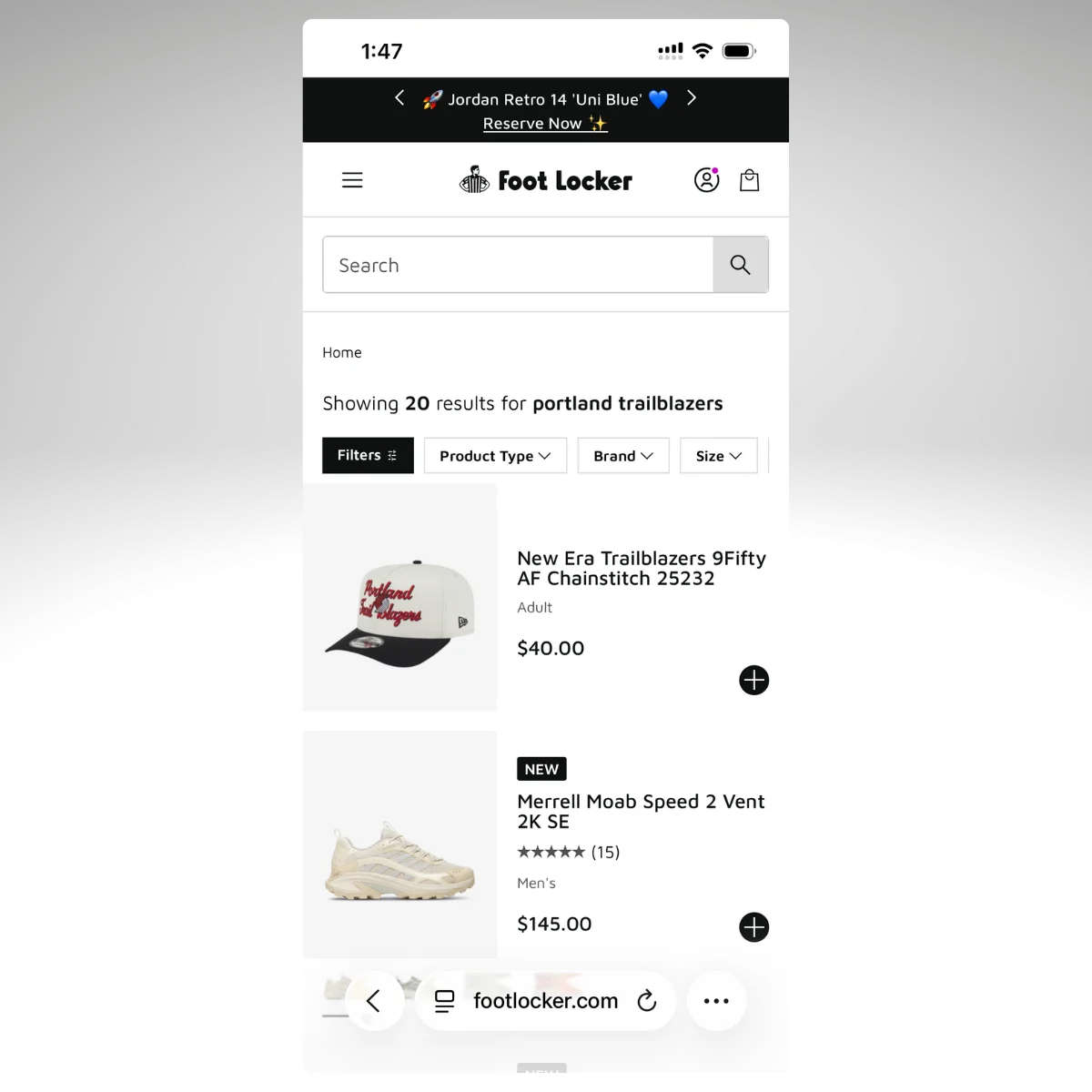
In some verticals, the numbers are even more lopsided:
- Health & Beauty: Searchers are 25% of traffic but drive 57% of revenue, converting at 17% vs 6% for non-searchers
- General Merchandise: 41% of traffic, 61% of revenue
- Specialty & Hobby: 26% of traffic, 49% of revenue
Search is a core part of how your customers find and buy products. And if you give them a good experience, the numbers prove that they're more likely to buy, and will spend more.
If it’s this effective on your website, it stands to reason that you want this feature working in your mobile app too.
How Your Search Tool Actually Works
To understand why search often breaks in mobile apps, it helps to understand how it works on your site in the first place.
Enterprise search tools like Algolia, Searchspring, and Constructor don't live inside your ecommerce platform. They sit on top of it.
Here's what typically happens:
- A JavaScript SDK loads on your pages. When a customer visits your site, the search provider's JavaScript runs in the browser. It powers the search bar, autocomplete suggestions, and results pages.
- The SDK calls the search provider's API directly. When someone types a query, the request goes to Algolia's servers or Searchspring's servers, not to Shopify or your ecommerce platform. That's what makes it fast and relevant.
- Custom UI components render the results. The search overlay, the faceted filters, the merchandised results, the "did you mean" suggestions, all of it is rendered by the provider's frontend code on your website.
- Merchandising rules run server-side. Your team has configured boost rules, pinned products, and category-specific sorting. Those rules live in the search provider's dashboard and get applied to every query.
The key detail: all of this runs as JavaScript on your rendered web pages.
Your ecommerce platform provides the product data. The search tool handles everything the customer actually sees and interacts with.
This matters because of what comes next.
Why No-Code App Builders Break Your Search
Most no-code mobile app builders for Shopify (and to a lesser extent BigCommerce and other platforms) work by rebuilding your storefront from scratch.
They use the platform's APIs, like Shopify's Storefront API, to pull product data, and then render a new mobile-native interface.
That new interface is built by the app builder. It's their code, their templates, their UI components. Your website's JavaScript never runs, because your website is never loaded. The app builder has constructed an entirely different frontend.
Here's what that means for your search feature:
Your search tool's JavaScript SDK doesn't execute
There's no browser loading your website, so there's no JavaScript environment for Algolia or Searchspring to run in.
The app builder falls back to native platform search
Instead of your tuned, AI-powered search with merchandising rules and personalized results, customers get whatever basic search the platform API provides.
For Shopify, that means the Storefront API's built-in search, which offers a fixed set of predefined sort keys and none of your custom ranking logic.
All your merchandising rules disappear
The boost rules, pinned products, synonym mappings, and category-specific configurations you've built in your search provider's dashboard? They don't apply. The app builder's search interface doesn't know they exist.
Autocomplete and faceted filtering degrade
Some app builders offer their own version of filters and search suggestions, but they're generic. They don't reflect the custom facets, filter groups, and autocomplete behavior your search provider delivers.
Dedicated integrations with search tools
Some app builders do offer integrations with popular search tools. But integration support varies by plan (often requiring enterprise tiers), the implementation may not match what you have on web, and less common search providers may not be supported at all. If you're running Constructor or Bloomreach, for example, your options are limited.
The result of all this is that your app's search experience is likely to be worse than your website's. And since searchers are your highest-intent, highest-converting visitors, that's a meaningful revenue hit.
“Our app needs to be at least as functional as the website. It doesn’t need to be better than the website, but the user experience can’t be worse.”
-- David Cost, VP of Ecommerce at Rainbow Shops
The Cost of Integrating Your Search in a Custom Mobile App
The alternative is building a fully custom mobile app. Build it from the ground up, integrate everything exactly how you want it.
This gives you the ability to build a custom integration for your search function, and build it in your app to work just as it does on your website.
It works - but it also takes a long time and costs a lot.
Rebuilding a single integration like search in a custom mobile app typically takes around 150 engineering hours, plus about 300 hours per year to maintain. At typical agency rates, that's $15,000-$30,000 just for search, before you account for the ongoing maintenance.
And there's an ongoing problem: every time your search provider ships an update, changes their API, or adds a new feature, your mobile app needs a corresponding update.
That adds a lot of work, a lot of new development sprints.
It’s also another integration that can break, another potential point of failure. Another thing making your tech stack more complicated.
How to Ensure Your Site Search Works in Your Mobile App (Without the Double Work)
The reason search breaks in most app approaches is that your mobile app is a completely separate storefront.
Even with headless builds, your app and website are two distinct channels. That means UX features like site search operate differently on each one.
MobiLoud takes a different approach. Instead of rebuilding your storefront, MobiLoud extends your existing website into a native iOS and Android app.
Your actual website powers the app, which means every JavaScript-based integration that works on your site works in the app, automatically.
For your search function, that means:
- Your Algolia, Searchspring, Constructor, Klevu, or Bloomreach integration works as-is. The JavaScript SDK loads. The API calls fire. The results render exactly as they do on your website.
- Merchandising rules, personalization, and faceted filtering carry over. Because the search provider's code is actually running, all your configured rules apply.
- When you update search on your website, it updates in the app. Add a new synonym mapping? Change your boost rules? Redesign the search results page? It's live in the app the next time a customer opens it.
- No integration cost, no integration timeline. There's nothing to rebuild, because there's nothing missing.
This isn't limited to search. It applies to every tool running on your website: reviews, loyalty programs, personalization engines, subscription management, live chat, A/B testing, analytics.
If it works on your site, it works in the app.
On top of that, you get actual native app capabilities: push notifications with deep linking, native navigation, app store presence, and a home screen icon.
Your customers get the full shopping experience they're used to on your website, delivered through a native app that sits next to Amazon and TikTok on their home screen.
What This Means for Your Search Investment
If you've put time and money into getting site search right, you should be protective of it when evaluating mobile app options. Here's a simple framework:
Ask your app builder (or development agency) these questions:
- Does my specific search provider (by name, not "we support search") work in the app?
- Do all my merchandising rules, boost logic, and personalization carry over?
- When I make changes to search on my website, what's the process for updating the app?
- What does the search experience look like for customers who use the app vs the website? Can you show me a side-by-side?
If the answers involve "we have our own search" or "we'd need to build that integration" or "that would require our enterprise plan," you're looking at either a degraded experience or a significant additional investment.
The simplest way to keep your search working is to keep your website working, and deliver it as a native app.
Ready to See It in Action?
MobiLoud is the only way to ensure your existing site search feature works in your mobile app, and that it will always work in your app.
As you update your filtering rules, tweak the appearance of the search bar, or make any other improvements, these changes appear in your app automatically (without duplicate work).
We’ve built over 2,000 mobile apps, specializing in helping online brands with unique web features carry these features over to their mobile apps - without a six-figure dev cost.
You can easily see it in action, too.
Here's how it works:
- Book a strategy call. Share your website URL and book a call, and we’ll put together a personalized preview of your website as an app.
- MobiLoud handles the build. If you go ahead, MobiLoud handles everything about the build for you. It’s a fully managed service to turn your website into an app.
- Launch on the App Store and Google Play. Within 6-8 weeks, you can have your app live in the App Store and Google Play Store, ready for your customers to download.
It’s low-lift, a tiny investment compared to custom development, and ensures that everything from your website carries over to your mobile app, by default.
This makes launching your own mobile app risk-free.
Want to learn more? Want to see your app in action? Get a free, no-obligation strategy call and we’ll walk you through everything.