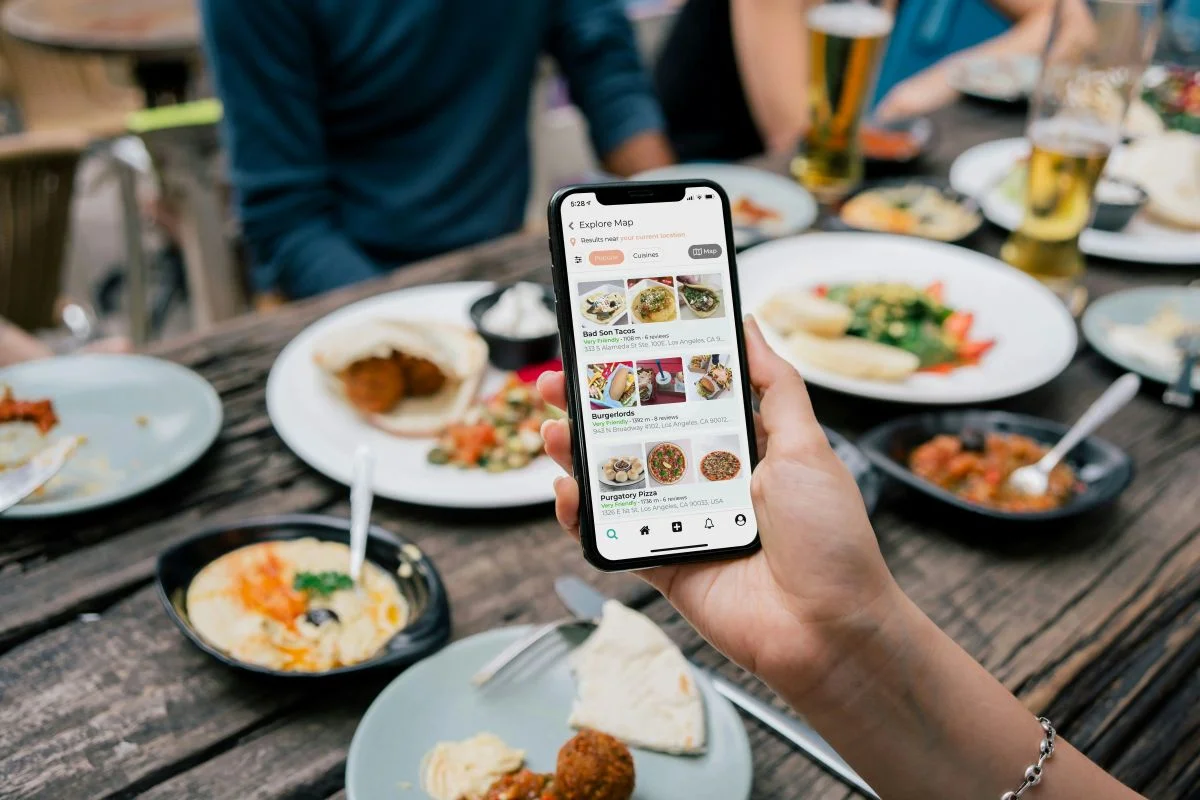
Every ecommerce brand has a mobile website. It’s where most of your traffic arrives, and where a growing share of your sales already happens.
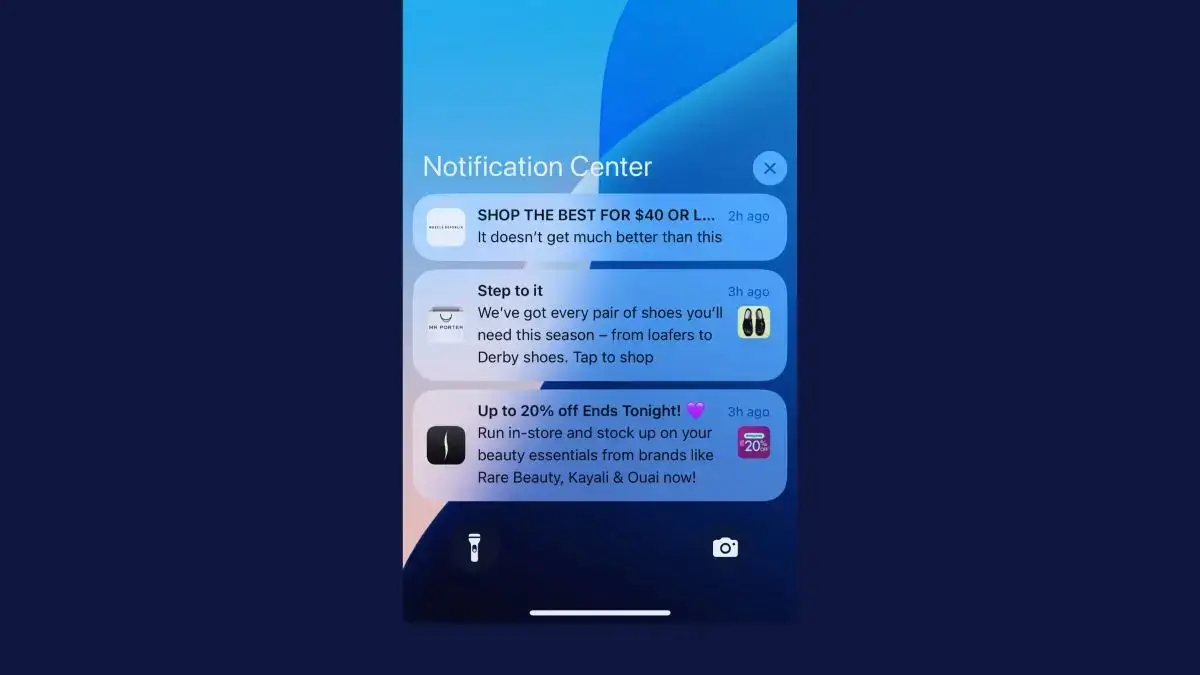
But relatively few brands have another crucial sales channel. It sits on the home screen, keeps customers signed in with their payment details saved, and puts a notification on their lock screen the moment something new drops.
That channel: a mobile app. A large share of your customers already shop on apps, and any brand that relies on repeat engagement from returning buyers should have an app of their own.
If you’re stuck on how to build an ecommerce mobile app, don’t worry. We’ve been helping online brands launch their own branded apps for over 13 years, and will share everything you need to know about ecommerce app development, including what your app should look like, different ways to build it, and how to choose the right development approach for your brand.
Why Build a Mobile App for Your Store?
Your customers already shop on their phones. Mobile made up 56.4% of US online sales over the 2025 holiday season, according to Adobe, and keeps rising every year.
Your mobile website serves all of those shoppers, from first-time visitors arriving from an ad to regulars checking what’s new. An app is for the regulars: the customers who come back every week or every season, and who drive a large share of your revenue.
It gives them a faster way back. Your store sits on their home screen, checkout remembers their details, and a push notification can bring them back whenever there’s something new, at no cost per message.
That shows up in the numbers. In our Ecommerce Mobile App Benchmark Report, app shoppers converted at 1.7 to 3 times the rate of mobile web shoppers, and their lifetime value was 2.8 to 5 times that of web-only customers.
An app pays off most for brands built on repeat purchases. That includes fashion and footwear brands with regular drops, beauty and supplement brands whose customers reorder, grocers, and B2B suppliers whose buyers place the same orders every week.
If most of your customers only ever buy from you once, put your effort into your mobile site first, and come back to an app once you have a base of returning customers.
The Anatomy of a Great Shopping App
Most good shopping apps share the same key features. None of this is revolutionary - and most of it is not too far detached from what your web store already does, either.
Let’s run through some of the common features of the best ecommerce apps.
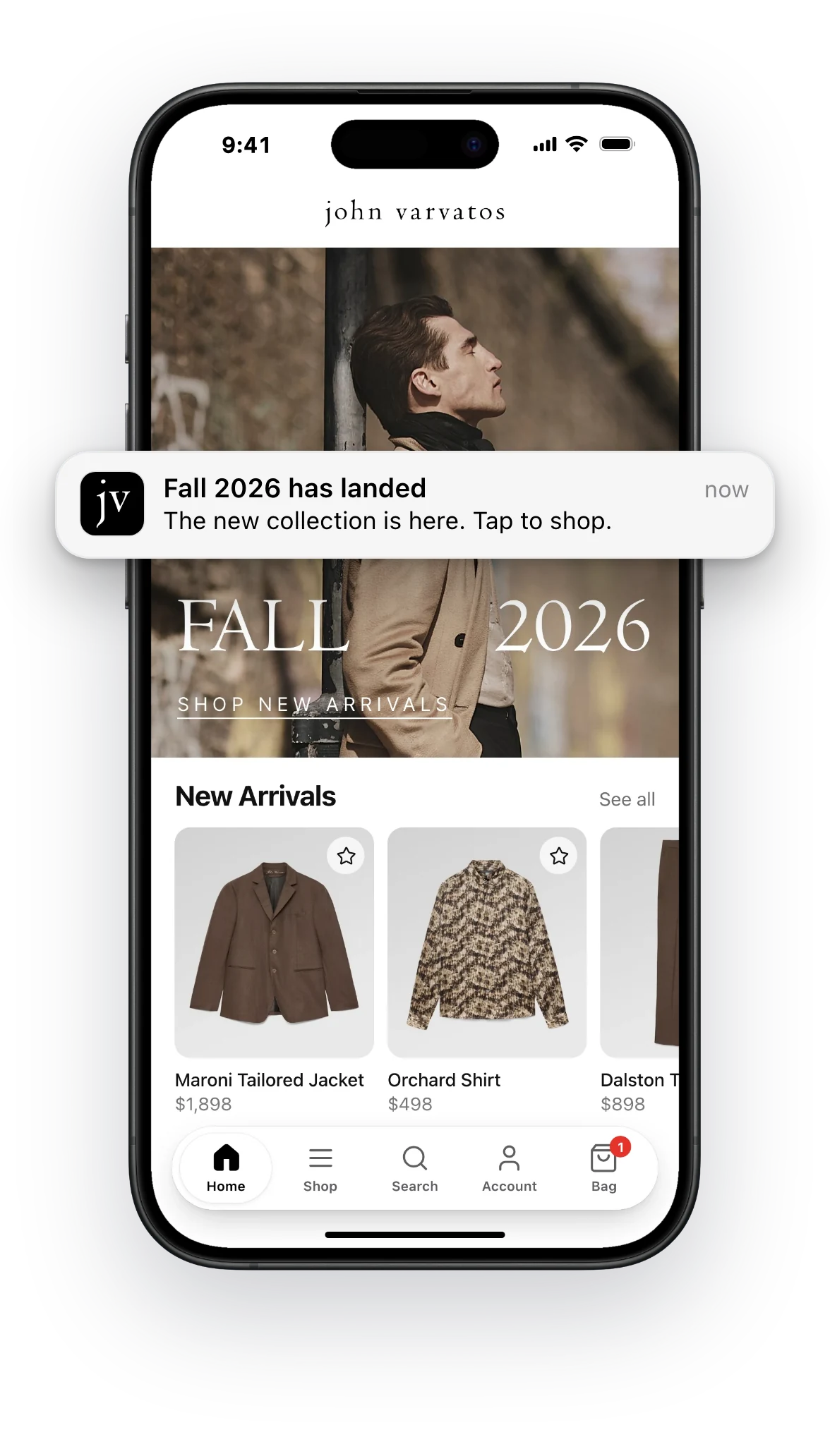
- Push notification
- Home screen banner
- Product listings
- Tab bar
- Search
- Cart
Home screen
The home screen is the first thing customers see when they open the app. It shows your latest products, collections and campaigns.
Navigation
A tab bar at the bottom of the screen takes customers to the main parts of the app, like the home screen, categories, search, their account and their cart.
Products and search
Product listings and product pages show the same products, prices and stock as your website. Search and filters help customers find what they’re looking for.
Checkout
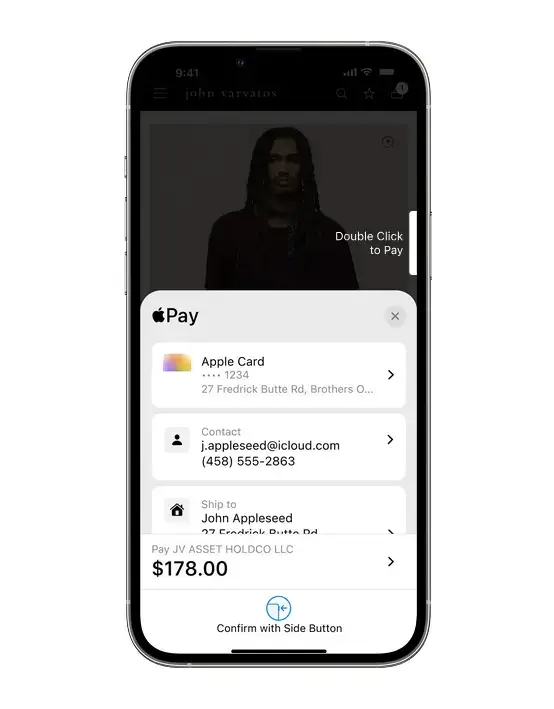
Checkout should take a few taps, with customers’ addresses and payment details saved. They can also pay with Apple Pay, Google Pay or buy now, pay later.
Push notifications
Push notifications are messages that appear on customers’ lock screens. Stores use them for new products, sales, abandoned carts and order updates.
Customer accounts
In their account, customers can see their orders, track deliveries and start returns. It’s also where they find their wishlist, loyalty points and subscriptions.
App-only features
Many apps also offer things the website doesn’t, like early access to new products, app-only discounts, or barcode scanning and store finders.
The Most Common Ways to Build an Ecommerce App
There’s a wide range of tools and services for ecommerce mobile app development, and the lines between them can blur. Most fall into a few broad categories, which differ in who builds the app, who keeps it running and how it connects to your store.
Here’s how they compare:
| Compare | Custom development | Ecommerce app builder | AI app builder | MobiLoud |
|---|---|---|---|---|
| Best for | Apps that go far beyond your store, with a budget and mobile team to match | Shopify stores with a standard setup and a tight budget | Prototypes and simple apps | Established brands that want a custom native app without a second codebase |
| Who builds it | An agency or your own developers | Your team, from the builder’s templates | Your team, with AI writing the code | MobiLoud’s team |
| Who keeps it running | Your developers, release by release | Your team, in the builder’s dashboard | Your team | MobiLoud, while your team works in your store |
| Your store’s features and integrations | Rebuilt for the app, one by one | The ones the builder supports | Rebuilt for the app | Inherited from your store, plus app-only features |
| One storefront for web and app | No A second codebase | No A second storefront | No A second codebase | Yes |
| Time to launch | 6–9 months for a typical store | A few weeks | Days for a prototype | 2–4 weeks |
| Cost | $40K–$250K+ to build, then 15–20% a year to maintain | Under $100 to several thousand a month | A low monthly fee, plus your team’s time | From $799 a month |
-
Custom development
- Best for
- Apps that go far beyond your store, with a budget and mobile team to match
- Who builds it
- An agency or your own developers
- Who keeps it running
- Your developers, release by release
- Your store’s features and integrations
- Rebuilt for the app, one by one
- One storefront for web and app
- No A second codebase
- Time to launch
- 6–9 months for a typical store
- Cost
- $40K–$250K+ to build, then 15–20% a year to maintain
-
Ecommerce app builder
- Best for
- Shopify stores with a standard setup and a tight budget
- Who builds it
- Your team, from the builder’s templates
- Who keeps it running
- Your team, in the builder’s dashboard
- Your store’s features and integrations
- The ones the builder supports
- One storefront for web and app
- No A second storefront
- Time to launch
- A few weeks
- Cost
- Under $100 to several thousand a month
-
AI app builder
- Best for
- Prototypes and simple apps
- Who builds it
- Your team, with AI writing the code
- Who keeps it running
- Your team
- Your store’s features and integrations
- Rebuilt for the app
- One storefront for web and app
- No A second codebase
- Time to launch
- Days for a prototype
- Cost
- A low monthly fee, plus your team’s time
-
MobiLoud
- Best for
- Established brands that want a custom native app without a second codebase
- Who builds it
- MobiLoud’s team
- Who keeps it running
- MobiLoud, while your team works in your store
- Your store’s features and integrations
- Inherited from your store, plus app-only features
- One storefront for web and app
- Yes Yes
- Time to launch
- 2–4 weeks
- Cost
- From $799 a month
Custom development
Custom development means building a new app from the ground up, with an ecommerce app development company or your own developers. The app is written natively for each platform, in Swift for iOS and Kotlin for Android, or once for both with a cross-platform framework like React Native or Flutter.
It connects to your store’s data through your ecommerce platform’s APIs. Everything else, from the design to every screen and integration, is built for the app.
That gives you complete control over what the app does. It also makes custom development the most expensive and slowest route: $40,000 to $250,000 or more to build, six to nine months for a typical store app, and 15% to 20% of the build cost every year to keep it running.
Custom development makes sense when your app needs to do far more than your store does, and you have the budget and a mobile team to support it for years.
Ecommerce mobile app builders
Ecommerce app builders are no-code development tools made specifically for online stores. You connect your store, pick a template and design your screens with drag-and-drop blocks, and the builder publishes your app to the App Store and Google Play.
Most are built for Shopify, where dozens of app builders use Shopify’s Storefront API to bring in your products, collections and customer accounts. Prices range from under $100 to several thousand dollars a month.
For a Shopify store with a standard setup, they’re the quickest and most affordable way to launch an app, often in a few weeks. The app runs on the builder’s own templates and integrations, so the tools your store uses carry over where the builder supports them.
AI app builders
The newest option is AI. AI app builders and coding assistants can generate a working app from a written description, and some can connect it to your store’s product data in an afternoon.
That makes them a fast way to test an idea or build a prototype. A store app with real revenue running through it also needs a secure checkout, reliable accounts and updates every year, so for now, AI builders work best for prototypes and simple apps.
MobiLoud: transform your website into a custom native app
MobiLoud takes a different route. We transform your website into a custom native app, powered by the same underlying code as your website.
Your products, collections, search, reviews, loyalty program and subscriptions come from the store you already run. On top of that, we design a fully custom native interface for the app, with app-only pages, push notifications, and the native features and SDKs your brand needs.
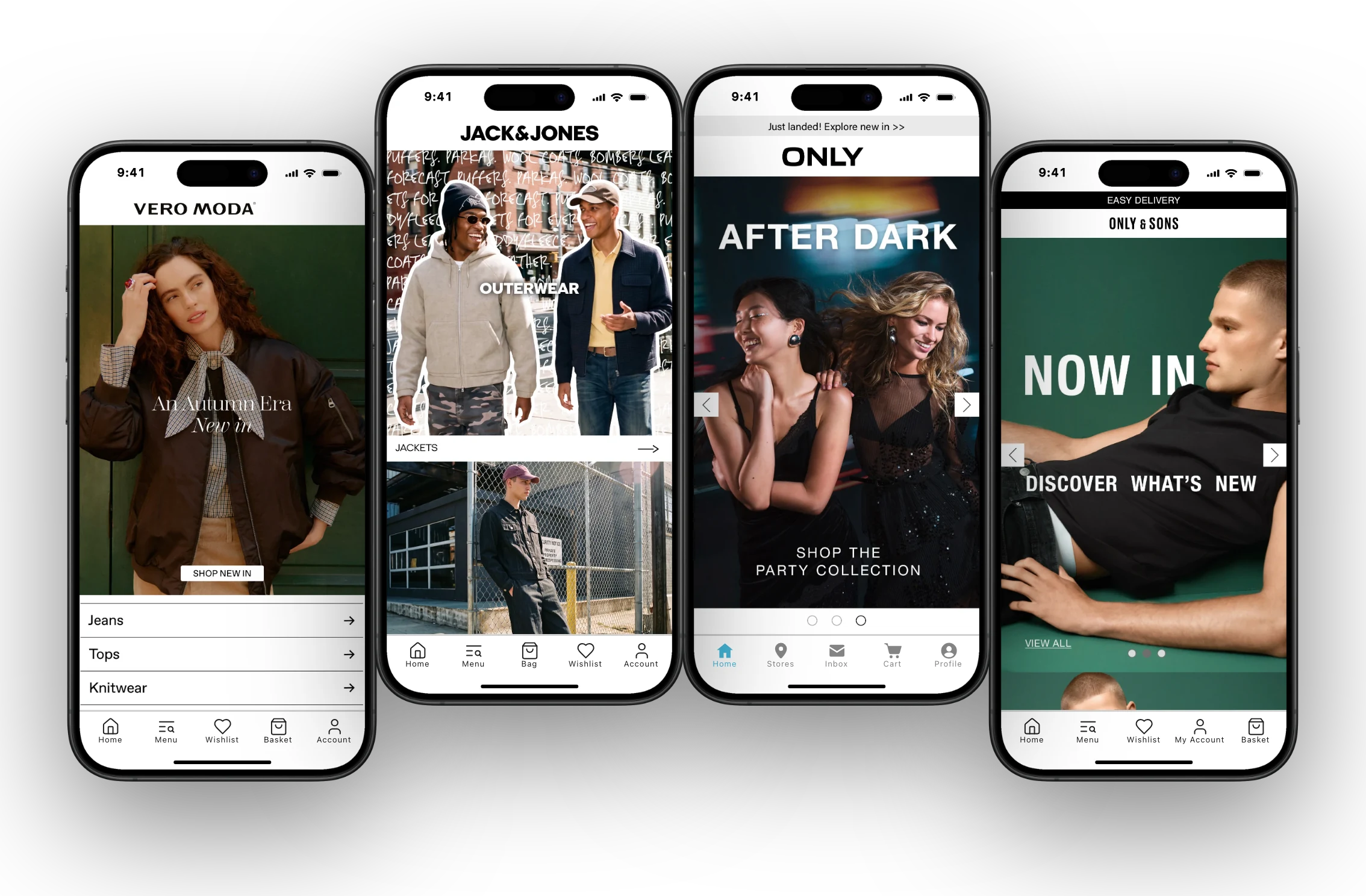
The result is one storefront powering your website and your app, each customized for its channel. You start with everything your store already does, and your team keeps working in the same backend, so a new collection, landing page or integration on your store is ready for the app too.
Our team builds, publishes and maintains your app, through every iOS and Android update. Most apps launch in 2 to 4 weeks, and pricing starts at $799 a month.
How to Choose the Right Way to Build Your App
The right route depends less on the tools themselves than on your store: how custom it is, which platform it runs on, and who will look after the app once it’s live.
Will your app be a second storefront?
Your store is more than its product data. It’s also your promotions and landing pages, search and recommendations, reviews, loyalty program, subscriptions, bundles, checkout customizations and tracking, often run by a dozen third-party tools.
APIs keep products, prices, stock, accounts and orders in sync between a website and an app. Everything else has to be rebuilt for the app, or supported by your app builder, and then updated in two places every time something changes.
That’s what a second storefront means in practice: every campaign, page and new integration, built and maintained twice.
App builders and custom builds
Rebuilt as a second app
MobiLoud
Extended into an app
Building your app from your website’s code avoids it. Your app starts with the store you’ve built, and your team’s time goes into making the app experience better, not into keeping two storefronts in step.
”At first, we explored the viability of building our own native apps from the ground up. And while that was achievable, managing them effectively moving forward would not have been feasible due to the disconnected nature of such an approach.”
Which platform does your store run on?
Your ecommerce platform decides how many options you have to build a mobile app. Ecommerce platforms with deeper third-party vendor ecosystems have more tools available to help you build an app. If you’re on a smaller platform, though, there aren’t a lot of options outside of building custom.
Shopify stores have the most choice. Shopify has the biggest selection of app builders, and its APIs make custom builds simpler than on most platforms.
The more your store relies on Shopify Plus customizations, a headless Hydrogen storefront or apps the builders don’t support, the more you’ll need to rebuild for the app.
(Learn more about building apps for Shopify stores in our guide to Shopify mobile app development.)
Magento and Adobe Commerce stores have fewer ready-made options. There are a handful of Magento app builders, and Adobe’s PWA Studio improves the mobile site but doesn’t put an app in the stores.
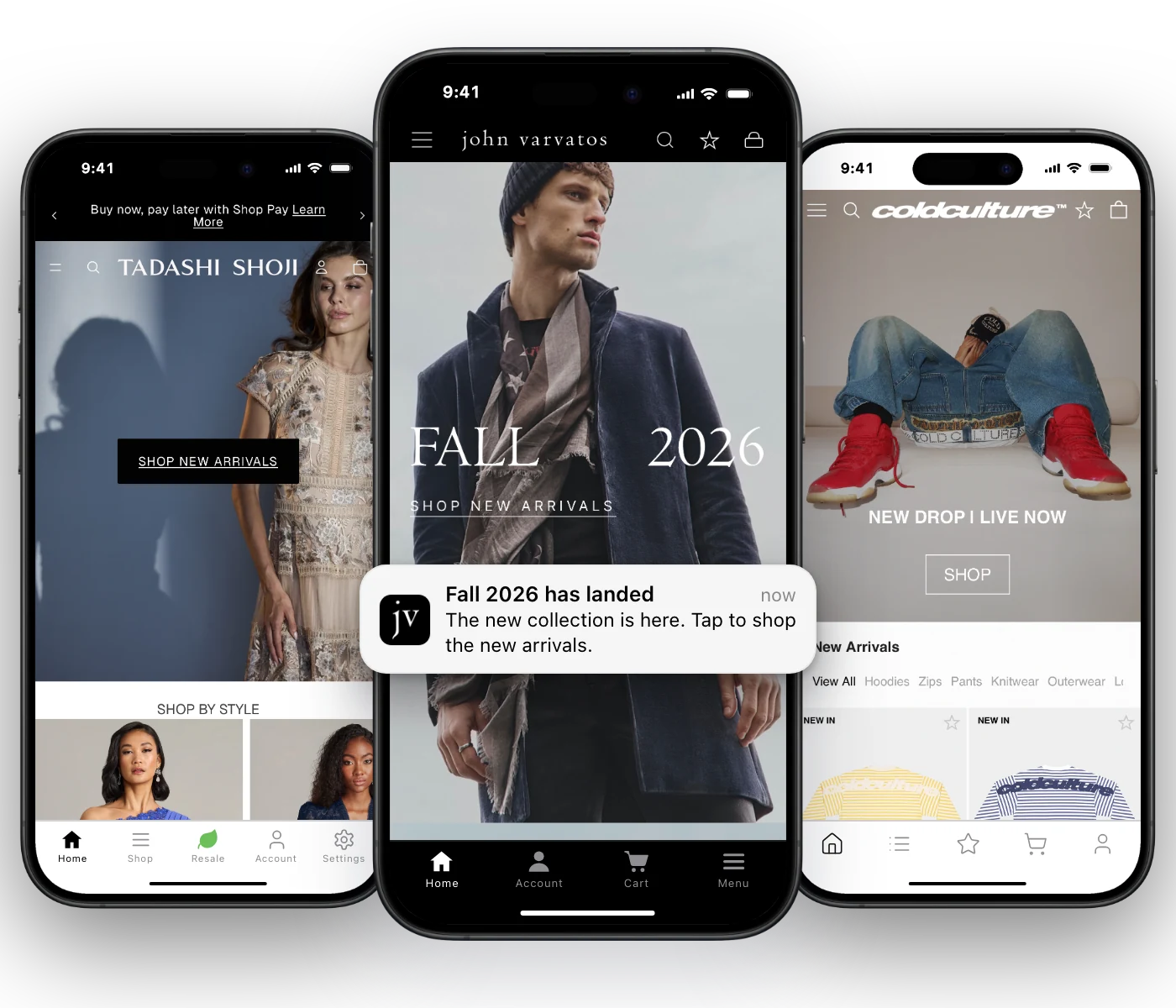
That leaves most Magento brands choosing between a custom build and a service like MobiLoud, which powers the apps of Magento brands like Tadashi Shoji.
WooCommerce stores have a few app builders to choose from. Beyond the small selection of WooCommerce app builders, WooCommerce’s REST API gives developers what they need for a custom build.
BigCommerce, Salesforce Commerce Cloud and headless stores have the fewest off-the-shelf options. Their APIs make a custom app possible, but it’s a large project, and only a handful of BigCommerce and Salesforce Commerce Cloud app builders exist.
MobiLoud works with any of these platforms, because it builds your app from your website, not your platform’s APIs.
”A custom app build for our Salesforce Commerce Cloud setup would have been prohibitively expensive. MobiLoud was the only realistic option.”
Who will run the app after launch?
An app is never finished. Apple and Google release new versions of iOS and Android every year, both stores raise their technical requirements on a schedule, and your store keeps changing too.
Since April 2026, for example, Apple only accepts apps built with Xcode 26, and since August 2026, Google Play has required new apps and updates to target Android 16.
With a custom app, that work falls to your developers, so budget for a mobile team, in-house or at an agency, for as long as the app is live. With an app builder, your team manages the app in the builder’s dashboard, alongside your store.
With MobiLoud, our team handles your app’s updates and releases, while your team keeps building for the web as you already do.
How to Build an Ecommerce App, Step by Step
Whichever route you choose, the build tends to follow the same path, from planning to launch day. What changes is how much of the work falls on your team.
Step 1: Set goals for your app
Start with what the app is for. For most stores, that’s bringing repeat customers back more often and making it easier for them to buy.
Turn that into a few numbers to track: the share of your mobile revenue that comes through the app, how often app customers buy, and how many of them turn on push notifications.
Step 2: Choose how to build it
Use the comparison above to pick a route, then talk to two or three providers. Ask each how the app will handle your store’s custom features and integrations, who publishes the updates, and what the app will cost over three years, not just at launch.
Step 3: Plan the app experience
Decide how the app should feel. Plan what sits in the tab bar, what customers see first when they open the app, and which pages, offers or content will be app-only.
Plan the first launch too: a short welcome, and the moment you ask for permission to send push notifications. Ask once customers have a reason to say yes, like order updates or early access to drops.
Step 4: Build the app and connect it to your store
With a custom build, developers code each screen and connect it to your platform’s APIs. With an app builder, your team sets up the templates and integrations. With MobiLoud, our team builds the app from your website and designs its native interface with you.
However you build it, check the parts closest to your revenue: checkout and payment methods, sign-in, analytics and attribution, and your marketing tools for email, SMS and push.
Step 5: Test on real devices
Test every path a customer takes, from search to checkout, sign-in, push notifications and links from emails, on a range of iPhones and Android phones.
Apple’s TestFlight and Google Play’s testing tracks let your team, and a few loyal customers, use the app before it goes live.
Step 6: Submit to the App Store and Google Play
Both stores have requirements every app must meet before review, starting with a developer account on each. Here are the main ones:
App store launch checklist
Accounts
- An Apple Developer Program membership, at $99 a year
- A Google Play developer account, at $25 once
- Both enrolled as an organization with your D-U-N-S number, so your brand’s name is on the listing
Store listings
- App name, description, keywords, screenshots and icon for each store
- A privacy policy, Apple’s App Privacy details and Google Play’s Data safety form
- Sign-in details for the reviewers, if any part of the app needs an account
The app itself
- A way to delete an account inside the app, if customers can create one
- Built with Xcode 26 for iOS, and targeting Android 16 for Google Play
- Checkout, push notifications and links from emails tested on real devices
Apple reviews 90% of submissions in under 48 hours, and Google Play can take up to seven days. Apple also rejects apps that don’t offer customers enough beyond a website, under its minimum functionality guideline.
Step 7: Launch to your customers
Once both stores approve the app, release it. Consider a soft launch to your loyalty members or VIP list first, then announce it to everyone once the first feedback is in.
How Much Does an Ecommerce App Cost, and How Long Does It Take?
What an ecommerce app costs depends mostly on how you build it:
- Custom development: $40,000 to $250,000 or more for an established brand’s app, plus 15% to 20% of the build cost each year to maintain it. Simple apps from lower-cost regions can start around $15,000.
- Ecommerce app builders: anywhere from under $100 to several thousand dollars a month, depending on the builder, the plan and your store’s size.
- AI app builders: a low monthly subscription, plus your developers’ time to finish, publish and maintain the app.
- MobiLoud: from $799 a month, with the build, app store publishing and maintenance included.
Look past the launch price. Over three years, the maintenance, hosting and feature updates for a custom app can cost as much again as the build itself. Our ecommerce app cost breakdown has the full figures.
Time to launch follows the same pattern. An app builder can have a simple app live in a few weeks, MobiLoud launches most apps in 2 to 4 weeks, while a custom build usually takes six to nine months.
A faster launch means the app starts earning sooner. Pharmazone launched its app in two weeks, and the app now brings in 63% of the store’s online revenue.
How to Grow Your App After Launch
Once your app is live, the work shifts to getting it onto your customers’ phones and turning it into a channel that earns.
Get your customers to install it
Your existing customers are your best source of app downloads, and you can reach them at no cost.
Add a smart banner to your mobile site, announce the app by email and SMS, put a QR code on packaging and receipts, and give customers a reason to download it, like an app-only discount or early access to drops.
It can work quickly. GSF Car Parts reached 19,000 app downloads in its first 30 days, after adding banners to its homepage and sending a single email to its subscribers.
Track what the app earns
Measure the app as its own channel. Track installs, active users and conversion rate alongside the goals you set in step 1, and compare app customers with mobile web customers over time.
Then use push notifications to grow those numbers, with welcome messages, back-in-stock alerts, new arrivals and abandoned cart reminders.
Building the Right App for Your Store
Ecommerce app development no longer has to mean a six-figure project. There’s a route for almost every store, from template builders for smaller Shopify shops to fully custom builds for brands with the budget and a mobile team to match.
For most established brands, the right app builds on their existing store. MobiLoud gives you that: a custom native app powered by your website, with our team handling the build, publishing and maintenance.