Why Abandoned Cart Push Notifications Are Your Highest-ROI Recovery Channel

Abandoned cart push notifications are automated messages sent to a customer's phone when they leave items in their cart without checking out. Most ecommerce brands have email and maybe SMS for cart recovery, but no way to instantly reach their highest-value customers on mobile. Push notifications fill that gap, with zero per-message cost and conversion rates that consistently justify the investment on their own.
Abandoned cart push notifications are automated messages sent to a customer's phone when they leave items in their cart without checking out. Most ecommerce brands have email and maybe SMS for cart recovery, but no way to instantly reach their highest-value customers on mobile. Push notifications fill that gap, with zero per-message cost and conversion rates that consistently justify the investment on their own.
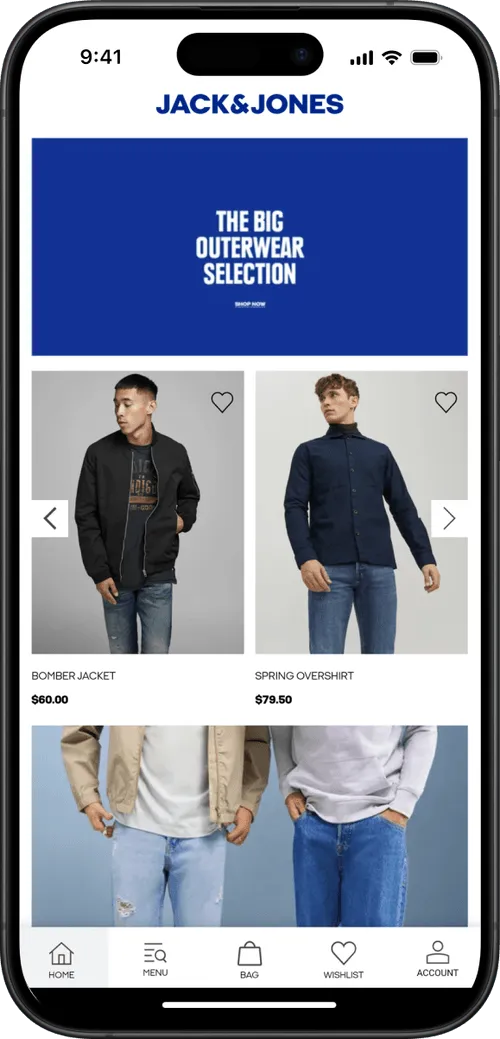
Around 70% of online shopping carts are abandoned before checkout. On mobile, that number climbs to over 85%.
For a brand doing eight figures in annual revenue, that's millions in potential sales walking away.
Every serious ecommerce brand has a recovery strategy. You're sending cart abandonment emails. Maybe you're using SMS for high-value carts. But email lands in a crowded inbox, and SMS costs money on every send.
Neither channel can reach a customer on their lock screen, instantly, the moment they walk away from a purchase, like push notifications can.
The catch is that push notifications require a mobile app, which is exactly why most ecommerce brands don't have this channel yet.
That's the gap. And for brands doing enough volume to justify an app, abandoned cart push notifications alone will cover the cost of launching one.
Why Do Carts Get Abandoned in the First Place?
Before getting into recovery tactics, it helps to understand what you're recovering from. The most common reasons customers abandon carts, according to Baymard Institute's research:
- Unexpected costs (shipping, taxes, fees) at checkout
- Required account creation before purchasing
- Complicated or slow checkout process
- Concerns about payment security
- Just browsing / not ready to buy yet
- Delivery was too slow or unclear
Some of these are fixable with checkout optimization. But a significant share of abandonment is simply timing: the customer intended to buy, got distracted, and never came back.
That's the segment where push notifications have the most impact, catching people while their purchase intent is still warm.
How Do Abandoned Cart Push Notifications Work?
An abandoned cart push notification is an automated message triggered when a customer adds products to their cart and leaves without completing checkout. The notification appears on their phone's lock screen, prompting them to return and finish the purchase.
.webp)
Push notifications appear directly on the lock screen or as a banner notification, right alongside texts and app alerts. They show up where people are already looking, the moment they pick up their phone. There's no inbox to compete with, no spam filter to clear, no algorithm deciding whether your message gets seen.
Here's what a typical abandoned cart push sequence looks like:
- 5-15 minutes after abandonment: A simple reminder. "You left something in your cart." The customer's purchase intent is still fresh, and a gentle nudge is often enough.
- 3-6 hours later: A second message, potentially with an incentive. "Still thinking it over? Here's 10% off to help you decide."
- 24 hours later: A final push with urgency. "Your cart is about to expire" or "Low stock on [product name]."
The customer taps the notification, and they're taken directly back to their cart page (via deep linking) with their items still loaded.
No hunting for products, no re-adding items, no friction. One tap to checkout.
That's the mechanic. Now let's talk about where push fits alongside the channels you're already using.
Do You Need Push Notifications if You Already Have Email and SMS?
You already have email for cart recovery. You might have SMS. Those channels are doing their job.
The question isn't whether push is "better" than either one. It's whether you have a gap in your coverage, and what that gap is costing you.
Here's how to think about each channel's role:
Email is your broadest reach. Nearly every customer gives you an email address. It's the right channel for reaching the widest audience with cart recovery messages.
The tradeoff is that inboxes are crowded. Cart emails compete with every other promotion a customer received that day, and open rates reflect that, typically 15-25%.
SMS is your high-urgency escalation. High open rates, but you're paying $0.01-0.05 per message (Dotdigital), and customers are increasingly sensitive to branded texts.
There are also TCPA compliance considerations that add complexity. SMS makes sense for high-value carts where the margin justifies the cost, not as your primary recovery tool.
Push is your direct line to your best customers. App users are self-selected. They've downloaded your app, they browse it regularly, they're your repeat buyers.
Push lets you reach this high-LTV segment instantly, on their lock screen, at zero per-message cost. No other channel gives you that combination of speed, visibility, and cost efficiency for this audience.
The important thing to understand is that these channels cover different segments of your customer base.
- Email reaches everyone.
- SMS reaches phone-number opt-ins.
- Push reaches app users.
If you only have two of the three, you have customers falling through the cracks.
A practical multi-channel approach
Push fires first for app users (instant, free, high engagement). Email follows up for the broader audience. SMS is reserved for high-value carts.
A coordinated sequence like this can recover 20-30% of abandoned carts, versus 10-15% with email alone.
The lift comes from covering more of your customer base, not from one channel "beating" another.
Web Push vs App Push: Which Is Better for Cart Recovery?
If you're going to invest in push for cart recovery, it's worth understanding the two types. Web push and native app push work differently, and the distinction directly affects your results.
Web push notifications are browser-based alerts sent to visitors who opt in on your website.
Tools like PushEngage, OneSignal, and Webpushr make this easy to set up on Shopify, WooCommerce, BigCommerce, or any other platform.
The appeal is obvious: no app required. You can start sending push notifications to website visitors right away. And for cart recovery, web push works. Brands like Pura Vida generated over $540,000 in revenue from web push abandoned cart campaigns over 2.5 years, with a 10:1 ROI.
But web push has real limitations:
- iOS Safari doesn't reliably support web push in the same way as native apps. Apple has added web push support, but the opt-in flow is clunky and adoption remains low.
- Opt-in rates are lower than apps. Users see a generic browser prompt ("This site wants to send notifications") with no context, and most click "Block."
- No rich media on all platforms. Some browsers limit what you can include in web push (images, action buttons, etc.).
- Session dependency. Web push only works if the browser is open (on desktop) or if the service worker is active. Native app push works regardless - it can reach your customers at any time.
Native app push notifications are messages delivered through a brand's iOS or Android app, appearing on the device's lock screen regardless of whether the app is open.
Native push is what you think of when you think of a push notification. It pops up on the lock screen, catches the customer’s attention, makes your brand the first thing they see when they pick up their phone.
Web push doesn’t do this. And think about the last time you opted in to (or even saw) a web push notification.
They’re a lot less visible, and really designed for desktop, not mobile (where most of your customers are, and where most of the impulse buy potential lies).
Real Results: What Brands Are Recovering With Abandoned Cart Notifications
Abandoned cart notifications may sound like a small quirk of mobile apps.
They’re not. They can be the reason to build an app.
Here are the results from three MobiLoud customers over a single 30-day period, using abandoned cart push notifications:
Three very different scales of business, but the same story: automated push notifications recovering real revenue every month with zero manual effort after setup.
These aren't cherry-picked months. Across MobiLoud's customer base, brands have generated $10,000 to $200,000 per month from abandoned cart notifications alone.
One finding from MobiLoud's benchmark report stands out: automated push messages (like abandoned cart sequences) make up just 3% of total push sends, but drive 21% of all push-attributed orders. A tiny share of the effort, producing an outsized share of the results.
Push is a powerful abandoned cart recovery channel for a range of verticals and business types:
- High-volume stores (likely a higher percentage of abandoned carts)
- Low-volume, high-AOV brands (each abandoned cart recovered is much more valuable)
- Subscription brands (a recovered cart can mean a recovered subscription as well)
This revenue is net-new revenue: the easiest way for you to see a real, incremental boost from your mobile app.
Best Practices for High-Converting Cart Push Notifications
The difference between a push notification that recovers revenue and one that gets swiped away comes down to execution. Here's what works.
Get the Timing Right
Timing is everything with abandoned cart recovery. Send too early and it feels pushy. Wait too long and the customer has moved on (or bought from a competitor).
The three-message sequence that most high-performing brands use:
- First push: 5-15 minutes after abandonment. Intent is still high. Keep it simple: "You left something behind." No discount needed here; most of your recovery revenue will come from this first message.
- Second push: 3-6 hours later. Add a small incentive if you want. "Still thinking about it? Here's free shipping on your order."
- Third push: 24 hours later. Create urgency. "Your cart items are selling fast" or "Your cart expires tomorrow."
After three messages, stop. You've given them every reason to come back. If they don't, move on.
Personalize Everything You Can
Generic messages get generic results. Use the data you have.
- Name: "Hey Sarah, you left something behind" outperforms "Don't forget your cart" every time.
- Product: Mention the specific item. "Your [product name] is still in your cart" is more compelling than a vague reminder.
- Images: Include a thumbnail of the product in the notification. Seeing the item triggers the desire to own it.
- Behavior: If stock is genuinely low, say so. "Only 3 left in your size" is honest urgency, not manufactured scarcity.
Use Incentives Strategically
Don't lead with a discount. If you put 10% off in the first message, you're training customers to abandon carts on purpose.
Better approach:
- Message 1: No discount. Just a reminder. This is where 60%+ of your recovered revenue will come from.
- Message 2: A non-discount incentive (free shipping, bonus loyalty points, a free sample).
- Message 3: A small discount if they still haven't converted. "Here's 10% off, but it expires tonight."
Some brands skip discounts entirely and still see strong recovery rates. Test what works for your audience and margins.
Deep Link to the Cart
This seems obvious, but plenty of brands get it wrong. When a customer taps the notification, they should land directly on their cart page with all items loaded. Not the homepage. Not a product page. Not a login screen.
Deep linking removes the friction that caused the abandonment in the first place. One tap, they're looking at their cart, ready to check out. If your push notifications dump people on the homepage, you've already lost most of them.
Don't Overdo It
Two to three messages per abandoned cart event is the sweet spot. Beyond that, you're training customers to ignore (or disable) your notifications entirely.
Also important: stop the sequence immediately once the cart is recovered. Nothing damages trust faster than getting a "Don't forget your cart!" notification after you've already purchased.
Segment by Abandonment Behavior
Not every abandoned cart is the same. A customer who made it to the checkout page and entered their shipping address has much higher purchase intent than someone who added an item and kept browsing. If your push platform supports it, tailor your messaging:
- High-intent abandoners (reached checkout): a simple "You're almost done" reminder is often enough. They don't need an incentive.
- Browse abandoners (added to cart, kept browsing): a product-focused message ("Still interested in [product]?") that re-sparks the desire works better here.
Test Your Copy and Timing
Small changes in notification copy and send timing can meaningfully affect recovery rates. A/B test one variable at a time:
- Message copy (question vs statement, product name vs generic)
- Send timing (5 minutes vs 30 minutes vs 1 hour for the first push)
- Incentive vs no incentive on the second message
- With product image vs without
Most push platforms support A/B testing natively. Run tests for at least two weeks before drawing conclusions, and track conversion rate (not just open rate) as your primary metric.
Abandoned Cart Push Notification Examples
Here are six notification templates you can adapt for your brand. Each one targets a different stage of the recovery sequence or a different psychological trigger.
1. The Simple Reminder (first message, 5-15 min)
"You left something in your cart. Tap to finish checking out."
No discount, no urgency, no cleverness. This is your highest-converting message because intent is still fresh. Let the product do the work.
2. The Product-Specific Nudge (first message, personalized)
"Your [Product Name] is still waiting. Complete your order before it sells out."
Mentioning the specific product pulls the customer back to the moment they wanted it. Pair this with a product image if your platform supports rich notifications.
3. The Soft Incentive (second message, 3-6 hours)
"Still thinking it over? We'll throw in free shipping if you complete your order today."
Free shipping is a strong nudge without devaluing the product. Loyalty points or a free sample work well here too.
4. The Urgency Play (third message, 24 hours)
"Last chance: your cart expires tonight. Tap to check out before your items are gone."
Only use this if you can back it up. Genuine urgency (limited stock, cart expiration policy) converts. Manufactured scarcity erodes trust.
5. The Social Proof Nudge (alternative second message)
"[Product Name] is one of our bestsellers this month. Your cart's ready whenever you are."
For products with strong sales velocity, social proof can be more effective than a discount. It validates the customer's choice rather than discounting it.
6. The Last-Chance Discount (final message, 24-48 hours)
"Here's 10% off your cart, but it expires at midnight. Use code COMEBACK10."
Reserve discounts for the final message only. Leading with a discount trains customers to abandon carts deliberately.
Abandoned Cart Push Notifications Can Pay for the Cost of Your App
This is the part most brands don't realize until they see their own numbers.
Let’s give an example.
A brand doing ~$20M in annual revenue, with a mobile app used by their top 10-15% of buyers, you could be looking at around 10,000 abandoned carts per month in the app.
Recovering 5-10% of those through push notifications (which apps uniquely enable) means 450-1,000 extra orders/month - potentially $50K-$100K+ in recovered revenue per month just from abandoned cart push notifications alone.
You don’t need to be an eight-figure brand for it to be worth your while, either. Even at a quarter of that scale, you’re still looking at over five figures in net-new revenue from recovered carts.
A wellness brand from our benchmark report generated $14,491 in abandoned cart revenue in their very first month. Another, an online pharmacy, recovers $10,000+ monthly at a 22% conversion rate.
These aren't outliers. They're typical results from brands that have the automation turned on.
For brands evaluating whether a mobile app makes financial sense, abandoned cart push is often the single clearest line item in the ROI calculation. And it's just one piece.
The broader value of an app, higher AOV, better customer retention, promotional push campaigns, improved mobile UX, stacks on top of it.
How to Get Started
If you already have a mobile app, check whether your platform supports automated abandoned cart push notifications. If it doesn't, look into integrating a push service like OneSignal and connect it to your cart events.
If you don't have an app yet and want the fastest path to abandoned cart push, MobiLoud is built for exactly this.
MobiLoud takes your existing ecommerce website and extends it into native iOS and Android apps, with abandoned cart notifications built in from day one.
Here's how it works:
- Book a strategy call. Share your website URL and we'll discuss your goals, walk you through the process, and assess fit.
- Get a custom app preview. The MobiLoud team builds a personalized preview of your app so you can see exactly how it looks and performs.
- Launch MobiLoud handles everything - app development, App Store and Google Play submission, and ongoing maintenance. You focus on running your business.
MobiLoud's abandoned cart feature works locally on the device. The app monitors the user's cart, and when it detects pending items after the app is closed, it triggers a timed notification sequence using proven copy and CRO best practices.
There are no third-party tools required. It's already configured and managed for you, though you can customize the branding and messaging however you like.
Brands using MobiLoud have recovered anywhere from $10,000 to $200,000 per month in abandoned cart revenue alone. We've built over 2,000 apps for ecommerce brands, and abandoned cart recovery is consistently one of the highest-ROI features.
Curious what your numbers could look like? Book a free 30-minute strategy call - no commitment required. We’ll talk you through the process, and explain how much you could be adding in new revenue with a mobile app and abandoned cart push notifications.
FAQs

Convert your website into a mobile app