Ecommerce PWAs in 2026: The Complete Guide for Enterprise Brands

A progressive web app makes your ecommerce store faster and more “app-like”, but it doesn't put you in the App Store, let you send native push notifications, or build a dedicated retention channel. For ecommerce brands, a PWA is powerful - but it’s not enough. You want a native app too.
A progressive web app makes your ecommerce store faster and more “app-like”, but it doesn't put you in the App Store, let you send native push notifications, or build a dedicated retention channel. For ecommerce brands, a PWA is powerful - but it’s not enough. You want a native app too.
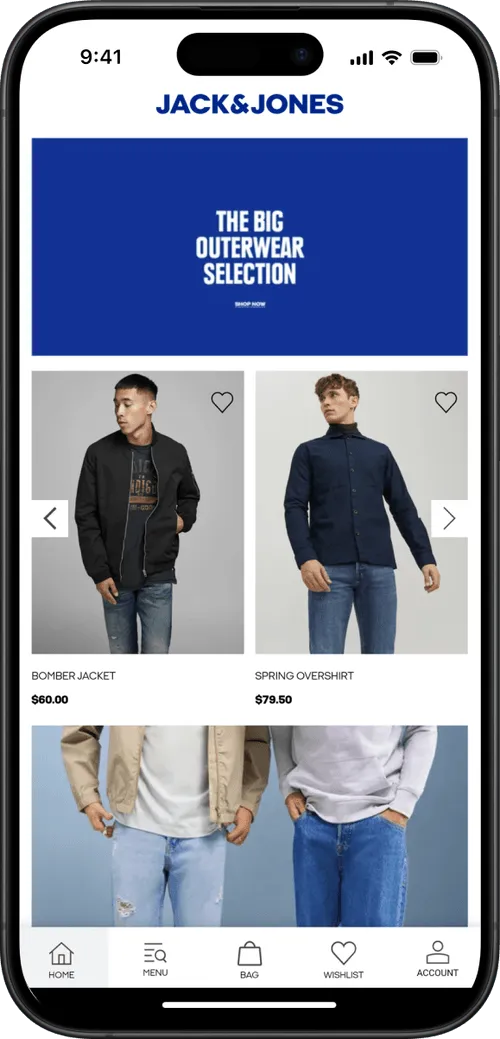
If your ecommerce platform offers PWA capabilities, you've probably considered using them.
Adobe Commerce has PWA Studio. Salesforce Commerce Cloud has its Composable Storefront (PWA Kit). Shopify has Hydrogen.
The message from every platform is the same: PWAs are the modern way to deliver mobile commerce.
And they're right, up to a point. PWAs are powerful, and they represent the modern capabilities of mobile websites. The issue? When you get to thinking a PWA is a substitute for a native app.
If you’re in ecommerce, your site should be a PWA. We can say that pretty confidently.
But that’s not all it should be.
What Is an Ecommerce PWA?
A progressive web app (PWA) is a website built with modern web technologies, that mimics some behaviors of a native app - like offline caching, push notifications, and home screen installation - while still running in the browser.
In practice, it means your ecommerce store loads faster, feels more responsive, and offers a few features that regular mobile websites can't match.
Users can add your store to their home screen without downloading anything from an app store. Pages can load even on spotty connections. You can send push notifications through the browser (on Android).
How PWAs Differ from Regular Mobile Websites
A standard mobile website is a collection of server-rendered pages. Every tap sends a request to the server, waits for a response, and renders a new page.
It works, but it can be slow. And a little clunky.
PWAs are designed to improve on that.
If you put a regular mobile website and a PWA side by side, you'd notice a few things:
- Speed on return visits. A PWA caches content locally, so pages you've already visited load almost instantly the next time. A regular website fetches everything from the server on every visit.
- No full page reloads. Tap a category or product on a PWA and the content swaps in smoothly, like an app. On a regular site, the whole page flashes white and reloads.
- “Add to home screen" prompt. A PWA can prompt users to install it as an icon on their phone. Launch it from there and it opens full-screen, with no browser address bar or navigation buttons. It looks and feels like an app (even though it's still running in the browser under the hood).
- Working offline or on bad connections. Lose your signal on a regular website and you get a dead page. A PWA can still display cached content: product pages you've browsed, your cart, category listings.
Under the hood, these capabilities come from technologies called service workers (background scripts that handle caching and offline behavior) and a web app manifest (a config file that defines the home screen icon, splash screen, and display mode).
But from the user's perspective, the difference is simple: a PWA feels faster, smoother, and more like an app.
PWA vs Headless Commerce: What's the Difference?
These terms get conflated, but they're not the same thing.
Headless commerce is an architecture where your frontend (what the customer sees) is decoupled from your backend (your product catalog, checkout, order management). The frontend communicates with the backend through APIs, typically GraphQL or REST.
A PWA is a type of frontend. You can build a PWA on a headless architecture (this is what Adobe Commerce PWA Studio and Salesforce's Composable Storefront do), but you can also add PWA features to a traditional, non-headless website.
Headless gives you architectural flexibility. PWA gives you a specific set of browser-based capabilities.
Many enterprise platforms now combine both, offering headless architectures with PWA-ready frontend tooling.
What Does a PWA Do for Your Ecommerce Store?
PWAs deliver measurable improvements across several dimensions that matter for ecommerce.
Faster Page Loads and Better Core Web Vitals
Speed is the most tangible benefit. Service worker caching means returning visitors get near-instant page loads because assets are served from the local cache rather than the network. Code splitting and lazy loading reduce initial load times for new visitors.
Pinterest rebuilt their mobile experience as a PWA and reduced Time to Interactive from 23 seconds to 5.6 seconds. First Meaningful Paint dropped from 4.2 to 1.8 seconds. The result: a 44% increase in user-generated ad revenue and a 40% increase in time spent on site.
For ecommerce, faster pages mean lower bounce rates and higher conversion. Google's data shows that as page load time goes from 1 second to 3 seconds, the probability of bounce increases 32%. From 1 to 5 seconds, it increases 90%.
App-Like Mobile UX Without an App Download
PWAs offer an “app-like experience”, without the friction of app store downloads.
When launched from the home screen, a PWA runs in a full-screen window without browser chrome, making it visually indistinguishable from a native app for basic interactions.
This matters because most ecommerce traffic today comes on mobile, and while apps provide a much better user experience, the average site visitor isn’t going to download your app.
A PWA lets you deliver a better-than-web experience to users who would never visit an app store for your brand.
Push Notifications
PWAs support web push notifications, which let you re-engage users with promotions, back-in-stock alerts, or abandoned cart reminders directly on their device.
Push is powerful. Push notifications contributed to the impact of Lancôme's PWA, which generated a 17% increase in conversions.
It is worth noting that web push is different from native push, which is what you get from a “real” mobile app. PWAs can’t match the impact of a push notification that lights up your customer’s lock screen, no matter where they are or what they’re doing.
Offline Browsing and Reliability
Service workers can cache product pages, category listings, and other static content so users can browse your catalog even when their connection drops. This is particularly valuable for brands with customers in regions with unreliable connectivity.
Jumia, Africa's largest ecommerce platform, built a PWA specifically to serve customers on 2G networks. The result: 33% higher conversion rates and 50% lower bounce rates.
For most Western ecommerce brands, offline browsing is a nice-to-have rather than a core need.
Users can browse cached pages, but they can't complete a purchase offline - and today, most people have an internet connection wherever they go, anyway. But it may still be a useful feature for some brands.
Home Screen Installation
Users can "install" your PWA to their home screen, creating a persistent shortcut that looks like a native app icon.
This reduces the steps between intent and purchase for repeat visitors.
Rakuten 24 reported a 450% increase in visitor retention after enabling home screen installation, along with a 150% increase in sales per customer.
It’s not as intuitive or as easy as downloading an app from the app store; but it can make your website a little more sticky.
Which Ecommerce Platforms Support PWA?
Most major enterprise ecommerce platforms now offer PWA tooling, either built-in or through their headless architecture. Here's what the main platforms provide.
Adobe Commerce (PWA Studio)
Adobe Commerce PWA Studio is a set of open-source developer tools for building a React-based, headless PWA storefront on top of Adobe Commerce (formerly Magento 2). It replaces the aging Luma theme with a modern single-page application that communicates with the backend through GraphQL APIs.
Key components include Venia (a reference storefront), Peregrine (React hooks for commerce logic), and UPWARD (a proxy server for routing). The result is dramatically faster page loads and a fluid mobile experience compared to traditional Magento storefronts.
Riddle's Jewelry saw a 47% increase in web traffic and a 5.7% boost in conversion rate after migrating to PWA Studio. Accent Group (Platypus Shoes) reported a 14% lift in AOV and a 68% increase in add-to-cart rate.
Salesforce Commerce Cloud (Composable Storefront)
Salesforce's Composable Storefront, built on the PWA Kit framework, is a React-based headless frontend for B2C Commerce. It runs on Managed Runtime, Salesforce's serverless hosting infrastructure, which handles scaling and deployment.
Recent additions include social login, address autocomplete, Order Management integration, and Node 22 support. Salesforce also released a PWA Kit MCP Server in late 2025 for AI-assisted development.
Shopify (Hydrogen)
Hydrogen is Shopify's React-based framework for building custom headless storefronts, hosted on Shopify's Oxygen infrastructure.
While not strictly a "PWA builder," Hydrogen supports all the building blocks for a progressive web app: service workers, offline caching, and the web app manifest.
Hydrogen is optimized for speed with server-side rendering, edge deployment, nested routes, and progressive enhancement. It integrates directly with Shopify's Storefront API and includes pre-built commerce components.
The Winter 2026 update added Storefront MCP support, letting brands build AI agents directly into their storefronts.
commercetools and Other Composable Platforms
Composable commerce platforms like commercetools, Elastic Path, and Spryker are API-first by design, which means they work with any PWA frontend framework.
Vue Storefront (now Alokai) has emerged as the most popular open-source PWA frontend for these platforms, supporting multiple backends through a unified SDK.
Ecommerce PWAs vs Mobile Apps: Is a PWA a Viable Alternative?
There’s very little reason not to turn your standard website into a PWA. Cost would be the only thing - but PWAs are not oppressively so. If you’re an enterprise brand with a web development team, it’s not a massive project.
The issue is that many people look at the “app-like experience” part and start to compare PWAs and native apps.
The thought is that you can save on the cost of mobile app development and make do with a PWA, instead of a true native app.
A PWA is not the same as a native app. It doesn’t give you the same benefits a mobile app does.
Why a PWA is Not an App Replacement
The thinking that you can replace your mobile app with a PWA is flawed. In this context, PWAs have real limitations.
- They can’t be published to the App Stores
- PWAs can’t send native push notifications (only web push; which requires the browser to send, and have limited opt-in/delivery rates)
- Cannot send push at all on iOS (PWAs are very limited on iPhone in general)
- Home screen installation is not intuitive (very few people will realistically “download” your PWA)
- They can’t tap into native device features (which you may not really need from an ecommerce app; though native push is the one major exception)
PWAs are powerful. But they’re web apps, not mobile apps.
The home screen “installation” is more like a shortcut or bookmark to the web app. And running through the browser means it doesn’t have the same functionality as an app that runs on its own.
Does Your Ecommerce Brand Need More Than a PWA?
The flaw is thinking of it as PWA vs mobile app.
Think of it as a progression:
- Standard website
- Progressive Web App
- Mobile app
A PWA can carry your mobile strategy for a time. But when you want to take retention and mobile engagement to the next level, you’ll want a true mobile app.
A mobile app lets you:
- Offer a simple download path
- Get discovered on the App Stores
- Reach customers at any time with push notifications
- Build a more custom experience for your best shoppers
The “Available on the App Store” badges hit different.
One tap to download your app works a lot better than giving customers a set of instructions for how they can put your website on their home screen.
And push is the big one. Push is the reason to launch an app; but with a PWA, you just don’t have the same reach.
When a PWA Is Enough
A PWA could be enough if:
- You're earlier-stage and mobile revenue is a small share of your total
- Your audience skews heavily Android (emerging markets, certain demographics)
- You don't have the budget for a native app yet (though it probably costs less than you think)
- You sell to an audience or in a category where a mobile app doesn’t make sense
For brands in this position, a well-built PWA on your ecommerce platform is a genuine upgrade that will improve mobile performance and conversion rates - and it’s a powerful cornerstone for your mobile commerce strategy.
Ecommerce PWA Examples and Results
The world’s biggest brands use PWAs as part of their mobile strategy. Here are some examples:
Alibaba
The world's largest B2B ecommerce platform rebuilt its mobile experience as a PWA and saw conversions increase 76% across browsers. Monthly active users grew 14% on iOS and 30% on Android. Alibaba notably runs both a PWA and native apps, using each for different segments of its user base.
AliExpress
AliExpress's PWA increased new user conversion rates by 104%, with 2x more pages visited per session and 74% more time spent per session. Like Alibaba, AliExpress maintains both a PWA and native apps.
Lancôme
Lancôme's PWA addressed a major conversion gap: mobile conversion was 15% compared to 38% on desktop. After launching the PWA, conversions increased 17%, mobile sessions grew 53% on iOS, and push notifications became a meaningful revenue driver, contributing to an 8% uplift.
Accent Group (Platypus Shoes)
Running on Adobe Commerce PWA Studio, Accent Group reported a 14% lift in AOV and a 68% increase in add-to-cart rate after migrating from a traditional Magento storefront. This is a more recent example than the commonly cited 2016-2017 case studies and demonstrates the performance gains available from modern PWA architecture on Adobe Commerce specifically.
Starbucks
Starbucks built a PWA for its ordering experience that's 99.84% smaller than the iOS app (233KB vs 148MB). This was designed for users on slow connections or limited storage who couldn't download the full native app, while the native app remains Starbucks' primary mobile channel for its loyalty program and highest-value customers.
The Complete Approach: PWA + Native App
PWAs and native apps aren't competing alternatives; they're complementary channels that serve different parts of the customer journey.
- A PWA optimizes your mobile web experience for the largest possible audience: organic search visitors, social media traffic, ad clicks, and anyone who lands on your site from a browser. It's your acquisition and first-impression layer.
- Native app creates a dedicated retention channel for your most valuable customers: repeat buyers, loyalty members, and brand fans who want a faster, deeper experience. It's your LTV and retention layer.
As David Cost from Rainbow Apparel puts it: "There are users who prefer to buy on the app and users who prefer using the browser. You can't convince one to go the other way, you need to meet them where they are."
That’s the relationship between PWAs and native apps in a nutshell. PWAs for people who don’t want to download the app; native app for those who do.
The gap? Turning your PWA into a mobile app.
How MobiLoud Bridges the Gap
What makes PWAs and mobile apps so complementary is building a PWA makes it easy to turn your site into a mobile app.
That’s what we do at MobiLoud. We extend your website into iOS and Android apps - real mobile apps with push notifications, home screen icons, the works.
And if you already have a PWA, this process is so simple.
The app inherits the bulk of your mobile website’s UI and UX, so if you’ve already built that into a PWA, you’re 95% of the way to having an app already.
MobiLoud literally bridges the gap between your PWA and it functioning as a proper mobile app.

Whether you're on Adobe Commerce with PWA Studio, Salesforce Commerce Cloud, Shopify, or any other platform, MobiLoud works alongside what you already have. And it lets you launch a mobile app for potentially 1% of the cost of a typical custom mobile app (with much lower overhead to boot).
It’s the best way to build a fast, powerful PWA, and extend that work to launch a legit mobile app for your best customers.
If you want to see how it works for your store, book a free strategy call and we'll walk you through everything.
FAQs

Convert your website into a mobile app