You built a Progressive Web App. Now you want it in the App Store and Google Play. Is this possible?
The short answer: Google Play will let you in (with some work), but Apple won't; at least not as a PWA.
That's been true for years, and it's still true in 2026. Apple's App Store Review Guidelines explicitly reject apps that are "repackaged websites," and PWAs fall squarely into that category. Google Play is more accommodating through a technology called Trusted Web Activity, but the process isn't as simple as uploading a URL.
This guide breaks down what each app store actually allows, what the official policies say, and what your real options are if you want your web app in front of users who search the App Store and Google Play.
MobiLoud can help you get your PWA into the app store in just a couple of weeks, by converting it into native apps that sync completely with your website. Book a free consultation with one of our app experts to learn more.
Can You Publish a PWA to the Apple App Store?
No. Apple does not accept PWAs in the App Store.
The App Store requires native binaries compiled through Xcode. A PWA runs in a browser engine - it's a web app, not a native binary, and Apple draws a hard line between the two.
What Apple's Guidelines Say
The relevant policy is Guideline 4.2 — Minimum Functionality in Apple's App Store Review Guidelines:
"Your app should include features, content, and UI that elevate it beyond a repackaged website. If your app is not particularly useful, unique, or 'app-like,' it doesn't belong on the App Store."
Guideline 4.2.2 goes further:
"Other than catalogs, apps shouldn't primarily be marketing materials, advertisements, web clippings, content aggregators, or a collection of links."
"Web clippings" is Apple's term for a website packaged inside a web view - which is exactly what a PWA wrapper is.
When Apple rejects these apps, the review team typically responds with something along the lines of: "Your app is not sufficiently different from a mobile web browsing experience."
What About Wrapping a PWA in a Native Shell?
Technically, you can embed a PWA inside a WKWebView and submit that to the App Store. But the app still has to pass Guideline 4.2.
If Apple's reviewers determine that it's essentially a website in a thin native wrapper, it gets rejected.
The apps that do pass review are the ones that genuinely add native functionality: push notifications that work through Apple's own notification system, native navigation, deep linking, and other features that make the experience feel like a native app rather than a browser window without an address bar.
Learn more: Native Apps vs WebView Apps
The EU PWA Controversy
In February 2024, Apple attempted to remove Home Screen web app functionality entirely for users in the EU, as part of their Digital Markets Act (DMA) compliance changes for iOS 17.4. Their stated reasoning:
"Addressing the complex security and privacy concerns associated with web apps using alternative browser engines would require building an entirely new integration architecture that does not currently exist in iOS."
After significant backlash from developers, the Open Web Advocacy group, and the European Commission, Apple reversed the decision in March 2024:
"We have received requests to continue to offer support for Home Screen web apps in iOS and iPadOS, therefore we will continue to offer the existing Home Screen web apps capability in the EU."
The incident highlighted how fragile PWA support is on Apple's platforms; the company was willing to remove it entirely, and only public pressure brought it back.
Can You Publish a PWA to Google Play?
Yes, through Trusted Web Activity (TWA). Google has officially supported this since Chrome 72 in February 2019.
What Is Trusted Web Activity?
From Google's Android developer documentation:
"Trusted Web Activity is a new way to open your web-app content such as your Progressive Web App (PWA) from your Android app using a protocol based on Custom Tabs."
TWA is not a WebView. It uses the actual Chrome browser engine and renders your site exactly the way users see it in Chrome, but without any browser UI.
The key characteristics, per Google's documentation:
- Trust: The app and website must be verified as coming from the same developer, through Digital Asset Links.
- Web rendering: Content is rendered by the user's browser, in the same way a user would see it in Chrome.
- Independent updates: The browser is updated independently of your app - you don't need to ship app updates when you change your website.
Google's Quality Requirements
Getting into Google Play via TWA isn't just a packaging exercise. Google enforces real quality standards:
- Your PWA must meet installability criteria (manifest with proper icons, HTTPS, service worker with a fetch handler)
- Minimum Lighthouse performance score of 80/100
- Digital Asset Links must verify your domain ownership
- You need a Google Play Developer account ($25 one-time fee)
Since Chrome 86, Google has also enforced stricter quality checks. Three conditions are treated as application crashes in Android Vitals:
- Failure to verify Digital Asset Links at launch
- Failure to return an HTTP 200 for an offline network resource request
- An HTTP 404 or 5xx error in the app
From the Chromium blog:
"Apps which fail to meet TWA quality requirements or Play store policy may be denied entry or delisted."
Tools for Packaging Your PWA for Google Play
You don't build a TWA from scratch. You use a tool that takes your PWA's URL and generates the Android app package with the TWA configuration baked in.
There are two main options:
Bubblewrap
Google Chrome Labs' official CLI tool. It generates Android App Bundles (AAB) from your PWA, handles JDK and Android SDK setup, and supports features like push notification delegation and geolocation. It's free, but requires comfort with command-line tools.
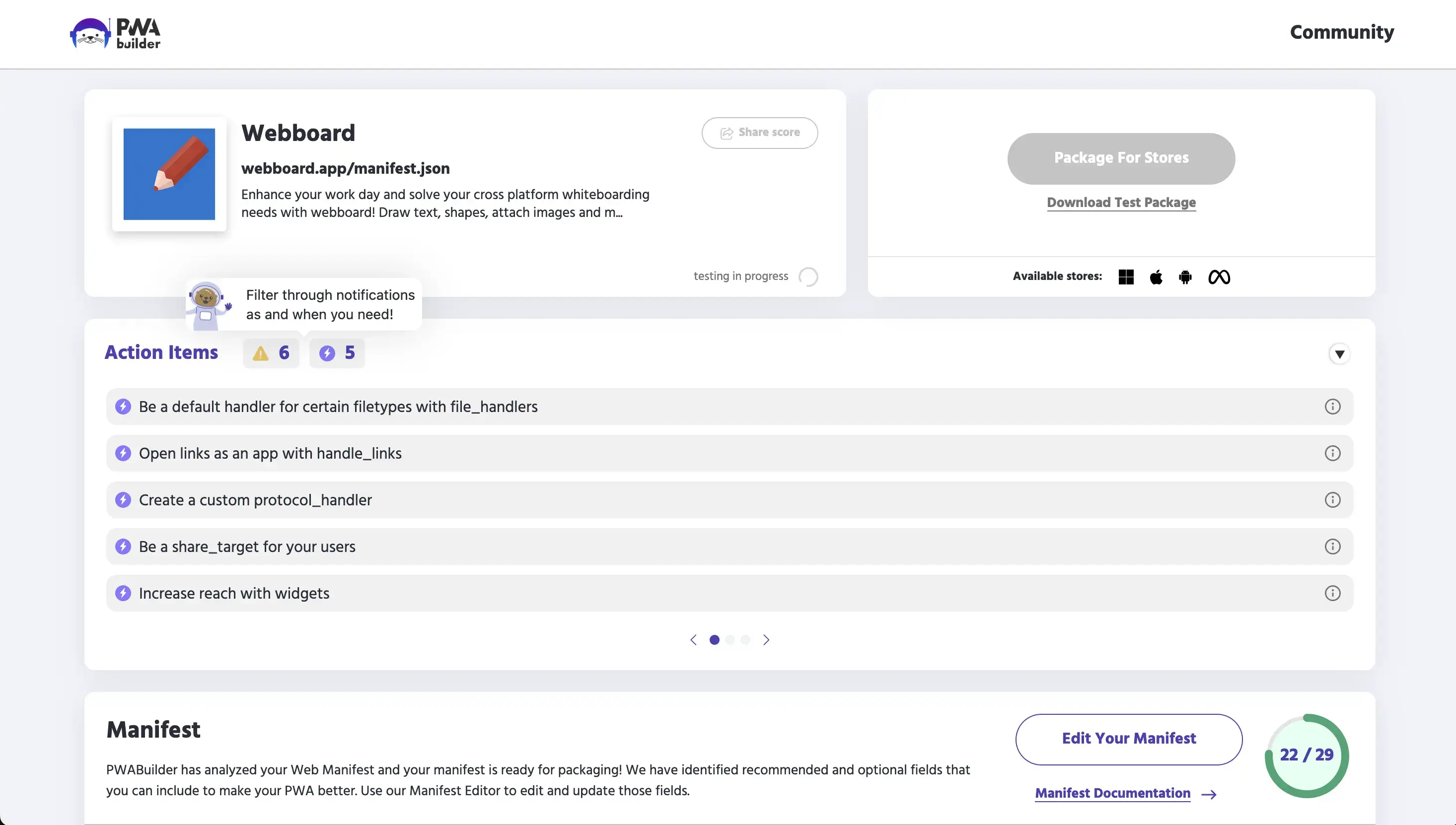
PWABuilder
Microsoft's GUI-based tool. It uses Bubblewrap under the hood but provides a visual interface.
You enter your PWA's URL, configure options, and it generates your Android package. It also supports iOS and Windows packaging, though the iOS output faces the same App Store approval challenges described above.
The Catch
Even though Google Play accepts PWAs, the resulting app is still fundamentally a web app.
You're limited to what the browser engine supports. That means the features you can offer (and the experience users get) depend on the browser, not on your code.
Why Publishing a PWA to App Stores Is Only Half the Problem
Getting listed is one thing. Delivering an experience that keeps users coming back, and that competes with truly native apps, is another.
PWAs have real limitations that don't go away just because the app is distributed through a store.
Push Notification Limitations
Push notifications are the single biggest reason ecommerce brands want an app in the first place.
PWAs technically support push notifications on both platforms now (iOS added support in iOS 16.4), but the real-world performance gap is significant.
On iOS:
- Push only works if the user has manually installed the PWA to their Home Screen via Share > Add to Home Screen
- There is no automatic install prompt. Users have to know how to do this themselves
- Opt-in rates for PWA push notifications are 10 to 15x lower than for native app push notifications, largely because of this multi-step process
- Silent or data-only push (for pre-fetching content in the background) isn't supported
On Android, PWA push works well and the gap with native is smaller, but there are still differences in reliability and the ability to reach users with their device locked or in power-saving mode.
iOS Data Eviction
This one surprises a lot of people. On iOS, Safari can evict all cached PWA data, including saved carts, offline content, and user preferences, after just 7 days of inactivity.
There's no workaround on the web side. If a customer doesn't open your PWA for a week, they may come back to a blank slate.
Native apps don't have this problem.
No App Store Discovery (Even on Google Play)
A PWA published via TWA shows up in Google Play search results, but it doesn't benefit from the same discovery mechanisms as native apps.
There are no ratings or reviews tied to the app store listing in the same way, no featured placement, and the app's credibility signals are limited compared to a fully native app.
On iOS, there's no app store presence at all. Your PWA is invisible to anyone searching the App Store.
Limited Payment Integration
On iOS Safari, the Payment Request API only supports Apple Pay. There's no native in-app purchase integration, and checkout flows tend to be less seamless than what native SDKs provide.
The trade-off: you also avoid the 15-30% app store commission on transactions. For some businesses, that math works out. For others, the friction in checkout conversion outweighs the savings.
What Actually Works: Your Real Options
If you want your web-based business in both app stores with an experience that actually performs, here are the practical paths.
1. Publish to Google Play via TWA (Android Only)
Use Bubblewrap or PWABuilder to package your PWA for Google Play. This is a viable, Google-supported approach, and it's free aside from the $25 developer account fee.
It works well for brands that only need Android coverage, have technical resources to handle the packaging and maintenance, and are comfortable with the limitations of browser-based features.
But keep in mind this doesn't solve iOS at all. And you're still delivering a web experience - you don't get native push notification performance, background processing, or the other capabilities that make native apps stickier.
2. Use PWABuilder for Both Platforms
PWABuilder can generate packages for both Android (via TWA) and iOS (via a WebView wrapper).
The Android side works well. The iOS side is where things get complicated - the output may not pass Apple's Guideline 4.2 review without additional native functionality.
It can be viable for technical teams willing to iterate on the iOS submission and potentially add native features to pass review.
However, Apple rejections are common with this approach, and each rejection-resubmission cycle takes days to weeks.
3. Convert Your Website Into a Native App
Instead of trying to squeeze a PWA through app store gates, smart businesses take a different approach: they turn their existing website into a full native app that uses their site as the foundation while adding genuine native capabilities.
This is what MobiLoud does.
Rather than wrapping a PWA in a thin shell and hoping it passes review, MobiLoud extends your existing website into native iOS and Android apps with real native features - push notifications through Apple and Google's native systems, deep linking, native navigation, and the full app store presence that comes with a genuine native binary.
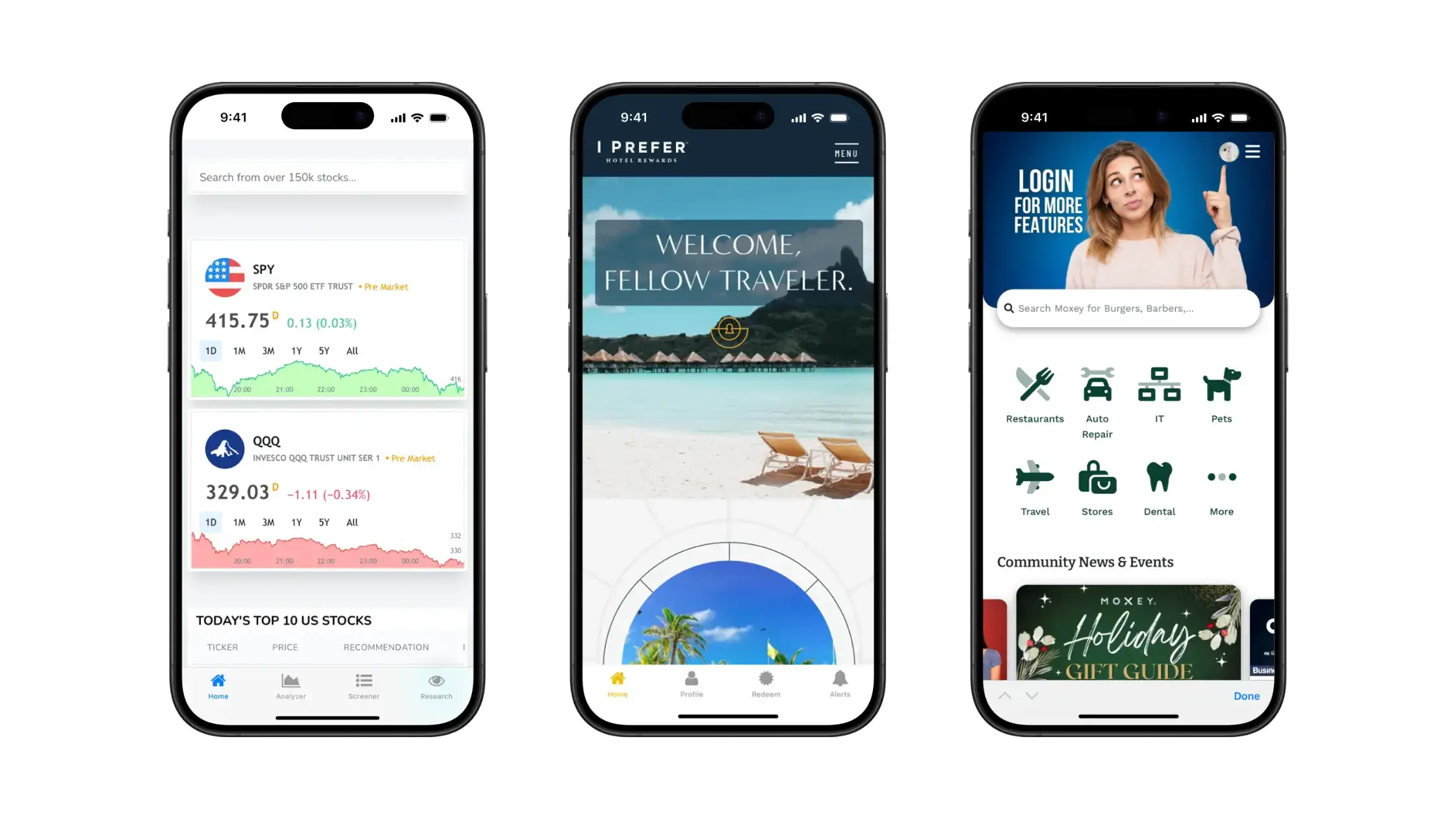
The key difference from a PWA wrapper: the apps MobiLoud builds actually pass App Store review because they include the native functionality Apple requires.
Your website's content and functionality carry over, but the delivery mechanism is native.
MobiLoud handles the entire build and submission process, including app store approval. For ecommerce brands that have already invested in their website and don't want to rebuild from scratch on a separate platform, this tends to be the most direct path to both app stores.
Want to see what’s possible? Get a free preview of your PWA as a mobile app.
Summary: PWA App Store Compatibility at a Glance
| Apple App Store | Google Play Store | |
|---|---|---|
| PWA accepted directly? | No | Yes, via TWA |
| Official policy | Guideline 4.2 blocks "repackaged websites" | Supported since Chrome 72 (2019) |
| Packaging tool | N/A | Bubblewrap, PWABuilder |
| Quality requirements | Must include native features beyond web | Lighthouse 80+, Digital Asset Links, Service Worker |
| Push notifications | PWA push limited; native required for reliable delivery | PWA push works, but native is more reliable |
| Cost | N/A | $25 developer account |
| Practical for ecommerce? | No — PWAs can't get listed | Possible, but limitations affect retention |
Frequently Asked Questions
Does Apple allow PWAs in the App Store?
No. Apple's Guideline 4.2 requires apps to "include features, content, and UI that elevate it beyond a repackaged website." PWAs wrapped in a WebView are routinely rejected. To get into the Apple App Store, you need a native app binary with genuine native functionality.
Can I publish a PWA to Google Play?
Yes. Google supports PWAs in the Play Store through Trusted Web Activity (TWA). You'll need to package your PWA using a tool like Bubblewrap or PWABuilder, meet a minimum Lighthouse score of 80, and set up Digital Asset Links to verify domain ownership.
What is Trusted Web Activity (TWA)?
TWA is a Google-supported protocol that lets you display your PWA content inside an Android app without browser UI. Unlike a WebView, TWA uses the full Chrome rendering engine. The app and website must be verified as coming from the same developer.
Do PWA push notifications work on iOS?
Push notifications were added to PWAs on iOS in version 16.4 (March 2023), but they only work if the user has manually installed the PWA to their Home Screen. There's no install prompt, and opt-in rates are significantly lower than native app push notifications.
What's the cheapest way to get my web app in both app stores?
For Google Play, packaging your PWA via TWA using Bubblewrap is free (beyond the $25 developer account). For the Apple App Store, there's no free path — you need a native app that passes Apple's review guidelines. Services like MobiLoud handle both stores by converting your website into native apps.
Will Apple ever accept PWAs in the App Store?
There's no indication that Apple plans to change Guideline 4.2. The 2024 EU controversy, where Apple tried to remove even Home Screen PWA support before reversing course, suggests the company views PWAs and the App Store as fundamentally separate. The most reliable path to the App Store remains building or converting to a native app.
Get Your PWA in the App Stores
MobiLoud is the most effective way to get your PWA in the app stores, while also building upon your PWA to provide a more complete mobile user experience.
You’re more assured to get your apps approved, because you’ll get an app that’s more than just a repackaged website (which is exactly what Apple, in particular, wants from apps on their app store).
With more than 2,000 successful apps built over the course of 10 years, we’ve got the experience to know what needs to be done to give your app a native experience.
You can go live in a number of weeks. It does come with a cost, unlike the free options provided by Google and Microsoft, but you get all the work done for you, including ongoing technical support for your mobile apps.
If you’re looking for a way to get in the app stores that’s more than just a workaround, MobiLoud is for you.
To learn more, book a free consultation now. We’ll walk you through the process step-by-step, show you a preview of your mobile apps, and help you to understand if MobiLoud is the right option for you to get your PWA in the app store.