If your store is on Shopify, your products may already be in Shopify’s Shop app, where customers can find you, buy from you and track their orders on their phones. That raises a fair question for an established brand: do you still need an app of your own?
Building a mobile app is a real commitment, and Shop already does a lot. But the two do different jobs, and whether you need both comes down to whether your returning customers would get something from your own app that Shop can’t give them.
What Is the Shop App?
The Shop app is Shopify’s free shopping app for consumers. Shoppers use it to discover products from Shopify stores, buy them and track their orders, including orders placed on your own website.
Each brand in it has a Shop Store, a storefront inside the app that the brand can customize. Shopify designs and runs the rest of the app, from search to the notifications shoppers receive.
Shop isn’t the same as Shop Pay, although the names overlap. Shop Pay is Shopify’s accelerated checkout: it saves a customer’s payment and shipping details and works both on your store and in the Shop app. Turning it on speeds up checkout, but it doesn’t give your brand an app.
Does the Shop App Replace Your Own App?
No. Shop may cover your mobile needs today, but it doesn’t give you an app of your own. You can keep selling through Shop and add one when returning customers have a reason to use it.
A branded app is an app that belongs to your brand. It’s listed in the App Store and Google Play under your brand’s name and opened from your icon on a customer’s phone. Because it’s separate from Shop, getting people to install it and keep opening it is up to you.
The difference is easiest to see if you think of Shop as a channel, like selling on Amazon or showing up in ChatGPT. Your brand benefits from being where shoppers already spend time, but the place itself belongs to someone else.
Your app, on the other hand, is an asset you own. You decide what it’s called, what customers see when they open it and how it’s organized, within what your app platform and the app stores allow.
The two can work together. Shoppers can keep discovering and buying from you in Shop, while the customers who come back to you regularly get a dedicated app, as long as it’s useful enough that they choose it.
What the Shop App Does for Your Brand
Shop is worth taking seriously on its own terms. It gives your customers discovery, checkout and order tracking without you building anything, and much of it works by default.
Getting found in Shop
Shopify lists eligible stores and products in Shop automatically, and products in Shopify Catalog can be discoverable there even if you’ve never installed the Shop channel. There are separate requirements for appearing in Shop and for selling directly inside it, and being listed doesn’t guarantee prominent placement.
So for an established store, the first step may be reviewing a presence you already have. Look at how your brand appears, which products shoppers can find, and whether they can check out inside Shop or are sent to your store to buy. That’s worth doing whether or not you ever launch an app.
Reasons for shoppers to come back
Between purchases, shoppers can follow stores, save products and organize them into collections, and Shop Cash rewards them on eligible purchases. Some features are limited by country or by how the purchase is made, so check what your customers can actually use.
After checkout, Shop sends order-status updates and delivery notifications. Track with Shop is on by default for Shopify stores, so unless you’ve changed the setting, your customers may already be following your deliveries there.
Removing the tracking link from your emails won’t stop customers tracking orders in Shop, and it doesn’t affect whether you’re listed.
Marketing and customization tools
Shop also gives you marketing tools for bringing customers back: shoppable posts that feature your products and collections, post-purchase automations that offer in-app discounts, and settings for storefront-activity reminders. That makes it a retention tool as well as a way to reach new customers.
You can customize your Shop Store well beyond a logo, including store details, headers, collections, navigation, filters and how product pages look, and you can sync supported homepage content from your online store. It all works within the structure Shopify provides, but it’s enough to make your storefront recognizable.
What it costs to sell on Shop
Very little extra. Shopify says Shop charges no marketplace listing fees or commissions. Your usual Shopify plan and payment fees still apply, and Shop Campaigns, its optional advertising program, costs extra.
Your brand’s app, by comparison, has to be built, maintained and promoted.
How a Branded App Is Different
The most visible difference comes before a shopper sees a single product: the icon they tap. In Shop, they open Shopify’s app and find your storefront among other brands. In your app, they tap your icon, and everything they see belongs to your brand.
| Shop app | Your app | |
|---|---|---|
| Whose app it is | Shopify’s app, with your Shop Store inside it | Your app, under your brand’s name and icon |
| How customers find you | Shop’s search and browsing, if you’re eligible; placement isn’t guaranteed | You promote it yourself; Shop’s audience doesn’t carry over |
| What you control | Your storefront and marketing settings, within what Shop supports | The whole app, within what your app platform supports |
| Messaging | Shop’s marketing tools; Shopify controls some notifications | Your own push notifications, where supported, to customers who opt in |
| Customer records | You keep them | You keep them |
| Cost | No listing fees or commissions; plan, payment and campaign costs apply | Build, running and promotion costs, and customers have to install it |
Customers open your app, not Shopify’s
Someone who taps your icon has chosen to come back to you specifically. For them, the app is a shortcut to a brand they already buy from.
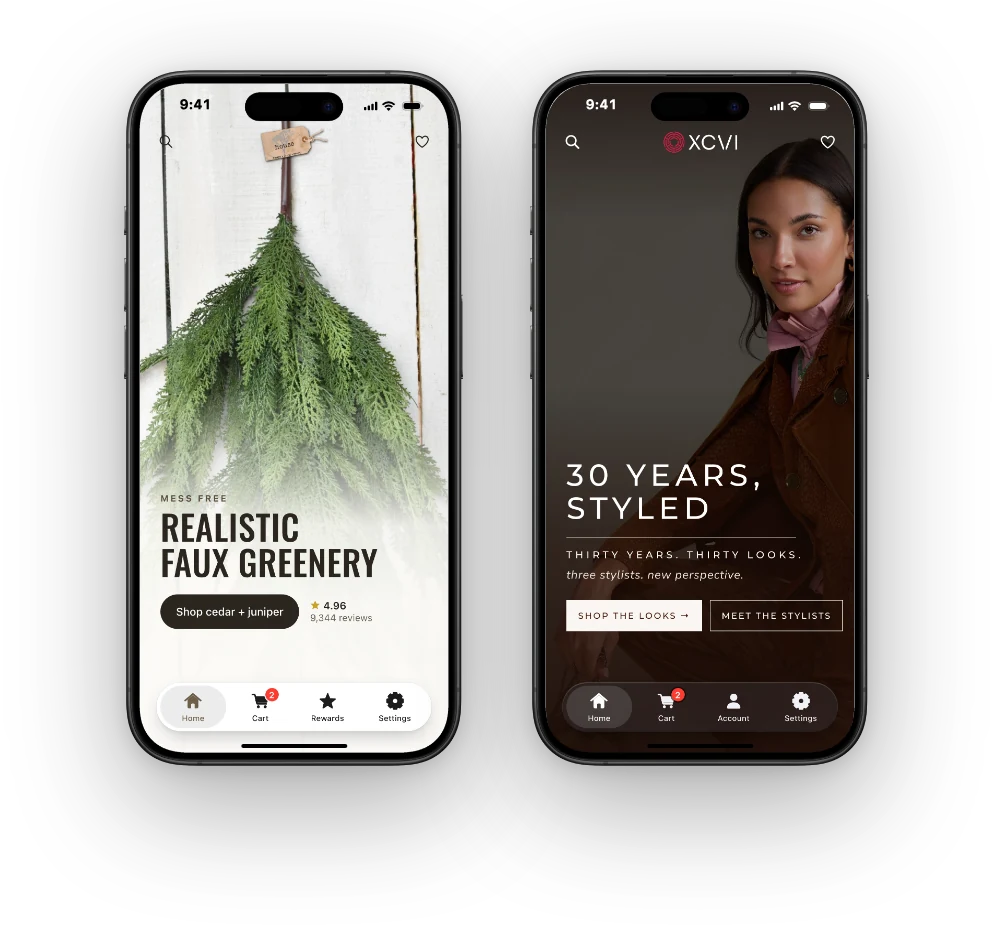
For your team, it’s a place to decide what returning customers see first, such as new arrivals or the collection you’re featuring that week. Putting your logo on another shopping screen is only the starting point; those decisions are where the value comes from.
It also matters how much of your store makes it into the app: how you organize collections, explain products and guide people through checkout. A good branded app keeps all of that and builds on it. When you compare options, ask to see your own store running in the app rather than a generic demo.
You decide what customers hear from you
In Shop, you have marketing tools, but Shopify controls some of what your customers receive. When a shopper saves one of your products, for example, Shop sends its own price-drop and back-in-stock alerts, and you can’t customize them or see which products were saved.
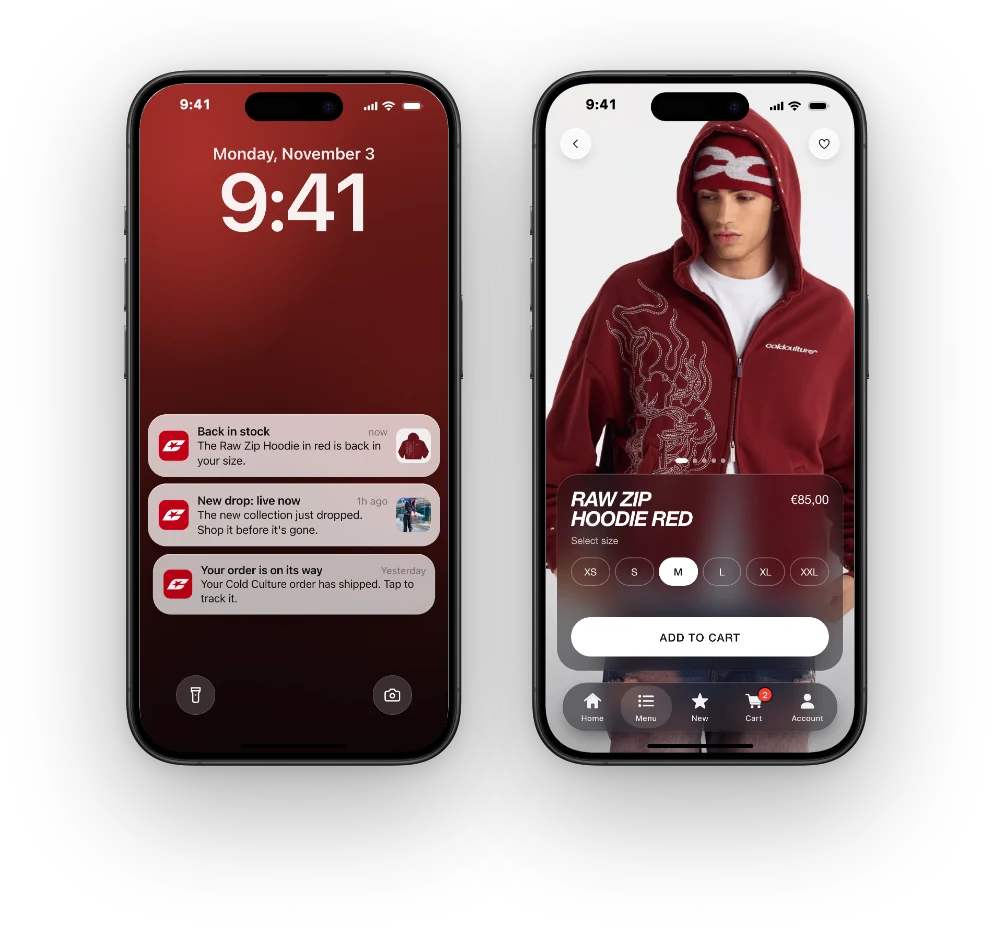
In an app of your own, push notifications become part of your marketing, for customers who allow them. You decide what deserves a message, who gets it and which page it opens, whether that’s a restock or a new collection.
You keep your customer records either way
Shop doesn’t take your customers away. Shopify says merchants keep each customer’s email, purchase history with their brand and marketing opt-in records when they buy through Shop.
So the case for a branded app isn’t about winning customers back from Shopify. It’s about what a dedicated place to shop would let you do for the customers you already have.
What an app can contribute
One luxury fashion brand we studied for our 2025 Ecommerce Mobile App Benchmark Report had 7% of its users on the app, and those users accounted for 20.7% of its revenue. That’s one brand rather than a forecast, but it shows how much a relatively small group of app users can be worth.
When Is a Mobile App Worth It for Your Brand?
It comes down to your customers and what an app would do for them.
What would the app do better?
Look at why people come back to your store, what they try to do on their phones and where the current experience falls short. Your order history and customer feedback are good places to start.
Then write down what the app would improve, in words a customer would use: quicker access to a store they buy from regularly, say, or an easier way to browse the products they come back for. Make sure the app you’re considering can deliver it before you promise it to customers.
Why would customers install it?
A returning customer can like your brand and still be happy with your mobile site or with Shop. Downloading another app takes effort and space on their phone, so you need a clear answer to why it’s worth it, and the app has to keep delivering after the first visit.
Your returning customers are the people to ask, and the people you can tell about the app through your email list, your website and the other channels you already use.
Who will run it?
Someone on your team should own the app’s promotion and push notifications, and keep an eye on how it’s performing. How much other work it adds depends on how it’s built.
An app that runs on your store updates along with it, while one built as a separate version of your store has to be maintained alongside it.
How will you measure it?
Decide before launch. Installs show early interest; repeat visits and purchases show whether customers keep finding the app useful.
Some app revenue will be purchases that would otherwise have happened on your website, but not all of it, and having those sales come through a channel you own is a benefit in itself.
Building Your Brand’s App with MobiLoud
If you’ve decided it’s time for your own mobile app, building it is what we do at MobiLoud. We turn Shopify stores into custom native iOS and Android apps, powered by the store you already run.
Products, collections, menus, checkout and the tools you’ve added to your store come from the same code as your website, so your team keeps managing everything in Shopify and the app stays in step. We design, build and publish the app, and handle native updates and app store policy changes. The app and its store listings are yours.
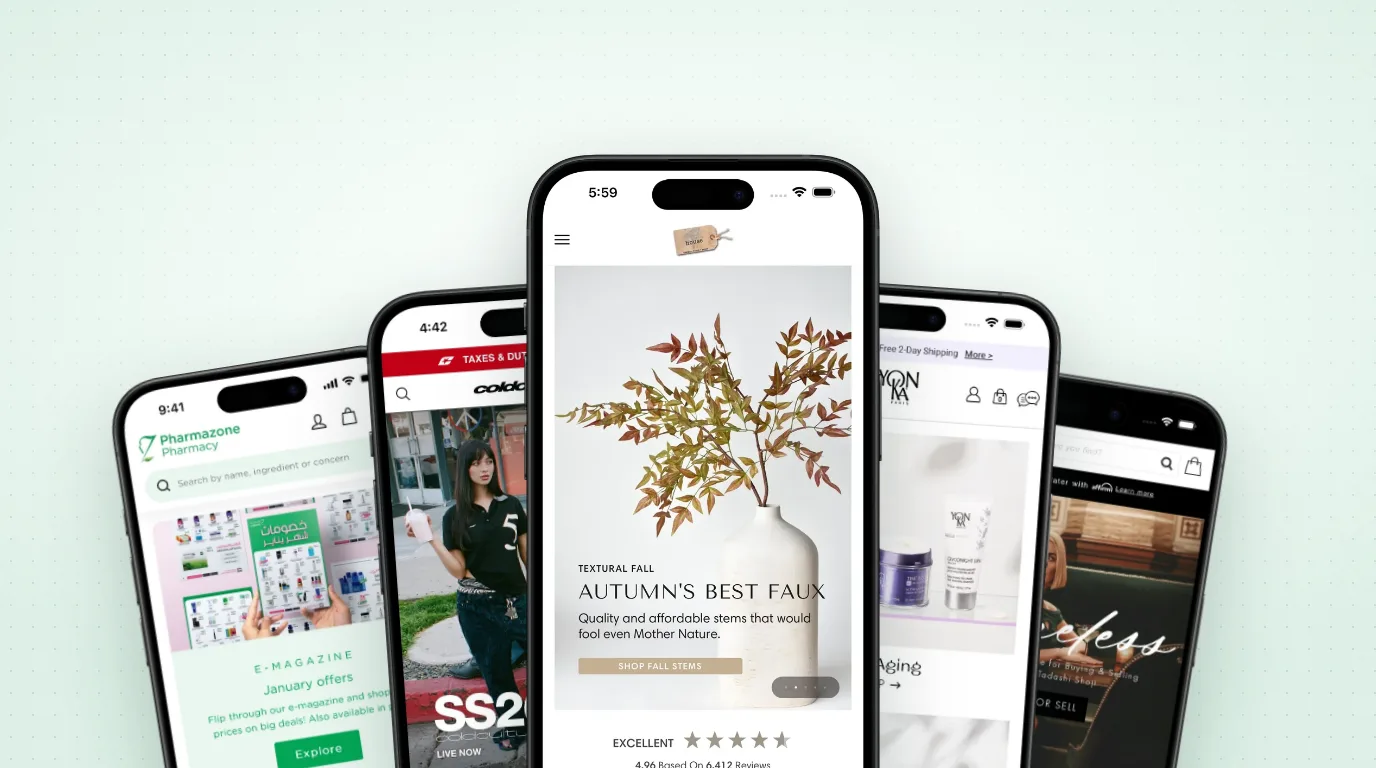
We’ve helped Shopify brands like Cold Culture, Tadashi Shoji and Yon-Ka Paris launch their own apps this way, and most brands go live in 2 to 4 weeks.
So, Do You Need Both?
Shop may be enough for now if it covers the shopping and post-purchase needs you care about and you can’t name a good reason for customers to install a separate app. You can keep improving your Shop presence and your mobile store while you learn what returning customers want.
Your own app makes sense alongside Shop when you have customers who come back regularly, something specific the app would do better for them, and the time and budget to promote it. You don’t have to choose between the two.
Discovery, tracking and repeat purchases can keep happening in Shop, while the customers who want a closer relationship with your brand use your app.