Your customers shop with you in two places. Some come into your stores every week, some only ever buy from your website, and many of your best customers do both.
The hard part is the time between visits. A customer leaves your store with a receipt and a loyalty card, and your next chance to reach them is an email in a crowded inbox or a website they have to remember to open.
A retail app gives both sides of your business one place on your customers’ home screens. Their account, rewards and nearest store sit one tap away, and a push notification can bring them into a store this weekend or back to your website tonight.
This guide covers what a retail app should do for a business with stores and a website, how to use it to move customers between the two, how to get your store customers to download it and how to build one.
Why Does a Retailer With Stores Need an App?
A retail app is the one channel that travels with your customers from your store to their sofa. Your website is where new shoppers find you, and your stores are where people see and try what you sell.
The app is for the regulars who come back to both. It keeps your brand on their home screen between visits, with their account and rewards a tap away.
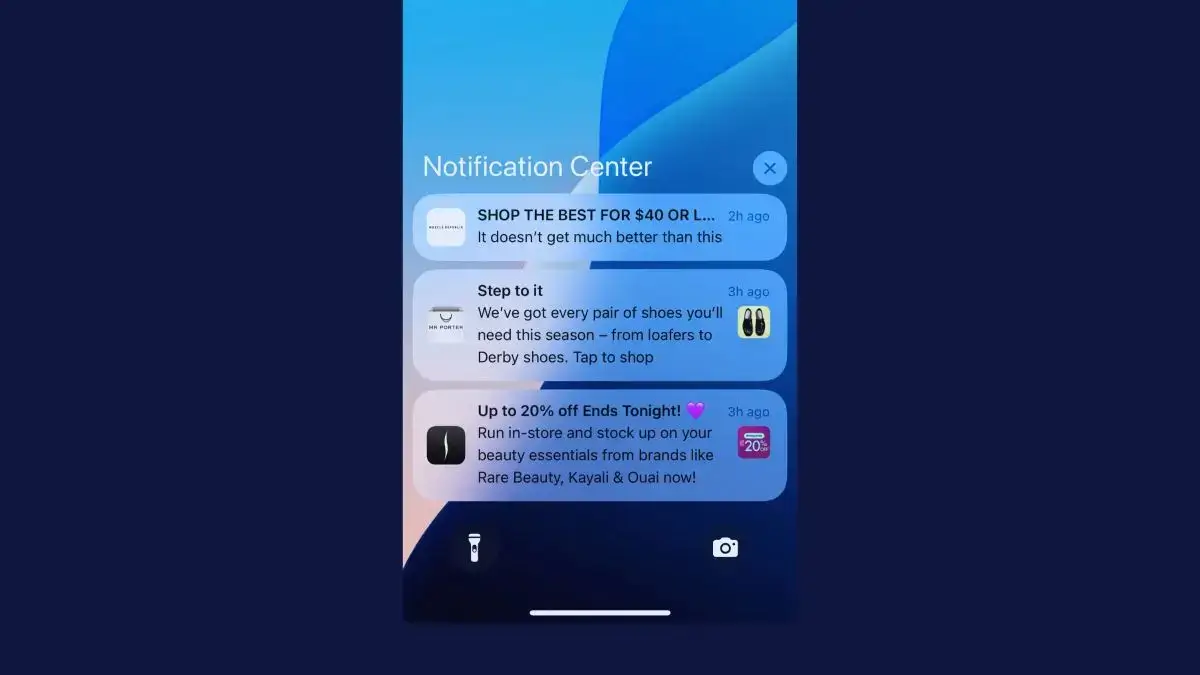
It also gives you a direct line to them. Push notifications land on the lock screen, cost nothing per message and can promote a store event as easily as an online sale.
Your app customers tend to be your most valuable online shoppers. In our Ecommerce Mobile App Benchmark Report, app shoppers converted at 1.7 to 3 times the rate of mobile web shoppers, and their lifetime value was 2.8 to 5 times that of web-only customers.
For a retailer, that makes the app a way to grow the online side of the business. HouseFloral began as a brick-and-mortar business and now splits its revenue almost evenly between its store and its website.
Its app puts the latest collections on customers’ home screens, with their rewards one tab away.
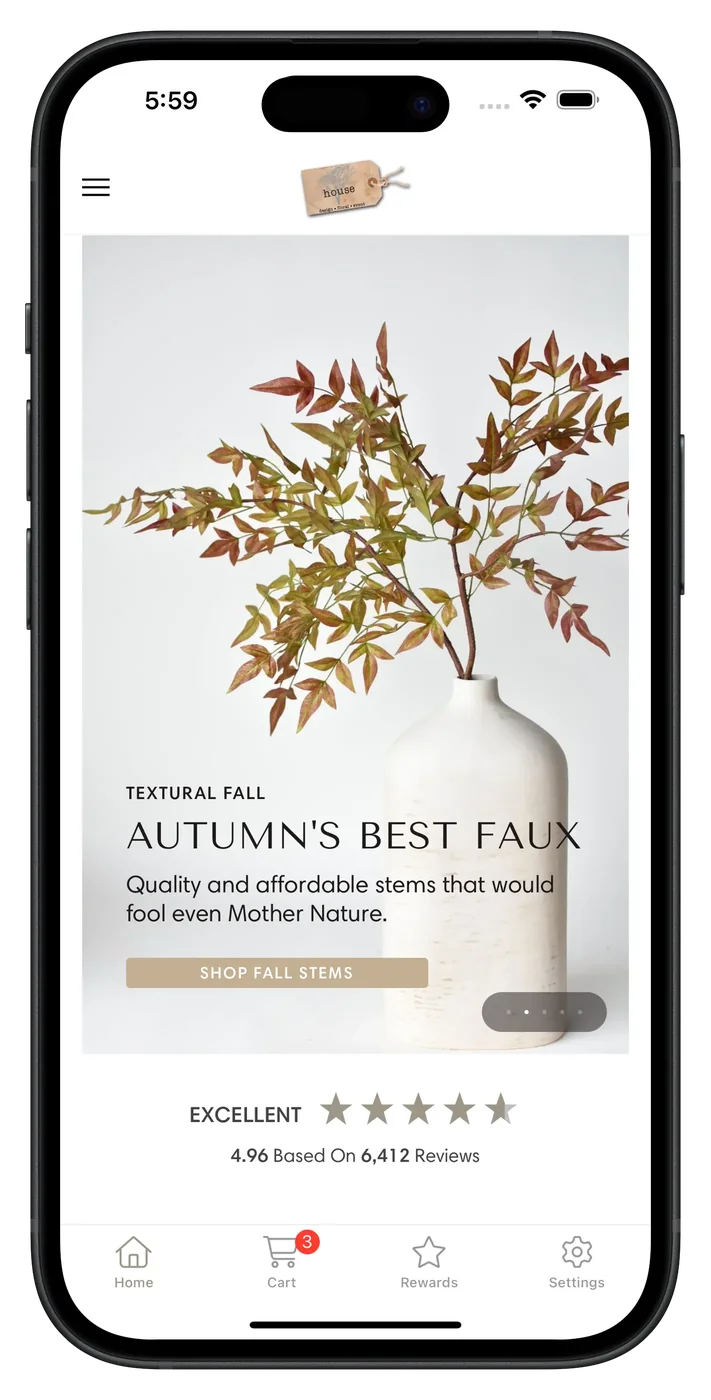
"The app is becoming a crucial part of how we grow the online side while maintaining those personal connections that made our store successful in the first place."
Not every customer will download your app, and they don’t need to. The customers who use retail apps are usually your most loyal, so a small share of downloads goes a long way.
What a Retail App Should Do
A retail app needs everything a good shopping app has, from search to a fast checkout, plus the features that tie it to your stores. These are the ones that matter most for a business with stores and a website.
A Store Finder and a Home Store
A store finder gets customers from your app to your door, with each location’s address, opening hours and phone number. Letting customers pick a home store goes further, so the prices, stock and offers they see match the store they actually visit.
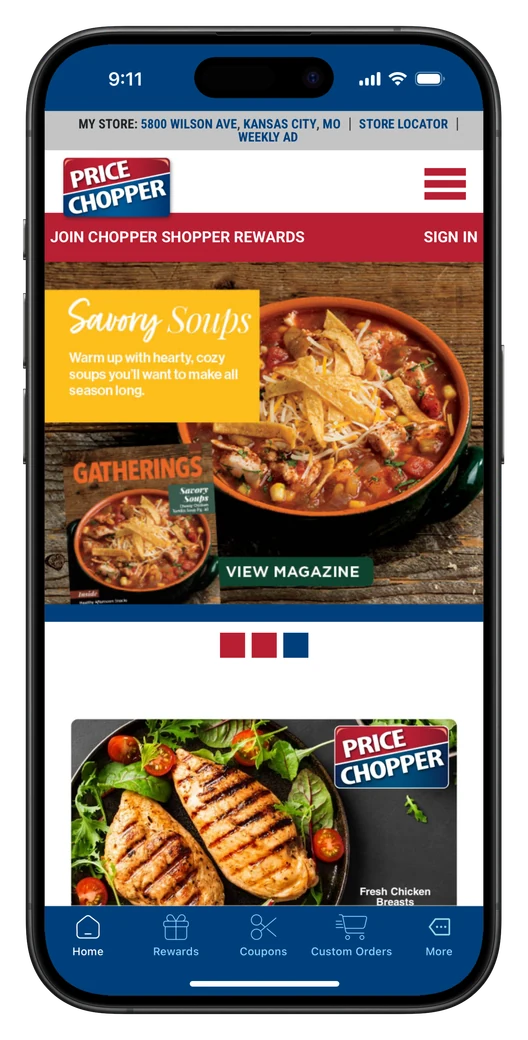
Price Chopper, a grocery chain in the Kansas City area, shows the shopper’s chosen store at the top of its app’s home screen, next to links to its store locator and its weekly ad.
If your website shows stock by store, your app should too. A customer who can see their size on the shelf at their nearest store has a reason to make the trip.
Click and Collect
Click and collect, or buy online and pick up in store, turns an online order into a store visit. Customers order in the app and choose a store and a pickup time, then collect the order on their way home.
Keep the whole order inside the app. Price Chopper’s old app sent customers to an external browser to place an order, so bringing online ordering into the app was one of the biggest improvements when the grocer replaced it.
Its customers now browse, choose a pickup date and time and complete their order without leaving the app.
Your Loyalty Program
Your loyalty program gives store customers one of the best reasons to download your app. Points, rewards and member prices are easier to use in an app than on a plastic card.
Your app should run the program as it works today, with the same account, the same balance and the same ways to earn and redeem. If your program already counts store and online purchases in one account, customers see one balance wherever they shop.
Bottle Stop, an Australian liquor retailer with its own bottle shops, runs its Yotpo points program in its app, where customers see and redeem their points at checkout as they do on its website. Some brands also give extra points for orders placed in the app, as Yon-Ka Paris does.
Learn more about bringing your loyalty program into your app
Weekly Deals and App-Only Offers
Deals give customers a reason to open your app before they leave the house. Your weekly ad, digital coupons and member prices are easier to check in an app than in a flyer, and each deal can link straight to the product.
App-only offers give people a reason to download the app in the first place. GSF Car Parts, which sells through more than 200 stores and its website, wanted its app to give customers better prices than its website, and built a page of products sold only in the app.
Offers can bring app users into your stores, too. An in-store event for app customers or a coupon they show at the register gives them a reason to visit in person.
Bringing Customers Into Your Stores and Back Online
Push notifications are how your app sends customers in both directions. One message can bring a shopper into a store this weekend, and the next can bring them back to your website for something they can only get online.
Each notification opens your app, where nothing else competes for the customer’s attention. For Bottle Stop, that’s what makes push work.
"When you're on a browser you're jumping between websites, you can quickly lose your focus and you're off somewhere else. When we send a push notification, they're in the app, they're in a walled environment and we have their attention captured."
Push Notifications That Bring Customers Into Your Stores
Send a push notification for the reasons people visit a store:
- A new store opening near them
- In-store events, launches and appointments
- This week’s deals and your weekly ad
- A new collection to see and try on in person
- An order that’s ready to collect
Each one gives customers a reason to make the trip, instead of waiting until they happen to pass a store.
Push Notifications That Bring Customers Back Online
Between store visits, push notifications keep customers shopping online:
- New arrivals and restocks
- Products and drops you only sell online
- Abandoned cart reminders
- Reminders to reorder products that run out
- Loyalty updates, like points about to expire or a reward ready to use
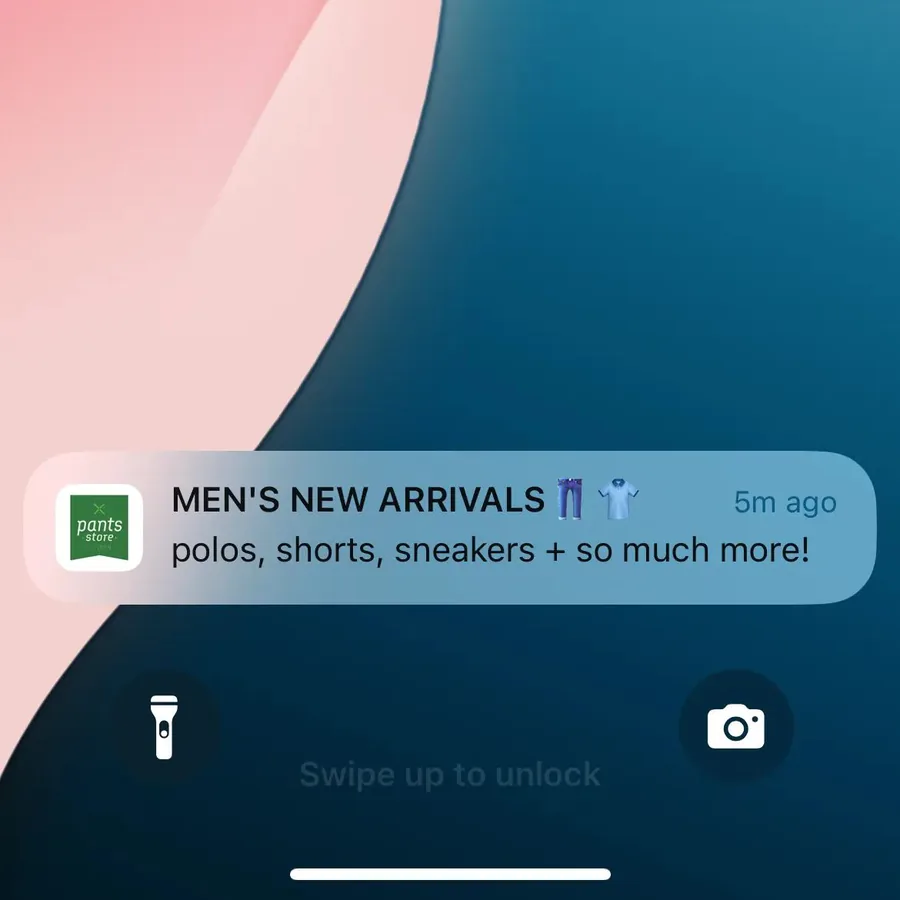
The Pants Store, a clothing retailer whose website outsells most of its six stores, announces new arrivals with push notifications like this one.
Push Notifications for Each Store
If customers choose a home store on your website, your developers can pass that choice to your push platform as a tag. A store opening, a local event or a regional deal then reaches only the people who shop there.
How Do You Get Store Customers to Download Your App?
Your stores are the best place to win app downloads, because the people in them have already chosen to shop with you. Make the app part of every visit:
- QR codes at the register, on receipts, on shopping bags and on shelf and fitting room signs
- Staff who mention the app at checkout and show customers what’s in it
- A reason to download it today, like a first-order offer or the loyalty card moving into the app
- In-store events or early access just for app users
It doesn’t take much. After launch, John Varvatos promoted its app with QR codes in its stores and smart banners online, and saw more customers using the app and spending more time and money in it.
Online, a smart banner on your mobile site and an announcement to your email and SMS lists reach the customers who rarely visit a store.
Learn more about driving app downloads for your store
How Do You Build a Retail App?
The quickest way to build a retail app is from the website you already run, with MobiLoud.
MobiLoud transforms your website into a custom native app, powered by the same underlying code as your website. The parts of your site that serve your stores, from the store finder and pickup slots to your loyalty program and weekly deals, are in your app from launch day.
On top of that, your app adds what a website can’t: native navigation designed for the app, push notifications, pages and offers just for app users and a place on your customers’ home screens.
Your app is built with your website, not separate from it. A new store, a new pickup option or a change to your loyalty program goes live on your site and in your app together, so nothing is rebuilt or updated twice.
That’s why Price Chopper built its new app this way when it replaced its old one: it needed a new app on a tight timeline, without pulling its developers off the website.
"MobiLoud was a viable option because it gave us a quick-to-market approach while preserving our ability to improve the experience over time. Enhancing the website also enhances the mobile app."
Our team builds and publishes your app and maintains it through every iOS and Android update. We also work with you on your launch and your push strategy, and most apps go live in a few weeks.
Final Thoughts
Your stores and your website already serve the same customers, and an app is the one place where both can reach them. It puts their nearest store, your loyalty program and your latest offers in their pocket, and push notifications bring them back, through your door or to your website.
Build your app from your website with MobiLoud, and everything your site does for your stores, from pickup to loyalty, is in your app without building it twice.