Selling direct to consumers puts you in charge of the whole relationship. You own the store, the prices, the customer list and the margin that used to go to a retailer.
But getting customers back for their next order usually still runs through someone else. You pay Meta to put your brand in front of people who already bought from you, and your emails compete with every other brand in the inbox.
An app gives you a route back that you own. Your brand sits on your customers’ home screens, and you can reach them on their lock screens whenever you have something new to show them.
DTC brands as big as Gymshark and Alo give their best customers an app, and so do plenty of smaller ones. This guide covers what an app gives you that your website can’t, what app customers are worth, which brands an app suits and how to launch one.
Why Are DTC Brands Building Their Own Apps?
DTC brands are building apps because an app brings customers back without paying someone else for the visit. It’s the most direct channel a direct-to-consumer brand can have.
Going direct cut the retailer out of your margin, but not out of your repeat sales. When a past customer comes back through a retargeting ad, you’ve paid an ad platform for a visit from someone who already knows you.
When they come back through email, your message first has to get past the spam filter and the promotions tab.
Your mobile website can’t fix that on its own. It’s built to win first-time visitors from search and social, and it does that job well.
Once the browser tab closes, though, a returning customer has to find you again, and often sign in again, before they can buy.
An app gives those customers a direct way back. Your icon stays on their home screen, they stay signed in and push notifications reach their lock screen with no ad auction or inbox in the way.
Which DTC Brands Have Their Own Apps?
Many of the best-known DTC brands have their own apps, and they give app users something their websites don’t. Here’s what four of them promise in their App Store listings:
| Brand | What it sells | What its app promises |
|---|---|---|
| Gymshark | Gym and training clothes | Early access to new drops, restocks and limited releases, plus app-only collections and push notifications for launches and flash sales |
| Alo | Yoga and athleisure | Early access to drops, plus app-exclusive drops and promotions |
| True Classic | Men's basics | Frequent app-exclusive discounts and extra savings |
| Fashion Nova | Women's, men's and kids' clothing | App-only deals, with discounts and flash sales before they're available anywhere else |
These apps get used, too. Fashion Nova’s app has more than 1.3 million ratings on the US App Store, and Gymshark’s has close to 190,000.
It isn’t only the biggest names that build apps. Yon-Ka Paris, the French luxury skincare brand, launched its app to build stronger relationships with its customers and bring them back to buy again.
"We wanted an app to be in our customers' pockets, on their phone directly, be able to send push notifications, and be on top of their mind, increase loyalty and retention, to in the end increase revenue."
What Does an App Give You That Your Mobile Website Can’t?
An app gives your brand a place on your customers’ home screens, push notifications, customers who stay signed in and pages just for app users. Your mobile website keeps doing its job with new visitors, while the app gives the customers who come back a better way to shop.
A Place on Your Customers’ Home Screens
An app puts your store one tap from your customer’s home screen. There’s no searching, no typing a web address and no ad standing between a returning customer and their next order.
It keeps your brand in sight, too. Your icon is there every time a customer unlocks their phone, a reminder that doesn’t depend on anyone opening an email.
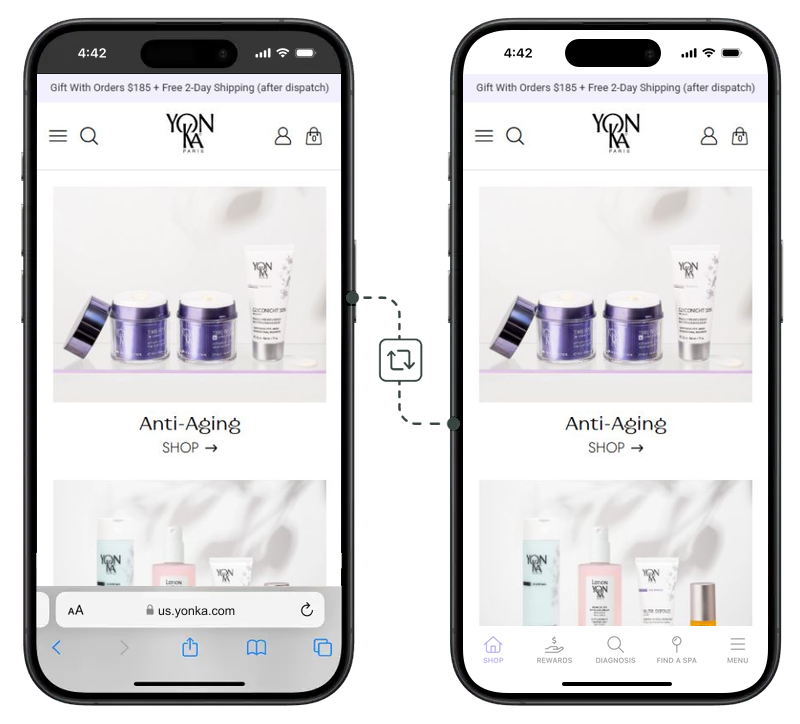
Inside, your app works like the other apps your customers use every day, with native navigation for the pages they visit most. Yon-Ka Paris’s app, for example, puts Rewards, Diagnosis and Find a Spa in a tab bar along the bottom of the screen.
Push Notifications on the Lock Screen
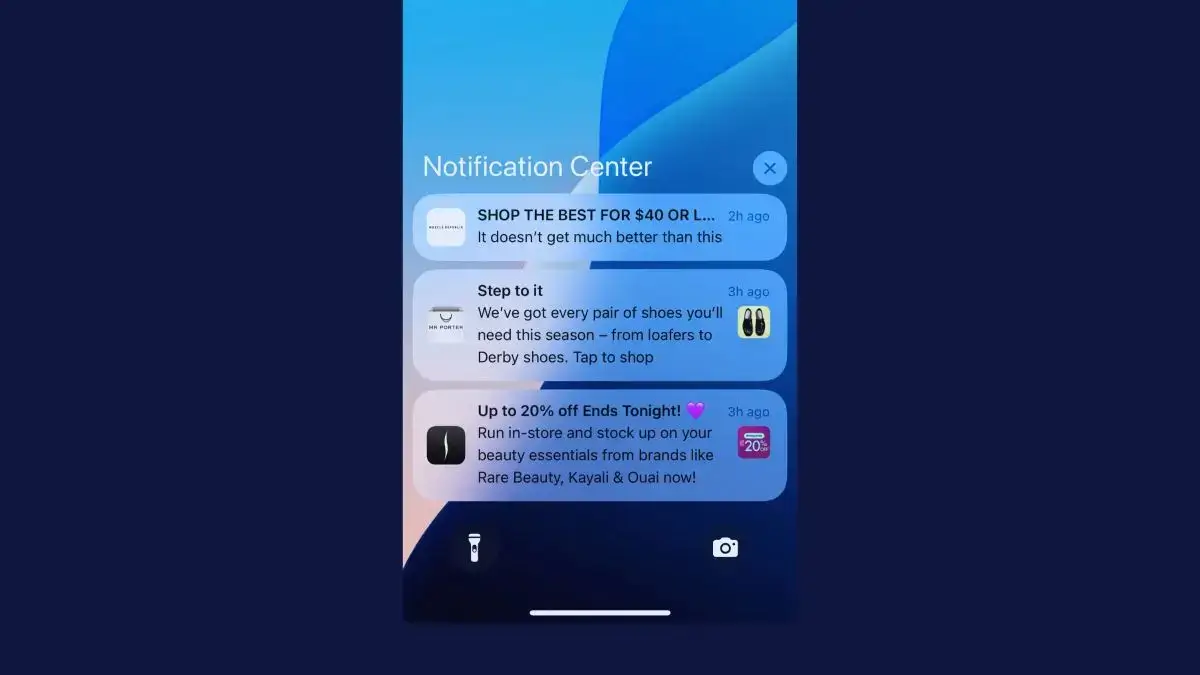
Push notifications put your message on your customers’ lock screens, and they cost nothing per message. That makes push the natural channel for launches, restocks, sales and the carts customers leave behind.
Gymshark and Alo use theirs to announce sales and new colors:
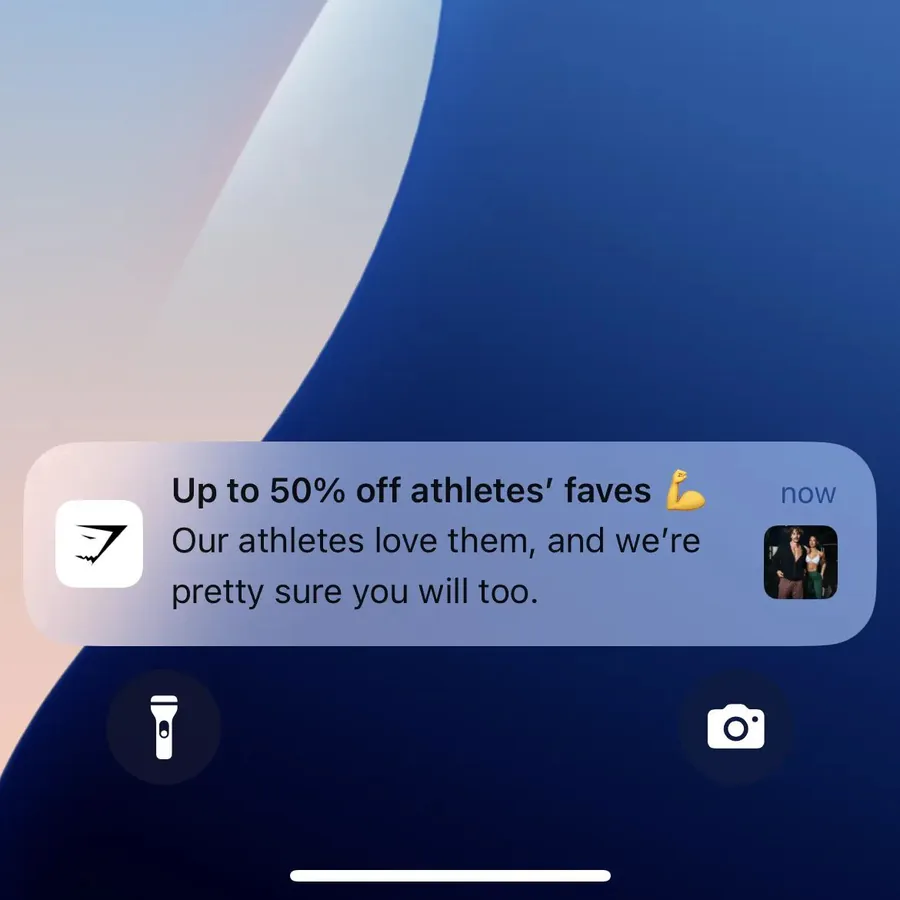
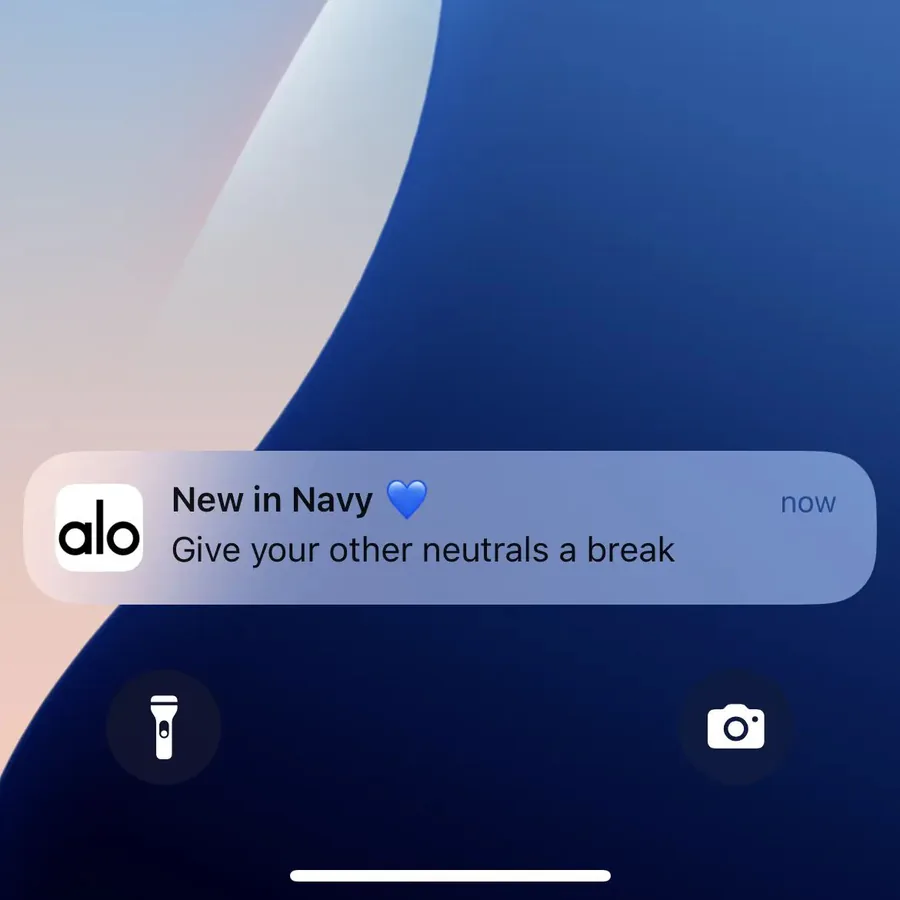
Push reaches your most engaged customers, so it earns more from each one. In our research, push brought a luxury fashion brand nearly 10 times more revenue per user than SMS in the first quarter of 2025.
HouseFloral, a faux florals and home decor brand, uses push to welcome new app users and bring back customers who leave a cart.
"Having that direct line to customers is really important. When they abandon carts or first download the app, we can reach them instantly with relevant messages."
Customers Who Stay Signed In
App customers stay signed in, so you know who’s browsing as well as who’s buying. On a website, sessions expire, cookies get cleared and shoppers who tap through from Instagram or TikTok land in an in-app browser that doesn’t know them.
That signed-in activity is first-party data you collect yourself, with no ad platform in between. It lets you recommend products that fit, send push notifications about the items a customer viewed and build offers around what each customer buys.
Pages and Offers Just for App Users
An app gives you a place to treat your best customers differently. You can open launches to app users first, hold drops only in the app, offer app-only discounts or give extra loyalty points for app orders.
That’s what the brands in the table above promise their app users, and it gives customers a reason to keep opening your app between orders. Early access to launches and app-exclusive drops work especially well for brands whose customers wait for new releases.
Do App Customers Really Spend More?
App customers spend much more than mobile web shoppers. In our Ecommerce Mobile App Benchmark Report, app users brought in 3.5 to 7 times more revenue per user than mobile web visitors, converted 1.7 to 3 times as often and spent 10% to 50% more per order.
Those results don’t need a big app audience. In the first quarter of 2025, 9% of a cosmetics brand’s mobile traffic came from its app, yet the app brought in 24% of its mobile revenue.
A luxury fashion label in the same report got 35% of its mobile revenue from 2% of its mobile traffic.
Part of that gap comes from who downloads an app. Your most loyal customers are the likeliest to install it, and they’d spend more than average anyway.
The app makes it easier for them to keep buying. In the report, 60% of first-time app buyers went on to buy again.
Across the DTC brands in our research, apps bring in 10% to 60% of online revenue, and around 20% to 30% on average. To see what an app could bring in for your store, try our ecommerce app revenue calculator.
Learn more about the ROI of a mobile app for your store
Is an App Right for Every DTC Brand?
An app isn’t right for every DTC brand. It pays off most when your customers buy from you again and again, and shop mostly on mobile.
That includes brands selling products people use up and reorder, like skincare, supplements, coffee and pet food. It includes fashion and activewear brands with regular launches, and any brand with a loyalty program or a following that waits for its next drop.
An app does much less for brands whose customers buy once every few years. A mattress brand has little reason to sit on a customer’s home screen, unless it sells sheets and pillows between the big purchases.
Scale matters, too. An app earns its revenue from customers you already have, so you need enough of them for it to pay.
As a rule of thumb, an app is worth a serious look once your store does around $2 million a year in online sales.
How Do You Launch an App for Your DTC Brand?
To launch an app for your DTC brand, decide what app users get, choose how to build it, set up your push notifications and promote it to the customers you already have.
1. Decide What App Users Get
Start with the reason a customer should download your app. Early access to launches, app-only drops, a welcome discount on the first app order and extra loyalty points all work, as long as your customers already care about them.
Put that reason into one line, because you’ll use it everywhere you promote the app.
2. Choose How to Build Your App
You can build an app in a few broad ways. They differ in what they cost, in how long they take to launch and, most of all, in what happens after launch.
| Approach | How it works | Best suited to |
|---|---|---|
| Custom development | An agency or in-house team builds iOS and Android apps from scratch, then maintains them as a second codebase. Launch usually takes months. | Brands whose app is a product in its own right, like a workout tracker, with a team to run it |
| App builder | You lay out the app from the builder's templates in a drag-and-drop editor, and it pulls in products and orders from your ecommerce platform. | Brands that want to design and update their app's screens themselves |
| MobiLoud | Your app is built from your website's code, so your checkout, design and integrations carry over, and native navigation, push notifications and pages just for app users are added on top. | Brands with a strong mobile site that want the app to stay in step with it |
Whichever route you pick, make sure your checkout, subscriptions, reviews and loyalty program will work in the app before you commit.
3. Set Up Push Notifications Before Launch
Set up your automated push notifications before launch, so they’re working from the first download. Three flows earn their place from day one:
- A welcome message with your app-only offer
- Abandoned cart reminders
- Back-in-stock alerts for products customers are waiting on
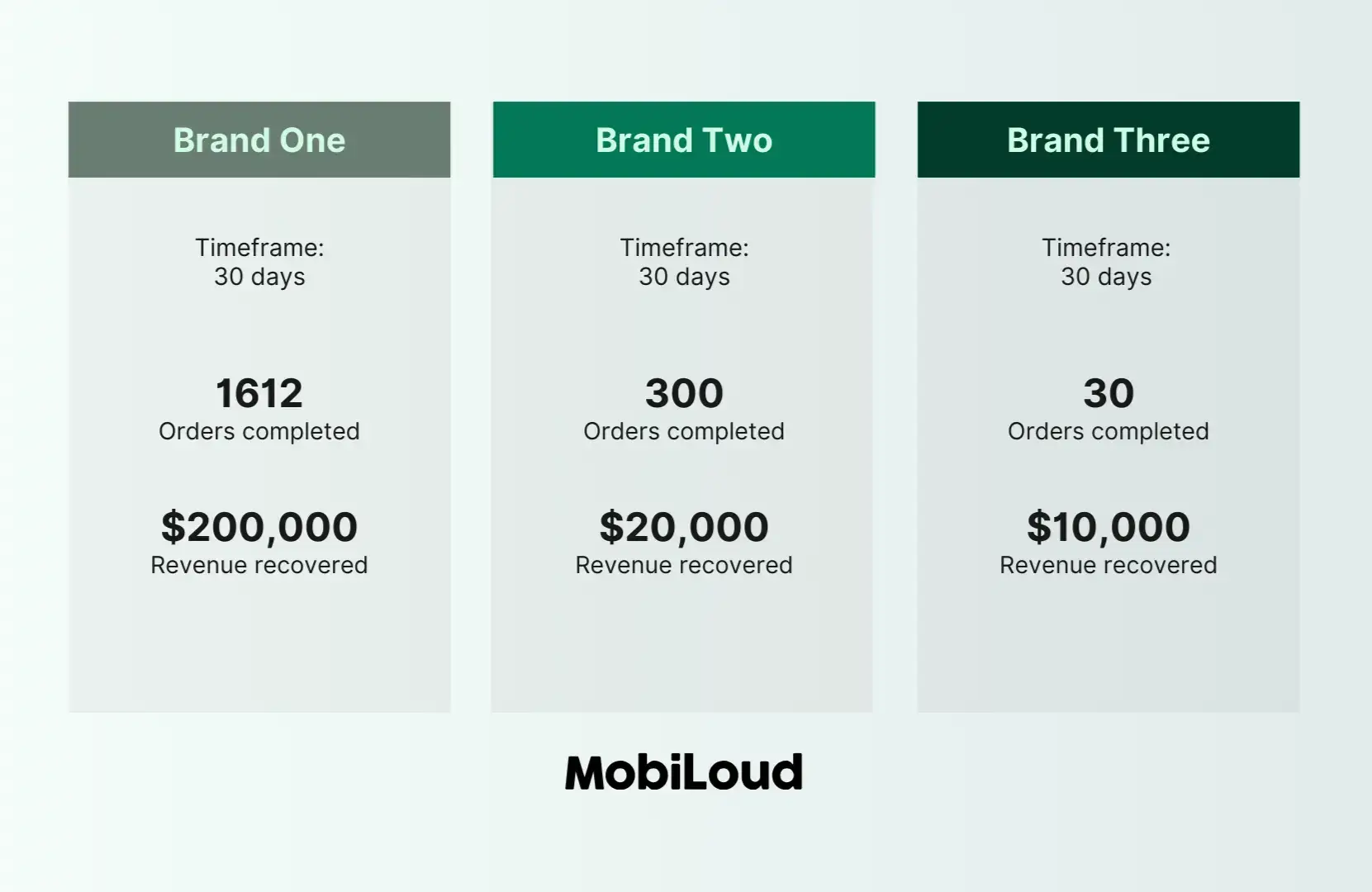
Abandoned cart push notifications can pay for an app on their own. In our research, three brands recovered between $10,000 and $200,000 each in 30 days through abandoned cart push alone.
Once those flows are running, add campaigns for your launches, restocks and sales.
4. Promote the App to Your Existing Customers
Your first app users will be customers who already buy from you, so promote the app wherever they already hear from you:
- Your email and SMS campaigns
- A banner on your mobile site
- Order confirmation emails and packaging inserts
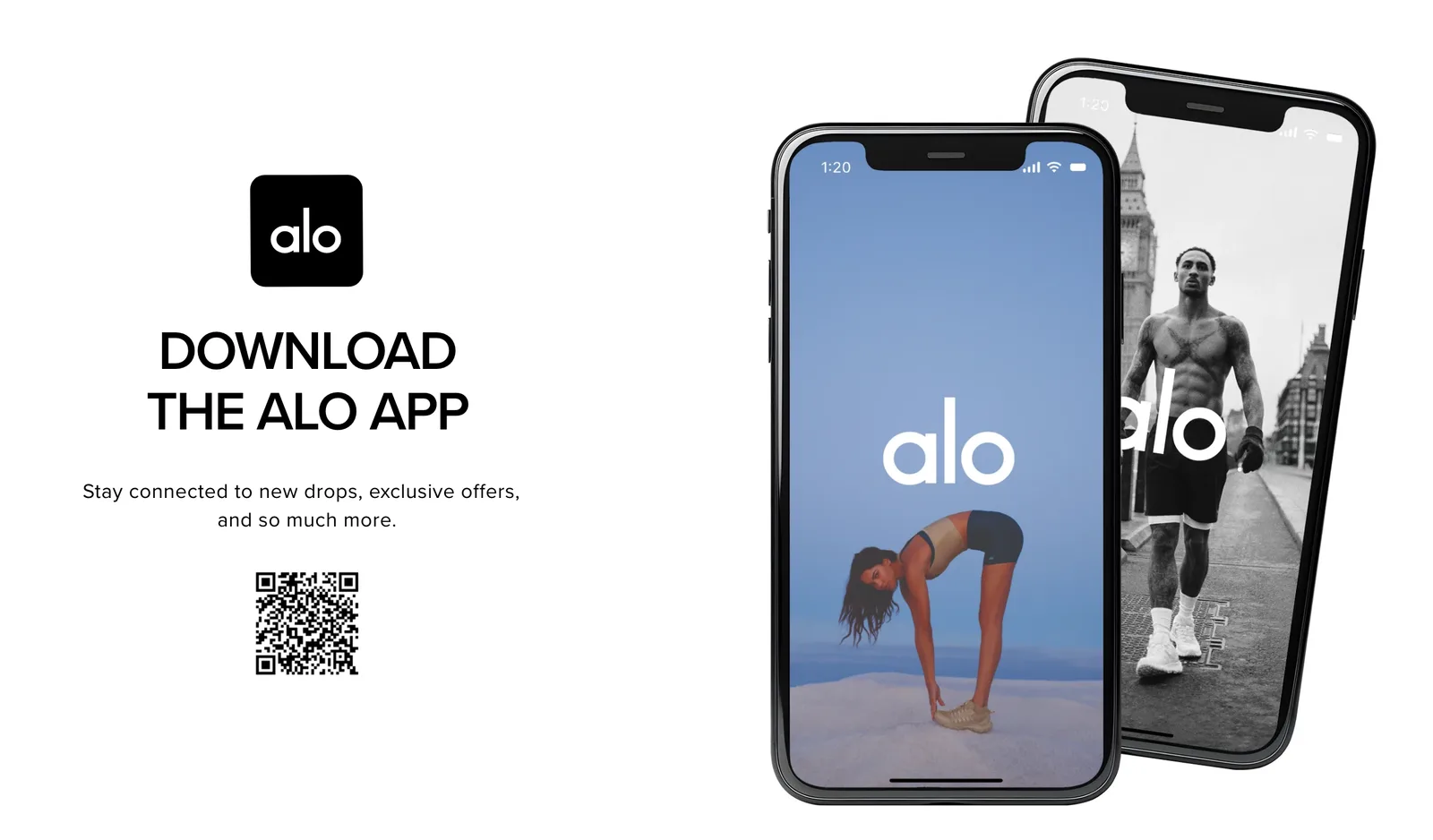
- A page on your website about the app, with a QR code for desktop visitors
Alo’s app page does this with a single line on what app users get: new drops and exclusive offers.
Yon-Ka Paris gets a steady stream of downloads by promoting its app by email, and it gives customers extra loyalty points for orders placed in the app, according to its case study.
Learn more about how to drive app downloads for your store
Launching Your App With MobiLoud
MobiLoud transforms your website into a custom native app, powered by the same underlying code as your website.
Your checkout, subscriptions, reviews and loyalty program are in the app from the first day, and we design a custom native interface around them, with push notifications and pages just for app users.
That keeps your app in your hands. Your team goes on working in the ecommerce platform it already knows, and the changes it makes there reach the app too, so you never have to update a second store.
We build and publish your app and keep it working through every iOS and Android update, and most brands go live within a few weeks. Once your app is live, our team works with you on your push notifications, from welcome messages and abandoned cart reminders to the campaign for your next launch.
Final Thoughts
Going direct gave you the customer relationship. An app lets you keep it, with a way back to your store that doesn’t run through an ad platform or a crowded inbox.
Build an app if your customers buy from you more than once, shop mostly on mobile and have something to come back for, like launches, restocks or rewards. Hold off if most of your sales are one-time purchases, and put your effort into your mobile site first.