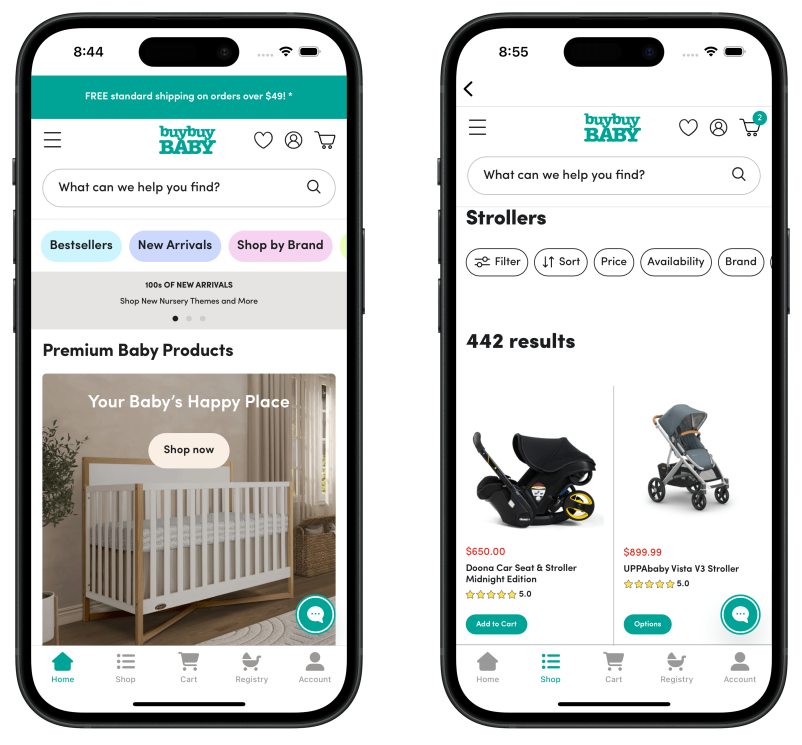
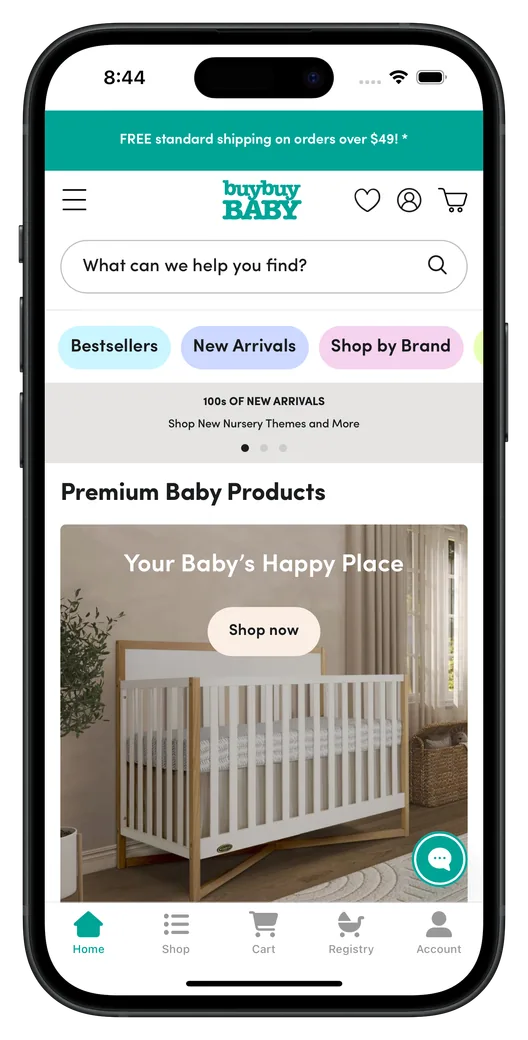
Your site is built around how parents shop with you, from the registry to the next size up. MobiLoud builds your app on that site, so all of it works in the app from launch.
Registries
Your baby registry, with creating, updating and sharing a list all working in the app.
Shopping by age and size
Filters and collections by age, size and stage, the way you have set them up now.
Essentials on subscription
Diaper and formula subscriptions from Recharge or your own program, managed in the app.
Gifting
Gift messages, gift wrap and gift cards, offered at checkout just as they are on your site.
Safety and product details
Safety information, size charts and assembly videos, exactly as they appear on your product pages.
Reviews from parents
Reviews and photos from Yotpo, Okendo or Bazaarvoice, where parents check what other parents think.
Loyalty and rewards
Rewards points from Smile.io or LoyaltyLion, earned and redeemed in the app just like on the web.
Payment options
PayPal, Klarna and Shop Pay, the way they work on your checkout today.
Your store is more than a template can hold, and a custom app is a year of work before a parent ever sees it. MobiLoud gets you there in weeks, with your registry and everything else intact.
MobiLoud
Built on the site parents know
Registries and subscriptions working at launch
Shop-by-age filters and size charts as you set them up
Monthly pricing, no revenue share
Live in 2 to 4 weeks
Template app builders
A copy of your store in their builder
Registry and subscription tools often left out
Shopping by age rebuilt in their editor
Some charge 1.75 to 2.5% of in-app sales
New features limited to what they support
Custom native
A new app built from the ground up
Registries and subscriptions rebuilt one by one
A separate app to test and release on its own schedule
No mobile team, or an app that's fallen behind your website? That's where these stores started. Their apps now run on the site they already manage, and keep up with every change they make.
"For a brand like buybuyBaby, an app is an absolute necessity. I can't imagine not having an app now for any brand or company that sells online. Most shopping happens on phones, and when it's available as an app, customers prefer that experience over the browser."
Your customers shop with you from the registry to the first day of school. With your app on their home screen, you're the store they open at each stage, and push gives you a direct line to them in between.
Your brandnow
A gift from your registry
The car seat on your list was just bought. See what's left.
Make your registry the one they come back to
Your registry brings parents back again and again, to add, swap and check what they still need. With it in your app and their account signed in, every change is a tap away, and so is ordering what's left on their list.
Your brandnow
Almost out?
Reorder your size 3 diapers in a couple of taps.
Remind parents before essentials run out
Your customers go through diapers, wipes and formula on a schedule. A reminder at the right moment, with a tap straight to reorder, keeps the next order with you.
Your brandnow
The travel stroller is back
Charcoal and sand are in stock again. Tap to take a look.
Be there when they decide on the big gear
Parents compare strollers, car seats and cribs for weeks before they buy. Your app keeps you on their home screen while they decide, and a push when the one they want is back in stock or on sale brings the order to you.
Your brandnow
Outgrowing the infant seat?
See convertible car seats for the toddler years.
Have the next size ready before they need it
Kids outgrow a diaper size, a car seat or a pair of shoes every few months. If your site knows a child's age, it can pass it to the app as a push tag, so each family hears about what comes next, not the message everyone else gets.
A new car seat, an updated size chart, a change to your registry: your team makes it on your site, and the app has it straight away. There's no second catalog to keep and no new tool to learn, and the native side is ours.
Your team
Uses the tools it knows
Product launches, from newborn to school age, on your site
Registry and gifting features, managed in your store
Offers and sales, created in your store
Messages to parents, timed with our guidance
Our team
Looks after both app stores
Both native apps, built and tested on iPhone and Android
Store submission and both reviews, handled for you
Compatibility with each new version of iOS and Android
Push setup, including segments by age or stage
Install promotion across your site, emails, stores and packaging
Strategy and performance reviews (Enterprise)
Getting live
In both app stores 2 to 4 weeks after kickoff
We build and test the app and handle both store reviews. Your team shares brand assets and signs off on the result.
Week 1
Kickoff
We learn how your store works for parents, from registries to reorders, and agree on the launch plan. Then you share access to your store and developer accounts.
Weeks 1 to 2
Build and integrate
Your live store is the starting point. We add the tab menus, navigation and push, check every tool on your site, and send you a preview to try in week two.
Weeks 1-2
Customize and test
Branding, menus and push are set up, and analytics flow into GA4 and Firebase. We test on iPhone and Android devices before you give your approval.
Weeks 2 to 4
Launch
The app is submitted under your developer accounts, and we see it through both reviews, usually one to two weeks. Then your launch plan starts.
For the people who sign it off
We can deliver everything your legal, security and finance teams will ask for:
Data Processing Agreement and GDPR documentation
An SLA with 24/7 support and an uptime commitment (Enterprise)
Custom contracts, redlines and payment terms
Payment by invoice or bank transfer
Customer data stays in your store's own systems
What baby and kids brands ask us
Have any more questions we didn't answer? Book a 30-minute call or send us a message
to clear it all up.
Yes. Your registry is part of your site, so parents can create one, add to it, manage it and share it in the app, just as they do on the web. buybuy BABY's app included registry management, alongside product browsing, checkout and accounts.
What happens to family details, like due dates and children's ages?
They stay in your systems. The app runs on your live store, so registries, due dates, children's ages and order history remain in the platforms you already use, and MobiLoud doesn't store your customers' data. Your site's privacy settings, from cookie consent to privacy notices, carry over to the app, and we handle the app store privacy disclosures for both apps.
Can parents manage subscriptions in the app?
Yes. Subscriptions from Recharge, Skio or your own program are managed through the customer portal on your site, which works in the app, and customers stay signed in between visits.
We already have an app. Can we replace it?
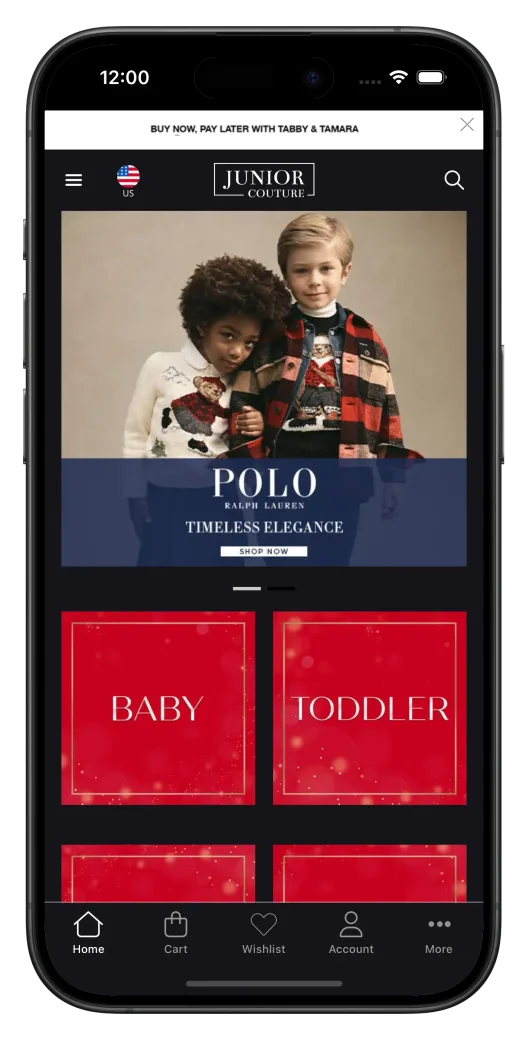
Yes. Junior Couture replaced a custom native app that had fallen behind its website, because every change had to be made twice. Its new app runs on its Salesforce Commerce Cloud site, does everything the old one did, and went live just ahead of Black Friday. We'll plan the switch with you, including your current app store listing.
Is this a real native app?
Yes. Parents download it from the App Store and Google Play, where it's published under your own developer accounts. It's built on your live site with a native layer on top: tab bar and navigation, push notifications, persistent login, social sign-in and deep links. MobiLoud has published more than 2,000 apps since 2013.
How do baby and kids stores use push notifications?
To remind parents to reorder essentials like diapers and formula, tell them when popular gear is back in stock, share registry updates and show each family what their child needs next. Every message can carry an image and open straight to the right product. Push is sent from your own OneSignal account, or from Klaviyo on the Enterprise plan. A message set off by an event, like a registry gift or a restock, comes from a Klaviyo flow on Enterprise, or from your registry or stock tool if it connects to your push account.
Can we send push by a child's age or stage?
Yes, if your site knows it. MobiLoud's JavaScript API can add tags to a customer's OneSignal profile, such as an age range or the categories they shop, and you can then send push to that segment. The tags sit in your own OneSignal account.
Do links to our site open in the app?
Yes, for parents who have your app installed. Universal links on iOS and app links on Android open the right product, collection or registry in the app, and anyone without the app sees your mobile site as usual. We give your web team two small setup files to add to your site.
Which ecommerce platforms does MobiLoud work with?
Every major platform: Shopify and Shopify Plus, Magento and Adobe Commerce, Salesforce Commerce Cloud, BigCommerce, WooCommerce, Shopware, PrestaShop, and custom-built stores. Junior Couture's app is built on Salesforce Commerce Cloud.
Will the app handle our peak season?
Yes. The app loads your own site, so it scales the way your site does. Junior Couture's app handled its Black Friday and Cyber Monday traffic without issues.
How long does it take to launch?
Most stores go live in 2 to 4 weeks from kickoff: setup in the first week, build and testing in weeks one and two, followed by app store submission and review. If back-to-school or the holidays are coming, we plan the launch around them.
How do we get customers to download the app?
Your site, inbox and stores all help: an install banner on your mobile site, an email to your list, social posts and QR codes on shelves and packaging. We plan it with you, and an app-only offer, like early access to a sale, gives parents a reason to install.
What does a MobiLoud app cost?
The Business plan is $1,499 a month, or $1,274 a month billed annually, plus a one-time app development and submission fee, with up to 10,000 monthly active users included. Enterprise is custom-priced. Neither plan takes a share of revenue, so what you pay does not change with what the app sells.
Who owns the app and the App Store listing?
You do. Your own Apple Developer and Google Play Console accounts hold the app, along with its listings, ratings, installs, analytics and customer data. MobiLoud keeps the IP in the platform that builds the app, and if you ever leave, everything in those accounts stays yours.
See your store the way parents will
Get on a short call to discuss your store. After the call, we'll build a free, interactive preview of your mobile app, so you can see how it works from the registry to checkout.