Most push campaigns are written once and sent to everyone who has your app. It’s quick, and it’s how most brands start.
The trouble is that your customers aren’t one shopper. The customer who only buys menswear gets the dress launch, and someone who ordered moisturizer last week gets a discount on moisturizer this week. Every message that misses makes the next one easier to ignore - or worse, turns a happy customer into an upset one.
Personalized push notifications close that gap. They use what you already know about each customer, from their name to what they browsed, bought and told you they like, so each message feels written for the person reading it.
This guide covers what personalization means for push and why it pays off, with six ways to personalize your notifications, real examples and the best practices that keep it helpful rather than intrusive.
What Is Personalization, Really?
Personalization means tailoring a push notification to the person who gets it. You use what you know about each customer to change what the message says, who receives it or when it arrives.
It can be as small as a first name in the title, or as specific as a reminder about the exact sneakers someone left in their cart, sent at the time they usually shop.
No brand can write a unique message for every customer, and you don’t need to. A few placeholders, segments and triggers are enough to make one campaign feel like it was crafted for each person, rather than sent to a mass list.
How Is Personalization Different From Segmentation?
Segmentation decides who gets a push, while personalization changes what the push says to each of them. Triggers add the third piece: when it arrives.
| Approach | Unique element | Example |
|---|---|---|
| Broadcast | Nothing: everyone gets the same message | "New arrivals just landed" to every app user |
| Segmented | Who gets it | A swimwear launch only for people who browse swimwear |
| Personalized | What it says to each person | A restock alert that names the product the customer saved |
| Triggered | When it arrives | A cart reminder an hour after someone leaves checkout |
Compared with a broadcast, the strongest pushes do all three: they reach the right person, with the right words, at the right moment.
What Data Do You Need to Personalize Push Notifications?
Most of the data you need to personalize push notifications is already in your store and your push platform:
- Profile details, like name, location, language and birthday
- What customers browse, search for and add to their cart
- Order history, including what they bought, when and how much they spent
- How they use your app and respond to your notifications
- Preferences they share with you, like sizes, favorite categories and wish lists
Why Personalization Matters
Personalized push notifications get more customers to tap, because each one is about something they already care about.
Push also makes personalization easy. A notification is a title and a line of text, so swapping in a name or a product takes one placeholder, and push platforms can send a message the moment a customer does something.
The biggest gains come from going past a first name. In Airship’s 2026 benchmarks, based on 2025 data from thousands of apps, push built on recent app behavior, local context or milestones in the customer’s journey lifted direct open rates by 37% on average.
Push built on preferences customers shared themselves did even better, lifting direct open rates by 82%.
Shoppers notice the difference. In Twilio’s 2025 survey of more than 7,600 consumers, 88% said they’re more likely to buy when a brand personalizes in real time, and 71% said they’d walk away from a purchase if the experience didn’t feel relevant.
Think of two coffee shops. In the first, the barista gives you a flat hello and offers you a discount on a drink you never order. In the second, they greet you by name and offer 25% off the croissant you always eye up, next to your usual coffee.
You know which one you’ll go back to. Yet a lot of brands still push like the first shop, with the same message and offer for everyone. The brands that make each customer feel known get more from every push they send.
6 Ways to Use Personalization With Your Push Campaigns
You can personalize push in far more ways than adding a first name. These six start simple and build up, and most stores can use the first few with data they already have.
| Way to personalize | Data used | Example |
|---|---|---|
| Customers' names | Name, language and location | "Andrew, your early access starts now" |
| What they browsed or left behind | Product views and cart contents | A cart reminder that names the perfume left behind |
| What they shop | Categories browsed and bought | A footwear edit only for shoe buyers |
| Product recommendations | Purchase and browsing history | Bestsellers picked to match their style |
| What they tell you | Sizes, wish lists and alert preferences | A price alert when a wish list item goes on sale |
| Their stage with your brand | First order, loyalty tier and last visit | Early access for loyalty members |
Use Customers’ Names
A first name is the quickest way to make a push feel more personal. Push platforms like OneSignal and Klaviyo fill it in from each customer’s profile with a placeholder, so one campaign can greet everyone by name.
Instead of “Get 50% off everything this weekend only!”, send “Andrew, get 50% off everything this weekend only!”
Names work best where a person would use one: a welcome, a thank-you after an order or a loyalty milestone. Airship notes that customers now expect first names as standard, so a name won’t rescue a message that isn’t relevant.
Other profile details work the same way. Send in each customer’s language, show prices in their currency and name their city when you’re promoting a local store event or a delivery cutoff.
Mention What They Browsed or Left Behind
What customers do in your app is the clearest sign of what they want right now. A push that names the product someone viewed, or what’s still in their cart, gives them a reason to tap that a general offer can’t.
Abandoned cart reminders show the difference. In late 2025, we left items in our carts in 18 shopping apps, and six of them sent exactly the same words: “You left something behind. Complete your checkout when you’re ready.”
The reminders that stood out said what was waiting. Dossier’s named the perfumes left behind, which turns a generic nudge into a reminder of something the shopper wanted.
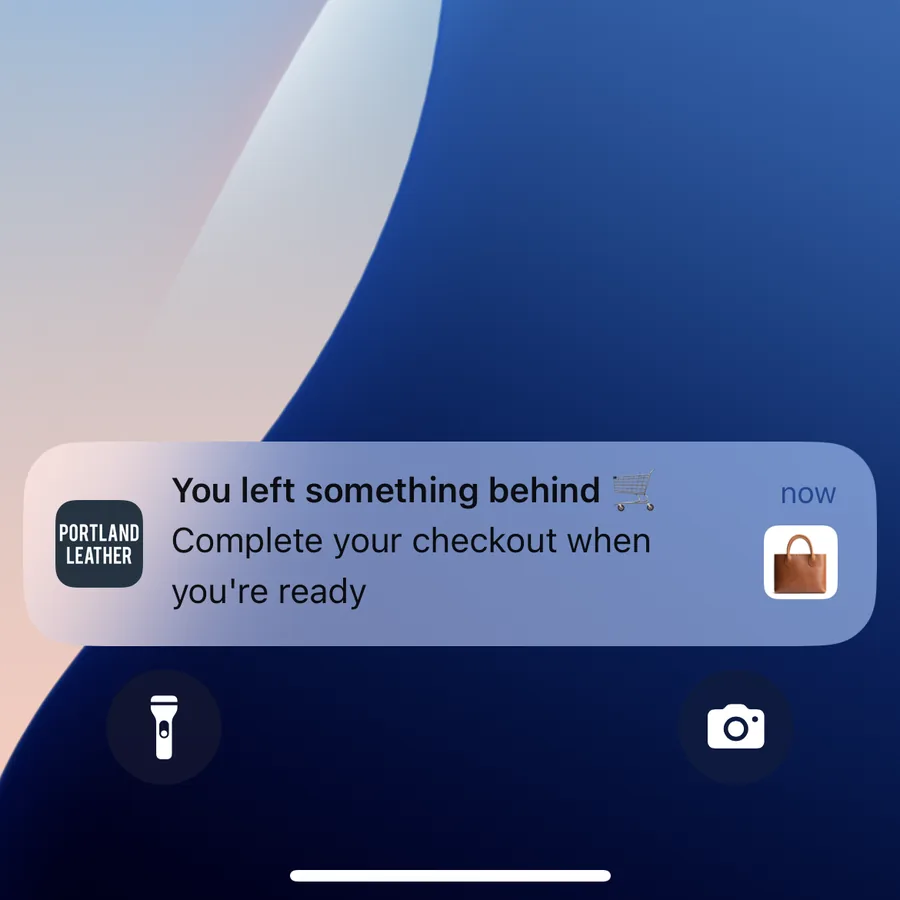
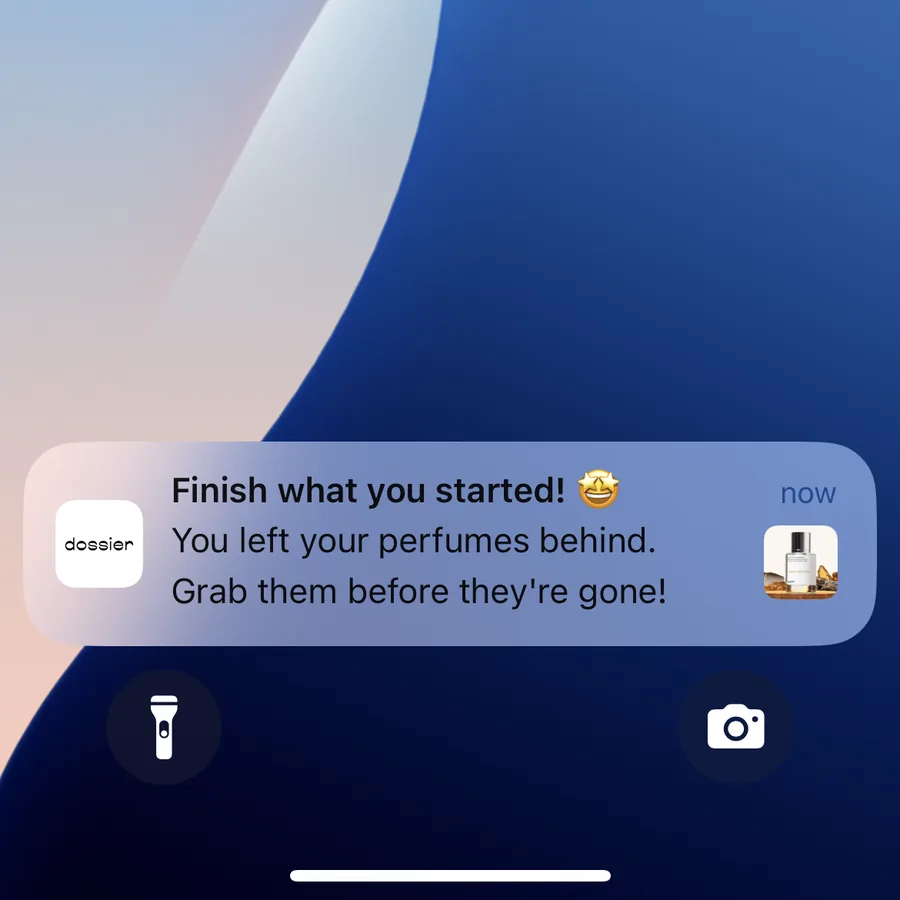
Browse reminders do the same for shoppers who looked at a product but never added it to their cart. Both are automated flows, so once they’re set up, every reminder is personal without anyone writing it.
Make the tap pay off, too. Link straight to the product or the cart the message mentions, not your app’s home screen.
Target Customers by What They Shop
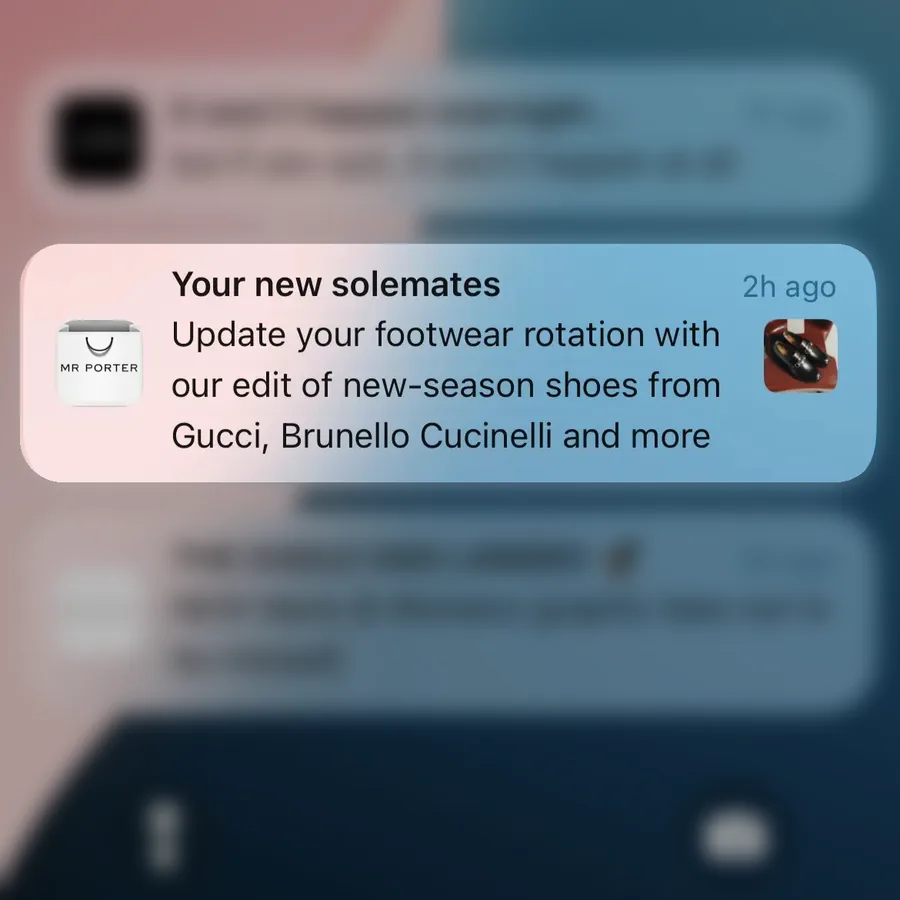
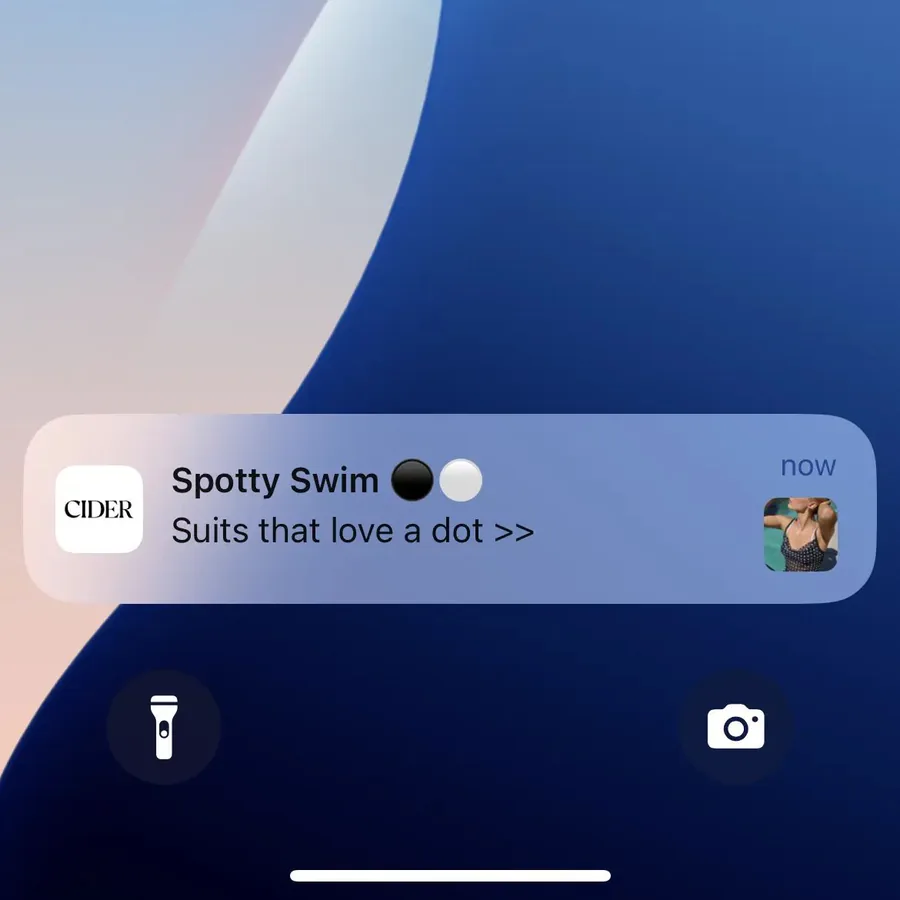
Segmenting by what people browse and buy means a launch reaches the customers most likely to care. A new footwear edit goes to shoe buyers, and a swim drop goes to the people who browse swimwear.
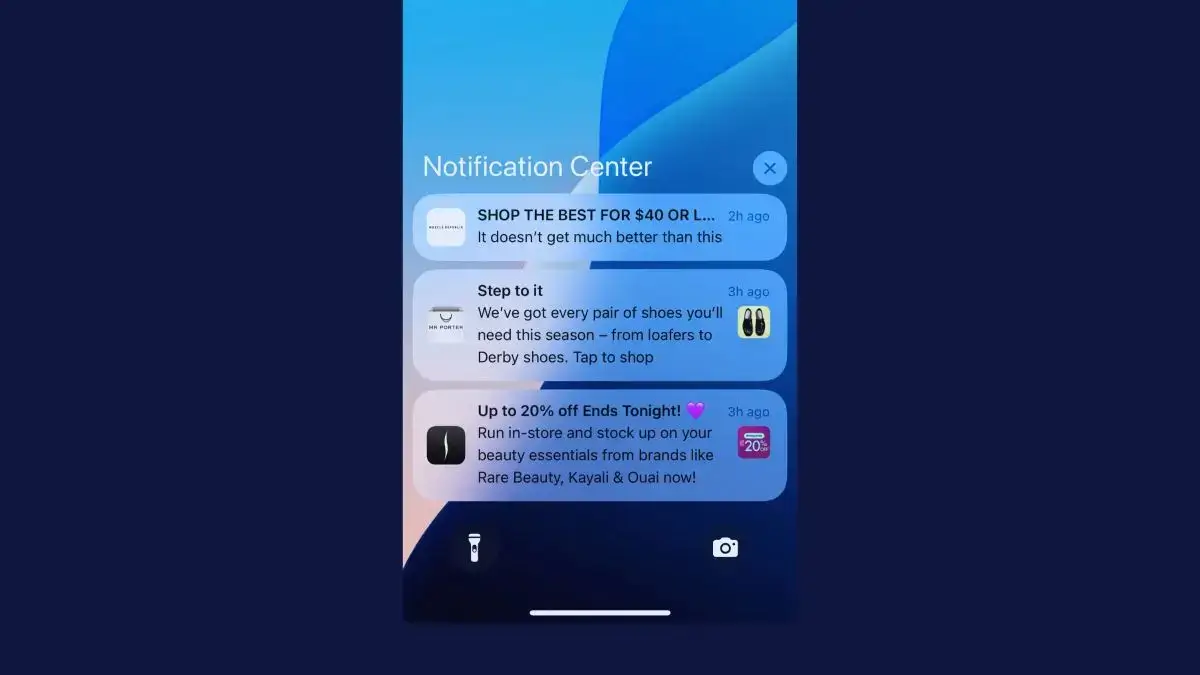
Category pushes like these from Mr Porter and Cider are a natural fit for that kind of targeting, because each one speaks to a single interest.
Good segments to start with:
- Favorite categories and brands, from browsing and orders
- Department, like womenswear, menswear or kids
- Location, so seasonal and weather-led pushes suit where customers live
- Spend and order count, to tell your VIPs from one-time buyers
- Response to discounts, so full-price buyers aren’t trained to wait for a code
Even one segment beats a blast to everyone. Each customer sees fewer messages that don’t apply to them, which keeps more of them reading.
Personalized Product Recommendations
Product recommendations use each customer’s purchase and browsing history to choose what they see: new arrivals from a brand they buy, pieces that go with their last order or bestsellers in their style.
Cider sends single-product picks that call one item “SO YOU”, while Farfetch presents its bestsellers as “edited for you”.
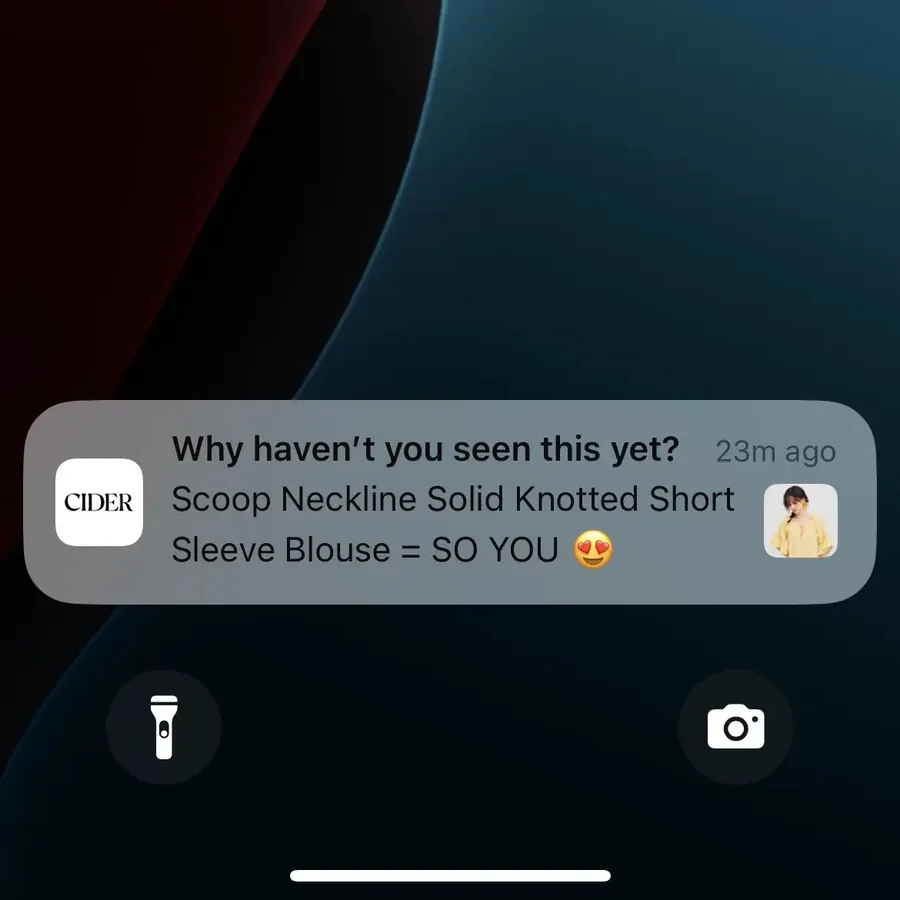
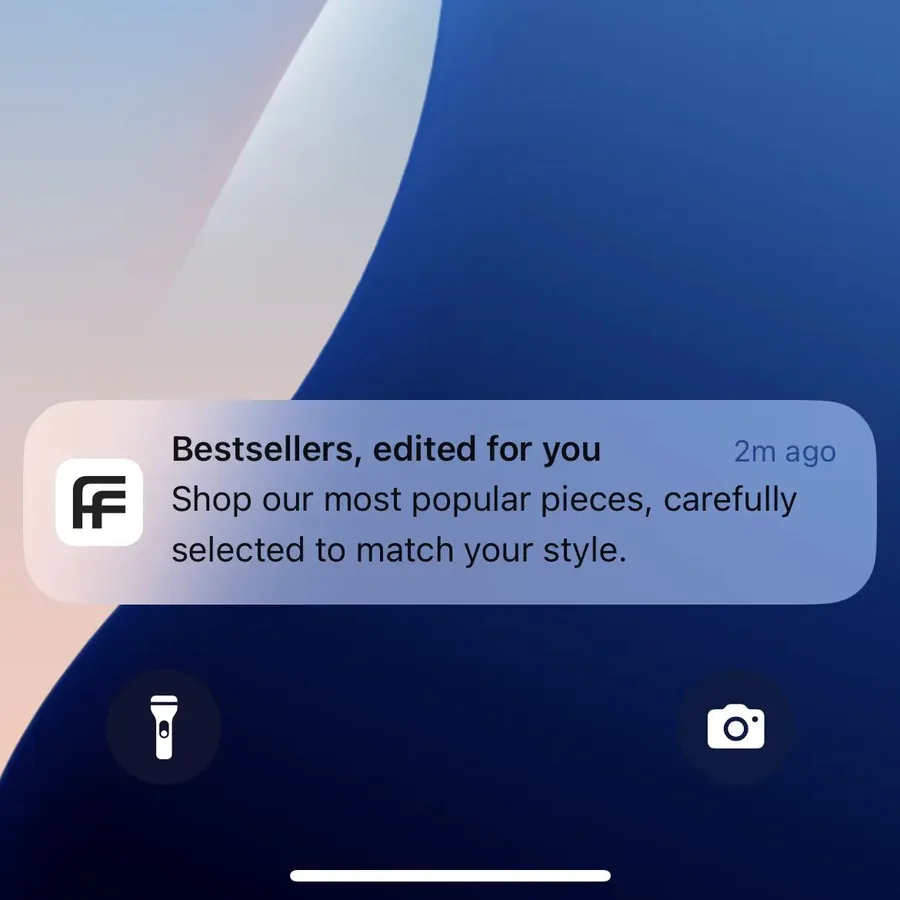
Single-product picks work best once you know a customer’s taste. For newer customers, an edit of bestsellers in the category they browse is a safer fit.
You don’t need a recommendation engine to start. Simple rules like “new in from the brand you bought last” or “goes with your last order” work from your order data, and you can add smarter picks later.
Ask Customers What They Want
Preferences customers share are the most reliable data you have, because nobody has to guess. Sizes, favorite categories, wish lists and the alerts they sign up for all turn into pushes they asked for.
Dutch online retailer bol built a campaign around this. Customers added products to a wish list, and bol sent a push alert the moment one of them was discounted. Airship reports that the alerts reached open rates three times the retail category average.
In your app, that can be a short preferences screen during onboarding, a “notify me” button on sold-out products or notification topics customers can switch on and off.
Match the Message to Each Customer’s Stage
A first-time app user, a loyal regular and a customer who hasn’t opened your app in two months need different messages, and different offers.
- New customers need a reason to place their first order, like a welcome code for the app.
- Loyal customers want recognition, with points updates, early access and thank-yous that make them feel like a valued part of your business.
- Lapsed customers need a reminder of what’s new, with an incentive if that isn’t enough.
- Birthdays and the anniversary of a first order are easy wins whenever you have the date.
Bo+Tee welcomes new app users with a first-order code, while Showpo tells lapsed customers that its new arrivals “have your name written all over them”.
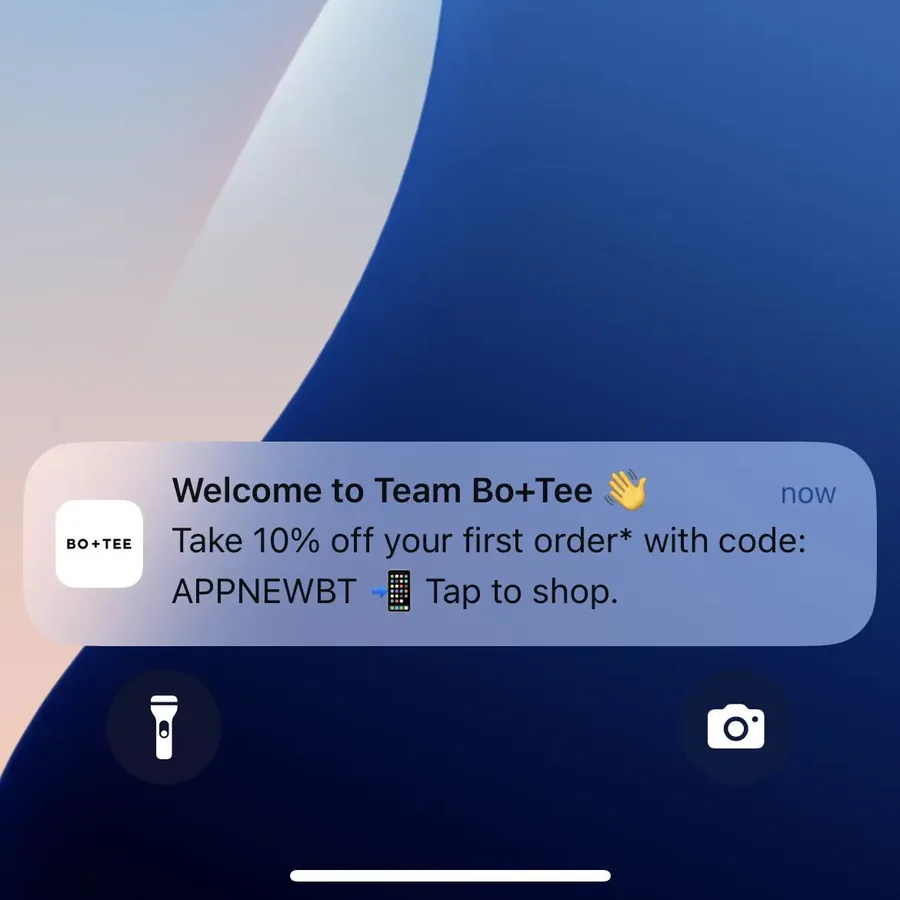
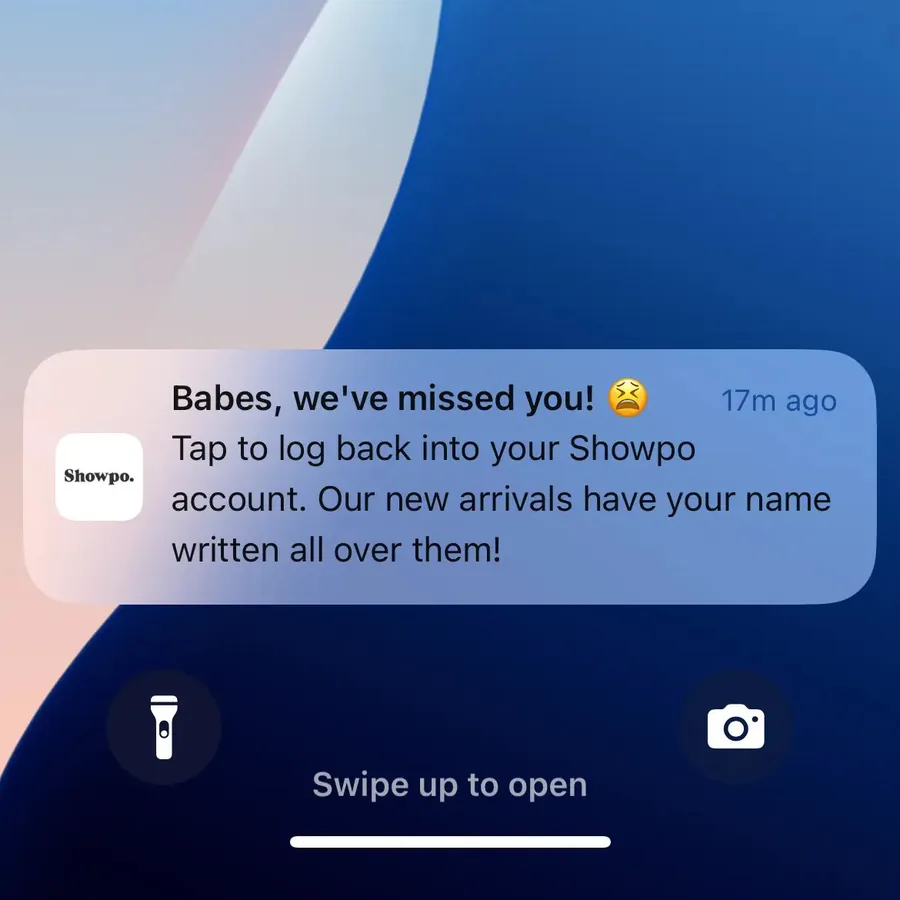
Tailoring offers by stage also protects your margins. McKinsey wrote in 2025 that companies using targeted promotions can see a 1 to 2% lift in sales and a 1 to 3% improvement in margins.
In practice, that means saving the deepest discounts for customers who need a nudge, and giving your best customers perks instead of price cuts.
Best Practices for Personalizing Push Notifications
Personalization can lift every campaign you send, but a broken placeholder or a message that knows too much can do more harm than a generic one. These practices keep it working for you.
Use Placeholder Default Values
A placeholder with no data behind it, and no fallback, breaks the fourth wall. “Hi {customer name}, have you seen our new release?” tells every customer they’re on an automated list, the complete opposite of what a personalized push notification is meant to achieve.
Set a default for every placeholder, so a missing name becomes “Hi there” (or “babe”, “buddy”, if there’s a fun term that fits your brand’s voice) instead of a gap or a line of code. OneSignal and Klaviyo both let you add one.
Write lines that read well either way, too. “Your early access starts now” works with or without a name in front of it.
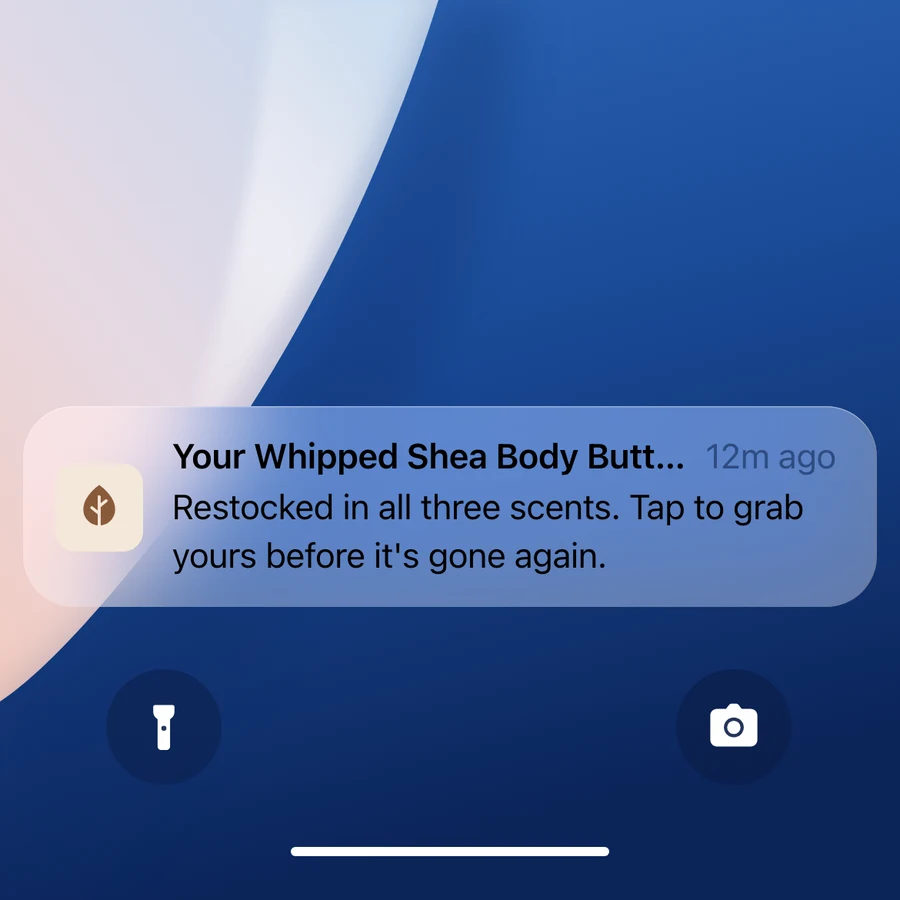
Watch long values as well. A product name like “Scoop Neckline Solid Knotted Short Sleeve Blouse” can push the rest of your message out of view, so keep titles to about 25 characters and bodies to about 80.
A long name can also get cut off in the worst possible place.
Make Sure Your Messages Turn Out as Intended
Send every personalized push to yourself before it goes live. Use test profiles with a full set of data, a missing name and a very long product name, so you see each version a customer could get.
Check it on an iPhone and an Android phone, and tap it to make sure the link opens the right product or cart. A few extra minutes here saves you from a mistake that makes your brand look careless.
Avoid Over-Personalization
Personal should never feel like being watched. Calling out very personal details, or hinting at sensitive interests, makes customers wonder what else you know about them.
Shoppers are already wary. In Twilio’s 2025 survey, 61% of consumers said they don’t believe brands use their data in their best interest, and 84% wanted control over their personalization settings.
Remember that the lock screen is public. Keep health, intimate and financial details out of the notification text, and say “Your order has shipped” rather than naming what’s inside.
Use data customers would expect you to have, and let them choose which messages they get. Privacy laws such as GDPR and CCPA also apply to the data you use to target your pushes.
Send at the Right Time for Each Customer
Timing is part of personalization. Send campaigns in each customer’s own time zone, and let triggered messages follow closely on the action that set them off.
Some platforms go further. OneSignal’s Intelligent Delivery, for example, picks a send time for each person based on their activity in your app. It’s best suited to messages that aren’t urgent, since delivery can take up to a day.
There’s no single best time to send push notifications for every store, so test a few windows and keep what your own customers respond to.
Test Different Approaches
The only way to know what works with your customers is to test it. Send a personalized version against a generic one, or one segment’s copy against another’s, and compare orders and revenue per send, not just taps.
Watch opt-outs as well, since a message that annoys people costs more than it earns. Over time, you’ll build a playbook of what works for your own audience, which no benchmark can give you.
Start Sending High-Impact, Personalized Push Notifications Now
To start sending personalized push notifications, you need two things.
The first is a push platform like OneSignal or Klaviyo, which holds your customer data and lets you segment, personalize and automate. If you already run email and SMS in Klaviyo, push can use the same profiles, segments and flows.
The second is a mobile app, because that’s where push notifications come from.
MobiLoud transforms your website into a custom native app, powered by the same underlying code as your site, and connects it to the push platform you choose. We build, publish and maintain your app, and you can go live in a few weeks, without building an app from scratch.
With our help, hundreds of mid-market and enterprise brands have launched apps that give their best customers a direct line to the brand. At AWG Mode, one of Germany’s largest clothing retailers, push now gets click-through rates about three times higher than its email campaigns.
Once your app is live, our team works with you to make your push campaigns a success, from your first segments to the personalized flows that run on their own.
Final Thoughts
The best push notifications feel like they were written for the person reading them, and push makes that easy to do at scale.
Start with the data you already have: names, carts, browsing and past orders. Then add the preferences customers share with you and offers matched to where each customer is with your brand.
Keep it helpful, test what works and look after the details. Do that, and customers will be glad to see your brand on their lock screen, which is what keeps push earning for years.