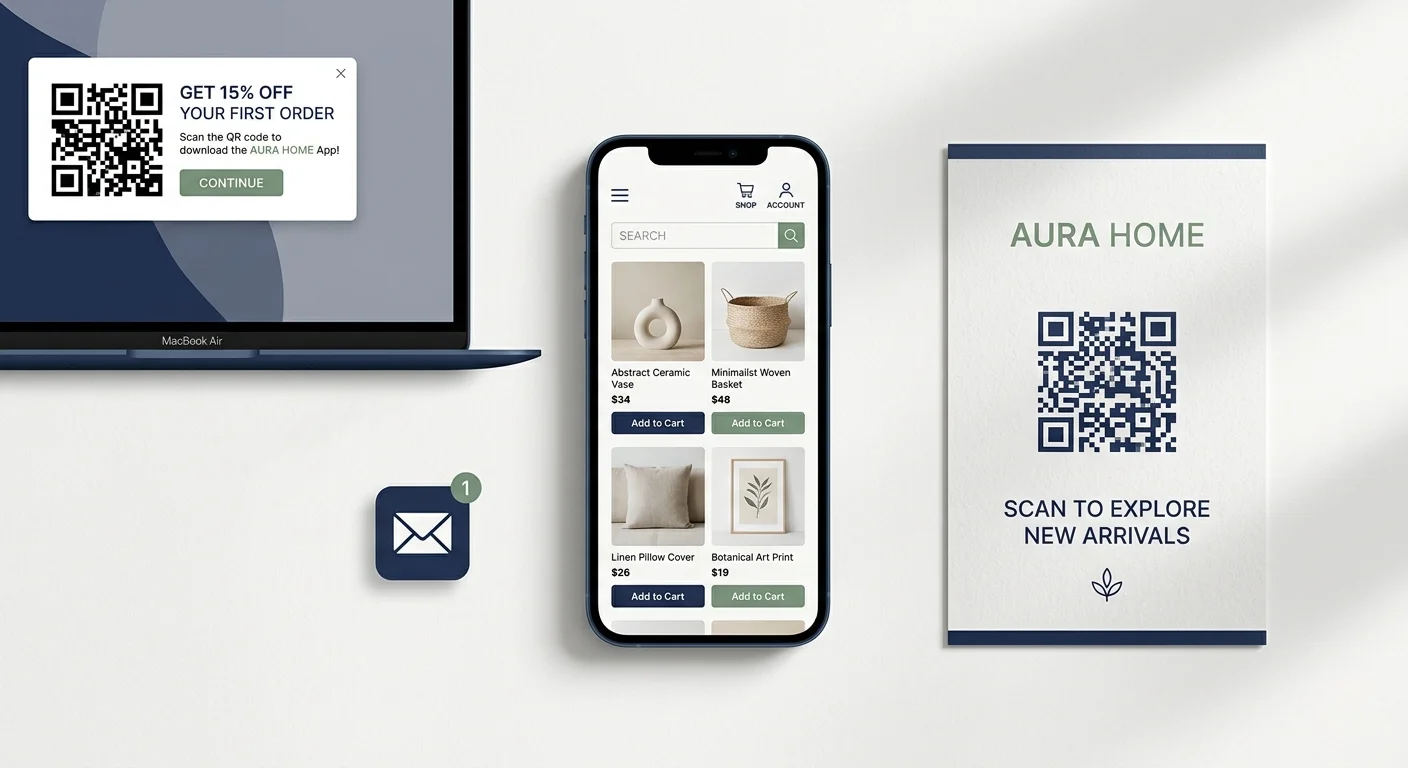
Launching an app doesn't mean you’ll immediately start getting thousands of new downloads through the app store.
But, you probably do have a good number of regular shoppers who would love to download it. You just need to let them know it exists.
Smart banners are the best way to do that.
A smart banner shows your mobile visitors that you have an app, and makes it easy for them to get it. It’s incredibly low effort: just set it up, and it makes sure you’ve pitched the app to everyone who shops from you on a phone.
Here’s the rundown on smart app banners, and how to set these up on your store.
What Is a Smart App Banner?
A smart app banner is a prompt shown on a mobile website that invites the visitor to download or open the brand's app.
A typical banner includes:
- The app icon and name.
- A short value proposition or rating.
- An App Store or Google Play call to action.
- Device-aware routing to the correct store.
- An “Open” action when the app is already installed.
- A close control so the visitor can dismiss it.
The phrase Smart App Banner also refers to Apple's native Safari feature. That distinction matters because a custom banner can look similar while giving you different behavior, targeting, and cross-platform support.
Why Smart Banners Are a Great Promotion Tool
Think of who gets the most value out of downloading your app: people who regularly come back and shop with you, on mobile.
These are the people front and center for your banner. It promotes your app at just the right place and time: when someone’s already on your mobile website.
This creates a simple acquisition loop:
- A customer discovers or returns to your mobile website.
- The banner gives them a relevant reason to get the app.
- The store listing completes the install decision.
- The app becomes an easier route back to the brand through its icon, login state, and native push notifications.
It isn't the only way to promote an app, but it's one of the best, because of how simple it is, and how natural the sell is.
Apple Smart App Banners vs Custom App Banners
Apple's Native Smart App Banner
Apple lets you add a native Smart App Banner to a webpage with an apple-itunes-app meta tag in the page's <head>.
The basic implementation looks like this:
<meta name="apple-itunes-app" content="app-id=123456789">
Replace 123456789 with the numeric ID from your App Store listing. Apple's Smart App Banner documentation also explains optional values such as app-argument, which can pass a URL into the app for deep link behavior.
Apple controls the banner's design and native behavior. It appears in Safari for eligible users and can direct them to the App Store or open the installed app.
The tradeoff is limited control. You can't freely redesign the native banner, run detailed creative variants, or use it as an identical solution for Android visitors.
Custom Cross-Platform Banners
For Android, cross-browser coverage, and more control, brands commonly use a custom responsive banner, slide-in, or modal.
A custom implementation can:
- Detect the visitor's operating system and show the correct store action.
- Use different copy or incentives by page, campaign, or customer status.
- Respect frequency caps and previous dismissals.
- Route installed users through deep links or universal/app links.
- Track impressions, clicks, and campaign attribution.
- Match your site's visual system without pretending to be a browser-level control.
There isn't a single Android feature that behaves exactly like Apple's Safari banner across every browser. That's why most cross-platform setups are implemented through your website, tag manager, app promotion platform, or app provider (like MobiLoud).
Three Ways to Add an App Banner to Your Site
1. Add Apple's Meta Tag
This is the lightest route if you only need the native iOS banner.
Add the apple-itunes-app meta tag to the <head> of the pages where the banner should be eligible to appear. In a modern CMS or ecommerce platform, use the theme, layout, tag-manager, or code-injection method recommended for that platform rather than editing a production theme file blindly.
Test the banner on a real iPhone in Safari. Confirm that the store link, app name, icon, availability, and installed-app behavior are correct.
2. Build or Install a Custom Banner
A custom banner is the more flexible option when you need iOS and Android support or control over messaging and display rules.
The implementation needs to handle:
- Device and browser detection.
- App Store and Google Play URLs.
- Deep links, universal links, or Android App Links.
- Display timing and page targeting.
- Dismissal persistence and frequency capping.
- Analytics events.
- Responsive layout and accessibility.
You can build this yourself, use a CMS integration, or deploy a provider's widget. Whichever route you use, test the actual customer journey rather than stopping once the banner is visible.
3. Use the Promotion Tools Included With Your App
Some app providers handle the banner and surrounding promotion setup for you.
MobiLoud, for example, helps you set up smart banners, modals, deep links, QR-code widgets, and other app-promotion tools. This removes the need to piece together separate iOS and Android experiences after the app is already live.
The best route depends on how much control you need and who will own promotion after launch. The underlying goal stays the same: show the right prompt to the right visitor, then make the move into the app effortless.
Smart App Banner Best Practices
Just by setting up the banner itself, you can drive a decent number of app downloads. But here are some tips to make sure you’re getting the most of your smart banners.
Give the Visitor a Reason to Download
“Download our app” describes the action, not the value.
Use a reason that fits the audience and page, such as:
- Get early access to new drops.
- Receive back-in-stock and price drop alerts.
- Check out faster on future orders.
- Access app-only products, content, or rewards.
- Get 15% off your first in-app purchase.
Explain to the customer why it’s in their best interests to get your app.
Show It to the Right People
At minimum, detect the visitor's device and send them to the correct store.
You may also want to exclude:
- Visitors already inside the app.
- People who recently dismissed the banner.
- Pages where an interruption would create risk, such as a sensitive checkout step.
- Markets where the app isn't available.
- New visitors who haven't had time to understand the brand.
Targeting protects both conversion and your mobile web experience. The banner should feel helpful, not like a tollgate in front of the page.
Deep Link the Journey
If your app is installed, opening its home screen is often less useful than continuing from the page the customer was viewing.
Use universal links on iOS and App Links on Android where possible. A visitor looking at a particular product should land on that product in the app. Someone viewing loyalty benefits should land in the relevant loyalty screen.
For new installs, deferred deep linking may be possible through your attribution or linking setup. Test this carefully because behavior can vary across platforms, store flows, consent choices, and providers.
Respect the Dismissal
If someone closes the banner, don't show it again on every page load.
Set a sensible cooldown or frequency cap. You can introduce the app again later through a different moment, such as after a purchase, when a customer logs in, or when the app offers a benefit directly related to what they're doing.
Keep the Website Usable
A banner shouldn't cover navigation, obscure the checkout button, cause layout shifts, or become difficult to dismiss.
Test it across common mobile viewport sizes and browser controls. Pay attention to safe areas, sticky headers, accessibility labels, text scaling, and what happens when the device rotates.
Test the Message, Not Just the Color
The largest conversion difference often comes from the offer, placement, and timing rather than a small visual change.
Useful tests include:
- Generic app promotion vs a specific benefit.
- No incentive vs a genuine app-only incentive.
- Immediate display vs after meaningful engagement.
- Site-wide messaging vs page-specific messaging.
- Banner vs slide-in or post-purchase prompt.
Run one meaningful test at a time and follow the result through to installs and customer value, not only banner clicks.
How to Measure Your Smart App Banner’s Performance
If you’re serious about building your app audience, you’ve got to get serious about how you’re promoting your app. Track your results, and optimize as needed.
Treat the banner as a funnel:
- Eligible page views.
- Banner impressions.
- Banner clicks or taps.
- Store-page visits.
- Installs and first opens.
- Account logins or identified app users.
- First purchase and repeat behavior.
At minimum, log the banner impression and click with the page, device, creative, and campaign variation.
Use your mobile attribution or analytics setup to connect installs and first opens where possible.
Look beyond the banner's click-through rate. A forceful prompt can create more clicks while attracting weaker app users or hurting your mobile web experience.
What matters is whether the banner helps build an app audience that returns and buys.
Making a Launch Plan For Your App
A common mistake with apps is to finish the app, publish it, and only then ask how customers will find it.
It’s better to have everything set up ahead of time, so you can run a coherent launch plan, and build early momentum that lets you generate a quicker return and payback for your app.
At MobiLoud, we treat this as part of the launch and ongoing growth work. We help you set up smart banners, as well as QR code widgets on your desktop site and other promotional material to get your app in front of the right people.
Using the right promotion mix, and assuming your category and audience are aligned (the kind of products and customers who an app makes sense for), you could convert a strong percentage of your regular shoppers into app users, and build an incredibly powerful owned revenue channel with minimal effort and investment.
If you're planning an ecommerce app, book a consultation to see how the launch and promotion process works, and whether MobiLoud is the right fit for your brand.