
React Native and Flutter are the two biggest names in cross-platform app development, both responsible for making this the default way to build custom mobile apps.
Both are open source and proven at enormous scale. React Native runs inside Amazon Shopping, Microsoft Office and Facebook Ads Manager. Google rebuilt Google Pay in Flutter and ended up with 35% less code than its two native apps had.
Underneath, though, the two work in opposite ways. React Native turns JavaScript into each platform’s own native views, while Flutter uses Google’s Dart language and paints every pixel of the interface itself. That one difference shapes which developers you hire, how your app looks and which other screens your code can reach.
This guide covers how each framework works, how they differ, which one is more popular and how to choose the right one for your app.
Flutter vs React Native: Key Points
React Native and Flutter solve the same problem, one codebase for iPhone and Android, with very different tools. Here are the essentials:
- Both are cross-platform frameworks that build iPhone and Android apps from a single codebase.
- Both are free and open source, with large communities and detailed documentation.
- React Native uses JavaScript or TypeScript with React, and shows each platform’s own native components. It belongs to the React Foundation, whose members include Meta, Microsoft and Amazon.
- Flutter uses Dart, Google’s programming language, and draws its whole interface with its own rendering engine. Google builds and maintains it.
- Both show code changes in the running app almost instantly, through React Native’s Fast Refresh and Flutter’s hot reload.
- React Native is older and turns up in more of the world’s top apps.
- Flutter is more popular with developers and is growing faster among new apps.
| React Native | Flutter | |
|---|---|---|
| What it is | A framework for building native apps with React | A UI toolkit and SDK for building apps from one codebase |
| Language | JavaScript or TypeScript | Dart |
| How screens are drawn | With each platform's own native views | With Flutter's own rendering engine, Impeller |
| Platforms | iPhone and Android, plus the web, Windows and macOS through other projects | iPhone, Android, the web, Windows, macOS and Linux |
| Main tooling | Expo, with Xcode and Android Studio underneath | The Flutter SDK, with Xcode and Android Studio underneath |
| Who's behind it | The React Foundation, hosted by the Linux Foundation | |
| Best suited to | Teams that know React, and apps that should feel native on each platform | Custom, brand-led designs, and apps for many kinds of screens |
Flutter and React Native: Two of Today’s Most Popular Cross-Platform Frameworks
React Native and Flutter are the two most widely used ways to build cross-platform apps, which share one codebase between iPhone and Android.
The alternative is native development. iPhone apps are usually written in Swift and Android apps in Kotlin. The two can’t share code, so a native app for both platforms means two codebases, often built by two separate teams.
That means every feature gets built and maintained twice, for as long as the app exists. That duplication is the main reason native apps for both platforms cost so much to build and keep up to date.
Cross-platform frameworks remove the duplication. You write the app once and the framework turns it into an iPhone app and an Android app, with one codebase to update from then on. Unless your app is built around demanding hardware features, you get results close to native for a lot less work.
React Native and Flutter aren’t the only options. Kotlin Multiplatform, .NET MAUI and Ionic share code in other ways, and our guide to cross-platform app development compares them all. But React Native and Flutter are the two most teams shortlist, and the two most developers use.
Beginner’s Guide to React Native
React Native is an open-source framework for building iPhone and Android apps with React, the JavaScript library most web teams already use. Facebook (now Meta) released it in 2015, and it now belongs to the React Foundation, an independent foundation hosted by the Linux Foundation.
You write your app as React components, in JavaScript or TypeScript. React Native then renders them with each platform’s own native views, so your screens are made of the same building blocks as an app written in Swift or Kotlin.
The JavaScript runs alongside them in Hermes, an engine built for React Native. It talks to native code directly through the New Architecture, which replaced the slow, asynchronous “bridge” that older comparisons blamed for React Native’s performance.
React Native’s tagline is “learn once, write anywhere”. Its syntax is close to React on the web, but React Native has no HTML or CSS, so a React website can’t simply be copied into an app. Developers who know React pick it up quickly, though.
The React Native team recommends starting new apps with a framework, and in practice that means Expo. Expo adds ready-made native modules, cloud builds and over-the-air updates.
React Native App Examples
React Native powers some of the most used apps in the world. Its official showcase includes:
- Meta: Facebook, Facebook Ads Manager and Meta Horizon
- Microsoft: Office, Outlook, Teams and Xbox Game Pass
- Amazon: Amazon Shopping, Alexa, Amazon Photos and Kindle
- Shopify: every one of its mobile apps, including Shop and Point of Sale
- Wix: its whole suite of apps
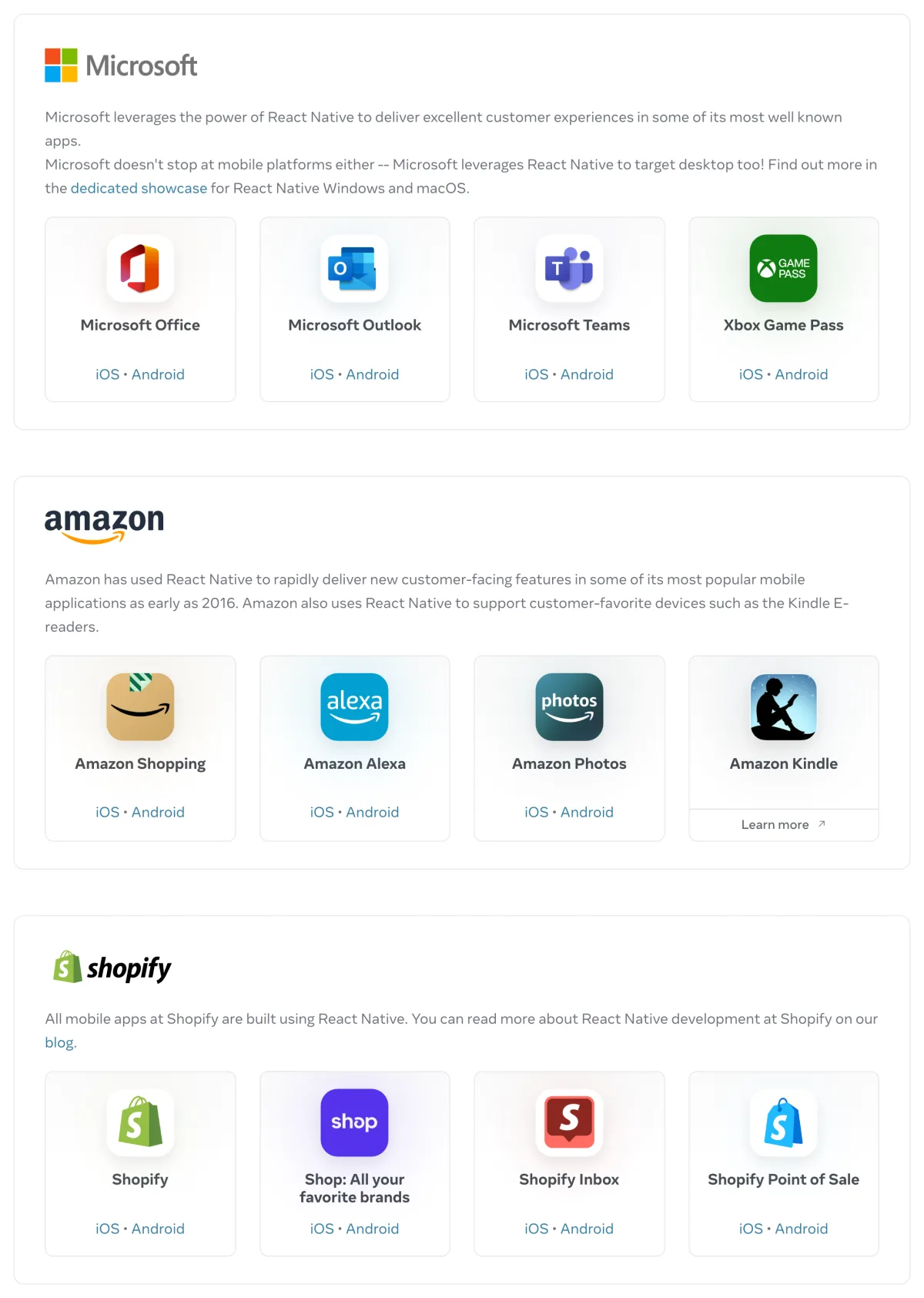
AppBrain, which scans Android apps on Google Play, also finds React Native inside Instagram, Messenger, WhatsApp Business and Uber.
Beginner’s Guide to Flutter
Flutter is Google’s open-source UI toolkit for building apps for iPhone, Android, the web, Windows, macOS and Linux from a single codebase. Its first stable version arrived in 2018, and every Flutter app is written in Dart, a programming language Google also makes.
Flutter doesn’t use the buttons and lists that iOS and Android provide. It draws every pixel of the interface itself, with its own rendering engine, Impeller, so a Flutter app looks exactly the same on an older Android phone and a new iPhone.
Everything on screen is a widget, from a line of text to a whole page. Flutter ships with a large library of them, and the Flutter team also publishes the Material and Cupertino (iOS-style) widget sets, so most of what an app needs comes from one place.
When you ship, Dart compiles ahead of time into native machine code for each platform. While you develop, it runs on a virtual machine that powers Flutter’s hot reload: you save a change and see it in the running app without losing your place.
According to Google, Flutter has over 1.5 million monthly developers and is the second most popular development SDK for mobile on both major app stores.
Flutter App Examples
Google builds many of its own apps with Flutter, including Google Pay, Google Earth, Google Classroom and NotebookLM.
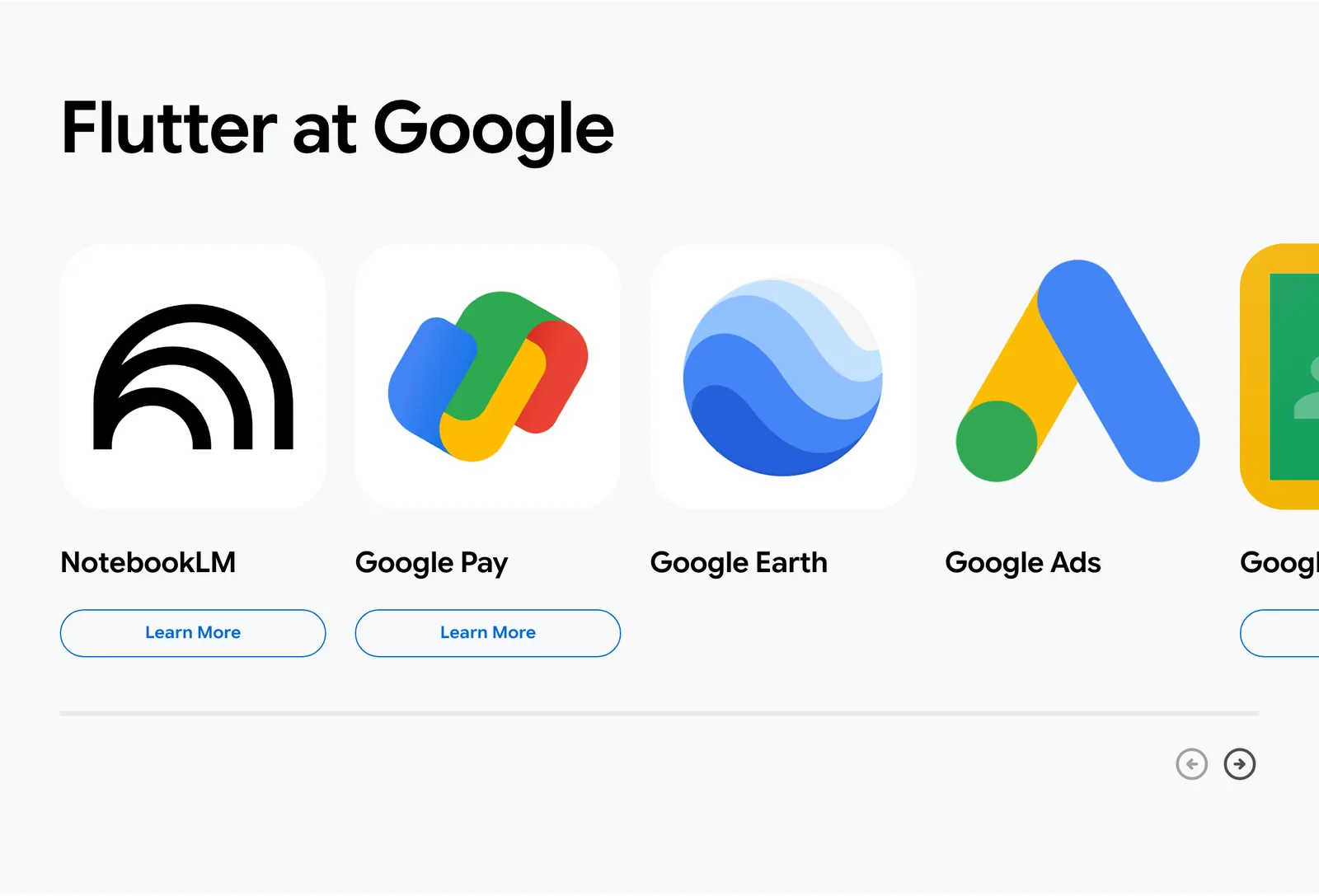
Google Pay is the best-documented example. When Google rebuilt its separate Android and iOS apps as one Flutter app, the new codebase came out 35% smaller, at 1.1 million lines of code instead of 1.7 million. The team estimates that Flutter saves 60 to 70% of its engineers’ time.
Outside Google, the Flutter showcase includes:
- Cars and TVs: BMW, Toyota and LG Electronics
- Finance: Nubank, SoFi and Betterment
- Shopping and delivery: Alibaba, talabat and Wolt
- Entertainment: ByteDance, PUBG MOBILE and Universal Studios
Key Differences Between React Native and Flutter
React Native and Flutter do the same job, but they differ in almost every layer underneath, from the language you write to the way your app reaches the screen.
JavaScript vs Dart
React Native apps are written in JavaScript or TypeScript, and Flutter apps are written in Dart.
JavaScript is the most used programming language in Stack Overflow’s 2026 Developer Survey, with 62.0% of developers having done extensive work in it over the past year, and 43.8% in TypeScript. Dart, which Google unveiled in 2011, came in at 4.9%.
Dart isn’t hard to pick up. It’s typed, with familiar C-style syntax, and it won’t let a value be empty (null) unless you say it can be. But far fewer developers know it, so a Flutter team usually means training people or hiring for it.
Here’s a simple button that counts its taps, in React Native:
function TapCounter() {
  const [count, setCount] = useState(0);

  return (
    <Button
      title={`Tapped ${count} times`}
      onPress={() => setCount(count + 1)}
    />
  );
}
And here’s the same button in Flutter:
class TapCounter extends StatefulWidget {
  const TapCounter({super.key});

  @override
  State<TapCounter> createState() => _TapCounterState();
}

class _TapCounterState extends State<TapCounter> {
  int count = 0;

  @override
  Widget build(BuildContext context) {
    return ElevatedButton(
      onPressed: () => setState(() => count++),
      child: Text('Tapped $count times'),
    );
  }
}
The Flutter version is longer, because a widget that remembers its state is written as two classes. React Native’s is a single function with a hook, which any React developer will recognize.
Native Components vs Custom Rendering
React Native shows your app with each platform’s own native components, while Flutter draws everything itself:
- React Native: your React code → React Native → iOS and Android’s native views
- Flutter: your Dart code → Flutter’s widgets → Impeller → pixels on the screen
With React Native, your app feels at home on each platform without extra work. Text fields, scrolling and accessibility behave the way iPhone and Android users expect, because they’re the platforms’ own. The trade-off is that the two versions can look slightly different, and some screens need styling per platform.
With Flutter, you control every pixel, and the interface looks identical everywhere. That’s ideal for a brand-led design. The trade-off is that the app doesn’t automatically take on the look of iOS or Android, so your team decides how platform-like it should feel.
React Foundation vs Google
React Native belongs to the React Foundation, and Flutter belongs to Google.
Meta created React Native and still uses it across its own apps, but React and React Native are no longer owned by Meta. The React Foundation owns them now, and its founding members include Meta, Microsoft, Amazon, Expo, Callstack and Software Mansion.
Flutter is built and maintained by Google, which also builds many of its own apps with it. One company setting the direction keeps the framework, the language and the tools in step, but it also ties Flutter’s future to Google’s priorities.
Both are open source, with active communities and in-depth documentation, so in practice you’ll rarely deal with either organization directly.
Third-Party Libraries vs Built-in Widgets
Flutter includes far more out of the box than React Native.
Flutter’s SDK comes with widgets for layout, animation, scrolling, text and input, and the Flutter team publishes the Material and Cupertino design sets on top of them. Navigation, theming and animation all come from the same place and are built to work together.
React Native’s core is deliberately small: views, text, images, lists and a few basic controls. For everything else, from navigation to the camera, you add community libraries or Expo’s modules. That gives you more choice, but library quality varies, and keeping them all up to date is part of the job.
Platforms
Both frameworks build iPhone and Android apps. Beyond mobile, Flutter covers more platforms by itself.
Flutter officially supports iOS, Android, the web, Windows, macOS and Linux, all from the Flutter team. It also runs on embedded screens: Toyota uses it for car infotainment systems, and LG for its webOS platform.
React Native’s core covers iOS and Android. Other platforms come from partner and community projects: Microsoft maintains React Native for Windows and macOS, and React Native for Web, which Expo supports out of the box, brings apps to the browser.
Flutter on the web works best for app-like experiences. Its own docs say text-rich, static content such as blog articles is better served by the traditional web. Expo, by contrast, can render web pages as static HTML for search engines.
Ecosystem
React Native has the bigger ecosystem, because it draws on JavaScript’s. React Native apps can use thousands of npm libraries, Expo’s modules and over a decade of community answers.
Flutter’s ecosystem is smaller but more self-contained. Its packages live on pub.dev, and the core pieces most apps need come from Google.
That shows in the documentation. Flutter’s docs cover nearly everything in one place, while a React Native project often means reading the React Native, Expo and library docs side by side.
Learning Curve
React Native is quicker to learn for most web developers, because they already know JavaScript and often React too.
Flutter means learning Dart and a widget-based way of building screens. Dart feels familiar to anyone who knows TypeScript, Java, Kotlin or C#, and the bigger shift is usually Flutter’s widgets, not the language.
For someone new to both, Flutter can be the easier start. You’ll be learning a new language either way, and Flutter’s built-in widgets and single set of docs mean fewer decisions on day one.
Time to Market
Flutter is usually quicker for building screens, and React Native with Expo is usually quicker to ship and update.
Flutter’s built-in widgets mean less time choosing and wiring up libraries, so a team that knows Dart can get a polished interface built fast.
React Native wins time back after launch. Expo’s cloud builds produce iPhone and Android apps without a Mac on your desk, and its over-the-air updates push JavaScript fixes straight to users without a new app store release. Flutter has no built-in equivalent, though third-party services such as Shorebird add one.
Once you need something unusual, React Native’s larger community also makes it more likely that someone has already solved it.
Performance
Both frameworks are fast enough for the vast majority of apps, and most users can’t tell a well-built app in either one from a native app.
Flutter has a slight edge on demanding, animation-heavy screens. Dart compiles straight to native machine code, and Impeller prepares its shaders when the engine is built rather than while your app is running, so there’s no stutter while they compile mid-animation.
React Native closed most of the gap with its New Architecture. JavaScript now calls native code directly instead of passing messages across a bridge, and layout updates land in a single pass, so screens no longer flicker between states.
Shopify reports that three in four screen loads in its React Native app take under 500 milliseconds.
Which Framework Is More Popular?
Flutter is more popular with developers, and React Native is in more of the world’s biggest apps.
In Stack Overflow’s 2024 Developer Survey, the last edition to ask about frameworks like these, 9.4% of respondents had done extensive work in Flutter over the past year, against 8.4% for React Native. Flutter also has more stars on GitHub, a rough measure of developer interest: over 181,000, against over 126,000 for React Native.
In real apps, the picture is more even. AppBrain, which detects the libraries inside Android apps on Google Play, finds each framework in just over 7% of all apps.
React Native is in over 20% of top apps, against under 6% for Flutter, while Flutter is in nearly 18% of new apps, about twice React Native’s share.
| React Native | Flutter | |
|---|---|---|
| Developers who used it in the past year | 8.4% | 9.4% |
| GitHub stars | 126,000+ | 181,000+ |
| Share of all Android apps | Just over 7% | Just over 7% |
| Share of top Android apps | Over 20% | Under 6% |
| Share of new Android apps | Nearly 9% | Nearly 18% |
Developer figures are from Stack Overflow's 2024 survey. App figures are AppBrain's, for apps on Google Play in November 2026.
React Native’s lead in top apps reflects its head start. It’s three years older, and Meta, Microsoft, Amazon and Shopify built major apps on it years ago. Flutter’s lead among developers and new apps shows where the momentum is.
For hiring, React Native still draws on a far bigger pool, because it runs on the language most developers already use.
Why Developers Choose React Native
Most teams choose React Native because it lets them build mobile apps with the skills and people they already have.
- It uses JavaScript and React. Web developers can move to mobile without learning a new language, and one team can work across the website and the app.
- Its screens are native. Apps look and behave like iOS apps on iPhone and Android apps on Android, without extra work.
- It’s proven at huge scale. Meta, Microsoft, Amazon and Shopify all build major apps with it.
- Expo speeds up shipping. Cloud builds, store submission and over-the-air updates come ready-made.
- It’s easier to hire for. The pool of JavaScript developers is many times bigger than the pool of Dart developers.
Shopify shows how that plays out. Its engineering team moved to React Native to stop “building the same features twice”, and after five years says that keeping its iPhone and Android apps level on features “has become a non-issue”.
It also found that web developers “find it much easier to start working on mobile” with React Native than with native iOS and Android development.
Why Developers Choose Flutter
Teams choose Flutter for control: one toolkit, from one company, that draws exactly the interface they designed on every screen.
- The design looks the same everywhere. Flutter draws every pixel itself, so a custom, brand-led design comes out identical on iPhone, Android and beyond.
- More comes built in. Widgets, animation, navigation and tooling come from the Flutter team, so there are fewer third-party libraries to choose and maintain.
- It reaches more platforms. The same code can run on the web, Windows, macOS, Linux and embedded screens, all supported by Google.
- Dart catches mistakes early. It’s typed and null-safe, and it compiles to fast native code.
- Google depends on it. Google Pay, Google Earth and NotebookLM are built with Flutter, so Google has every reason to keep investing in it.
Nubank, the Brazilian digital bank, compared React Native, Flutter and Kotlin Native before choosing Flutter for its app. In its Flutter case study, the bank says Flutter “offered better hot reload abilities, strong documentation, and a more stable API” than the other options.
React Native vs Flutter: Which to Choose?
Neither framework is better for every app. Both build fast, high-quality apps for iPhone and Android, and the right one depends on your team and your design.
React Native is the natural choice for teams that already build for the web. Flutter is the stronger choice when design control, or desktop and embedded screens, matter most.
Choose React Native If:
- Your team already knows JavaScript, TypeScript or React.
- You want your app to look and behave like a native iOS and Android app.
- You’ll need to hire developers and want the biggest pool to choose from.
- You want cloud builds and over-the-air fixes from Expo.
- You want to share code with a React website.
Choose Flutter If:
- You want a custom, brand-led design that looks identical on every device.
- Your app is highly visual or animation-heavy.
- You want the same app on desktop or embedded screens too.
- You’d rather use one toolkit from one company than assemble libraries.
- Your team knows Dart, or is learning a new language anyway.
Do You Need to Use React Native or Flutter If You Already Have a Website?
React Native and Flutter are both excellent ways to build an app from scratch. But if your business already runs on a website, both mean building a second product next to it.
Everything from your catalog and checkout to accounts and integrations gets rebuilt in a new codebase, then kept in step with the site for as long as you have an app.
MobiLoud transforms your website into a custom native app, powered by the same underlying code as your website.
Your app gets a head start: your products, checkout, accounts and features like search and loyalty are in place from day one. We then design a custom native interface for mobile and add push notifications and features only an app can offer.
Our team builds, publishes and maintains your app, so there’s no React Native or Flutter team to hire, and you can go live in a few weeks.
"We have a small team, with no app development experience. We needed someone that would hold our hand through the process, and guide us on how to maintain the app post-launch."
If your app is a new product with no website behind it, React Native or Flutter is still the right route.
Final Thoughts
React Native and Flutter are the two best-supported ways to build one app for iPhone and Android, and the one you pick shapes your team and your app for years.
Choose React Native if your team knows JavaScript or React, and you want an app that feels native on each platform. Choose Flutter if you want a custom design that looks the same everywhere, or one codebase that also reaches desktop and embedded screens.
If your app will sit alongside an established website, start from the site instead of a new codebase.