AppMySite vs Appilix vs MobiLoud: Best Mobile App Builder for 2026
Building a mobile app doesn't mean spending hundreds of thousands on developers. If you already have a website, converting it to an app can be quick, affordable and painless. But it's important to choose the right platform. We break down three popular web to app platforms for you, to help you make the most informed decision.
Check out our breakdown of three popular web to app tools, to find the best way to launch your app - with no compromises.
Pros
Cons
Good if you
MobiLoud
MobiLoud transforms your website into a mobile app, offering seamless integration with your stack and native app performance.
Pros
Cons
Good if you
AppMySite vs Appilix vs MobiLoud is good for...
Why MobiLoud is different
Trusted by 2,000+ brands including:
We guarantee your app's success
Our team doesn't just build your app - we partner with you to make it successful, from launch through ongoing optimization and growth.
"We couldn’t find another company that could offer the same features at the same price point, same time to market, and make it as easy as MobiLoud could."
Svend Hansen
Product Owner
"We wanted to give our loyal customers a convenient way to keep coming back and reach them directly with push notifications. Our app now drive 10% of our total revenue with minimal effort from our team."
Damien Smith
eCommerce CTO & COO
"Your level of service is unmatched. You are always there when we need you, and go above and beyond to make sure everything runs smoothly for us.”
Keep Everything From Your Website, Launch your App in 30 Days
Launch a fast, fully branded app without rebuilding anything. Keep every feature from your site while our team handles the entire process from start to finish.
Everything just works, no rebuilding required
Your entire tech stack - from custom features to third-party tools - works in your app from day one. No integrations needed, no features lost, no compromise on functionality.
Forget managing multiple platforms. When you update your website, your app updates automatically. No extra development, no duplicate work, no delays. Your team keeps working exactly as they do today.
Skip the complexity of building and maintaining an app. Our team handles everything - from development to teaching you the exact strategies that drive results. We'll help you promote your app, craft high-converting push notifications, and turn it into a reliable revenue channel.
Schedule a 30-minute call with the MobiLoud team to explore when a mobile app makes sense for your business and how brands use it as an owned channel to strengthen engagement, retention, and repeat revenue.
In this guide, we compare three popular solutions – AppMySite, Appilix, and MobiLoud – to explore options for turning a website into a mobile app.
Mobile apps are increasingly important for modern businesses, providing a mobile-first way for customers to engage with your brand repeatedly.
This guide covers key areas including cost, launch speed, support, and long-term maintenance.
Whether you're a solo founder or managing a high-traffic ecommerce brand, this comparison aims to help you identify the right mobile app solution for your needs.
Platform Snapshots
Here is a brief overview of each platform, their core focus, and pricing.
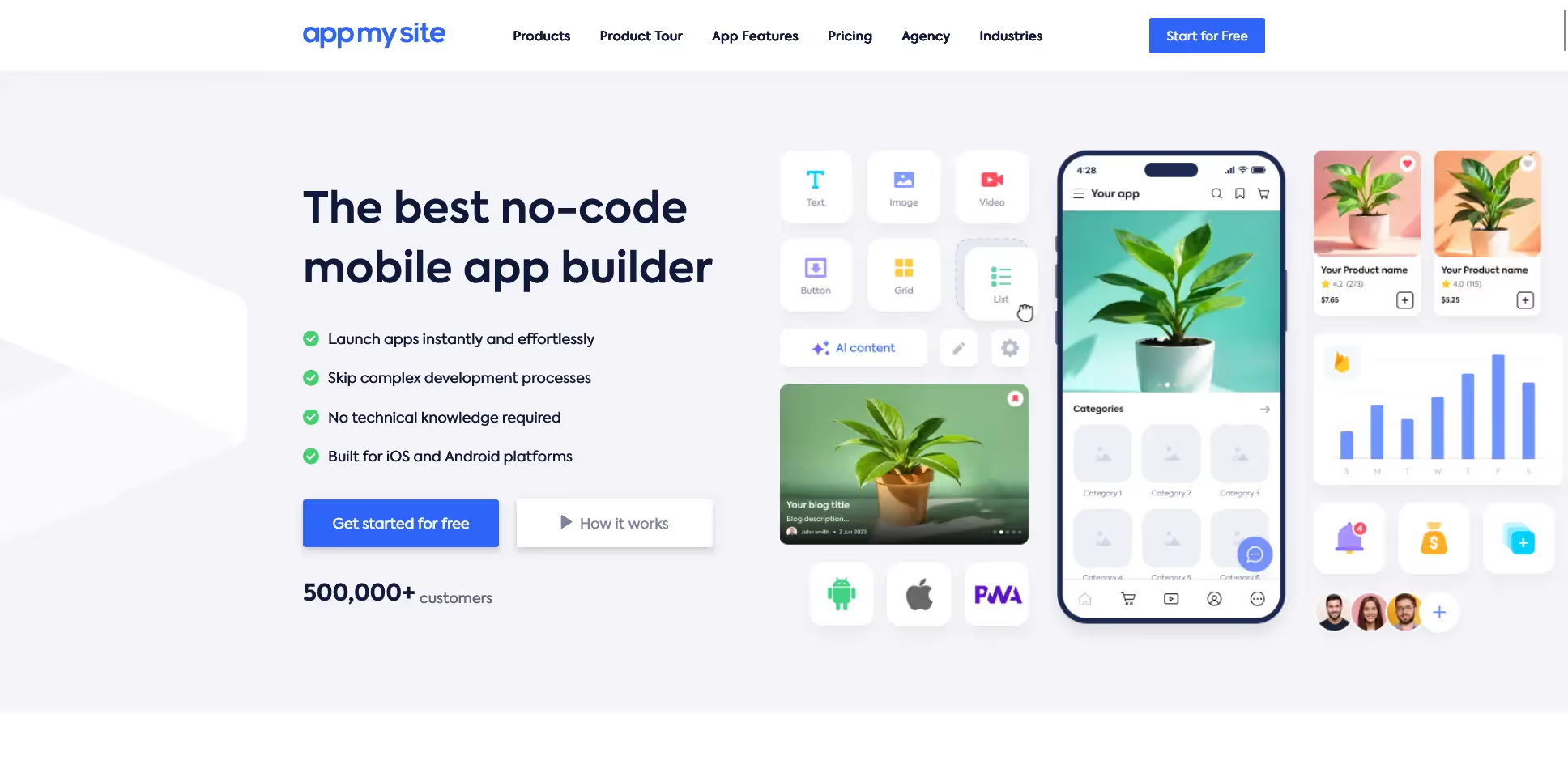
AppMySite
Founded: 2016
Core strength: No-code builder designed for WordPress and WooCommerce
Pricing: Free tier available; paid plans start at $49/month (Android only). iOS apps and additional features like white-labeling are available at extra cost.
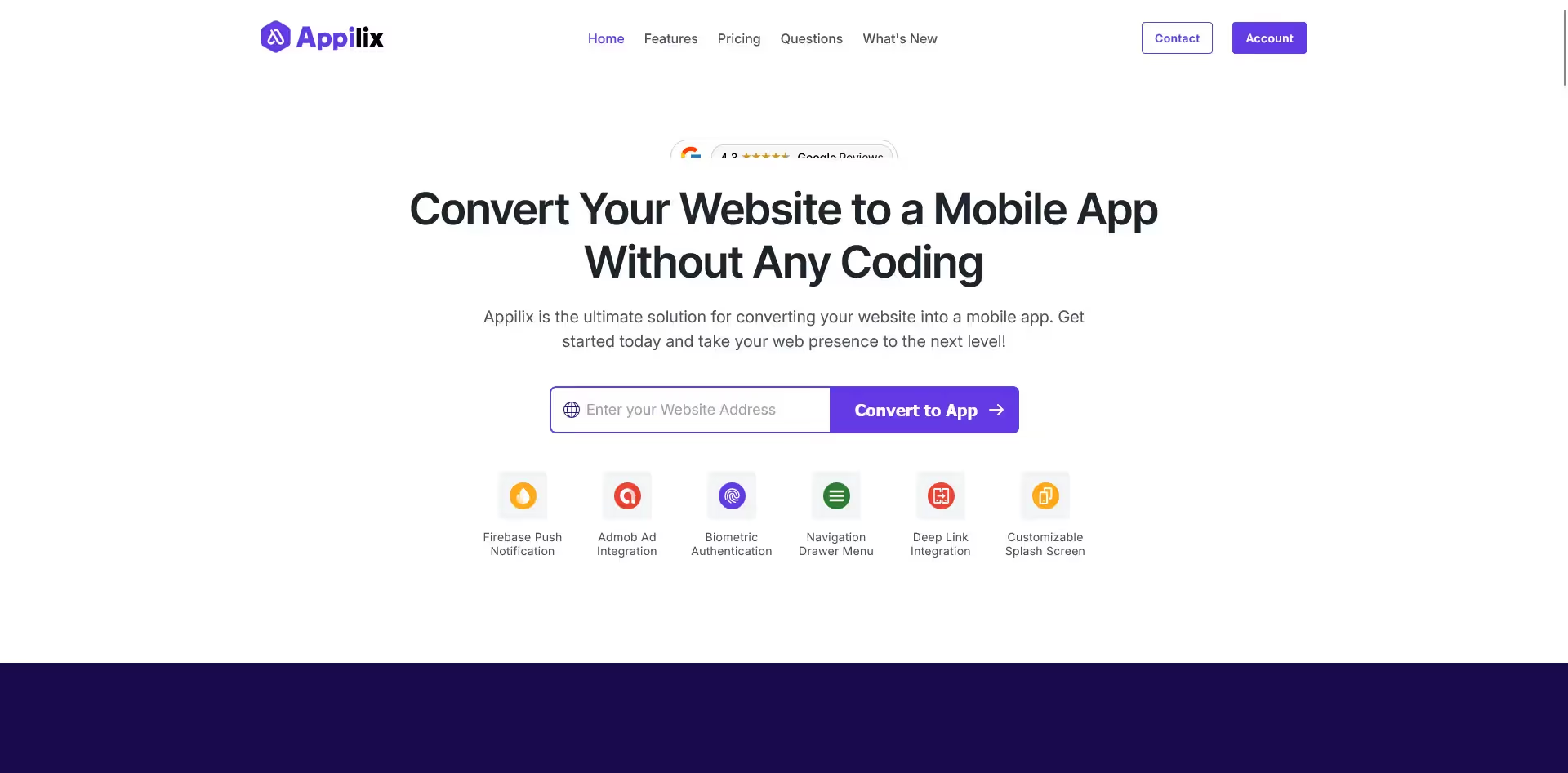
Appilix
Founded: 2021
Core strength: Simplified web-to-app converter with a single low-cost plan
Pricing: Single plan at $79/year includes iOS & Android, push notifications, and AdMob integration. Setup service and support are not included.
MobiLoud
Founded: 2013
Core strength: Fully-managed service converting any website into native iOS and Android apps with push notifications, analytics, and native UX features
Pricing: Starts at $399/month plus a one-time setup and publishing fee. No revenue share or additional fees.
Key Features to Look For in a Web to App Converter
Many tools offer website-to-app conversion, but the quality, flexibility, and long-term value can vary.
Understanding how each platform compares across key features helps in selecting the best fit for your project.
The features considered here include:
1. Time to Launch
The duration from signup to a live app is important, especially when timing is critical.
2. Cost (Up-front and Ongoing)
Consider both initial and ongoing costs, including time and resources needed for maintenance.
3. Push Notifications
Push notifications are a key retention tool; platforms with built-in push capabilities can support engagement strategies.
4. Design & Brand Control
Evaluate how much control you have over the app’s design and branding to maintain consistency with your website.
5. Tech Stack Compatibility & Integrations
Compatibility with your existing technology stack and third-party tools is essential for complex workflows.
6. Maintenance Burden & Support
Determine whether you manage updates and app store compliance or if the platform provides managed services.
7. ROI & Retention Tools
Look for platforms that support retention and growth through analytics, campaign tools, and strategic guidance.
AppMySite vs Appilix vs MobiLoud: Feature-by-Feature Breakdown
1. Time to Launch
AppMySite: Setup can be relatively fast if your site fits their templates and you are familiar with app store processes. Configuration, testing, submission, and approval are managed by you, which may affect timelines.
Appilix: Allows generation of APK or iOS builds quickly. However, testing, app store submission, and troubleshooting are your responsibility. Fast setup does not guarantee immediate app store approval.
MobiLoud: Provides fully functioning apps typically within 30 days, with a managed process including configuration, testing, QA, and app store submission.
Summary: Appilix and AppMySite offer faster initial setup, but timelines can vary based on user experience and app store processes. MobiLoud offers a managed and predictable timeline.
2. Cost (Up-front and Ongoing)
AppMySite: Entry-level pricing starts at $99 per month for iOS and Android apps. Publishing and maintenance are managed by you, which may require additional time investment.
Appilix: Offers a one-time purchase of $189 for Android and iOS apps. Ongoing maintenance and updates are your responsibility.
MobiLoud: Pricing starts at $399/month plus a one-time setup fee. This includes build, publishing, updates, and maintenance handled by the MobiLoud team.
Summary: Appilix has the lowest upfront cost. MobiLoud includes managed services that may support long-term efficiency.
3. Push Notifications
AppMySite: Provides basic push notification support with limited targeting options. Advanced features may require third-party tools.
Appilix: Includes basic push notifications without segmentation, automation, or analytics features.
MobiLoud: Includes unlimited push notifications with OneSignal integration by default and optional native Klaviyo integration for ecommerce. Supports abandoned cart push and provides assistance with campaign setup.
Summary: MobiLoud offers more comprehensive push notification features and support.
4. Design & Brand Control
AppMySite: Provides branding options within its template system, primarily optimized for WordPress and WooCommerce sites.
Appilix: Presents your website in a webview with limited customization beyond basic branding elements.
MobiLoud: Reflects your actual website design with native app elements added, maintaining brand consistency and layout.
Summary: MobiLoud allows for greater design consistency by using your existing website as the app foundation.
5. Tech Stack Compatibility & Integrations
AppMySite: Designed primarily for WordPress and WooCommerce, with integrations suited to those platforms. Supports other websites via webview but with limited advanced feature compatibility.
Appilix: Compatible with basic responsive websites. Complex ecommerce flows or embedded third-party tools may not function fully.
MobiLoud: Supports a wide range of tech stacks including Shopify, BigCommerce, headless CMS, and custom JavaScript. Uses the same front end as your mobile site, enhanced with native features.
Summary: MobiLoud offers broader compatibility for complex ecommerce, publishing, and SaaS platforms.
6. Maintenance Burden & Support
AppMySite: Provides documentation and reactive support. App submissions, updates, and handling app store requirements are managed by you.
Appilix: Offers minimal support consistent with its one-time purchase model. Maintenance and updates are your responsibility.
MobiLoud: Provides fully managed services including OS updates, app store compliance, technical maintenance, and bug fixes. Support is available via Slack or email.
Summary: MobiLoud includes managed maintenance and support services.
7. ROI & Retention Tools
AppMySite: Includes basic analytics but does not provide additional support for growth or retention strategies.
Appilix: Provides basic push notifications without analytics or campaign management tools.
MobiLoud: Offers strategic support including push campaign planning, analytics setup, app store optimization, and re-engagement workflows.
Summary: MobiLoud provides additional tools and support aimed at long-term app growth.
Verdict – Which Web to App Builder Should You Choose?
Appilix, AppMySite, and MobiLoud all provide options to convert your website into an app, each catering to different requirements.
For businesses seeking a managed service with comprehensive features, support, and scalability, MobiLoud offers a full-service solution.
It is designed to support businesses aiming for a high-quality app experience and ongoing growth.
Consider MobiLoud if:
You want to launch a native app quickly without rebuilding your website
Push notifications, retention, and ROI are priorities
You prefer a done-for-you service including build and maintenance
You require a platform that scales with your business and technology stack
For WordPress sites with lower monthly revenue or simpler needs, AppMySite may be a suitable option. Appilix may be appropriate for simple websites or hobby projects with limited budgets.
For businesses focused on app functionality and growth as a channel, MobiLoud provides a comprehensive managed approach.
How to Convert Your Site to an App with MobiLoud
MobiLoud offers a fully managed process from start to finish, with no coding or app store submission required on your part.
The process includes:
1. Kickoff & Setup
Provide your website URL and brand assets. The team begins project setup and aligns on goals.
2. App Configuration
The app is configured using your existing mobile site, with native app features like navigation menus, splash screens, push notifications, and loading indicators added.
3. Testing
You receive a preview version to test on your devices, allowing feedback and adjustments.
4. QA & Final Checks
Extensive quality assurance is performed to ensure smooth operation across devices and platforms.
5. App Store Submission
The team manages all metadata, screenshots, and technical requirements for submission. If the app is rejected, they handle resolution and resubmission.
6. Launch & Growth
After launch, MobiLoud supports retention strategy, push campaign planning, and analytics setup.
Result: A native iOS and Android app launched in approximately 30 days, with minimal effort required from your team.
Do I need to rebuild my website to create an app with these platforms?
MobiLoud: No. Your existing site becomes the app without duplication of work.
AppMySite: Optimized for WordPress and WooCommerce; other platforms may require adaptation.
Appilix: No rebuild needed, but best suited for simple, static sites.
Will my app automatically reflect changes I make to my site?
MobiLoud: Yes. The app mirrors your site in real time.
AppMySite: Mostly yes when using their templates; complex updates may require manual syncing.
Appilix: Yes, though sites with advanced scripts or dynamic content may experience compatibility considerations.
What happens if my app gets rejected by Apple or Google?
MobiLoud: The team manages communication and resubmission until approval.
AppMySite: You manage rejections, with some support available.
Appilix: No active support for rejections; resolution is user-managed.
Can I customize how my app looks and feels?
MobiLoud: Yes, with native app elements layered on your existing design for brand consistency.
AppMySite: Offers customization within template constraints.
Appilix: Customization is limited to basic branding elements like logo and colors.
Do I need a developer or technical skills?
MobiLoud: No technical skills required; the service is fully managed.
AppMySite: Some technical familiarity can be helpful, especially for app submission.
Appilix: Users may need to handle troubleshooting and testing independently.
Ready to Turn Your Website into a Mobile App?
For launching a mobile app in 2026, MobiLoud offers a comprehensive, managed, and scalable solution.
AppMySite and Appilix may be suitable for smaller projects or static sites with budget considerations.
For businesses such as ecommerce brands, digital publishers, and SaaS platforms, selecting a platform that supports app functionality and growth is important.
MobiLoud provides a managed approach designed to support these needs.
See how MobiLoud can help you launch and grow your native mobile app in 30 days or less.
Get weekly insights on retention and growth.
Convert your website into a mobile app
Schedule a 30-minute call with the MobiLoud team to explore when a mobile app makes sense for your business and how brands use it as an owned channel to strengthen engagement, retention, and repeat revenue.





.webp)