
You picked Virto Commerce because you wanted to build your store your way. You need full control over how your storefront works, and that control has let you create something tailored to your business.
But as your business grows, so do your customers' expectations. More people shop on their phones now, and a native mobile app has real benefits over a mobile website. That's why you're thinking about mobile apps to reach more customers and scale further.
Here's where it gets tricky: your storefront has custom features you spent time building. Those features are what make your store unique.
If you want those same features in a mobile app, you can spend months building a custom app from scratch, essentially rebuilding everything you already have. Or you can use Virto's starter kits, which won't include the custom features you worked so hard to create.
Either way, you're abandoning the work you've already done.
Fortunately, there's a third and superior option. Instead of rebuilding everything or settling for less, you can use your existing storefront as the foundation for a native app. You keep what works and extend it to mobile, without starting from scratch.
Keep on reading to learn how to launch iOS and Android apps in about 4 weeks instead of the months it typically takes to build custom Virto Commerce mobile apps.
The Challenge: Why Virto Commerce Mobile Apps Are Inherently Difficult to Build
Virto's Atomic Architecture lets you build, swap out, or add new features without replacing your entire commerce system. This modular approach works well for some brands, but when you build a native mobile app (using Swift for iOS or Kotlin for Android), you're creating a completely separate product. It needs its own interface, navigation, release schedule, and continuous updates. Even with Virto's resources, building a mobile app remains a substantial undertaking.
Starter Kits Are Just Starting Points
Virto Commerce provides mobile starter resources called starter kits. These are sample apps, typically built with frameworks like Ionic or Cordova, that demonstrate how a Virto storefront work as a mobile app.
They're reference examples, but they require substantial development to become production-ready.
To turn a starter kit into an app, you'll need to:
- Keep the app working as Apple and Google release platform updates: When iOS or Android changes, things break. Your team fixes them.
- Build every custom feature twice: Any custom module, workflow, or permission rule you add to your web store also needs to be built and tested in the mobile app.
- Design the entire user experience: Starter kits are deliberately generic. Creating a polished, branded experience means redesigning screens, navigation, and interactions from scratch.
A starter kit gives you a foundation, but you still need to build, maintain, and update a separate mobile product alongside your Virto Commerce store.
Rebuilding Your Buying Experience From Scratch
This is the expensive part most people miss.
Even though your data and settings live in Virto, your mobile app can't automatically use them.
For example, if your website lets managers approve large orders, you need to build that same approval process in the mobile app. If certain customers get special pricing, you need to program that into the mobile app too.
Same goes for bulk ordering, who can see what products, and who has permission to place orders. Every feature you have on your website needs mobile app versions built from scratch.
What It Actually Costs
When you add up everything above, here's what you're looking at for a typical enterprise mobile app:
- Upfront development: $150,000 to $450,000, depending on how many custom features you need.
- Timeline: 10 to 18 months to launch the first version, depending on your internal processes and how complex your app needs to be.
- Ongoing maintenance: You'll pay annual costs to keep the app working when Apple and Google release updates, and when your business needs change.
If a mobile app matters to your customers, waiting a year to launch carries real risk. Your competitors might reach customers first, or you might miss important selling seasons.
The Solution: MobiLoud’s “Keep Your Stack” App Strategy
You've already done the hard part. You've built your Virto Commerce web experience that your customers know and use every day.
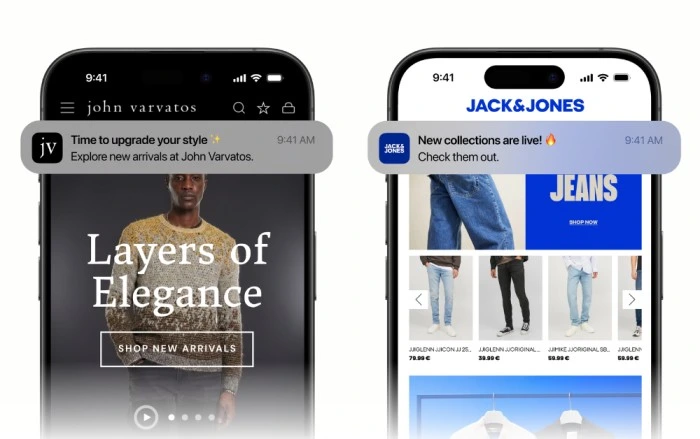
MobiLoud turns that existing mobile website into iOS and Android apps, adding the native features that app users expect like push notifications and home screen access.
How It Works with Virto's Architecture
MobiLoud works well for Virto because you don't need to rebuild your store in a second codebase.
The approach is straightforward, regardless of how you built your storefront:
- No rebuild needed. If it works on your mobile website, it works in the app.
- Consistent buying experience. Pricing, account management, and checkout work the same way in the app because it uses your existing storefront instead of separate mobile screens.
- Fast updates. Most website changes (like content, layout, or checkout processes) appear in the app immediately after you publish them. You only need to push an app update for native settings like navigation tabs or device permissions.
A Fully Managed Service
MobiLoud isn't a DIY project or a starter kit. We build and maintain the apps for you.
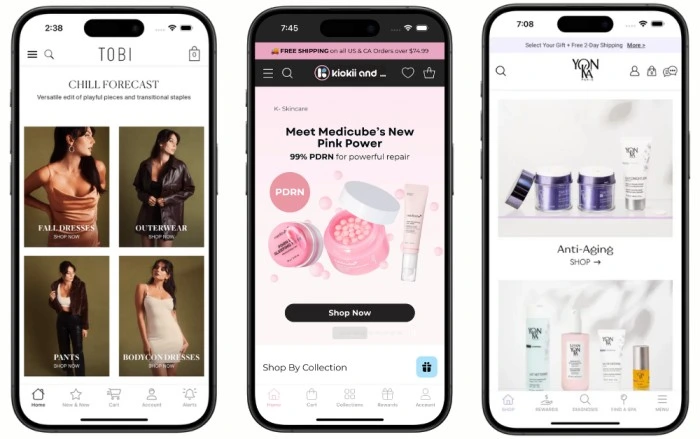
We handle the full process: configuring native navigation and app settings, handling your app store submission (including store listings, screenshots, privacy details, and the review process), and ongoing maintenance to keep your app compatible with new iOS and Android releases.
The Process: From Virto Store to App Store in Around 4 Weeks
Turning your Virto Commerce site into iOS and Android apps won't require a major internal project or occupy your development team.
Step 1: Consultation
Schedule a free demo with one of our app specialists. We'll discuss your goals, demonstrate how the platform works, and show you real examples of apps we've built for other commerce businesses.
Step 2: App Configuration
Our team works with you to configure your apps. We'll apply your existing branding and create the native navigation structure. If your site needs small adjustments to display properly in a mobile app, we'll handle those too.
Step 3: Building and App Store Submission
We handle the technical work: creating the app files, preparing everything Apple and Google require, and managing the submission process. We address any feedback from the app stores until your apps are approved.
Step 4: Go Live and Ongoing Support
Your apps launch around 4 weeks and customers can download them. After launch, we provide continuous support and maintenance to keep your apps compatible with new iOS and Android updates.
Frequently Asked Questions
Does MobiLoud work with highly custom Virto Commerce implementations?
Yes. MobiLoud uses your existing mobile web experience, so custom layouts, design, and workflows built into your storefront carry over into the app.
Can we use push notifications with a Virto Commerce app?
Yes. MobiLoud supports push notifications, including both manual campaigns and automated flows, and can integrate with tools like Klaviyo or OneSignal depending on your setup.
Is this a PWA?
No. The end result is a real iOS app and Android app, distributed through the Apple App Store and Google Play.
Extend Your Virto Commerce Platform to iOS & Android
You've built a storefront that does exactly what you need. Your mobile site works. Your platform gives you the flexibility and control you wanted.
With MobiLoud, you can take that existing setup and turn it into native iOS and Android apps. You get better customer engagement and higher conversions without throwing away the efficiency that made you choose Virto Commerce.
Want to see how your store translates to a mobile app? Get a free preview, or book a consultation to talk to our team of experts to learn more.